To save your conversions, understanding landing page analysis is a must. A good landing page can slowly decline in performance due to evolving user behaviors and market trends. Whether your landing page has an established presence or is freshly launched, initiating its analysis promptly is necessary to match shifting audience preferences. Such a proactive approach makes sure sustained conversions and builds exponential growth through refined A/B testing and tailored user experiences. But how do we analyze landing pages? We are here to help you get started. From tools to techniques, we cover everything about landing page analysis, eliminating the need for extensive research. Let’s begin.
What is landing page analysis?
Landing page analysis, a deep dive into your conversion-driven web page’s effectiveness, is a powerful tool for marketers. With a clear-cut mission - converting visitors into leads or customers - a landing page’s success hinges on inciting actions like signups, purchases, or subscriptions.
 Through this insightful analysis, marketers can spotlight the strengths and weaknesses of a landing page. By deciphering necessary metrics and user behavior data, they gain a detailed understanding of visitor interactions, goal attainment, and potential stumbling blocks, paving the way for optimized landing page performance and heightened conversions.
Why conducting landing page analysis is necessary?
Landing pages are integral to marketing strategies, serving everything from PPC campaigns to email marketing. Notably, PPC landing pages, designed for paid campaigns with a focused Call to Action (CTA), are key to raising conversion rates and reducing costs.
To improve these conversions, a full PPC landing page analysis is key. Let’s uncover the insights that a well-executed analysis can reveal:
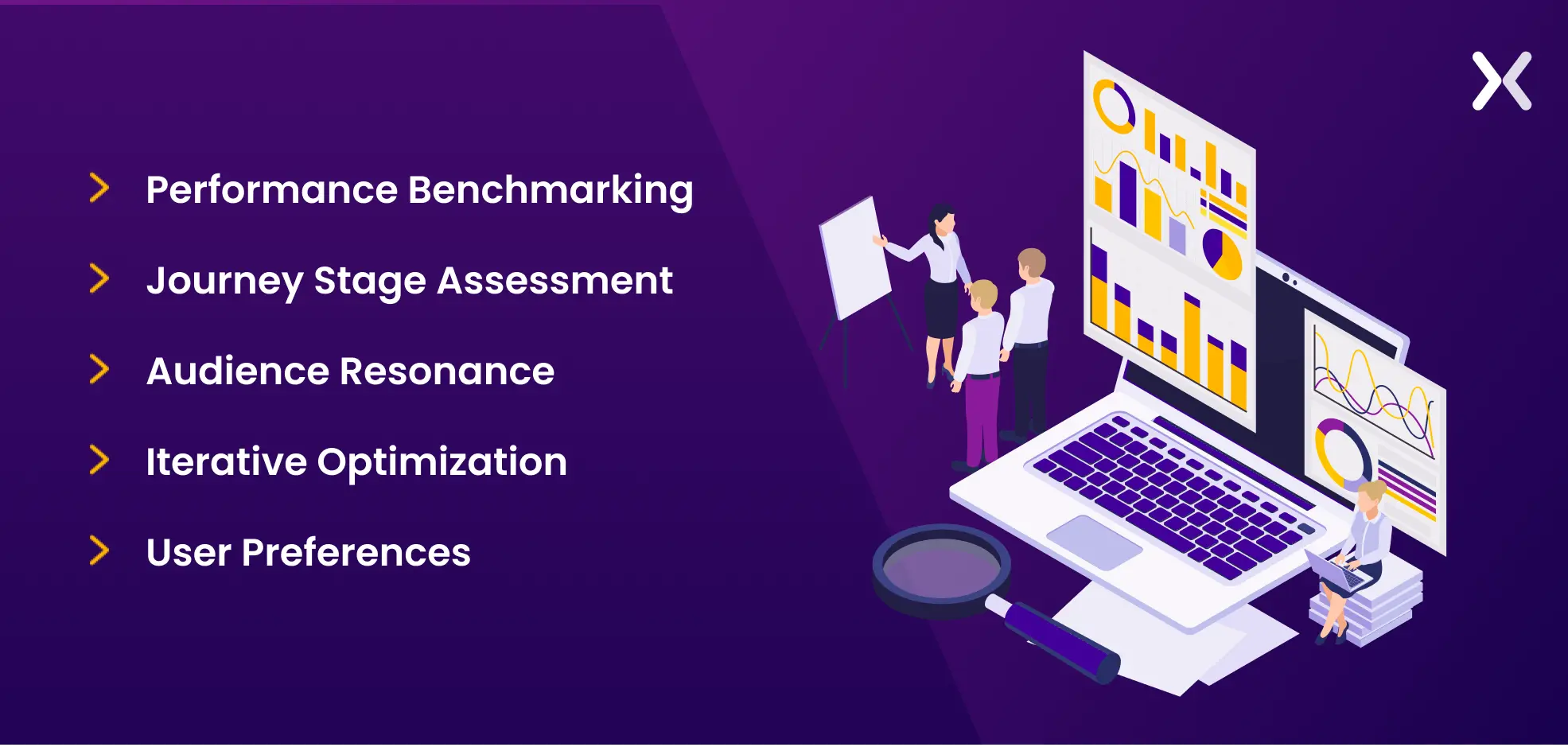
1. Performance Benchmarking
Landing page analysis gives marketers a clear picture of the performance of different landing pages in various marketing campaigns. By assessing metrics like conversion rates and user engagement data, businesses can identify high-performing pages and areas for improvement.
2. Journey stage assessment
When you analyze landing pages, it provides valuable insights into their performance at each buyer journey stage. It helps pinpoint which pages attract, nurture, and convert prospects during their journey.
3. Audience Resonance
User behavior analysis on landing pages reveals what matches the target audience. It can provide powerful clues for crafting successful components such as strong headlines, persuasive visuals, or content for replication on other pages.
4. Goal setting and growth
Historical data from landing page analysis sets performance benchmarks, enabling businesses to set realistic goals for future marketing campaigns. This data-driven approach makes sure continuous improvement and growth.
5. Iterative Optimization
Analysis of a landing page allows marketers to test and refine individual elements incrementally or iteratively to improve conversion rates and campaign success.
6. User Preferences
Landing page analysis can uncover user preferences and potential friction points in the user experience, providing the information needed to create more tailored, user-friendly landing pages. Finally, it all boils down to a quote by Peter Drucker, a Management Consultant, Author, and Educator.

What are the goals of landing page analysis?
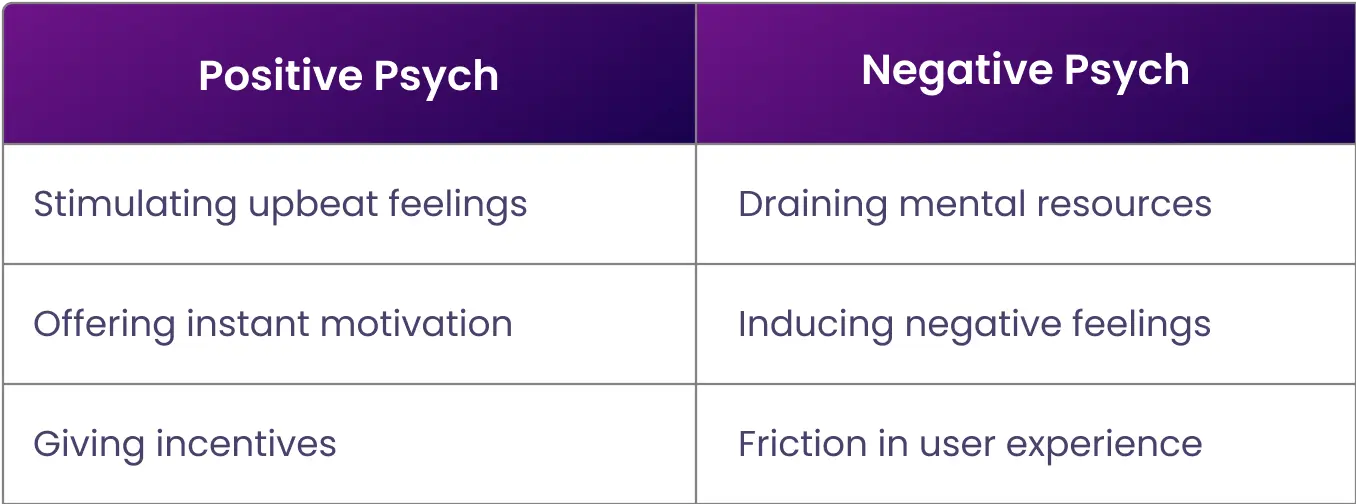
Landing page analysis primarily aims to discover areas for improvement within the page and define actionable plans for improvement. But what precisely are we aiming to improve within these landing page sections? Naturally, our goal is to optimize them for conversion, but what are we seeking to refine? To answer this question, we need to understand the Psych Framework. Designed to optimize conversion funnels. It can also play a critical role in improving the performance of a landing page. Developed by Darius Contactor, the framework assumes that users enter a page with a certain amount of motivation or psych to complete their buying journey. Elements that boost a positive psyche increase the motivation to complete the journey, while negative elements have the opposite effect. Here’s a table of how positive and negative psychs compare to each other.
 Let’s take an example to understand this better.
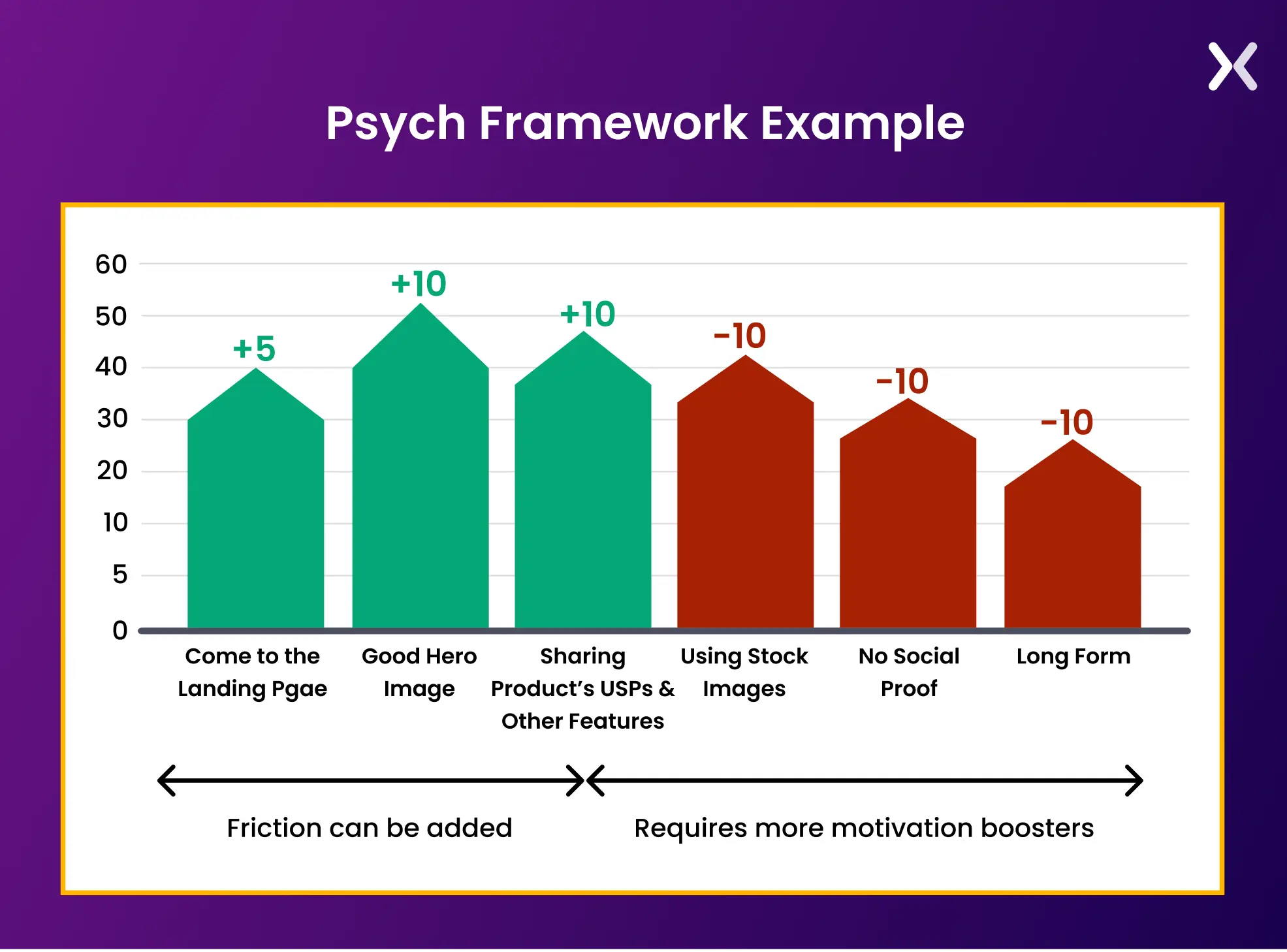 In the above, we can see the user starts with a positive psych of 40 but ends up with a lower buying motivation of 30. This is due to some negative psych-inducing elements present on the landing page.
For instance, completing a lengthy form imposes a physical task on the user, potentially causing friction in the conversion process. To change this form into a positive stimulant, it should either be shortened or converted into a multi-step format.
In the above, we can see the user starts with a positive psych of 40 but ends up with a lower buying motivation of 30. This is due to some negative psych-inducing elements present on the landing page.
For instance, completing a lengthy form imposes a physical task on the user, potentially causing friction in the conversion process. To change this form into a positive stimulant, it should either be shortened or converted into a multi-step format.
How does wrong landing page analysis kill your conversions?
Faulty landing page analysis can seriously hamper your conversion rates in several ways:
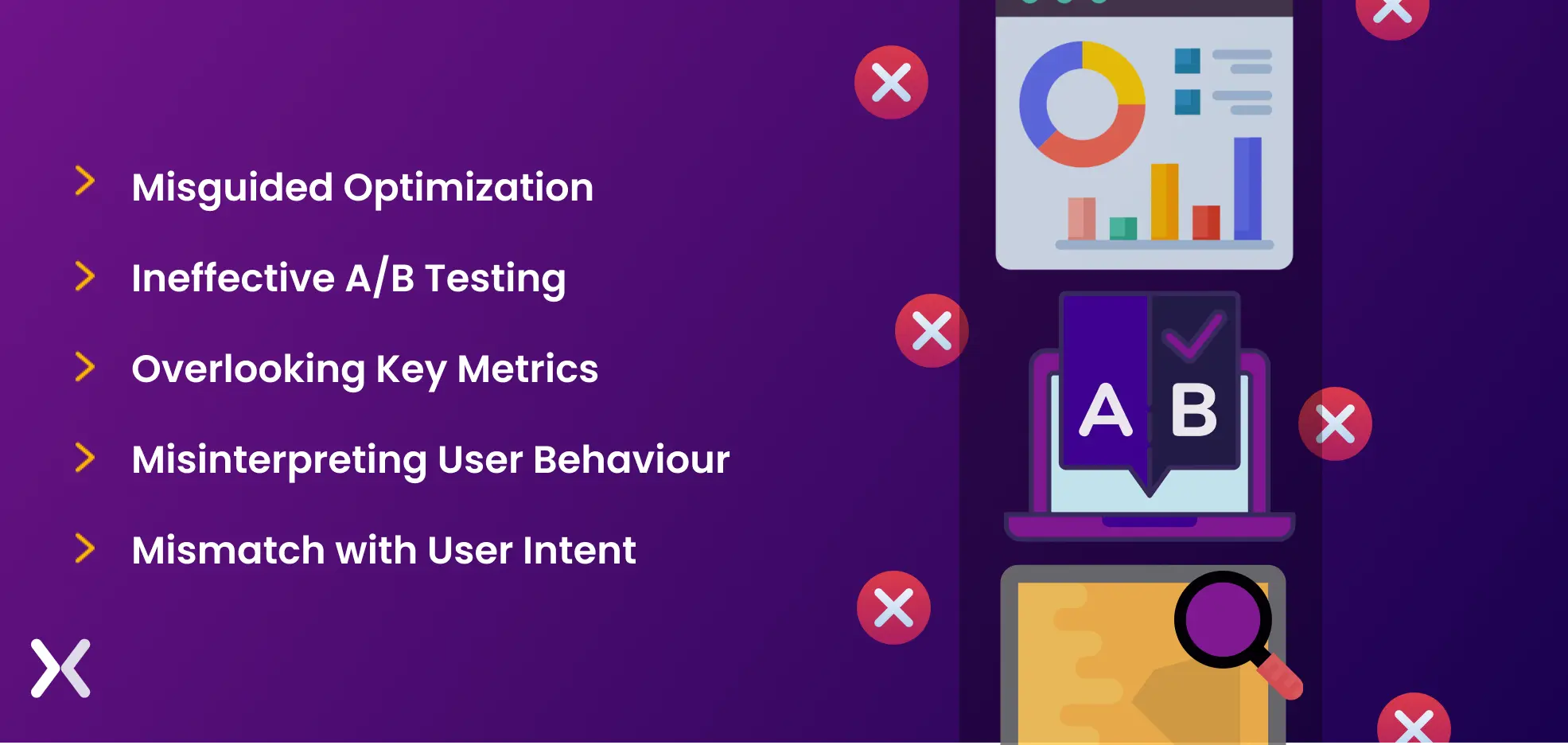
1. Misguided Optimization
Basing optimization strategies on incorrect data can result in changes that don’t match your audience’s needs, leading to less engaging and ineffective landing pages.
2. Ineffective a/b testing
While experts recommend A/B testing as a highly effective method for landing page analysis, misguided testing or testing the wrong elements can yield misleading results. It might harm your conversion rates when implementing changes based on these outcomes.
3. Overlooking key metrics
When you incorrectly analyze landing pages, it may lead you to overlook necessary metrics that indicate problems with the performance. Ignoring high bounce rates, low click-through rates, or lengthy page load times can result in missed opportunities for optimization.
4. Misinterpreting user behavior
Incorrectly interpreting user behavior data can lead to misguided assumptions about what works and what doesn’t on your post-click landing page. This may result in making unnecessary changes to elements that were actually effective or vice versa.
5. Mismatch with user intent
If your landing page fails to match your audience’s actual intent. It could lead to content or offers that don’t match, causing a disconnect and, ultimately, lower conversions.
Three necessary landing page analysis tools
Using the right tools to analyze landing pages make sure you get accurate data for better analysis. With these tools, analyzing PPC landing pages and SEO landing pages becomes easier. Let’s discuss three tools that are a must for your landing page analysis.
1. Google Analytics four (GA4)
As you dig into landing page analysis, rely on Google Analytics (GA4) Landing Pages report as your trustworthy companion. Despite replacing the older version, GA4 still holds significance in providing essential landing page analytics.
What are landing pages in GA4?
Although marketers usually designate a ‘landing page’ as a conversion-centric webpage, GA4 broadens this definition to include any page that is a session’s starting point. Imagine a scenario where a user clicks on a top-ranking blog post in the search engine results pages (SERPs) and lands on your website. In this instance, the blog post effectively changes into a landing page for GA4.
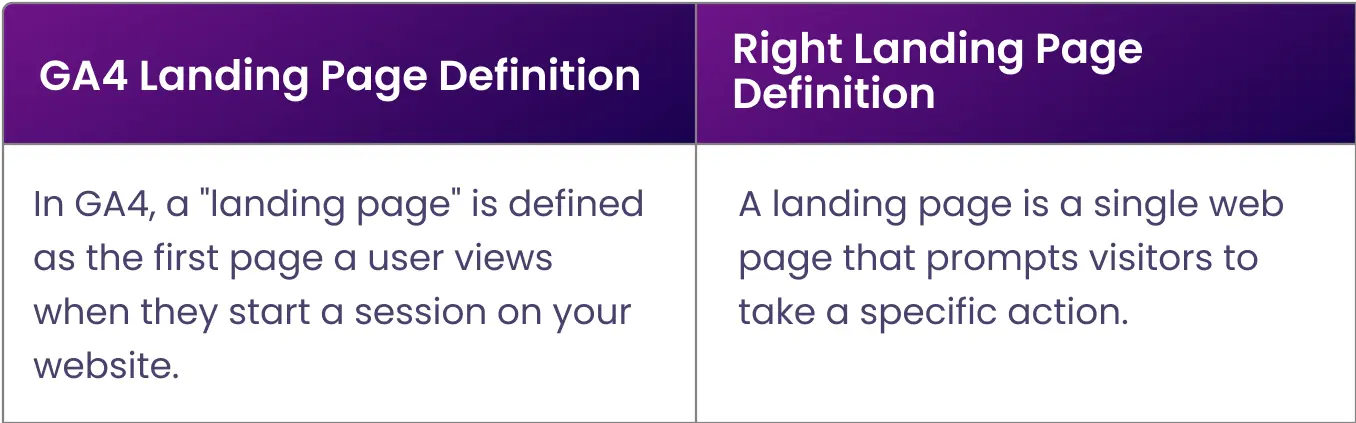 Hence, it’s necessary to keep your dedicated landing pages on a subdirectory or subdomain to minimize confusion.
What does Conversions mean in GA4?
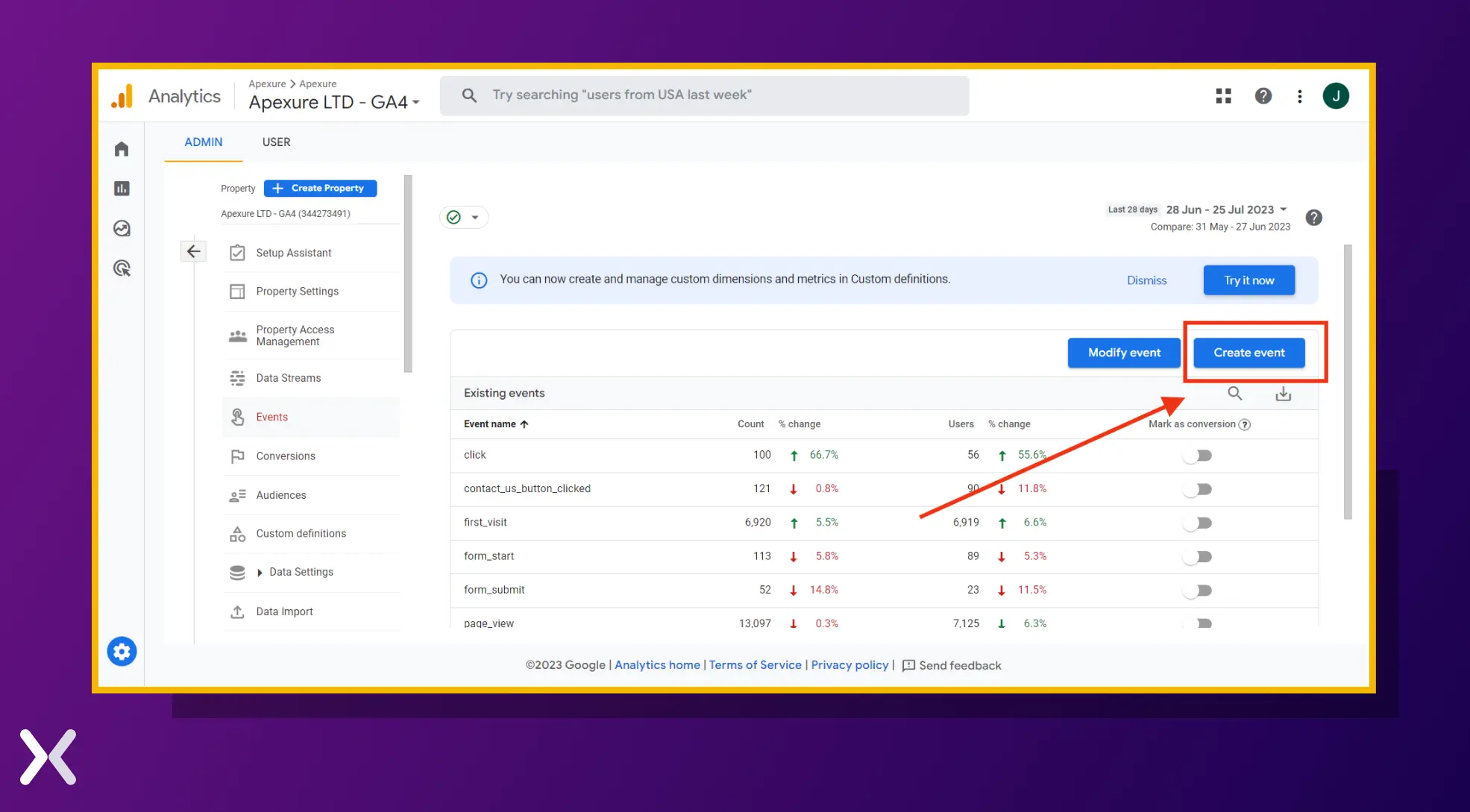
In GA4, you can set up “Events” or “Goals” to track these conversions. Events are user interactions with your website or app, such as clicking a button, watching a video, or adding an item to the cart. Conversely, goals are specific actions or achievements that you define as conversions, such as reaching a particular URL or spending a certain amount of time on the site. When a user completes a defined goal or event, GA4 records it as a conversion, and you can track the number of conversions, conversion rates, and other related metrics in the Conversions report. This data helps you understand how effectively your landing pages or app drive the desired user actions and how successful your marketing efforts are in achieving your business objectives. You can set up Events on your GA4 using a few easy steps:
1. From the Admin options, go to ‘Events’.
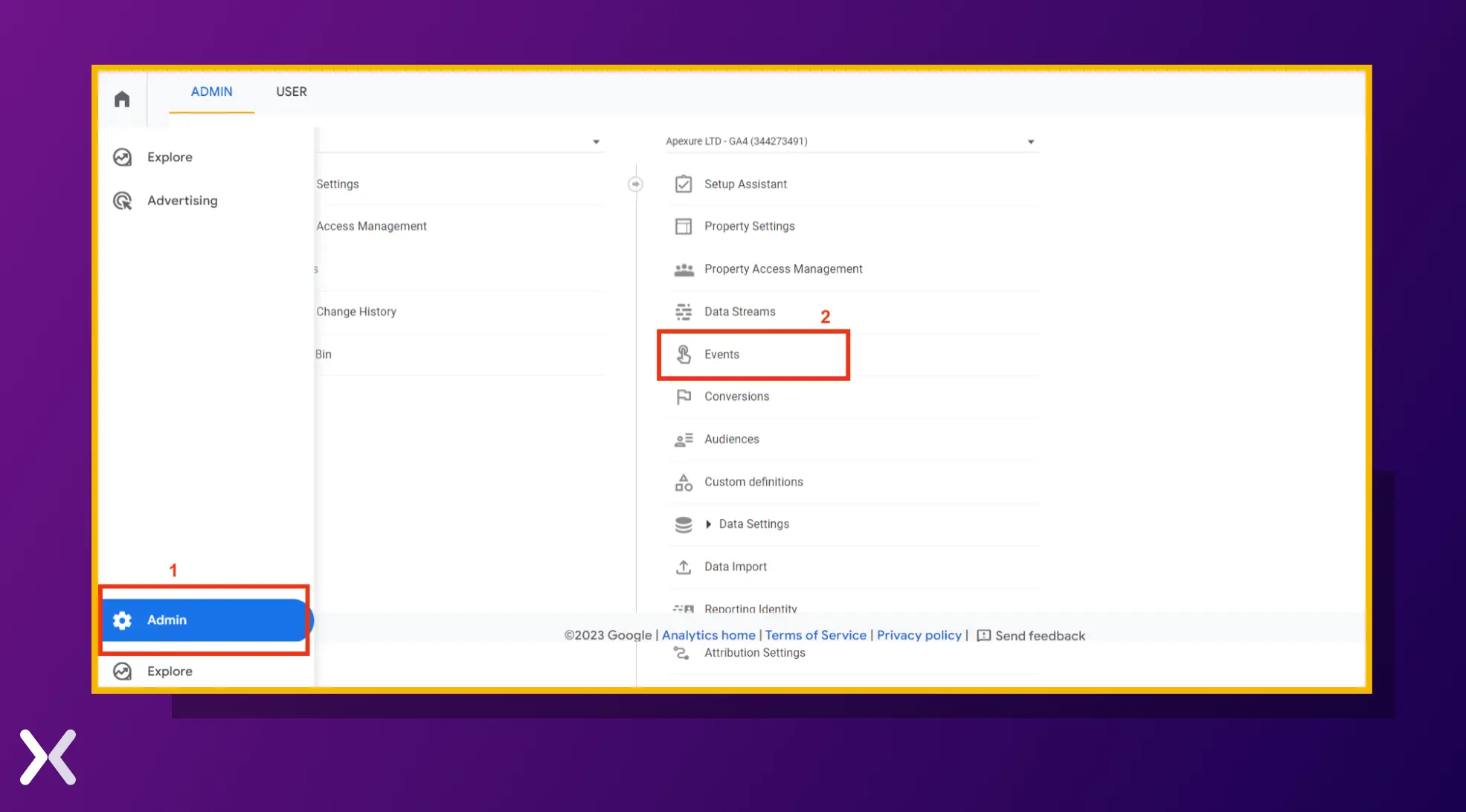
2. Click on ‘Create event’. Afterward, you can configure the Event settings as you wish.
2. Heatmaps
Heatmaps for landing pages visually represent user interactions, such as clicks, scrolls, and mouse movements. These visualizations help identify patterns and areas of interest on the page, revealing how visitors engage with different elements. Here are two heatmap tools you should consider checking out:
Crazy Egg
Crazy Egg is a powerful your SaaS tool to analyze landing pages. It provides features such as heatmaps, scrollmaps, and confetti maps to visualize user behavior and interactions. In addition to these visualizations, Crazy Egg offers A/B testing and user recordings to analyze further and optimize landing pages.
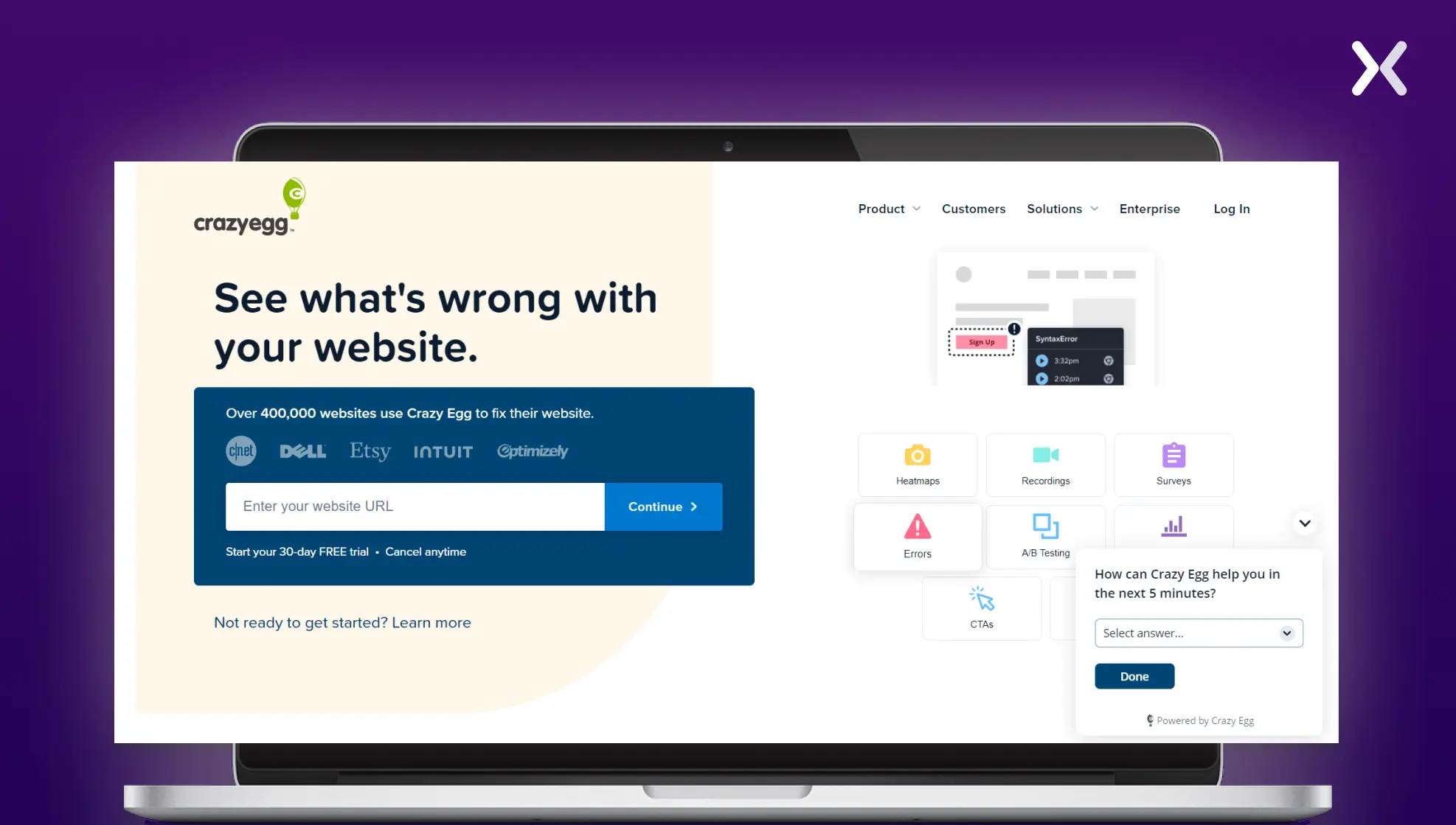 Crazy Egg is a full tool that helps marketers to optimize and analyze landing pages for better performance and user experience. With its array of features and insights, Crazy Egg helps businesses make data-driven decisions to drive conversions and achieve their goals.
Hotjar
Hotjar offers many of the same reports as Crazy Egg, but where it truly stands out is with its user feedback tools. These tools enable direct interaction with active users, giving valuable insights into user experience-related questions.
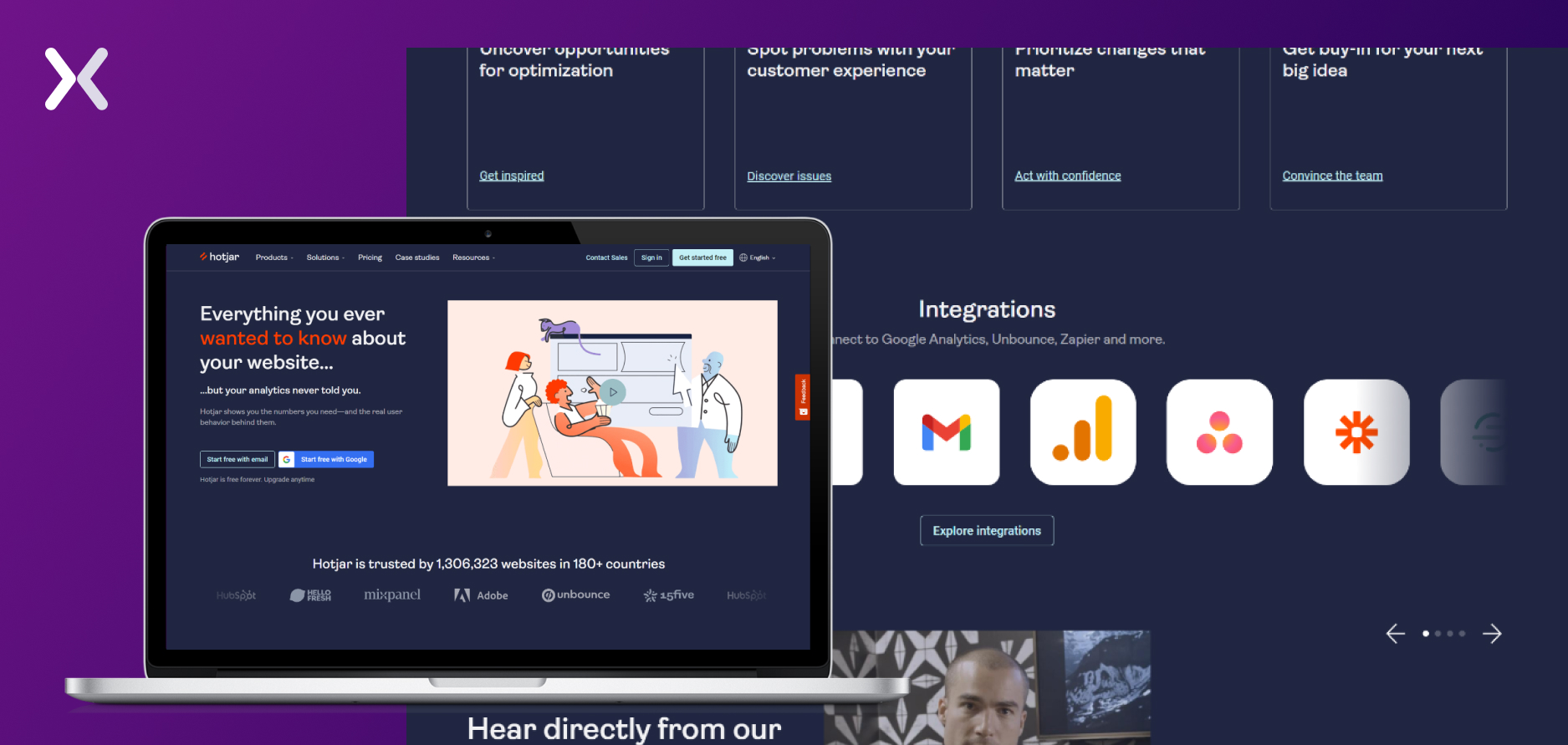 While Hotjar may not provide A/B testing capabilities, it compensates by providing all the essential tools needed for efficient landing page analysis in one platform.
With features like surveys and feedback widgets, Hotjar helps marketers to gather qualitative data and optimize landing pages based on real user input.
While Hotjar may not provide A/B testing capabilities, it compensates by providing all the essential tools needed for efficient landing page analysis in one platform.
With features like surveys and feedback widgets, Hotjar helps marketers to gather qualitative data and optimize landing pages based on real user input.
3. SEO Meta in 1 Click
While both of the above tools are vital for all types of landing pages, SEO Meta in 1 Click is particularly indispensable for SEO landing pages. This efficient tool is tailored to simplify the analysis of meta tags and other essential SEO elements on web pages. With a single click, users gain access to detailed information regarding meta titles, descriptions, headers, and other critical on-page elements necessary for search engine visibility and performance. If you have SEO landing pages, this tool is invaluable for assessing whether your landing page is SEO-ready or requires optimization.
How to conduct landing page analysis the right way?
Executing landing page analysis effectively is an art steeped in careful study and precise tactics. The right strategies to maximize your landing page’s potential.
1. Strategic data monitoring
Embarking on a strong landing page analysis journey involves a strategic approach to data monitoring. The key here is to prioritize data that gives valuable insights over a mass of information that may lead to clutter. Harnessing accurate and actionable data is your first step, achievable with the right tools like heat maps and Google Analytics. Here’s how:
Quantitative analysis with Google Analytics 4
As you venture into landing page analysis, the Landing Pages report from Google Analytics (GA4) is your trusty guide. This report presents insights into the first-page visitors land on when they enter your website, regardless of its purpose. Although marketers usually designate a ‘landing page’ as a conversion-centric webpage, GA4 broadens this definition to include any page that is a session’s starting point. While moving through through GA4 may be challenging, and the ‘landing page’ definition may vary. It’s worth the effort. The data it provides on visitors’ initial interactions with your site can reveal whether these visits translate into clicks and conversions. Apply the suitable filters and watch your data come to life!
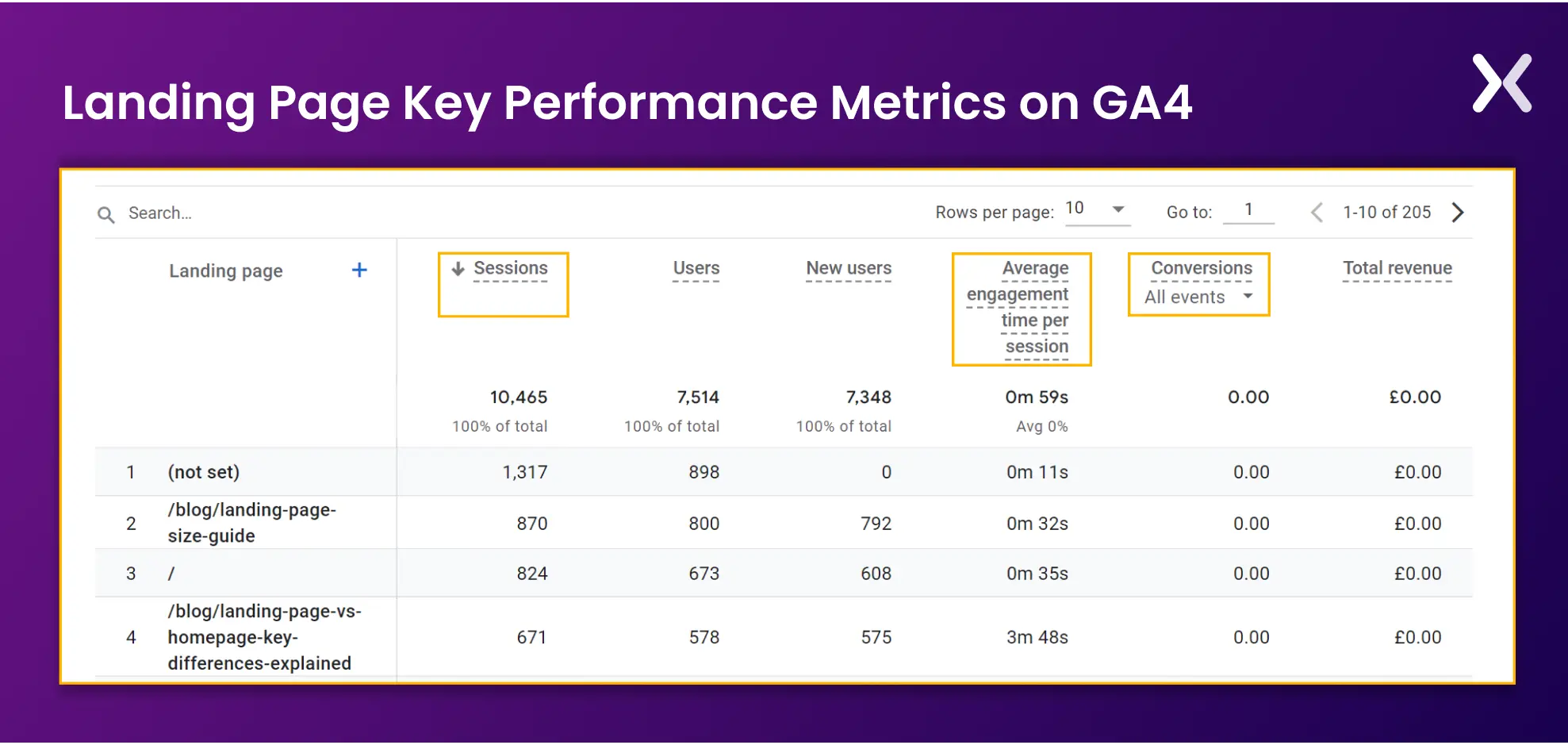 Here are key performance indicators (KPIs) to guide your landing page analysis:
1. Conversion Rate: This KPI gauges the proportion of landing page visitors who fulfill a desired action like a purchase or signup. A higher conversion rate denotes a successful landing page, motivating users toward the intended action.
2. Time on Page: This metric shows the average duration users stay on your landing page before moving elsewhere. It’s an indicator of user engagement and content relevance. Longer durations suggest more thorough content consumption, while shorter times could mean skim-reading or disinterest.
3. Average Engagement Time per Session: A broader metric encapsulating the average time users spend interacting with your landing page during a session. It provides deeper insights into user interest and the overall appeal of your landing page.
4. Sessions: Representing the total individual user interactions with a landing page within a specific timeframe, sessions help understand the volume of engagement on your landing page. Each session starts with a user landing and ends with a site exit or after a preset inactivity period, usually 30 minutes.
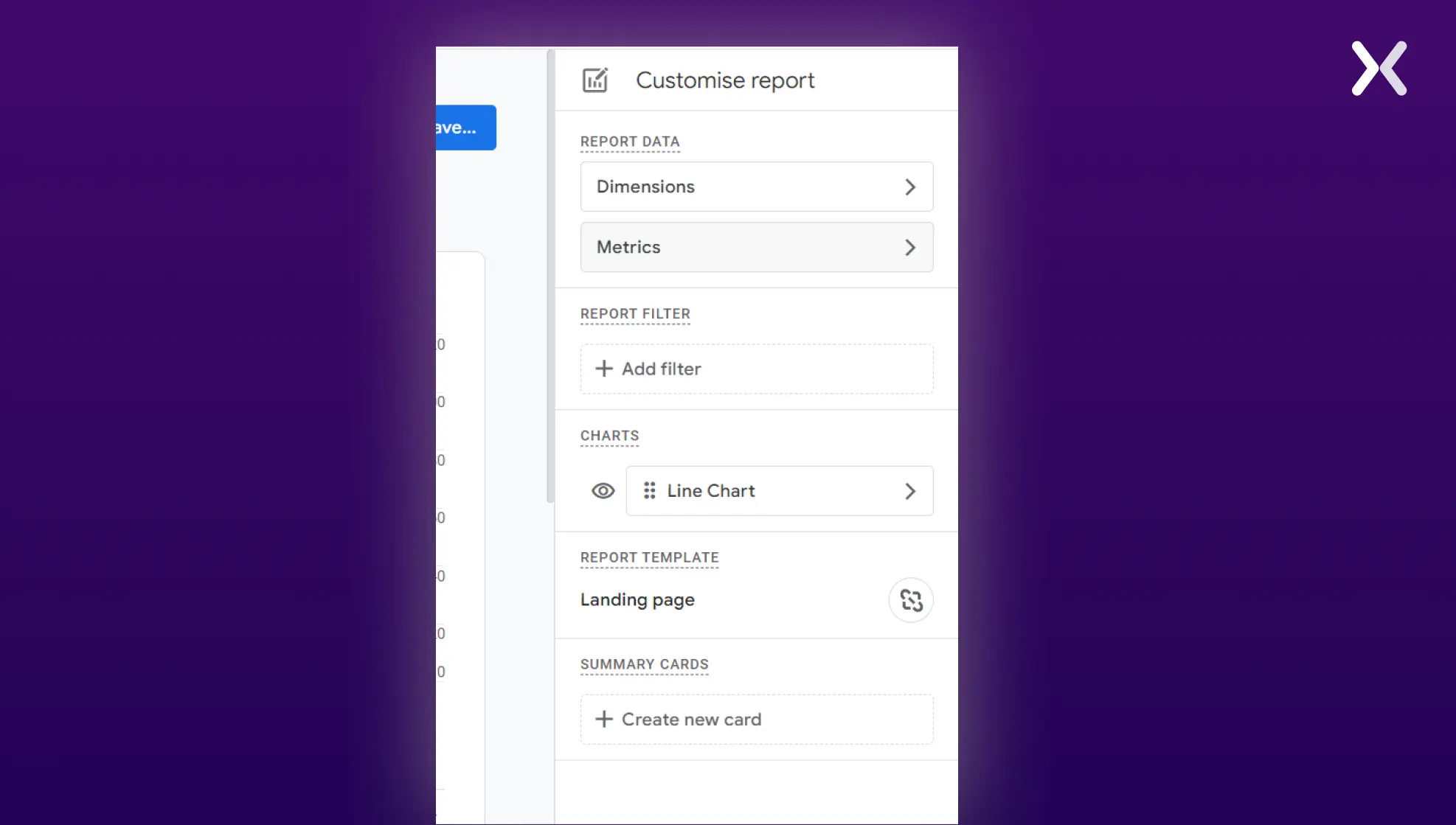
You can also customize your landing page reports for whichever metrics you want. Here’s how you can do it.
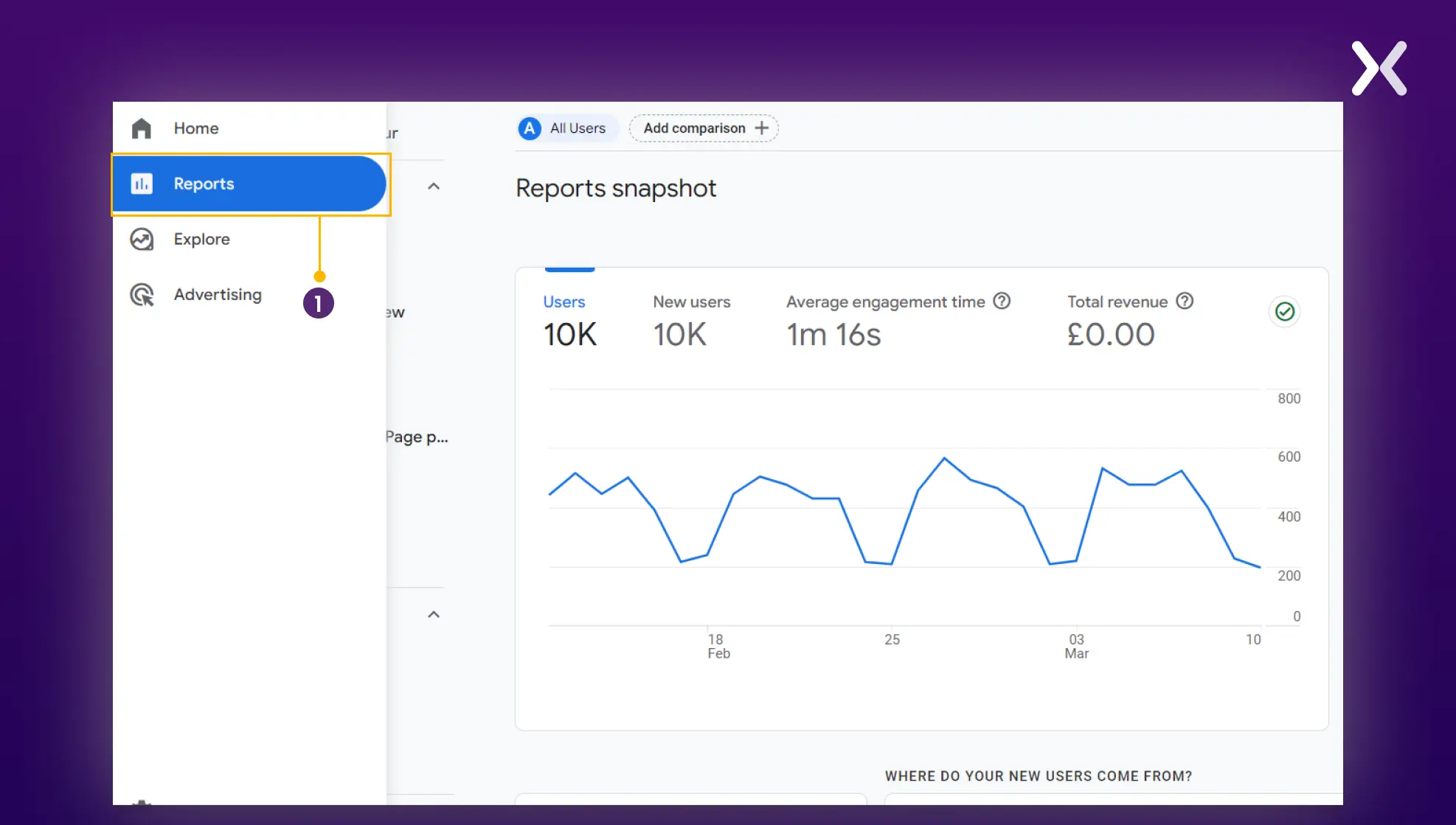
Step 1: On your GA4 homepage, click ‘Reports.’
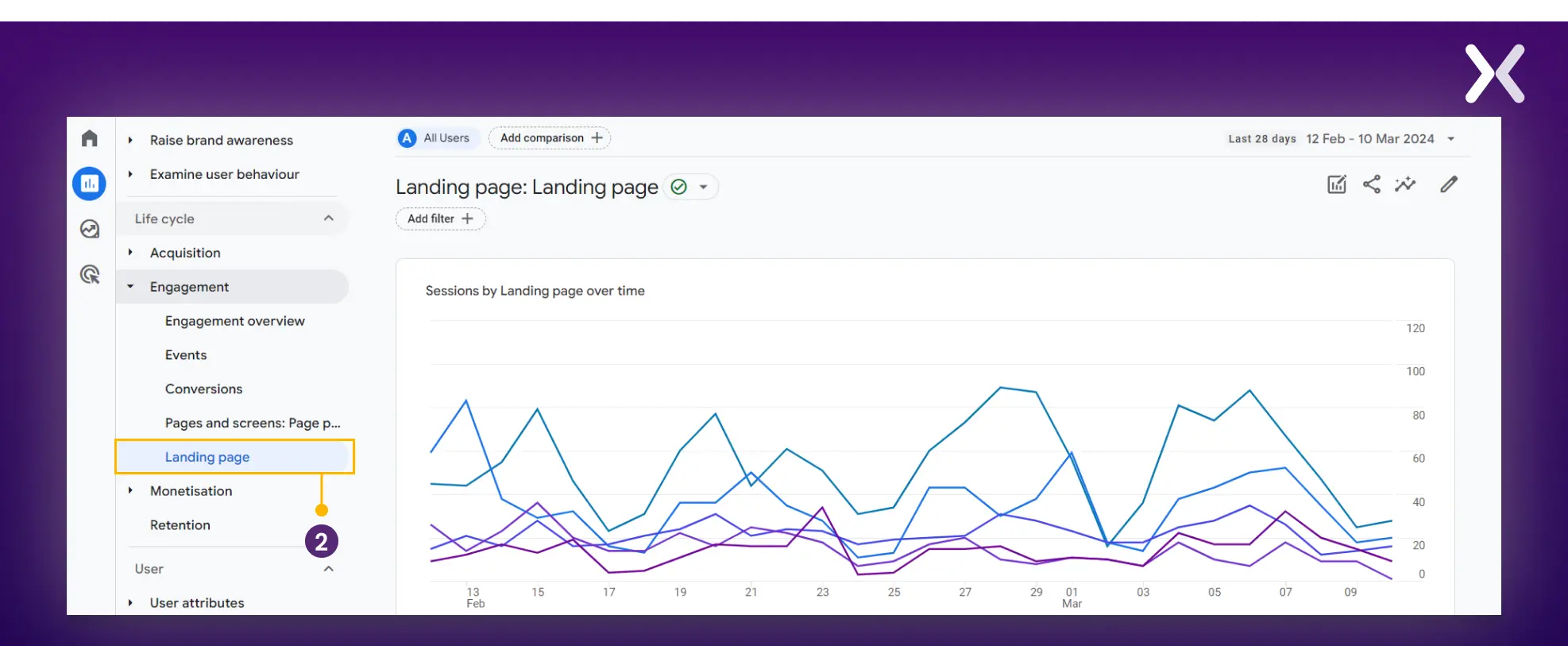
Step 2: From reports, go to ‘Engagement’ and then to ‘Landing page.’ From there you can click on the small pencil icon on the top-right corner of your screen.
Step 3: Here on your right. You have to select ‘metrics.’
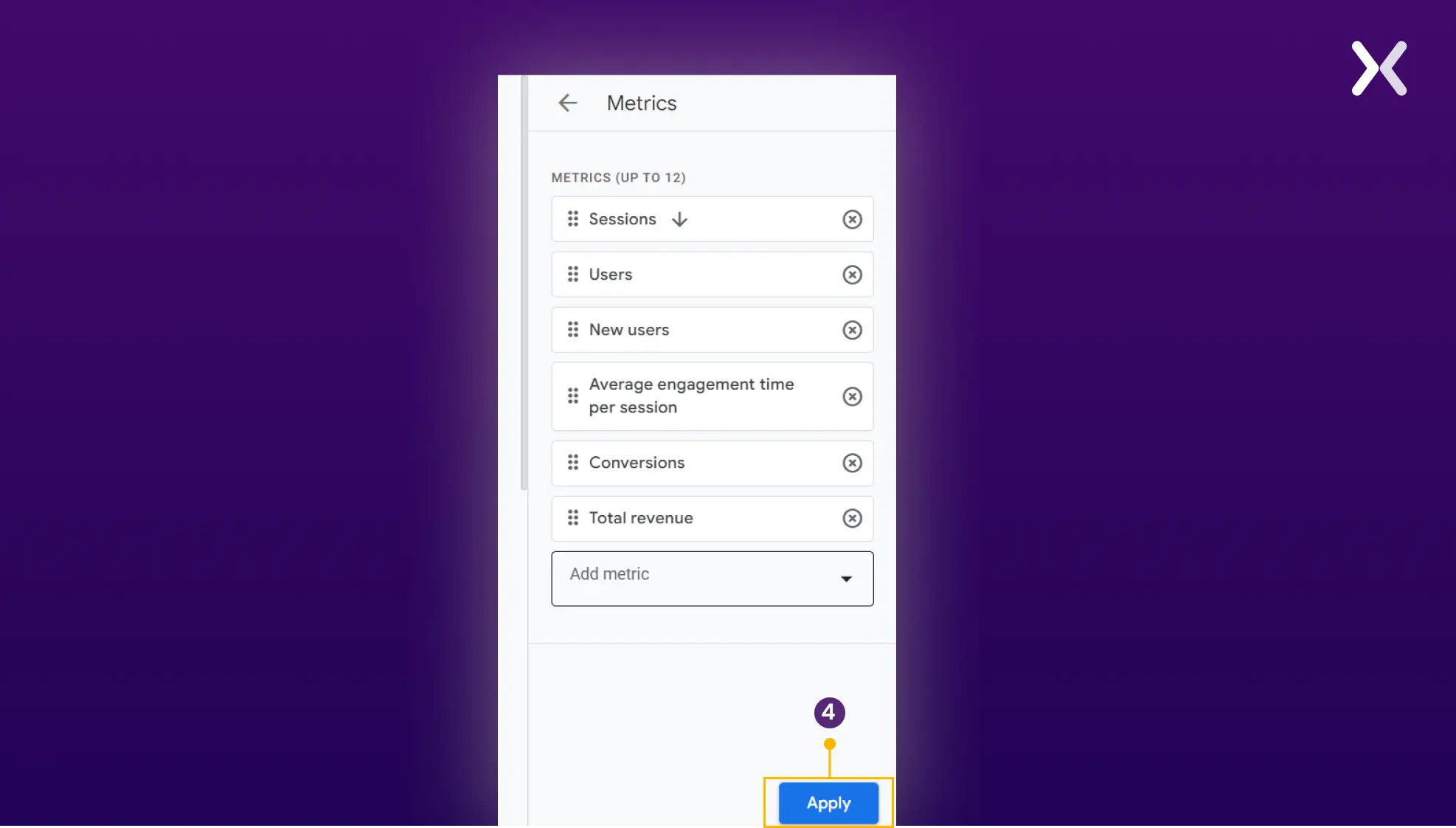
Step 4: Once in, you can add the metrics you want to add to your landing page analytics report and click on ‘Apply.’
Qualitative analysis with heat maps
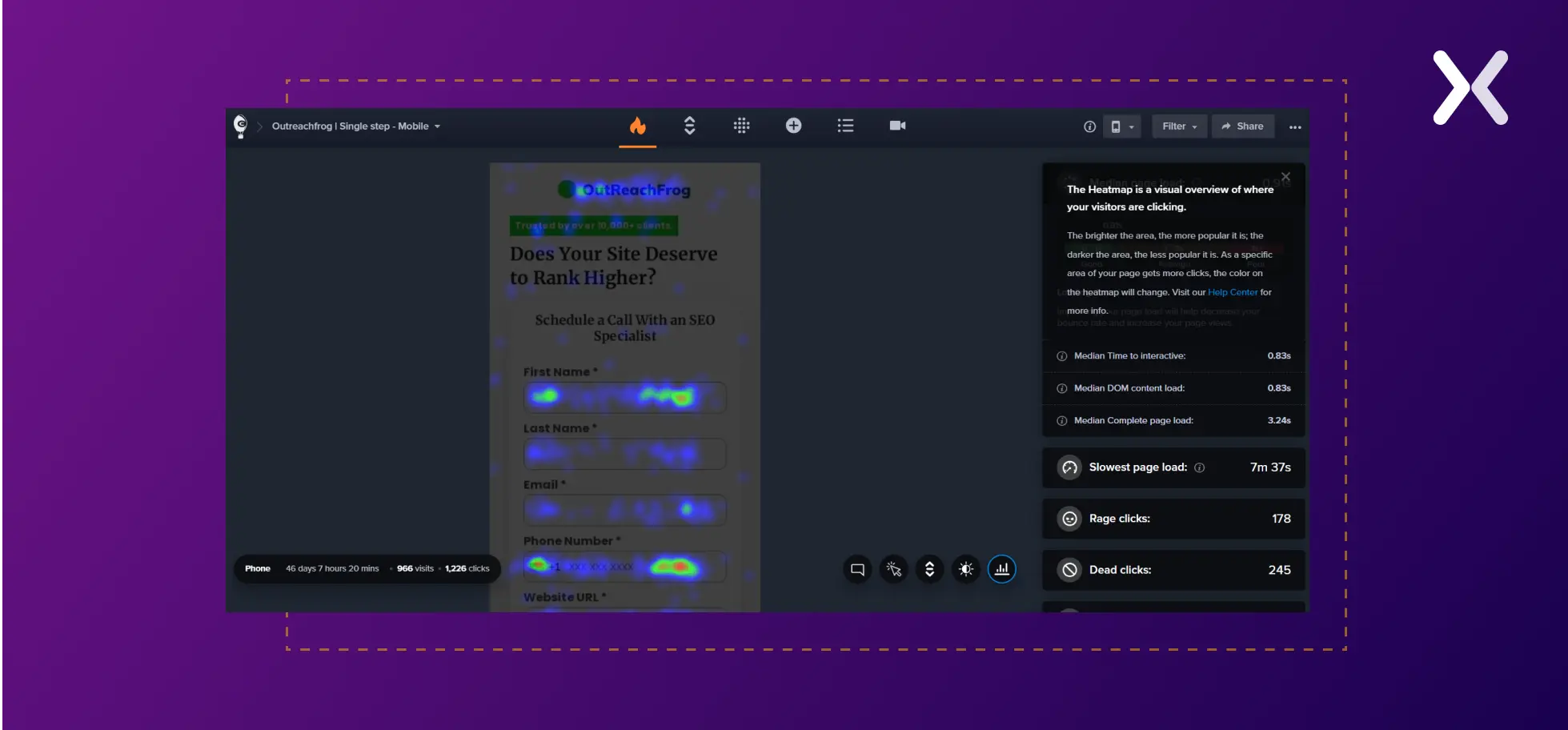
Heat maps are a valuable tool for gaining insight into how users interact with your landing page. For landing page analysis, consider using these two heat map types.
1. Click Heat Maps: These maps indicate where users click or tap on your landing page, illuminating the elements - like buttons, links, or images - that earn the most attention. This knowledge helps you to optimize your page’s design, directing more clicks toward significant CTAs or content.
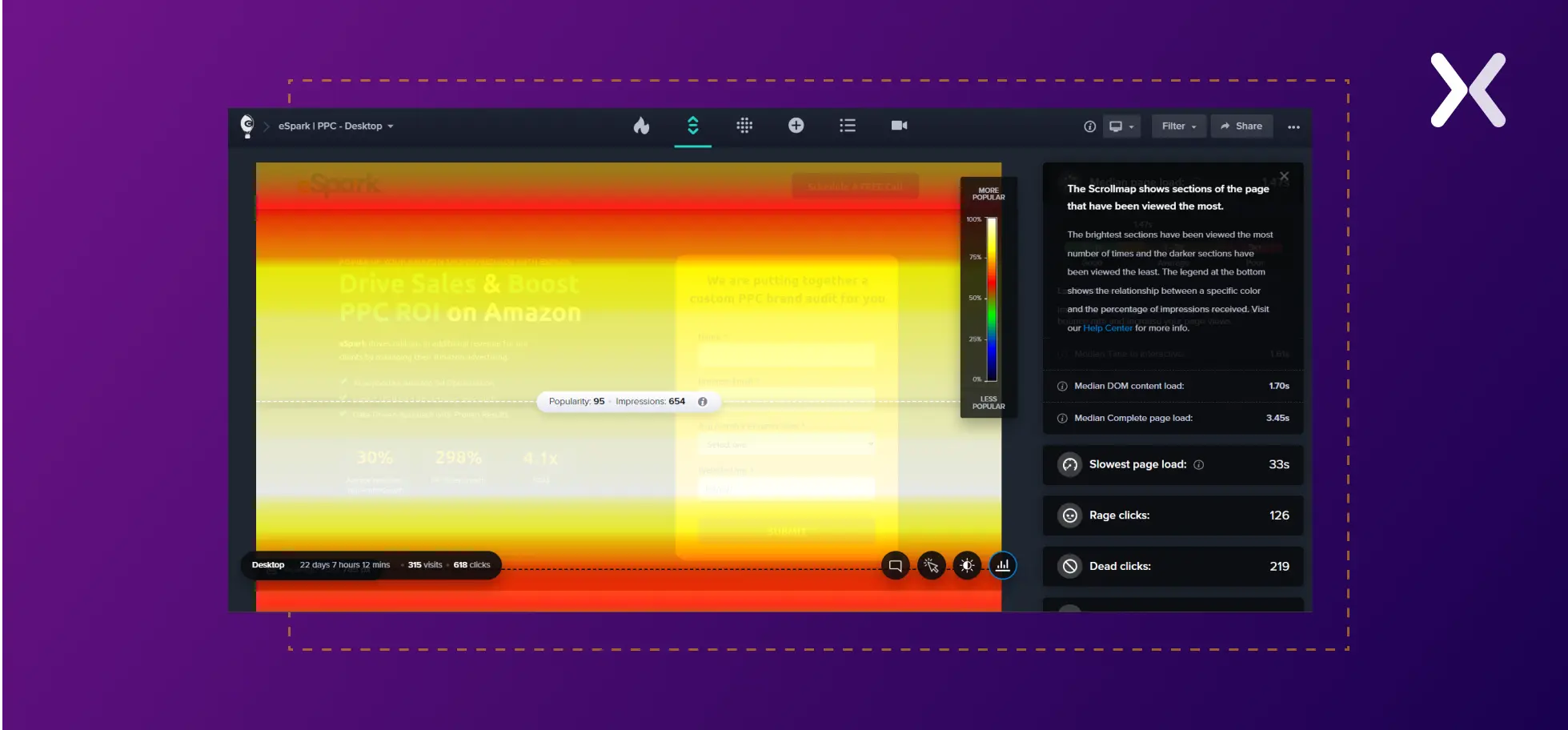
2. Scroll Heat Maps: By demonstrating how far users scroll down your page before leaving or interacting with specific sections, these maps reveal the actual consumption of your content. If users frequently overlook vital information due to insufficient scrolling, it suggests a need to reposition your content or improve page navigation for better engagement.
 Improved heat mapping tools like Crazy Egg offer additional features like session recordings and dead click tracking that enrich your understanding of user behavior.
-
These offer a glimpse into user interactions on your website, revealing problem areas that might otherwise go unnoticed. Observing mouse movements, clicks, and scrolls across multiple pages helps identify navigation patterns, interactions with various elements, and points of hesitation or frustration.
-
These are user interactions with non-actionable elements. Users often click these elements hoping for additional information or navigation. Analyzing dead clicks can accent misleading design icons and areas where users seek more information.
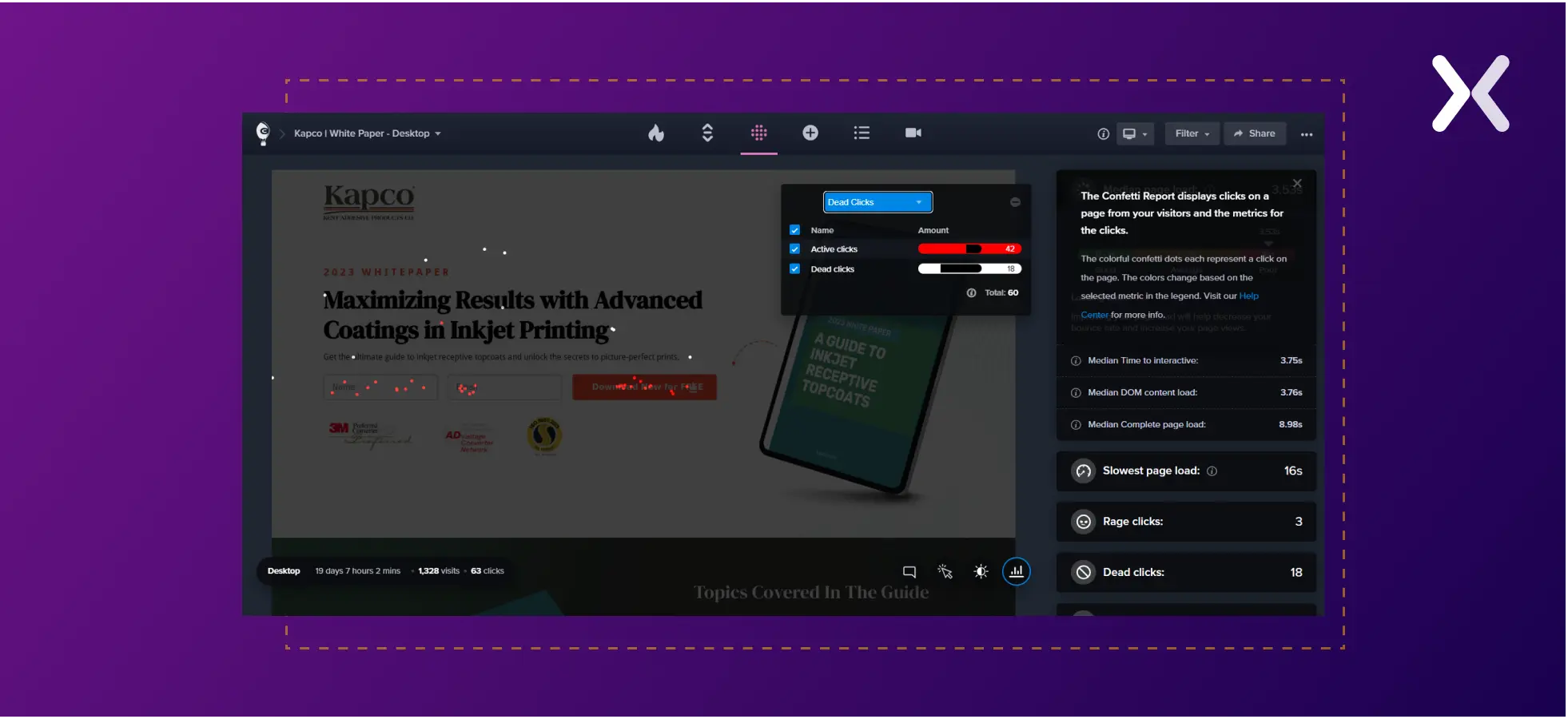 Emerging technologies are redefining user behavior analysis. Take predictive eye tracking, for instance. Tools like Crazy Egg simulate the initial user gaze on a webpage through eye-catching heatmaps without using traditional hardware. Similarly, EyeQuant uses AI to create heat maps showing your webpage’s most and least viewed parts. Such tools let you judge the efficacy of your page’s visual hierarchy and gauge if essential information makes a striking first impression.
2. Contextual Analysis
Contextual Analysis involves molding your content and marketing messages to match your customers’ needs and contexts. Compassion International’s refined approach to securing more sponsors for their cause is a case in point. OutReachFrog had an amazing landing page with good copy and visuals. Yet, they struggled with landing page conversions and couldn’t determine what was wrong.
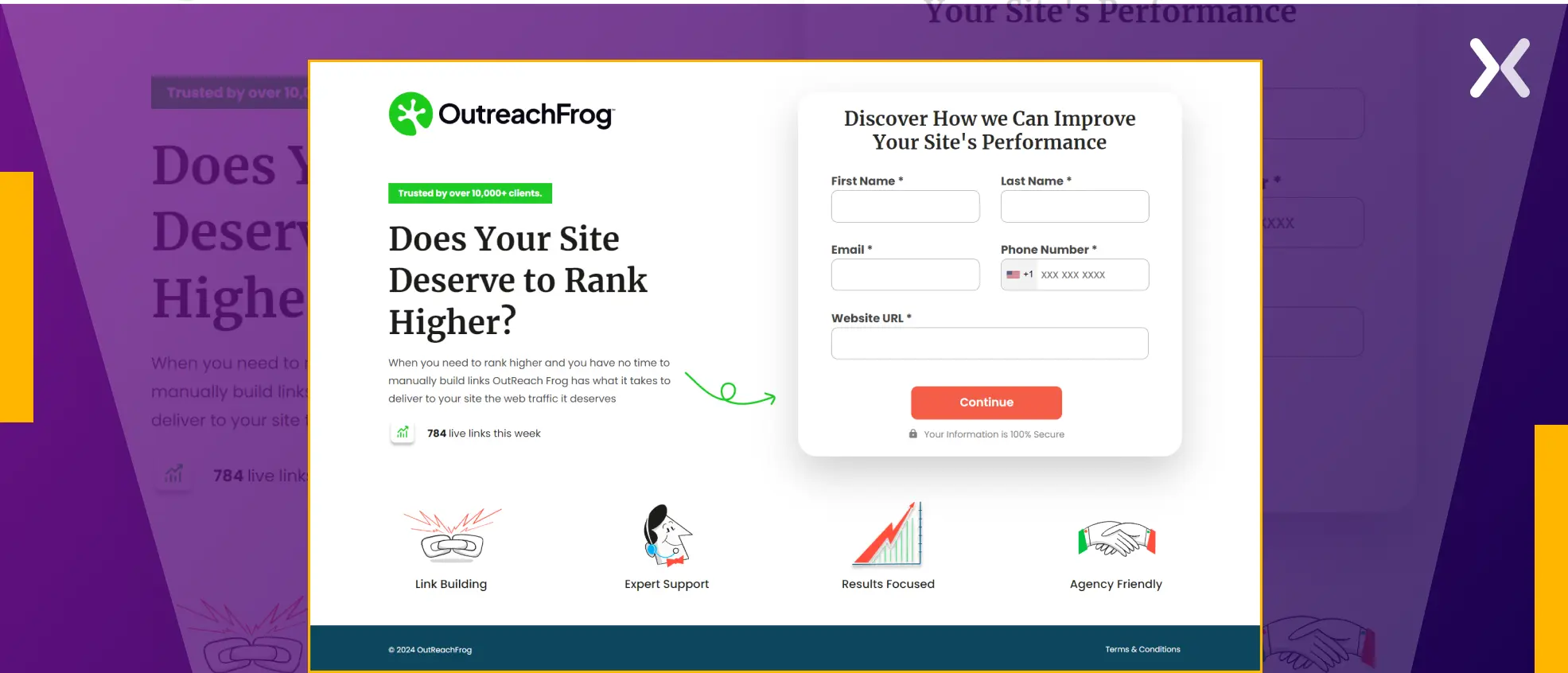 Upon closer examination, it became evident that the form heading did not fully complement the page’s overall message. Recognizing the need for alignment between the headings. We made the necessary adjustments.
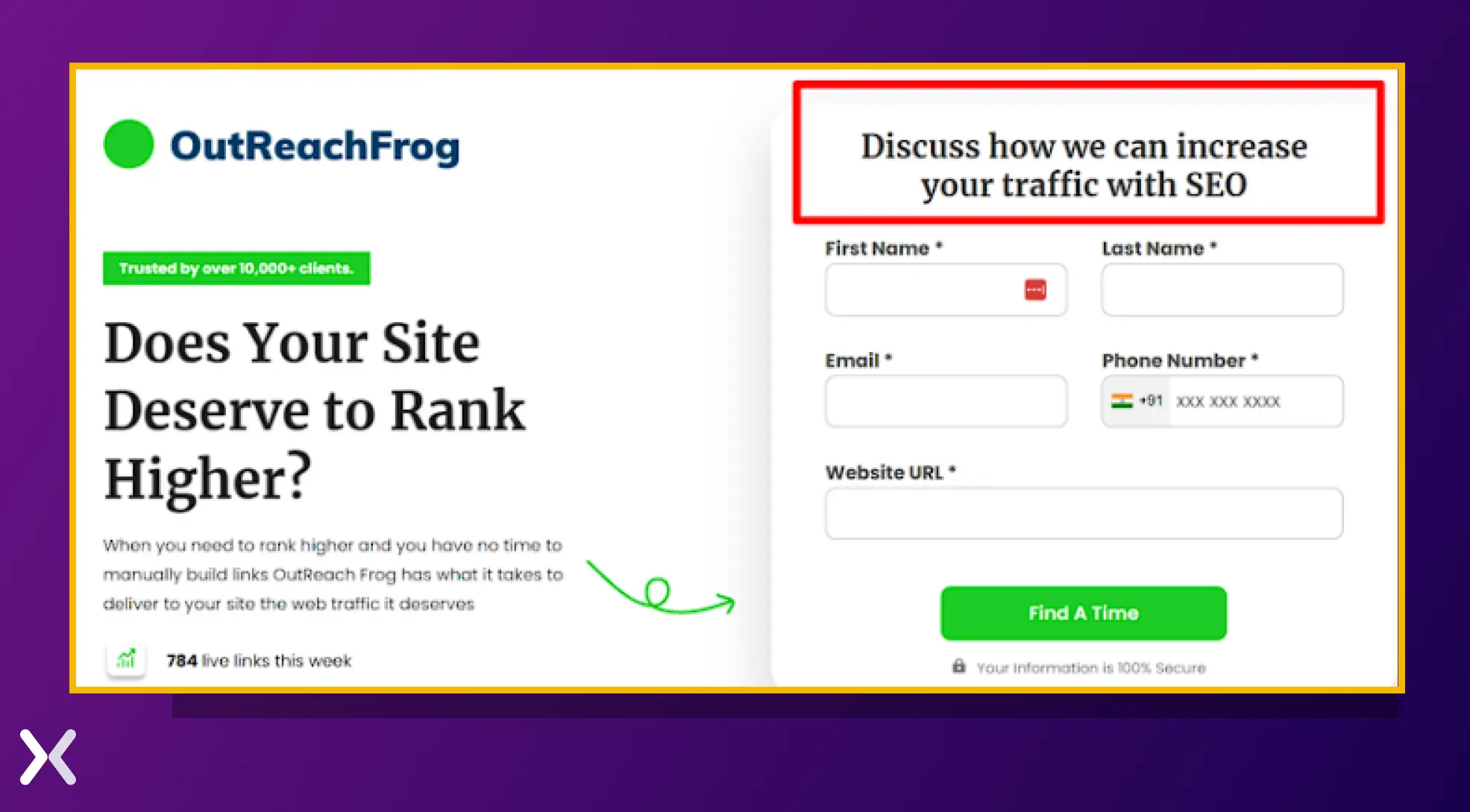 The result? OutReachFrog’s conversions increased from 6.01% to a mind-blowing 14.39%!
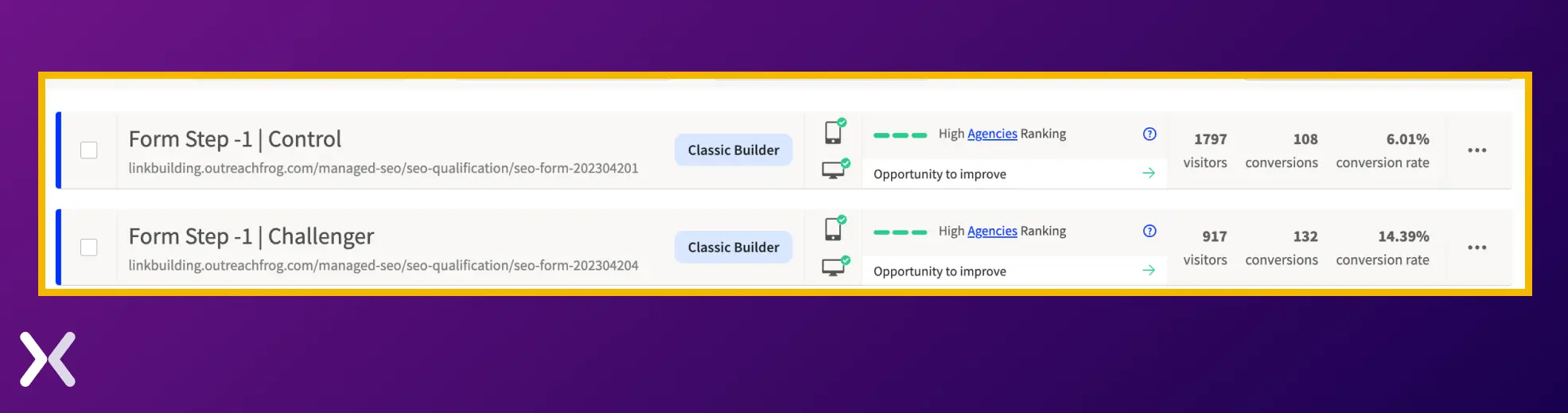 This example stresses the major power of clear and cohesive messaging, resulting in impressive outcomes.
Contextual Analysis makes sure your landing page appeals to its target audience and earns high-quality leads. Here are some checkpoints to assess your page’s contextualization:
This example stresses the major power of clear and cohesive messaging, resulting in impressive outcomes.
Contextual Analysis makes sure your landing page appeals to its target audience and earns high-quality leads. Here are some checkpoints to assess your page’s contextualization:
-
Contextualization means adapting your marketing messages using client data like browsing history, demographics, or location. This research helps you to create personalized content covering tailored communication, product recommendations, or special offers.
-
In a context-oriented approach, delivering marketing messages at the right moment is critical. This strategy acknowledges the user’s phase in the buying journey, offering the most fitting information or deals for their current needs.
-
Optimize your landing page to make sure a uniform user experience across various channels and devices.
3. Page code analysis
Optimized page code increases the chances of lead generation by improving paid and organic search engine visibility, making sure accurate URL destinations, and enabling effective visitor tracking on landing pages. There are three critical aspects of page code analysis:
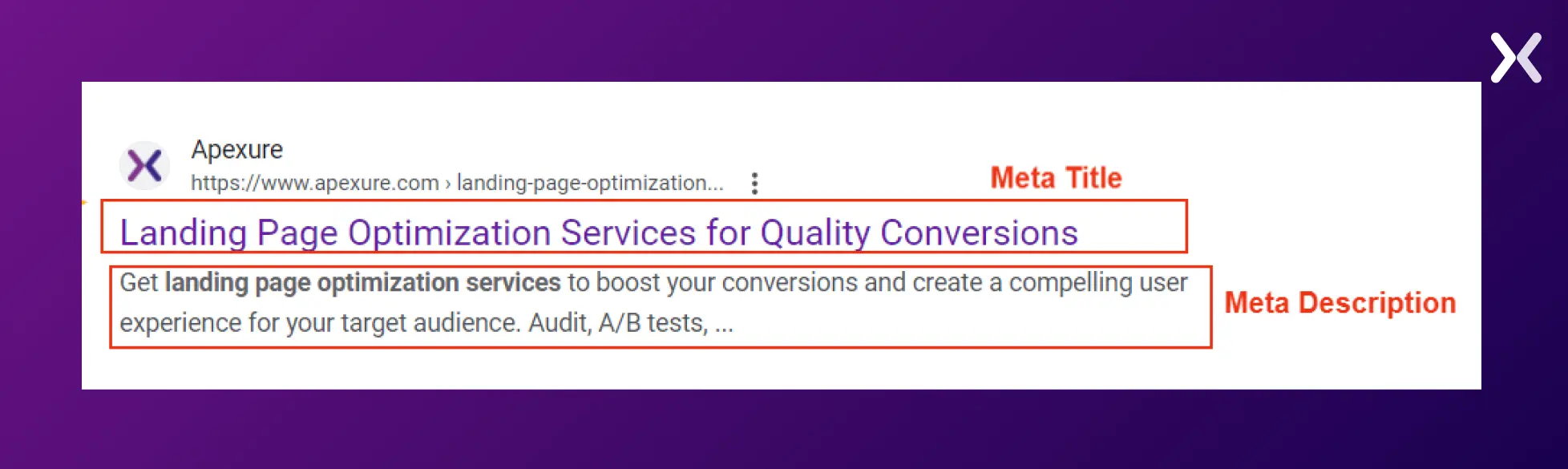
1. Meta Title and Description: These SEO factors need appropriate keywords and should adhere to character limits (60 for titles, 160 for descriptions).
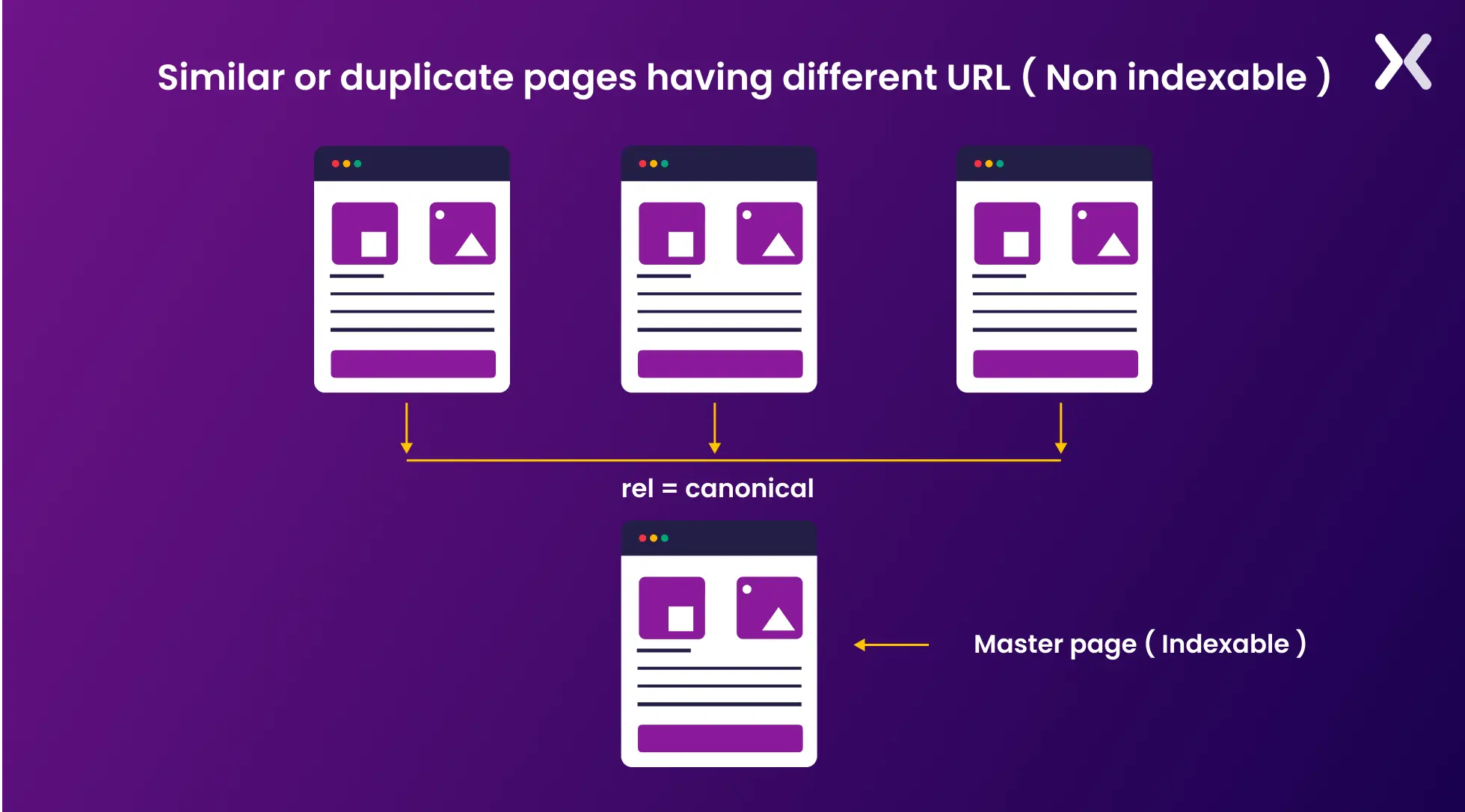
2. Canonical URL: A primary URL pointing back to the landing page helps avoid content duplication and simplify visitor data. It’s beneficial for SEO and simplifies tracking by preventing metrics confusion caused by traffic from various URL sources. Here’s an example:
3. Slug: Unique, understandable URLs improve search visibility and user experience, boosting leads and conversions.
4. UI/UX metrics
UI/UX metrics provide invaluable insights into user behavior, tracking, and evaluating interactions with digital platforms. These numerical indicators accent usage patterns and help designers and product teams pinpoint improvement areas, enabling them to make sound UX decisions. Understanding how users interact with your landing page can open insights for improvement:
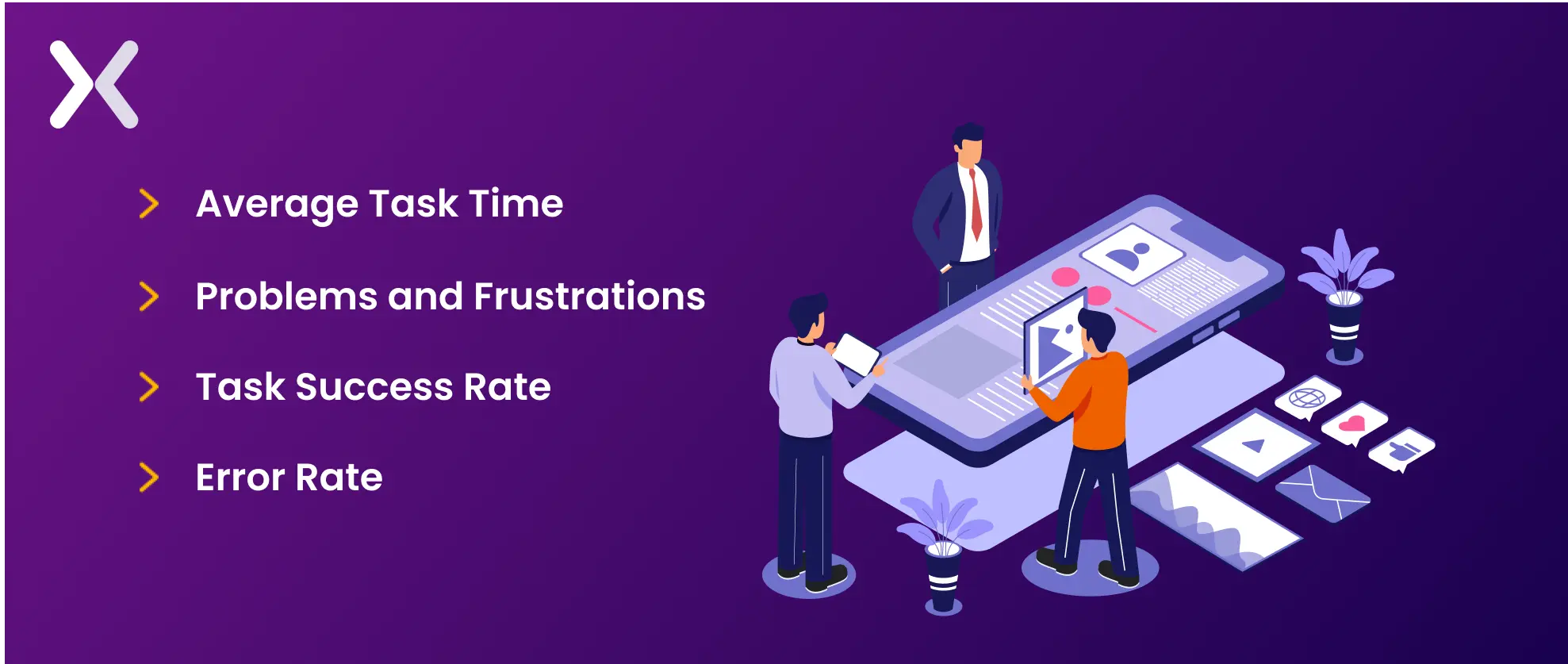
1. Average Task Time: This measures the time users spend completing tasks on your landing page, like signing-up for the free trial or booking a demo, with shorter times typically indicating improved usability.
2. Problems and Frustrations: Noted during usability tests, these accent user difficulties, providing data to improve user experience.
3. Task Success Rate: This denotes the percentage of users completing a specific task, like form filling, signifying the interface’s effectiveness.
4. Error Rate: This represents the ratio of user interactions leading to errors, helping identify usability issues in your interface.
How to make landing page analysis easier with data visualization?
Data visualization simplifies landing page analysis by translating data into easily interpretable visuals. Here’s how you can harness it effectively:

- Define KPIs Identify critical metrics matching your landing page objectives. These could range from conversion and bounce rates to user interaction metrics specific to your industry.
- Gather Data Compile data from diverse sources like Google Analytics, user behavior tracking, A/B testing platforms, or surveys. Make sure the data’s authenticity and accuracy.
- Segment Data Divide your data based on parameters like user groups or traffic sources. Visualise segmented data to understand how different sections interact with your landing page.
- Monitor Performance Over Time Track landing page performance trends over various time frames using time-series visuals. It helps spot trends and seasonal impacts on user behavior. Monitoring your landing pages should start from the day your page goes live and hence, a set of KPIs should be defined before launching a landing page.
How Apexure conducts landing page analysis?
As a dedicated landing page agency, Apexure practices personally built frameworks to optimize and analyze landing pages. Our CRO framework EPIC, helps us analyze and optimize a landing page effectively.
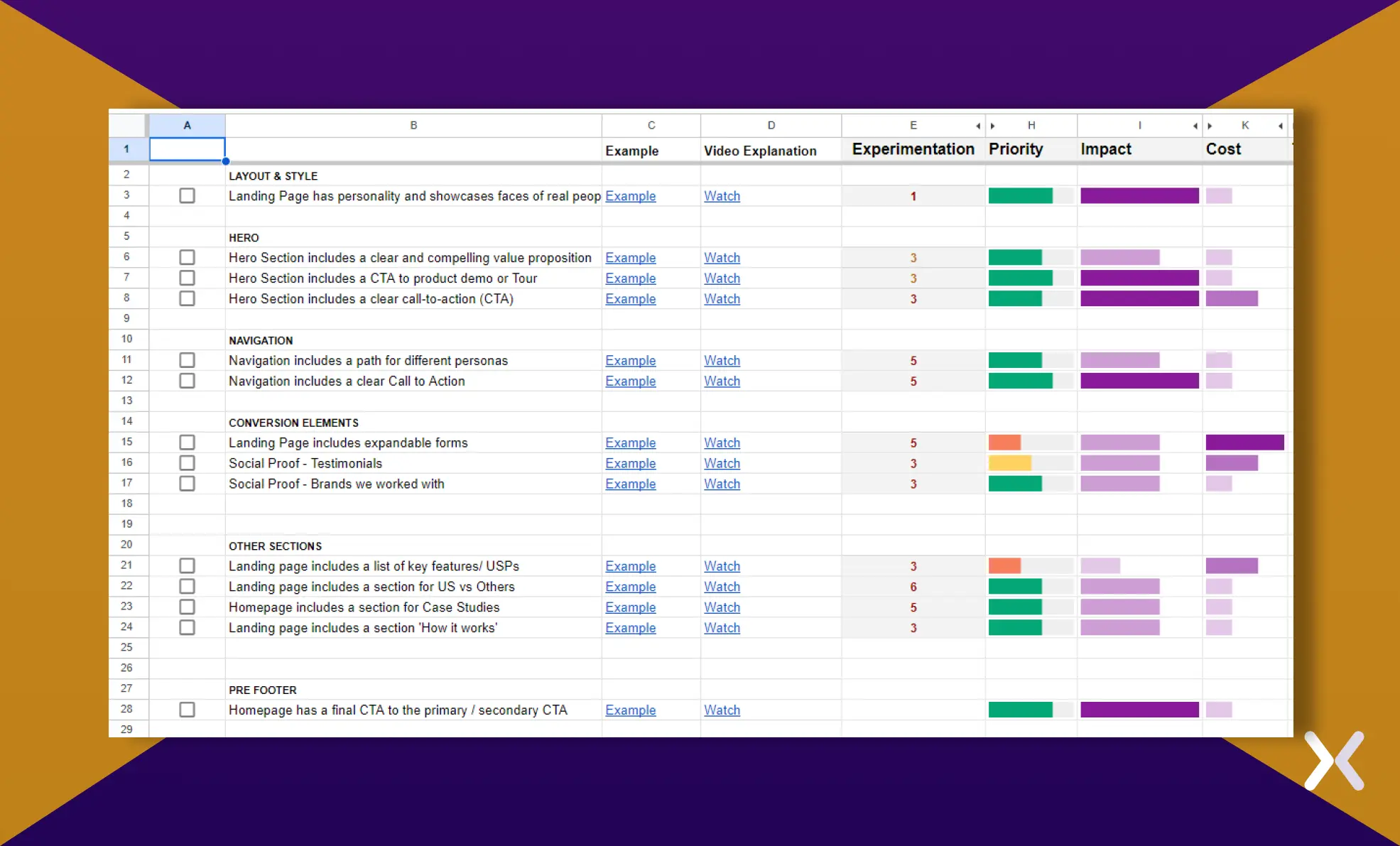 Here’s a little brief about what our EPIC CRO Framework comprises of:
-
We value trying new ideas, being creative, and learning from each test, even if it challenges our existing beliefs. Scored from 1 to 10, where 1 represents safe, traditional tests with few new insights, while 10 signifies highly innovative tests with potential breakthroughs, despite higher risk.
-
Tasks are prioritized based on urgency, considering their potential impact and associated costs.
-
We evaluate the potential impact of an improvement on increasing conversion rates.
-
We assess the time and resources required to implement a specific change or test. The EPIC framework makes sure that our actions to improve conversion rates yield the highest returns by focusing on areas with the most impact and wisely allocating our resources. Competitor research combined with EPIC framework helps optimize landing pages that are a step ahead your competitors and aimed at higher conversions.
Landing page analysis with AI
Landing page analysis is not untouched by the recent advances in AI. Attention Insights is a tool making waves in this sector. Launched in 2021, it helps analyze landing page performance by providing insightful heatmaps prior to launch, offering a glimpse into potential user engagement patterns.
 Powered by AI algorithms that use historical data, Attention Insights predicts landing page performance with an impressive 90-96% accuracy rate. It can prove to be a helpful tool for optimizing your landing page based on these analytics prior to its launch and making sure its effectiveness right from the start.
Landing page analysis done by experts
Analyzing landing pages is a key aspect of crafting effective marketing strategies, but it’s often complex. To excel in conducting landing page analysis, one must understand the diverse tools and techniques available. It requires careful data examination and the implementation of tailored optimization tactics. Success in landing page analysis hinges on accurately interpreting metrics and experimenting with various strategies to improve user engagement and conversion rates. By remaining informed and adaptable, marketers can make sure their landing page analysis remains relevant and effective.
 Related Article: