A visitor searches “affordable tax return help.” They click your Google Ad and land on a page with the headline “Get Affordable Tax Return Help Today.” The search term is right there in the headline, an exact mirror of what they typed. That headline was not hand-written for that keyword. It was generated automatically through dynamic keyword insertion (DKI), a technique that swaps landing page text based on the search query, UTM parameter, or ad group that brought the visitor in. After building 3,000+ landing pages for 300+ clients, many running Google Ads campaigns. We have seen DKI consistently improve Quality Score, lower cost-per-click, and lift conversion rates. One health insurance client hit a 20% conversion rate using dynamic location pre-filling on their landing page. This guide covers what dynamic keyword insertion is, how to set it up on Unbounce, WordPress, and Instapage, best practices that actually move results, and the mistakes that waste your ad spend.
What is dynamic keyword insertion?
Dynamic keyword insertion is a technique where the landing page automatically replaces specific text elements, typically the headline, with the keyword or phrase that triggered the visitor’s arrival. In Google Ads, DKI works through URL parameters. When someone clicks your ad, Google appends the search keyword to the landing page URL. The page reads that parameter and swaps in the keyword wherever you have placed a dynamic placeholder. For example, your ad URL might look like:
yourpage.com?keyword=affordable+tax+return+help
And your landing page headline would display: “Get Affordable Tax Return Help Today” instead of the generic default “Get Professional Financial Help Today.”
The same page template serves hundreds of keyword variations, without you building separate pages for each one.
DKI creates a closed loop: the visitor’s search query flows through the ad URL into the landing page headline, creating perfect message match.
How DKI improves quality score
Google Ads assigns a Quality Score to every keyword based on three factors:
- Expected click-through rate, how likely users are to click your ad
- Ad relevance, how well your ad matches the search intent
- Landing page experience, how relevant your page is to the keyword DKI directly improves the third factor. When your landing page headline mirrors the searcher’s exact query, Google sees high relevance between ad and page. The result:
In our experience across 500+ PPC landing page projects, tightening message match is the single fastest way to improve Quality Score without changing bids.
"Their knowledge of landing page design and CRO is second to none."
How to set up DKI on popular platforms
Unbounce: dynamic text replacement (DTR)
Unbounce calls their DKI feature Dynamic Text Replacement. As an official Unbounce agency partner with ten years on the platform. We have set up DTR on hundreds of client pages.
Setup steps:
- Select any text element on your Unbounce page (headline, subhead, CTA button)
- Click the Dynamic Text checkbox in the properties panel
- Enter the URL parameter name (e.g.,
keyword) - Enter the default text, this shows when the parameter is missing
- In your Google Ads campaign, append
?keyword={keyword}to your final URL When a visitor searches “affordable tax help” and clicks your ad, Unbounce reads?keyword=affordable+tax+helpfrom the URL and swaps it into the headline.
Unbounce's Smart Traffic feature can work alongside DTR, it automatically routes visitors to the page variant most likely to convert for their profile, while DTR handles keyword matching.
WordPress: If-So plugin
For WordPress landing pages, the If-So plugin provides dynamic content without custom code.
Setup steps:
- Install and activate the If-So plugin
- Create a new trigger with the condition “URL contains”
- Set the parameter (e.g.,
keyword=tax+help) - Enter the dynamic content to display when that condition is met
- Place the If-So shortcode in your page where you want the swap to happen If-So also supports conditions based on location, device, referrer, and time of day, making it more versatile than keyword-only tools.
Instapage: dynamic text
Instapage includes dynamic text replacement as a core feature.
Setup steps:
- Select any text block on your Instapage page
- Accent the text you want to make dynamic
- Click “Dynamic Text” in the toolbar
- Set the URL parameter and default value
- Append the parameter to your Google Ads URL
Custom implementation
If you are building landing pages in HTML/CSS, you can implement DKI with a simple JavaScript snippet that reads URL parameters and replaces text elements:
// Read URL parameter
const params = new URLSearchParams(window.location.search);
const keyword = params.get('keyword');

// Replace headline if parameter exists
if (keyword) {
 document.querySelector('h1').textContent =
 `Get ${keyword} Today`;
}
For production use, add input sanitisation to prevent XSS attacks, and always set a strong fallback in the HTML itself.
Not sure why your landing page isn't converting?
Send us the URL. We record a short video showing what is costing you conversions and email it back within three working days.
Need a new page built instead? Get a fixed quote.
What elements to make dynamic
Start with the headline and expand from there. Here is the priority order based on impact:
The headline delivers 60-70% of the total conversion lift from DKI. Start there before touching other elements.
1. Headline (H1)
The most important element. Your headline is the first thing visitors read, and it must confirm they are in the right place. When the headline echoes their search query, bounce rates drop immediately.
2. Subheadline
Reinforce the keyword match with a supporting line. If your headline says “Get Affordable Tax Return Help”, your subheadline might say “Professional accountants ready to handle your affordable tax return, book a free consultation.”
3. CTA Button
Instead of a generic “Submit” or “Get Started,” make the button match the intent: “Get Your Tax Return Help Now.” This creates continuity from search to click to action.
4. Body Copy
Insert the keyword naturally into the first paragraph. Do not force it, two to three mentions across the page is enough. Stuffing the keyword everywhere feels robotic and hurts trust.
5. Images
For e-commerce PPC, swap hero images based on the product category in the URL. A clothing brand can show men’s shoes when the keyword contains “men’s” and women’s shoes when it contains “women’s.”
6. Form Pre-filling
Use dynamic form fields to pre-fill location, industry, or known data. This reduces friction and speeds up form completion, exactly what we did for the Affordable Health Coverage client to hit that 20% conversion rate.
See our workApexure PPC Landing Page Portfolio, 117 real projects→
Best practices for DKI landing pages
These rules come from 10 years of building and testing dynamic landing pages across client campaigns.
1. Always set strong fallback text
If the URL parameter is missing, because the visitor arrived from an organic link, a shared URL, or a misconfigured ad. They see the default text. That default must still convert.
Bad fallback: “Get Your {keyword} Today” (placeholder leaked)
Good fallback: “Get Professional Financial Help Today” (works on its own)
Test your page with AND without URL parameters before going live. A leaked placeholder is the most common DKI mistake, and it destroys trust instantly.
2. Match the full message: not just the headline
DKI in the headline is pointless if the rest of the page tells a different story. When your headline says “Small Business Accounting”, the body copy, testimonials, and CTA should all reinforce small business accounting, not generic financial services.
3. Keep it natural
Insert the keyword 2-3 times maximum: headline, first paragraph, CTA. More than that triggers the “this feels auto-generated” alarm in visitors’ heads. Strong landing page copy reads naturally, even with DKI.
4. Group keywords tightly
DKI works best when your ad groups contain keywords with similar intent. If one ad group mixes “cheap accountant” and “premium tax advisory,” the dynamic headline will feel wrong for one of them. Tight ad groups = better DKI results.
5. Test mobile rendering
Long keywords break headlines on small screens. A headline that reads beautifully on desktop can wrap awkwardly or overflow on mobile. Test every keyword variation at 375px viewport width before launching. Build responsive pages with DKI in mind from the start.
6. One CTA per page
The golden rule for all landing pages, static and dynamic alike. Pages with one clear CTA outperform pages with multiple options. Make that one CTA text dynamic to match the visitor’s intent.
7. Use a/b testing to validate
Do not assume DKI will outperform static pages by default. Run an A/B test comparing your dynamic page against a strong static control. At Apexure, we use our EPIC framework to prioritise which tests to run first.
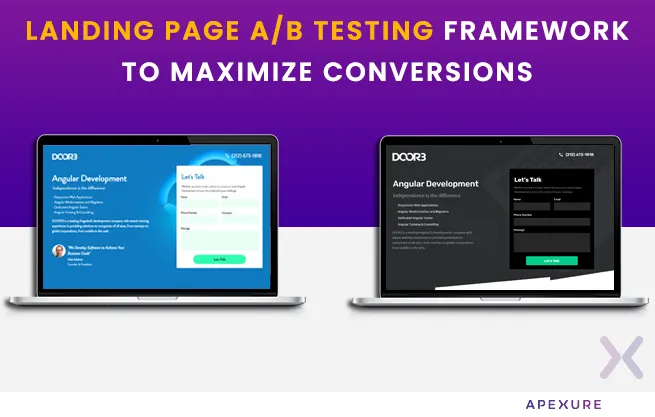
We built targeted PPC landing pages with message-matched headlines for DOOR3's paid search campaigns. By aligning ad copy with landing page content, we dramatically reduced their cost per lead.
Full case studyDOOR3, B2B Lead Generation Landing Pages→
Common DKI mistakes
-
Leaked placeholders. The
{keyword}variable appears on the live page because the URL parameter was misspelled or missing. Always test parameterised and non-parameterised URLs. -
Over-insertion. Stuffing the keyword into every heading, paragraph, and bullet point. Visitors notice, and it feels desperate. Stick to headline + first paragraph + CTA.
-
Mismatched ad groups. Running DKI across broad match ad groups where “budget” and “premium” keywords coexist. The dynamic headline will contradict the visitor’s intent for half your traffic.
-
Ignoring page speed. DKI scripts that run client-side can add to page load time. Most visitors bounce after three seconds of loading. Keep DKI lightweight.
-
No per-keyword tracking. Without UTM parameter tracking in GA4. You cannot see which keyword groups convert best. Set up event tracking from day one.
-
Using DKI for SEO pages. Google’s crawler cannot always execute JavaScript-rendered dynamic content. Use DKI for PPC campaigns only. Keep SEO pages static.
"They always deliver what they say they will. Very responsive, proactive, and easy to work with."
Dki vs full dynamic landing pages
Dynamic keyword insertion is one technique within the broader category of dynamic landing pages. Here is how they compare:
| Aspect | Dynamic Keyword Insertion | Full Dynamic Landing Page |
|---|---|---|
| What changes | Text elements (headline, CTA, body) | Text, images, forms, testimonials, layout |
| Data source | URL parameter (search keyword) | Keyword + location + device + behaviour + CRM data |
| Complexity | Low, built-in platform feature | Medium to high, requires personalisation engine |
| Best for | PPC keyword matching | Multi-channel personalisation |
| Tools | Unbounce DTR, Instapage, If-So | ConvertFlow, HubSpot, Optimizely, VWO |
| Setup time | Minutes | Hours to days |
Start with DKI for quick wins on your PPC campaigns. Graduate to full dynamic pages when you need personalisation beyond keyword matching.
Frequently asked questions
What is dynamic keyword insertion?
Dynamic keyword insertion (DKI) is a technique that automatically replaces text on a landing page with the search keyword that brought the visitor there. It works through URL parameters, the keyword is appended to the page URL, and the page reads it to swap headline text, CTA copy, or other elements in real time.
How does DKI work with Google Ads?
In Google Ads, you append a keyword parameter to your ad's final URL (e.g., ?keyword={keyword}). When someone clicks your ad, Google replaces {keyword} with the actual search term. Your landing page reads this parameter and displays it in the headline or other dynamic elements. This creates perfect message match between the search query, the ad, and the landing page.
Does DKI improve Quality Score?
Yes. Quality Score is partly based on landing page experience, specifically how relevant your page content is to the search keyword. When DKI makes sure your headline matches the visitor's exact search term, Google sees higher relevance, which improves your Quality Score. A higher Quality Score means lower cost-per-click and better ad positioning.
Can I use dynamic keyword insertion on WordPress?
Yes. The If-So plugin for WordPress supports dynamic content based on URL parameters, location, device, and referrer. You create conditional rules and place shortcodes in your page where you want dynamic text to appear. This works without any custom code.
What is the difference between DKI in ads and DKI on landing pages?
DKI in Google Ads replaces text within the ad copy itself (e.g., inserting the keyword into the ad headline). DKI on landing pages replaces text on the page the visitor lands on after clicking the ad. Both use the same principle, keyword matching, but they operate at different stages of the funnel. Using DKI at both stages creates end-to-end message match from search to ad to page.
Is dynamic keyword insertion good for SEO?
No. DKI is specifically for PPC landing pages. Search engines cannot always execute JavaScript-based text swaps, so DKI pages may not index correctly. Use static pages for SEO and dynamic pages for paid campaigns.
Ready to set up DKI on your landing pages?
Dynamic keyword insertion is not a future-state technique. It is a proven practice that the best PPC advertisers already use. If your landing page headlines do not match your ad keywords. You are leaving Quality Score points and conversion rate on the table. At Apexure, we have spent 10+ years as an official Unbounce agency partner building conversion-focused landing pages for 300+ clients worldwide. We set up DKI, run A/B tests, and optimise every element until the numbers move.
Get DKI Landing Pages Built by Experts
Tell us about your Google Ads campaign. We will design, build, and optimise landing pages with dynamic keyword insertion that match your ads, lower your CPC, and convert more visitors into leads.
Get Started →
Waseem founded Apexure in 2015 and has led its work on 3,000+ pages for 300+ clients since. He writes about what the team sees after the click, which is pages, forms, tracking and the systems behind them.
.webp)