Let’s cut to the chase. You want to build a killer landing page, the kind that doesn’t just exist but converts like crazy. To make that happen, you’re on the lookout for a reliable landing page builder - cue the Unbounce vs. Leadpages dilemma. You’ve probably heard the buzz - Unbounce gives you efficiency, while Leadpages is budget-friendly. But here’s the million-dollar question: which should be your marketing partner? Unbounce vs. Leadpages - the debate, and you’re looking for a winner that’s worth every penny. No beating around the bush here. Without diving into the nitty-gritty features. We’re not pushing you towards any decisions. A landing page isn’t a one-off thing; it’s a player in your long-term marketing game. So, let’s talk investments - your money, your needs, and a landing page that works for you. Here’s the deal - this blog post isn’t just a name-drop session. We’re rolling up our sleeves and giving you the lowdown on Unbounce and Leadpages. It’s your backstage pass to informed decision-making for your upcoming marketing moves. Stay tuned - your next move is about to get much clearer.
Starting with the answer: Unbounce vs leadpages
If you’re running a small business with 50 or fewer employees, Leadpages is your go-to. It’s the savvy choice that won’t break the bank and get the job done. Now, if you’re playing in the big leagues - a mid-sized operation (51-1000 employees) or a full-blown enterprise (more than 1000 employees), Unbounce steps into the ring as your heavyweight champion. It’s the power move that will suit the scale of your operation. No matter whether you want make a newsletter, SaaS product, ecommerce or whichever type of landing page, both tools need to analyzed properly to choose the best fit for you.
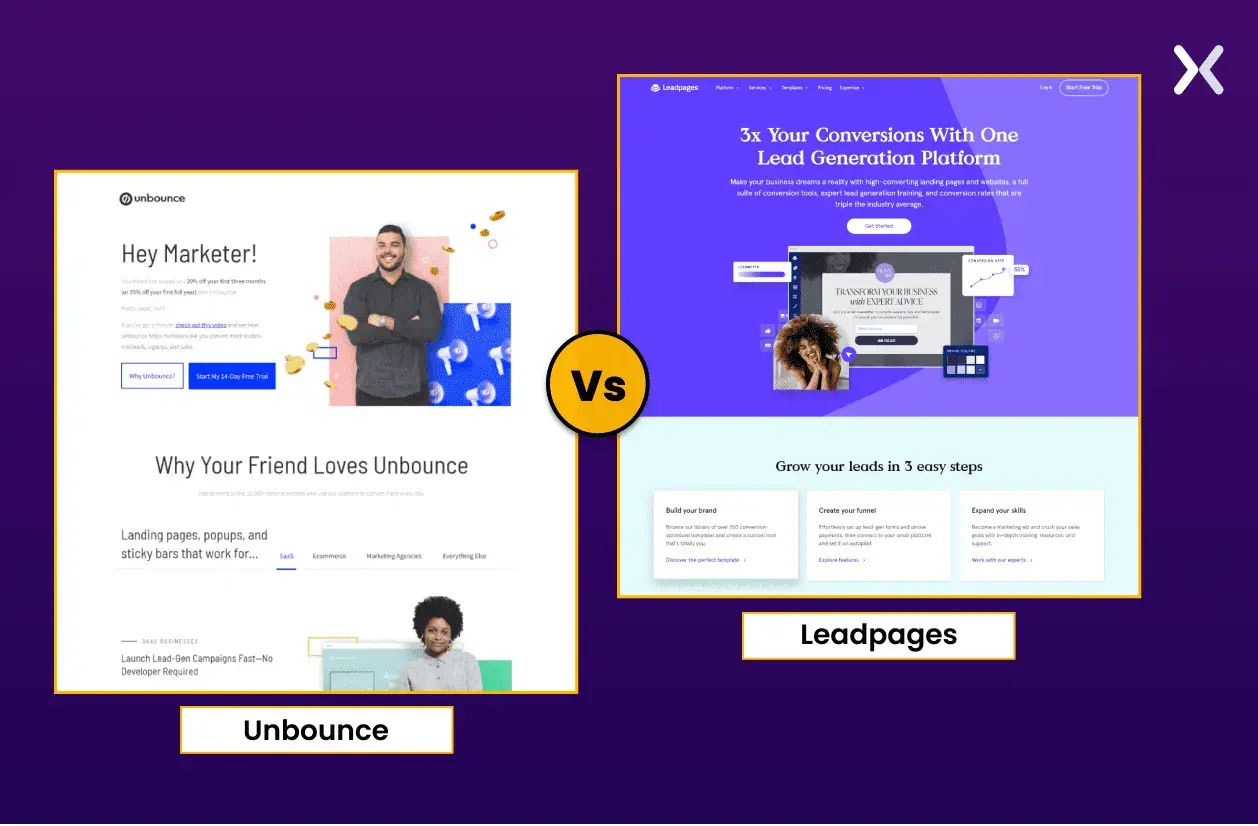
Why you should listen to us?
Apexure has been in the landing page game for almost a decade. We’ve seen tools come and go tried and tested many. Whether it’s a new tool, an old one, or something we haven’t seen before. We know the features that make a landing page really stick. It’s not just our experience; it’s our wisdom that we use to give you in-depth reviews.
Now that we’ve served the quick-answer crowd let’s dig into the specifics of what features make Unbounce and Leadpages such formidable competitors.

Unbounce vs leadpages: what are they?
Starting with the essentials, let’s break down the core functionalities of Unbounce and Leadpages.
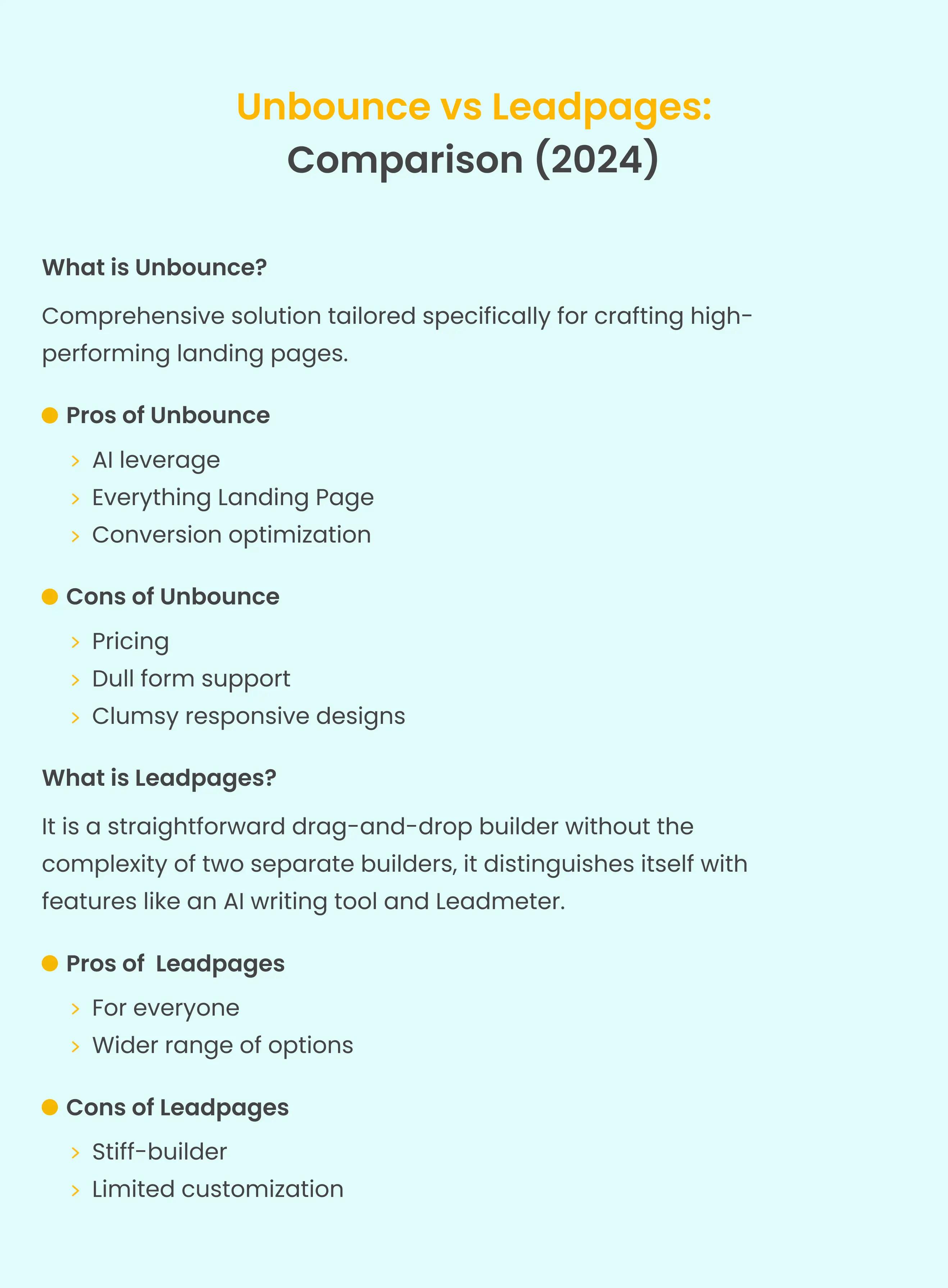
What is Unbounce?
Unbounce isn’t just your run-of-the-mill page builder or editing tool; it’s a full solution tailored specifically for crafting high-performing landing pages. With an intuitive drag-and-drop interface, A/B testing capabilities, and an array of templates, Unbounce is more than a tool - it’s a dedicated platform designed to improve the conversion rates of landing pages.
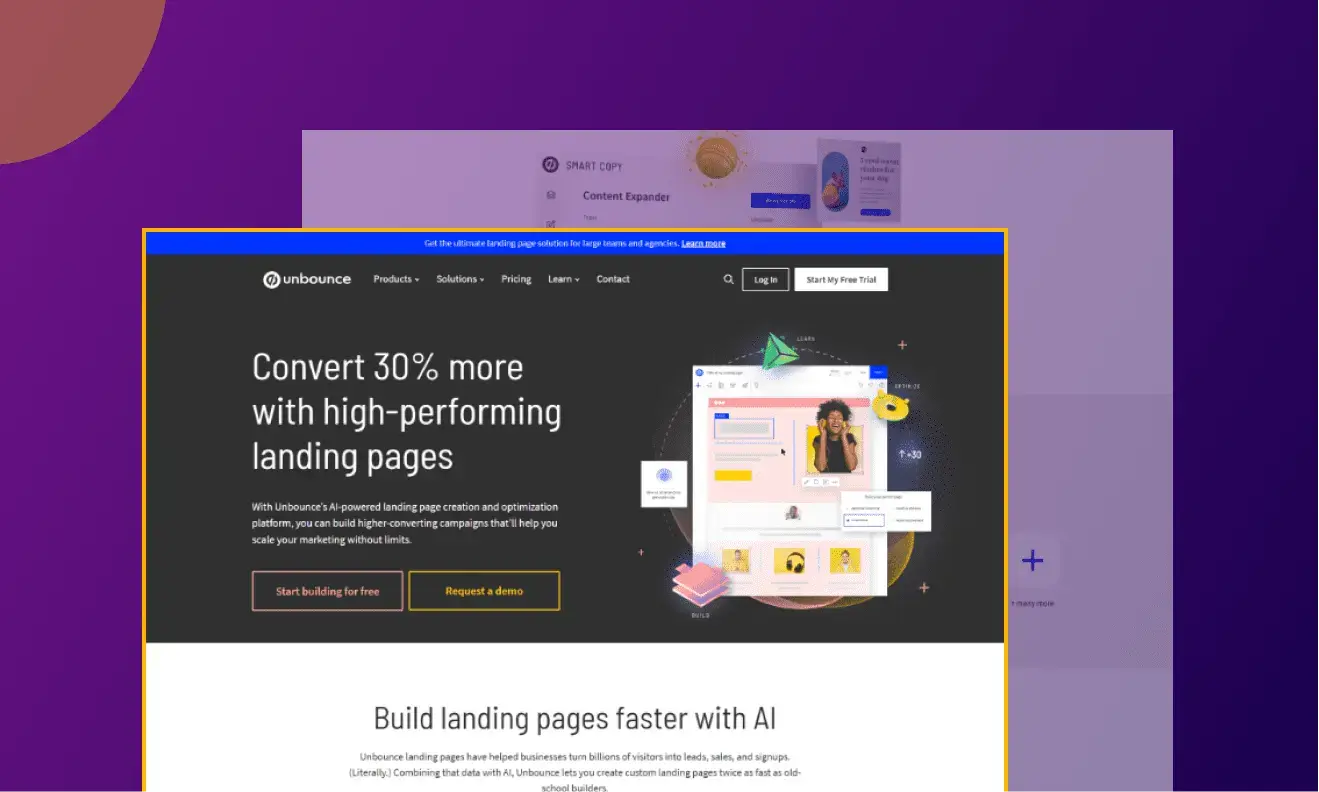 Unbounce excels in its distinctive commitment to optimizing landing page experiences, and we’re not just throwing around words here. A brief visit to Unbounce’s product updates page provides a strong proof of how earnestly they raise their landing page tool.
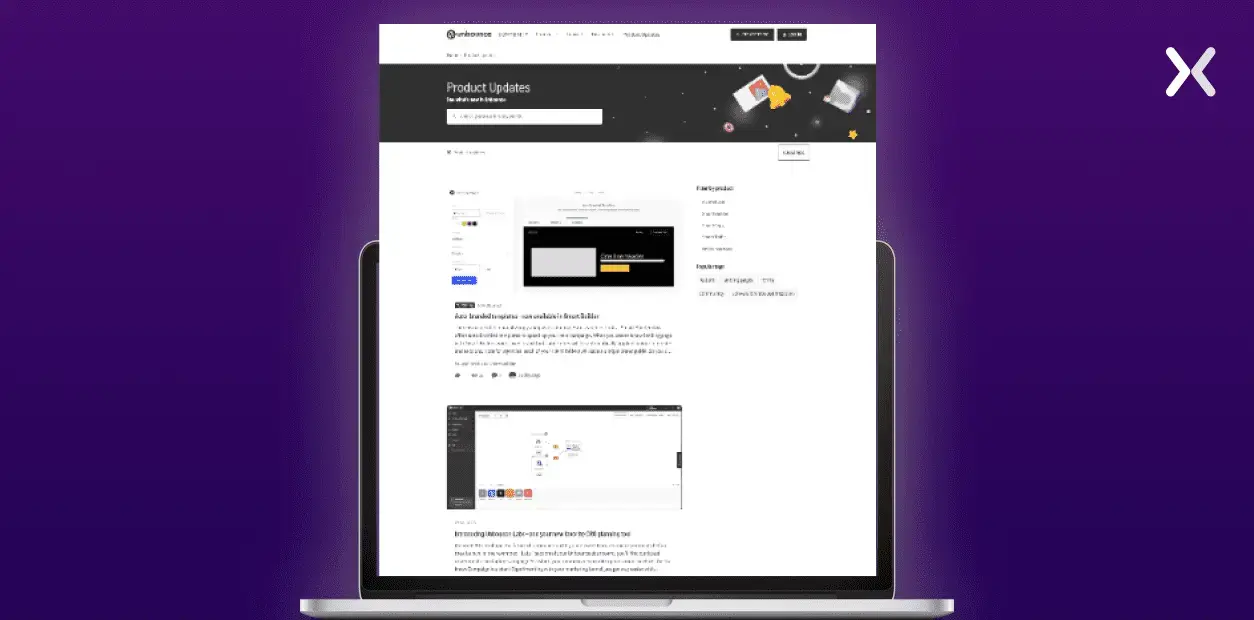 The updates range from introducing auto-branded templates and improved reporting to innovative features like smart copy extensions. This dynamic approach presented in Unbounce’s updates stresses the brand’s continuous efforts to stay ahead of the curve, always attuned to the evolving needs of its clients.
Landing pages on Unbounce
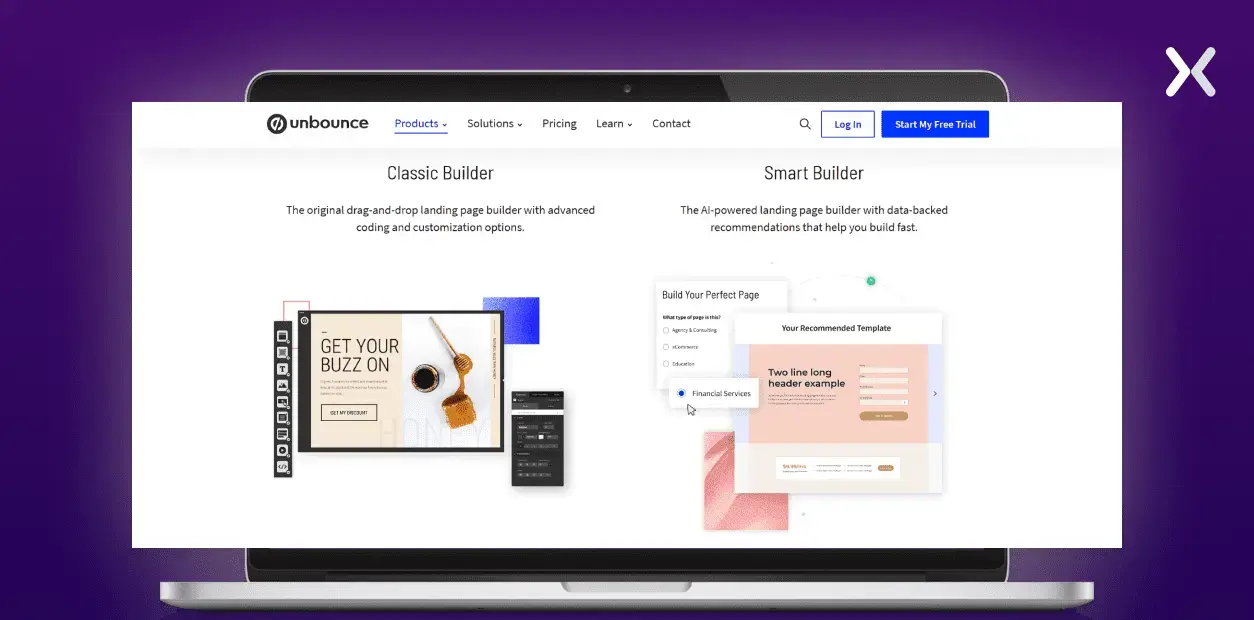
As mentioned, Unbounce is perpetually committed to creating a better user experience, and this commitment has led it to build two distinct types of landing page builders.
-
Offers dynamic content options, complete control through custom scripts, and a user-friendly drag-and-drop interface for better design flexibility. It’s the original landing page builder with advanced coding and customization options.
-
Integrate custom functionalities, use AI for real-time recommendations, and simplify the building process, allowing for 50% faster page creation than other builders.
You can access both builders from whichever Unbounce plan you choose.
Pros
-
Unbounce embraced AI early on, incorporating features like SmartCopy, Smart Traffic, and Smart Builder. These functionalities use the full potential of AI, enabling users to create and optimize landing pages effortlessly.
-
A thorough examination of Unbounce’s suite of products reveals a cohesive strategy aimed at crafting high-converting landing pages. Each component works together, from popups and sticky bars to smooth integrations, to improve the overall conversion-focused experience.
-
Unbounce is not just a landing page builder; it’s a tool designed for optimization, simplifying the process of understanding and editing changes necessary for a successful landing page. It notably helps A/B testing, one of the most popular methods for refining landing pages.
Cons
-
price starts at $99 per month subscription for the most basic package. The charges might pose a challenge for marketing teams on a budget.
-
Unbounce lacks support for complex forms. Constructing a multistep form requires extensive use of JavaScript, which is not matched the simplicity expected in the no-code era.
-
Mobile design in Unbounce presents challenges, as any alteration to the desktop version automatically shows on the mobile version. This complexity arises when attempting to implement distinct changes exclusively for the mobile version without impacting the desktop counterpart.
What is Leadpages?
Leadpages is carefully crafted for unparalleled accessibility, helping anyone to create and launch a polished landing page swiftly, no design or hardcore coding skills required.
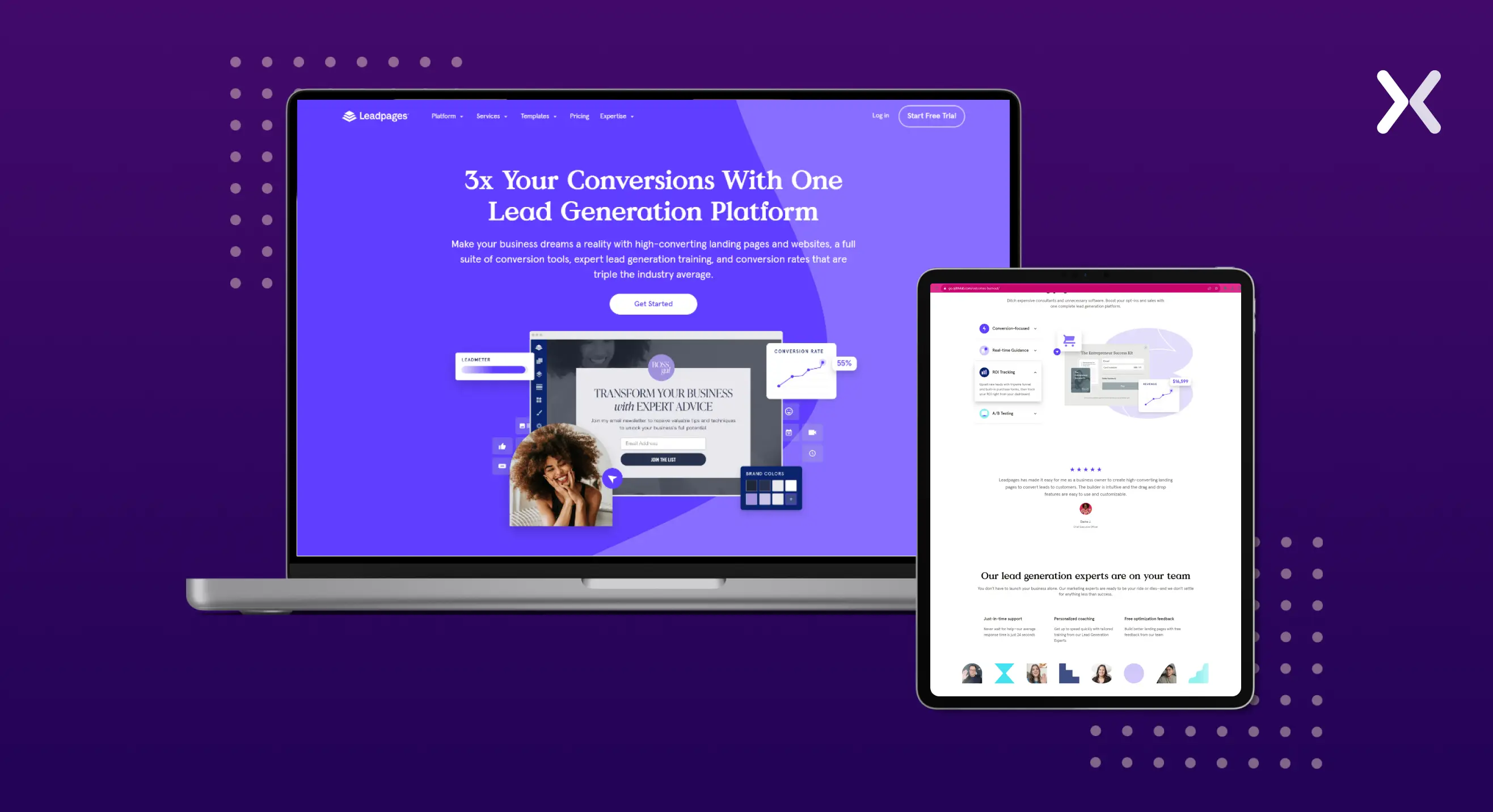 While it offers a straightforward drag-and-drop builder without the complexity of two separate builders, it distinguishes itself with features like an AI writing tool and Leadmeter (more on this later). These tools help you to make data-backed design decisions for your landing pages.
Despite having a focused set of features, Leadpages keeps the essentials are in place. If Leadpages is on your radar for landing page-building tools, rest assured that you’re on the right track.
While it offers a straightforward drag-and-drop builder without the complexity of two separate builders, it distinguishes itself with features like an AI writing tool and Leadmeter (more on this later). These tools help you to make data-backed design decisions for your landing pages.
Despite having a focused set of features, Leadpages keeps the essentials are in place. If Leadpages is on your radar for landing page-building tools, rest assured that you’re on the right track.
Landing pages on leadpages
Moving through Leadpages’ editing tool is a breeze for anyone, akin to child’s play, due to its user-friendly interface. What sets it apart is the smooth transition from desktop to mobile design, providing a full understanding of creating adaptable mobile layouts. For those craving more customization, the option to edit the landing page from the backend is available, allowing you to flex your coding muscles. Leadmeter is your steadfast guide throughout this journey, making sure you’re on the right path at every step.
Pros
-
Leadpages serves businesses of all sizes, whether large or small, without burdening your budget. The value it brings to your marketing campaigns far exceeds the cost, making it a cost-effective choice for businesses of any scale.
-
Leadpages smoothly integrates your landing pages into your marketing journey. To improve its offerings, the platform now provides an array of conversion tools and lead management options, including email list generation and the integration of AI.
Cons
-
Elements are confined to predefined areas on a landing page and cannot be freely positioned elsewhere. It restricts the flexibility in designing your landing page as you have limited freedom in placing elements.
-
It provides limited customization options as it uses row and column layouts. It may pose a challenge for individuals with little knowledge of web development, as specific customizations could prove challenging.
Unbounce vs leadpages: which one to choose?
Now, let’s compare Unbounce and Leadpages for specific features. We have done a similar comparison between Unbounce and WordPress, so make sure you check that out as well. We will use the same parameters to maintain consistency when comparing Unbounce and Leadpages.
Building landing pages on Unbounce vs leadpages
Budget
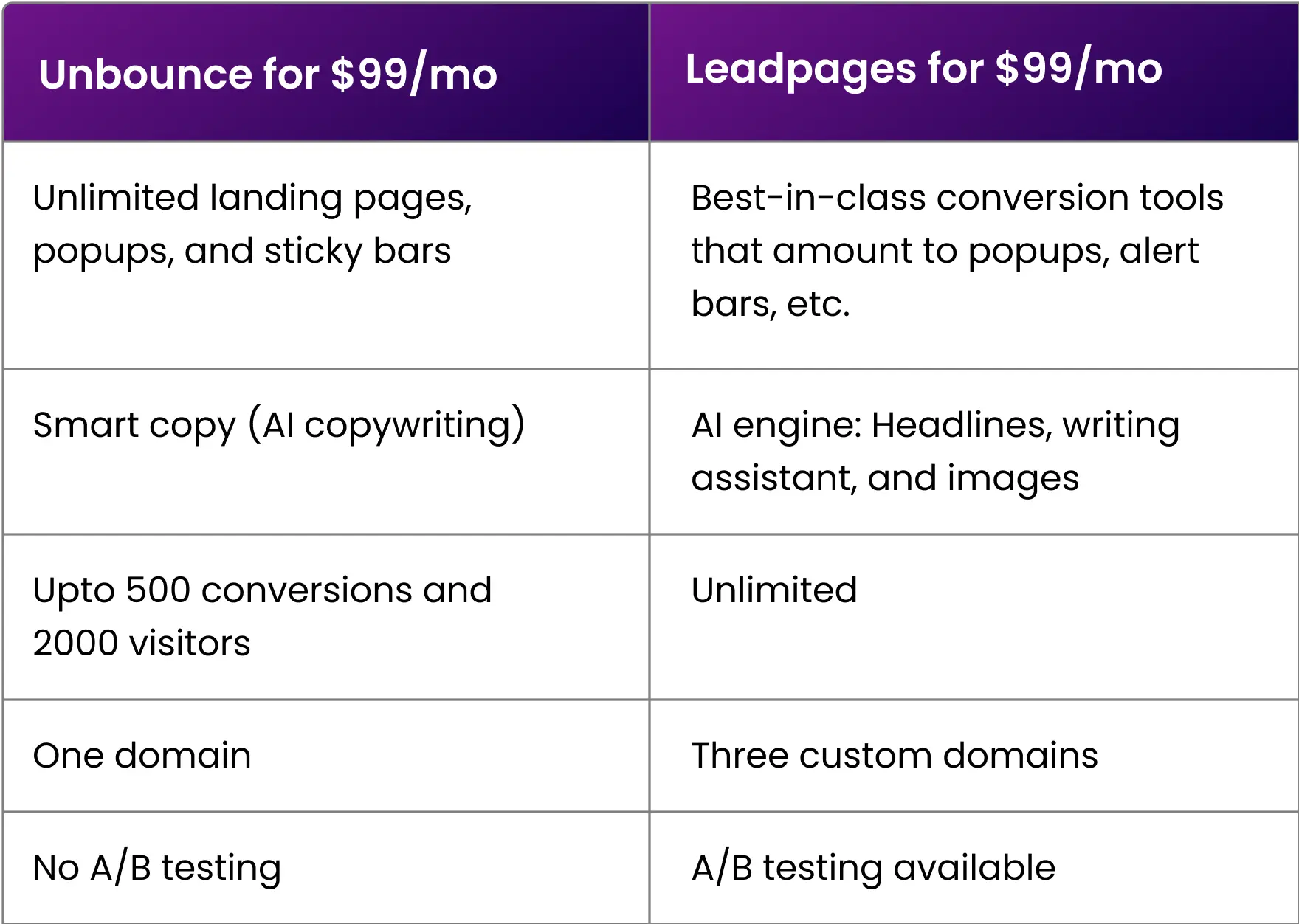
Both Unbounce and Leadpages offer a $99/month package. Let’s dig into a feature comparison. What do you get for $99/mo on these popular landing page builders?
Technical expertise
To craft landing pages, Unbounce doesn’t demand advanced development skills, but it does expect users to be adept learners, especially as the tool might pose challenges for first-time users. On the other hand, Leadpages offers simplicity with its templates for basic landing pages, yet digging into customization may require some coding skills.
Templates
If your strategy heavily relies on templates for designing your landing pages, both Unbounce and Leadpages provide many options across various categories, from campaign types to industry specifics. Let’s compare two landing page templates from the same category of Unbounce and Leadpages. Templates for event registration:
- The Leadpages template has a stronger hero section than Unbounce, as it presents a timer and encourages businesses to put the event location and date at the top. Here, Unbounce follows a minimalistic approach.

- Unbounce here takes the cake with a simple design that is easy to understand and looks pretty cool. While Leadpages has a similar section, it seems heavier on the text.
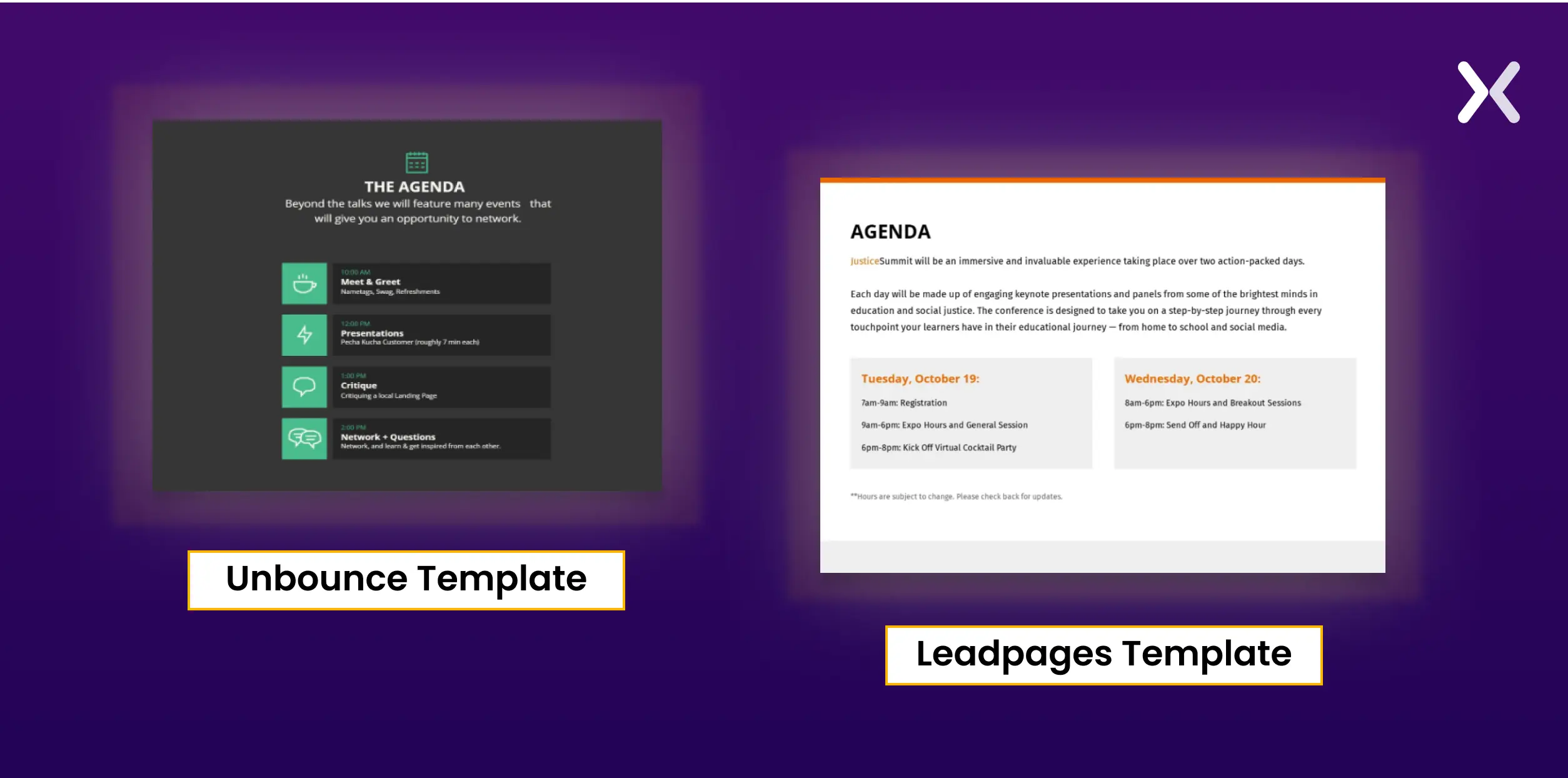
- Both the templates have a section dedicated to the venue and map view, which is a must for event landing pages.
Optimising landing pages on Unbounce vs leadpages
leadmeter vs smart traffic
Both Unbounce and Leadpages present strong analytical tools, namely, LeadMeter and Smart Traffic. Now, let’s dig into what these tools are capable of.
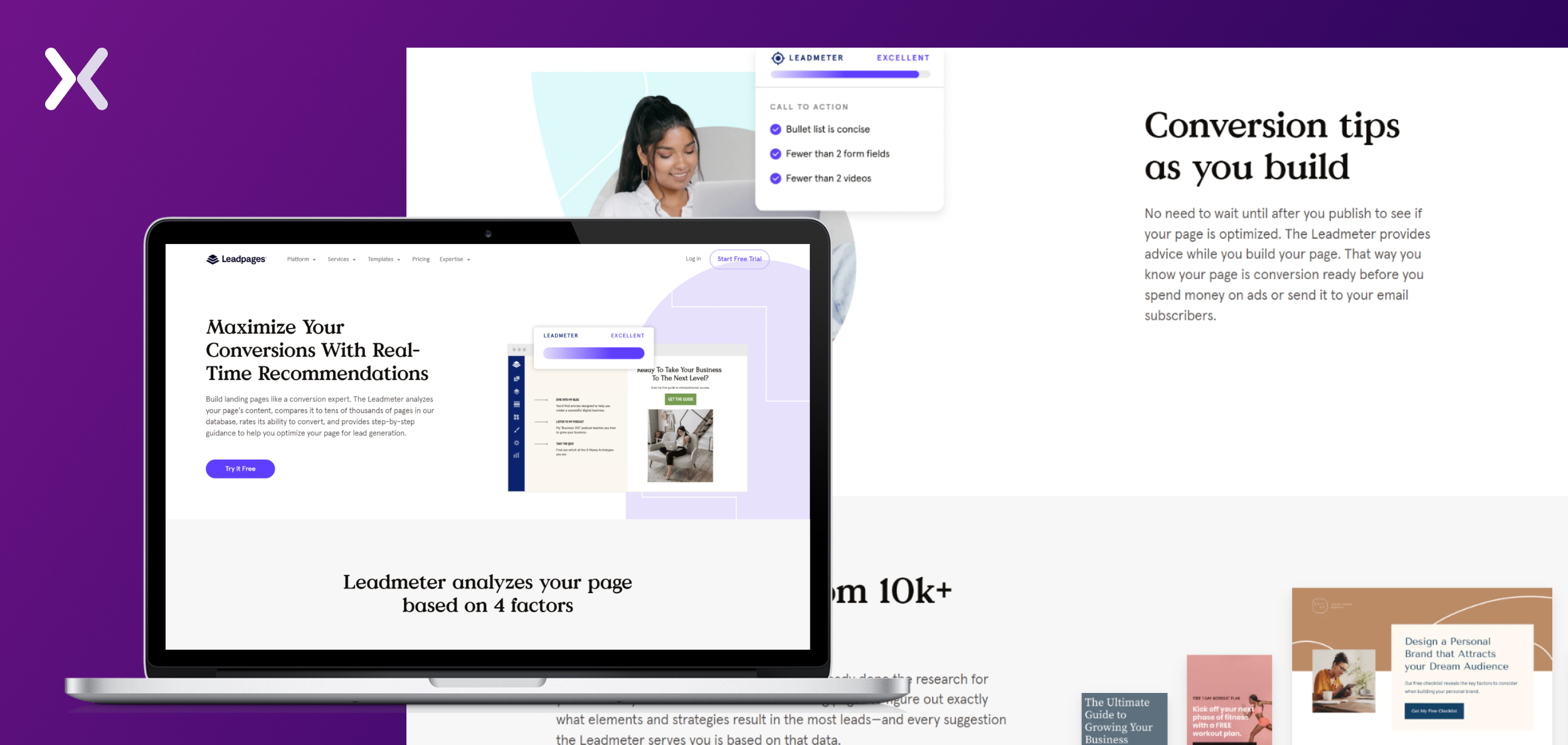
What is Leadmeter by Leadpages? The Leadmeter carefully compares essential elements of your landing page with tens of thousands of pages in the Leadpages database. Assessing their conversion potential, the tool offers the landing page developer valuable guidance for improved optimization. The Leadmeter zeroes in on four key elements: layout, CTA, opt-in form, and readability.
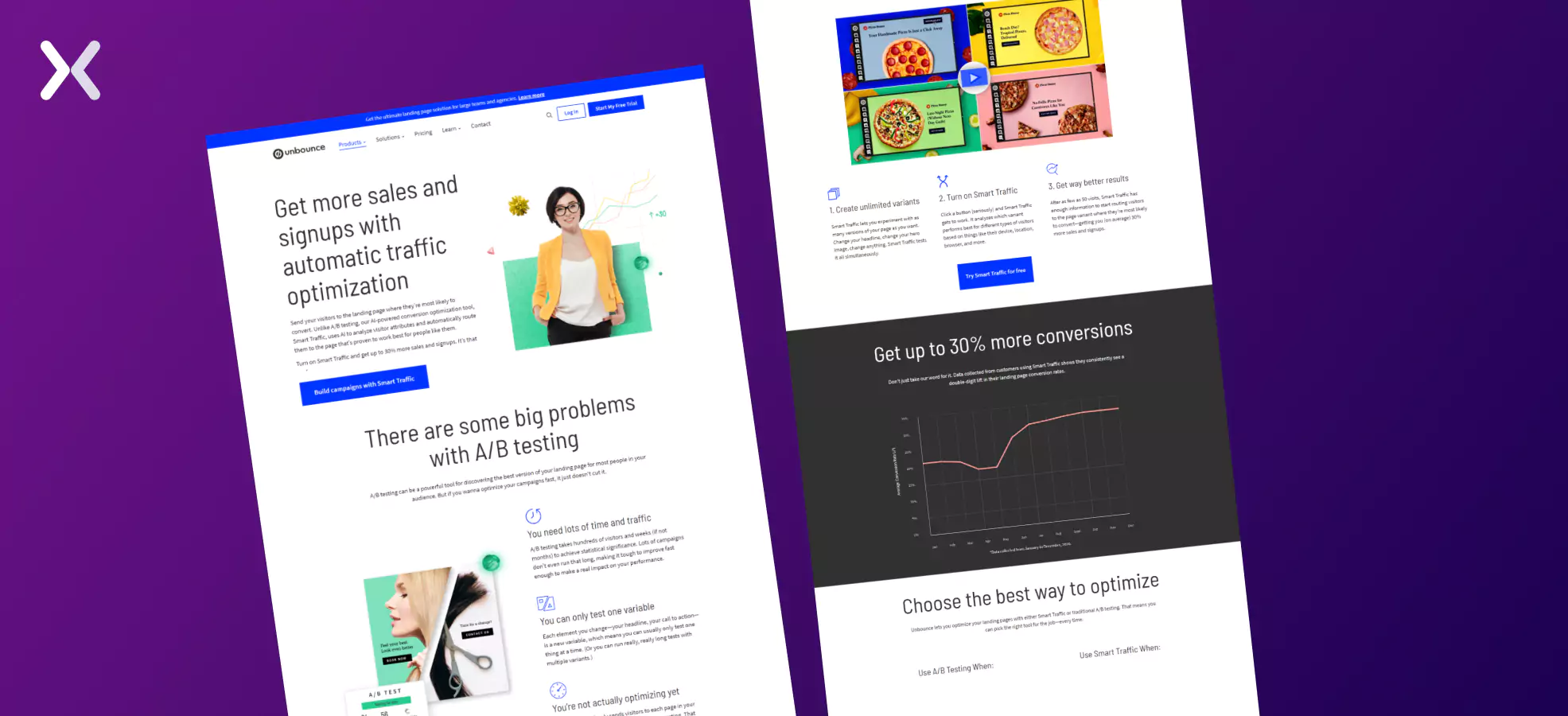
What is Smart Traffic by Unbounce? Unbounce’s Smart Traffic is an AI-driven feature that optimizes the distribution of traffic across different landing page variations. It dynamically directs visitors to the variant most likely to convert based on individual characteristics and behavior, improving overall conversion rates. Clubbed with Smart Builder, which is a little similar to Leadmeter, this combination can be a big improvement.
 Depending on which AI features you find most relevant. You can make the choice.
landing page testing
A/B testing stands out as the go-to method for landing page testing, and both Leadpages and Unbounce offer this functionality at almost the same level at the exact cost, making it a tie in this regard. To dig deeper into user behavior, connecting either platform with a heat mapping tool is essential.
Integration
Connecting your landing pages with CRMs and optimization tools is necessary for optimal results. A strong landing page builder requires extensive integration capabilities. Unbounce and Leadpages hold over 50+ integrations, and with the added flexibility of Zapier, the potential for integrations is practically limitless. Once more, it’s a tie in this aspect.
Unbounce vs leadpages: which you should pick?
This concludes our Unbounce vs Leadpages showdown. As we cut through the clutter of features, testing capabilities, and integrations, a clear theme emerges - a strong tie in many aspects. The decision ultimately hinges on your specific needs and preferences. If you prioritize flexibility, AI-driven optimization, and extensive customization, Unbounce may be your ideal ally. On the flip side, if simplicity, user-friendly templates, and a budget-friendly approach are essential, Leadpages takes the lead. Both landing page builders offer free trial, so you can try them out before making any commitments. In this comparison. There’s no absolute winner or loser; it’s about aligning the tools with your distinct goals. Whether you lean towards the efficiency of Unbounce or the accessibility of Leadpages, rest assured that both platforms offer strong solutions to raise your landing page game.
Related Articles: