Most marketers treat the thank you page as an afterthought, a generic “thanks, we’ll be in touch” message. That is a wasted conversion opportunity.
Your thank you page after form submission is the one moment when a visitor has just committed to your brand. They filled out your form. They are engaged, trusting, and receptive. What you show them next determines whether they become a passive lead or an active prospect moving deeper into your funnel.
After building 3,000+ landing pages, including the post-conversion flows that follow them. We have seen well-designed thank you pages drive referrals, upsells, social follows, and second conversions in the same session.
This guide covers 10 real thank you page examples by use case, best practices for designing yours, and the mistakes that silently kill your post-conversion momentum.
What is a thank you page after form submission?
A thank you page, also called a success page or confirmation page, is where visitors land immediately after completing a form submission, purchase, sign-up, or booking on your site.
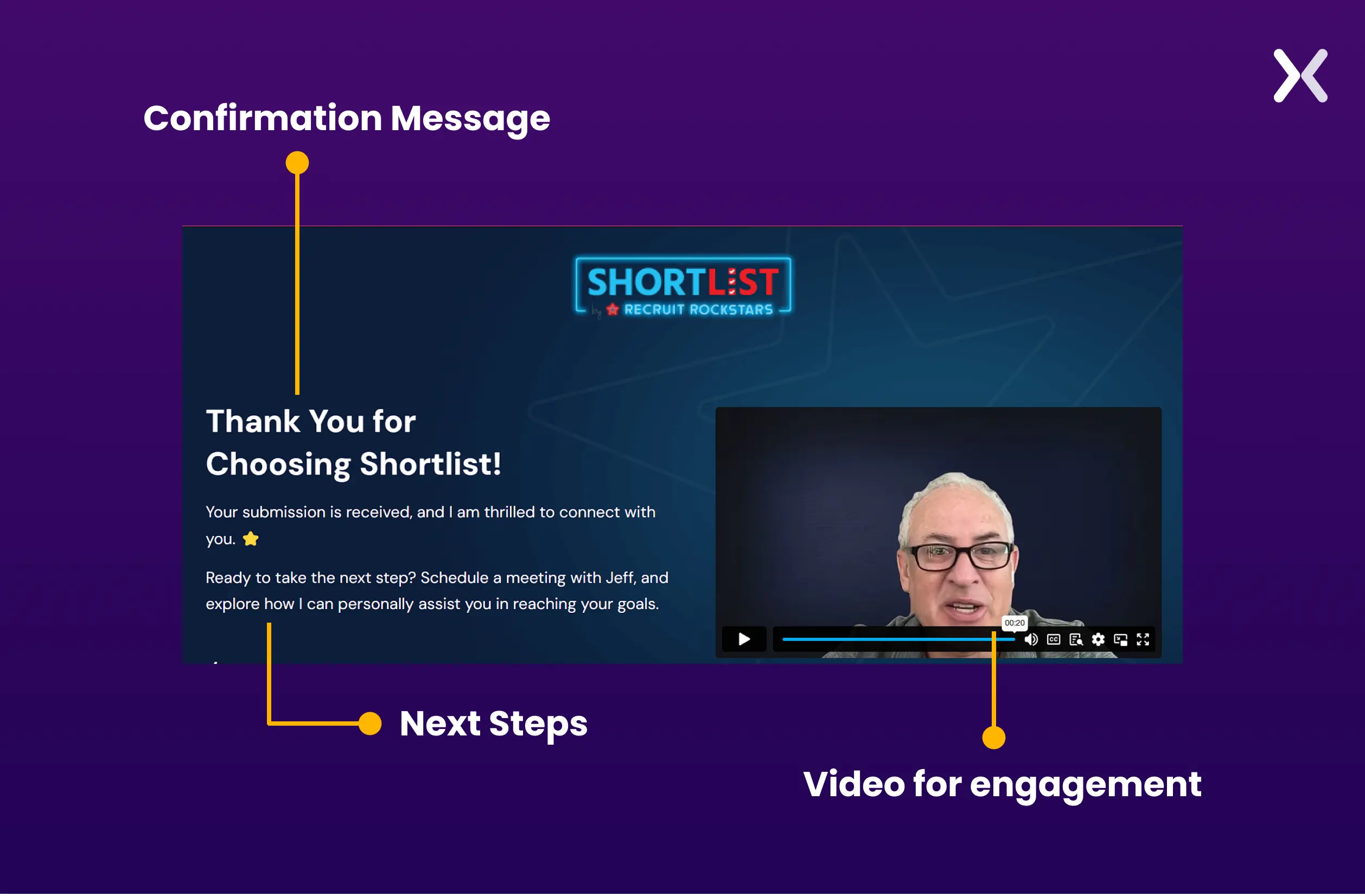
It serves three purposes:
- Confirms the action, removes doubt about whether the form actually submitted
- Sets expectations, tells the visitor what happens next (response time, email confirmation, next steps)
- Drives the next action, presents a secondary CTA while the visitor is at peak engagement Without a thank you page, visitors are left staring at a blank form or a browser back button. That uncertainty kills trust and wastes the momentum you just built with your landing page.
The thank you page is the bridge between lead capture and lead nurturing, the highest-intent moment in your funnel.
Why your thank you page matters more than you think
“Why bother with a thank you page when we already send a confirmation email?” We hear this from about a third of new clients. Fair question. Here is why it falls apart:
- Emails get ignored. Average open rates sit between 20-30%. Your thank you page has a 100% view rate, every person who converts sees it.
- Timing matters. The visitor just took action, engagement is at its peak. The confirmation email arrives minutes or hours later, when they have moved on to something else.
- Tracking depends on it. Google Ads, Meta Pixel, GA4, and LinkedIn Insight Tag all use thank you page loads as conversion events. No dedicated thank you page means broken conversion tracking.
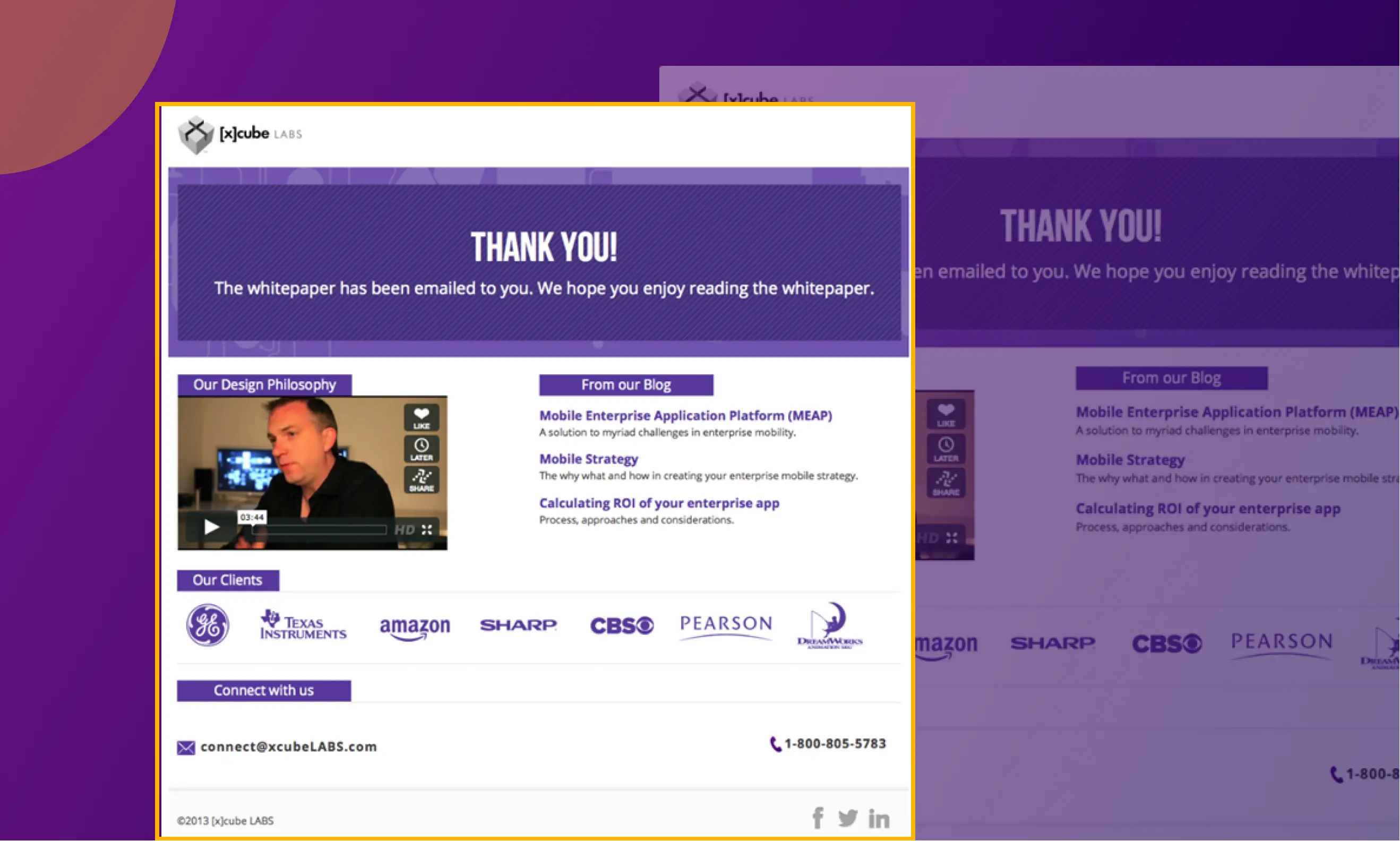
After building 3,000+ landing pages, we can say this with confidence: the thank you page is the most neglected page in most funnels. Teams agonise over headline copy and hero images for weeks, then ship a thank you page that says “Thanks, we’ll be in touch.” Full stop. Nothing else. One example: a clinical trials company we worked with hit a 51.78% conversion rate on their enrolment page. That number did not happen because of the landing page alone. The thank you page reinforced why participation mattered and walked people through the next enrolment step. We designed both pages as one connected experience, not two separate projects.

"A thank you page does two things: it helps track how well your website and landing pages are turning visitors into customers, and it guides them to the next step — checking out your social media, related offerings, or booking a call. It keeps momentum going."
Want us to audit your post-conversion flow?
We have built thank you pages for 300+ clients. Tell us about your funnel and we will show you where the gaps are.
Get a Free Audit →10 thank you page examples by use case
Each example below is matched to a specific funnel stage. The elements we recommend come from patterns across hundreds of client projects, not theory.
1. Contact form thank you page
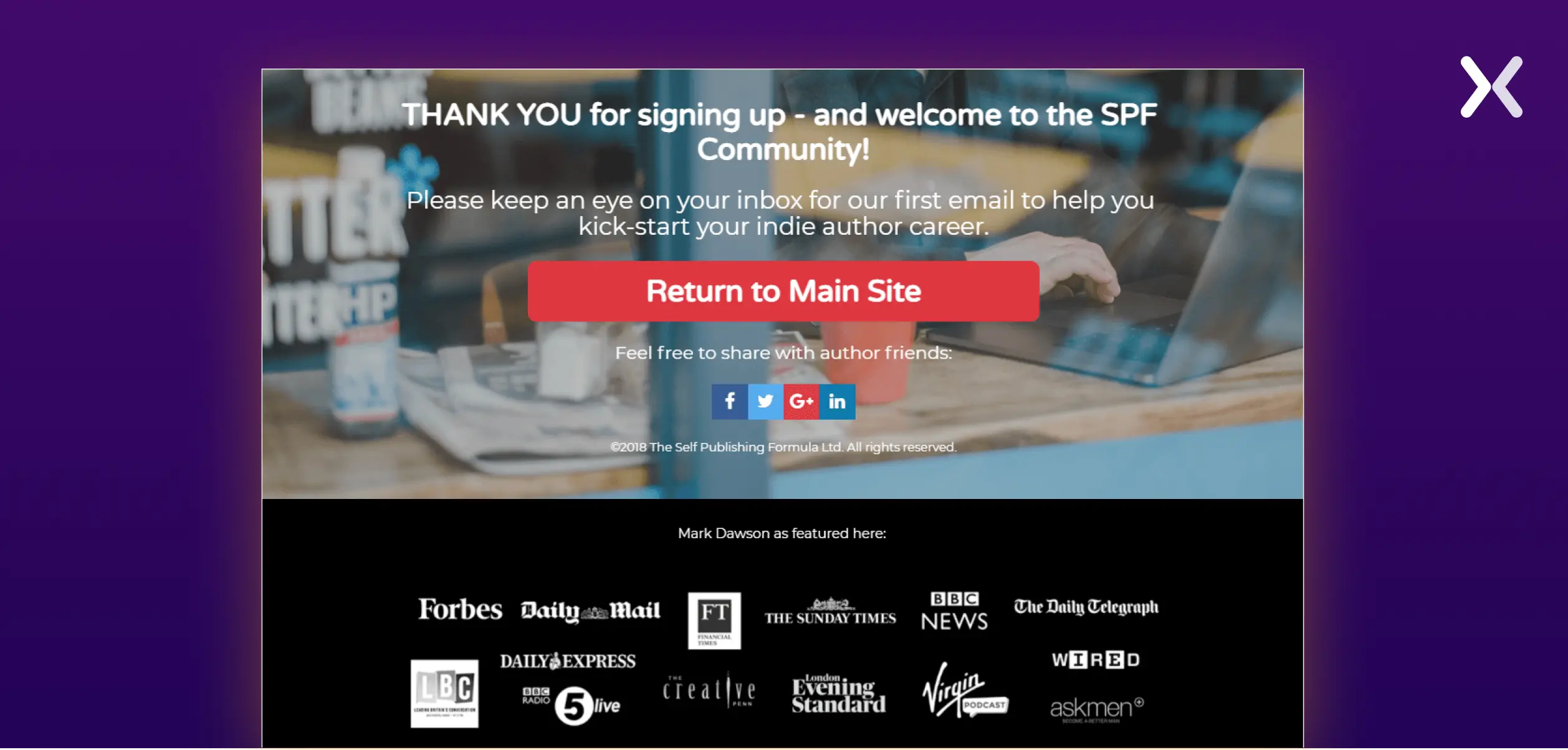
The visitor has expressed direct interest in your services. This is a high-intent lead. Your thank you page should reinforce trust and keep them engaged while they wait for a response.
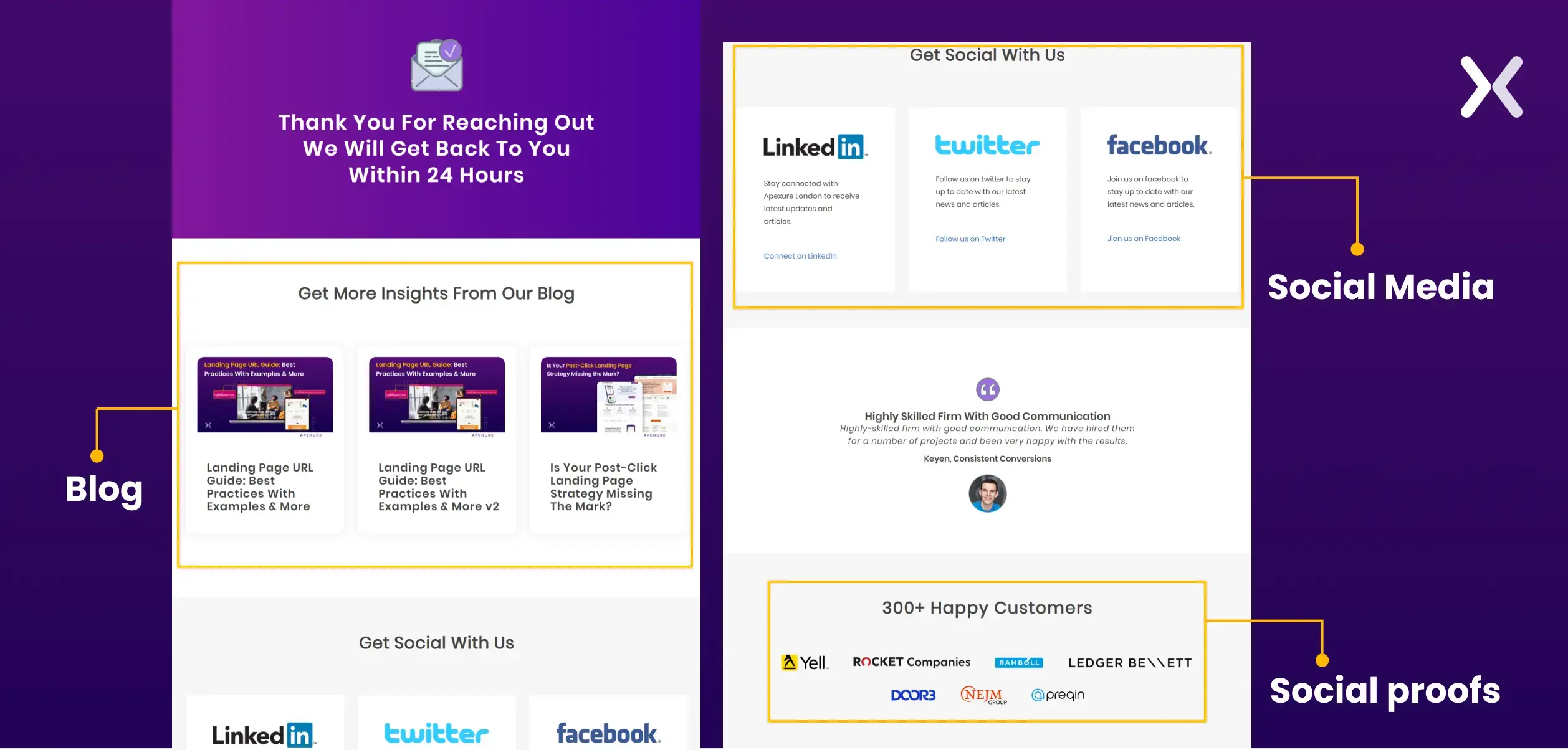
What to include:
- Confirmation message with expected response time, “We’ll reply within 24 hours”
- Social proof, client logos, a short testimonial, or trust badges
- Links to relevant case studies or blog content that matches their likely intent
- Social media follow buttons (secondary, not primary CTA)
What to avoid: Asking them to fill out another form. They just gave you their information, respect that.
For a B2B corporate governance publication, we built a contact form funnel where the thank you page included a speaker preview and a multi-step qualification flow. The result: 27.89% conversion rate, 82 conversions from 294 visitors.
2. Webinar registration thank you page
Webinar registrants need clear logistics. Confusion about when, where, or how to join kills attendance rates.
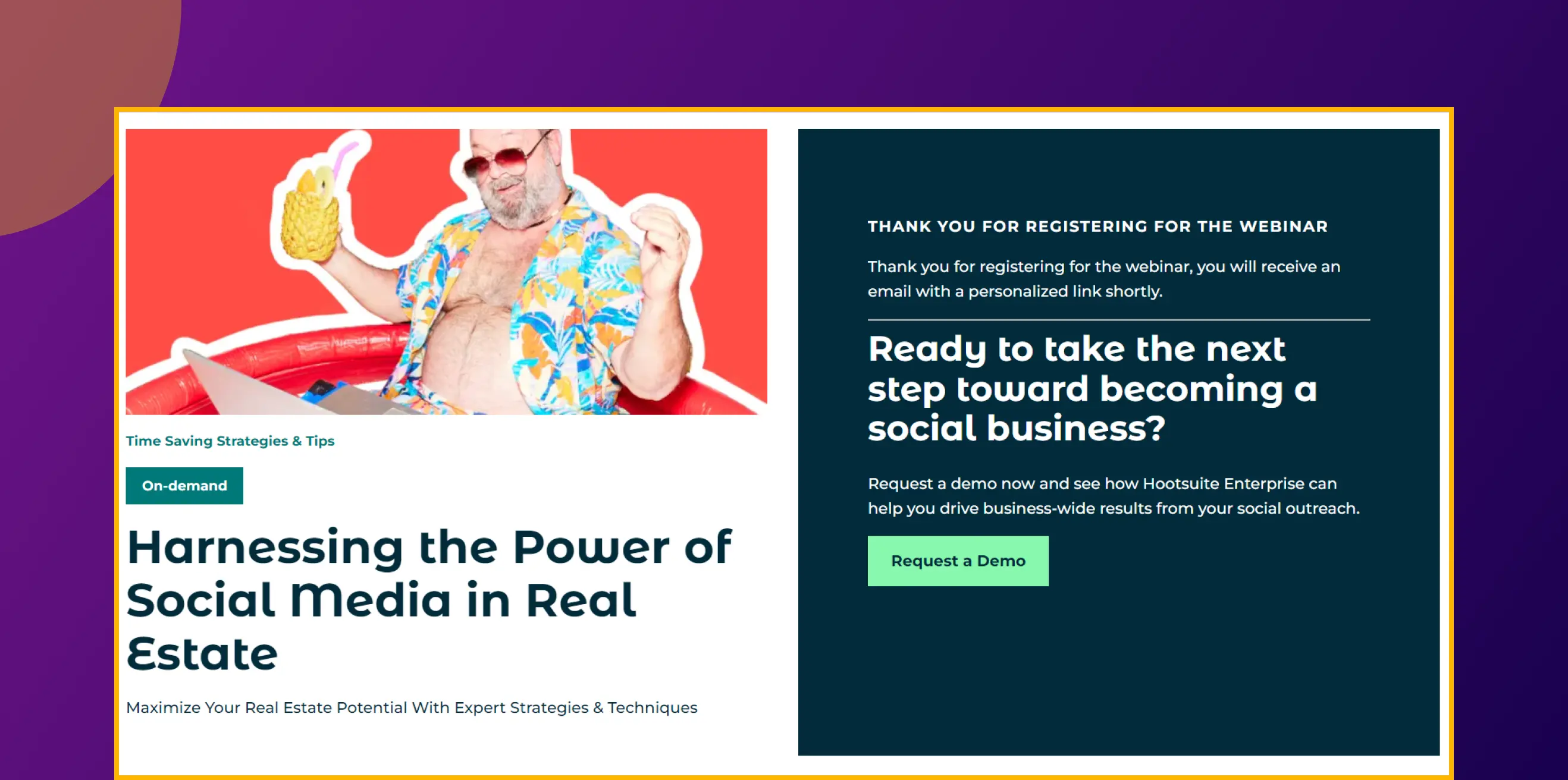
What to include:
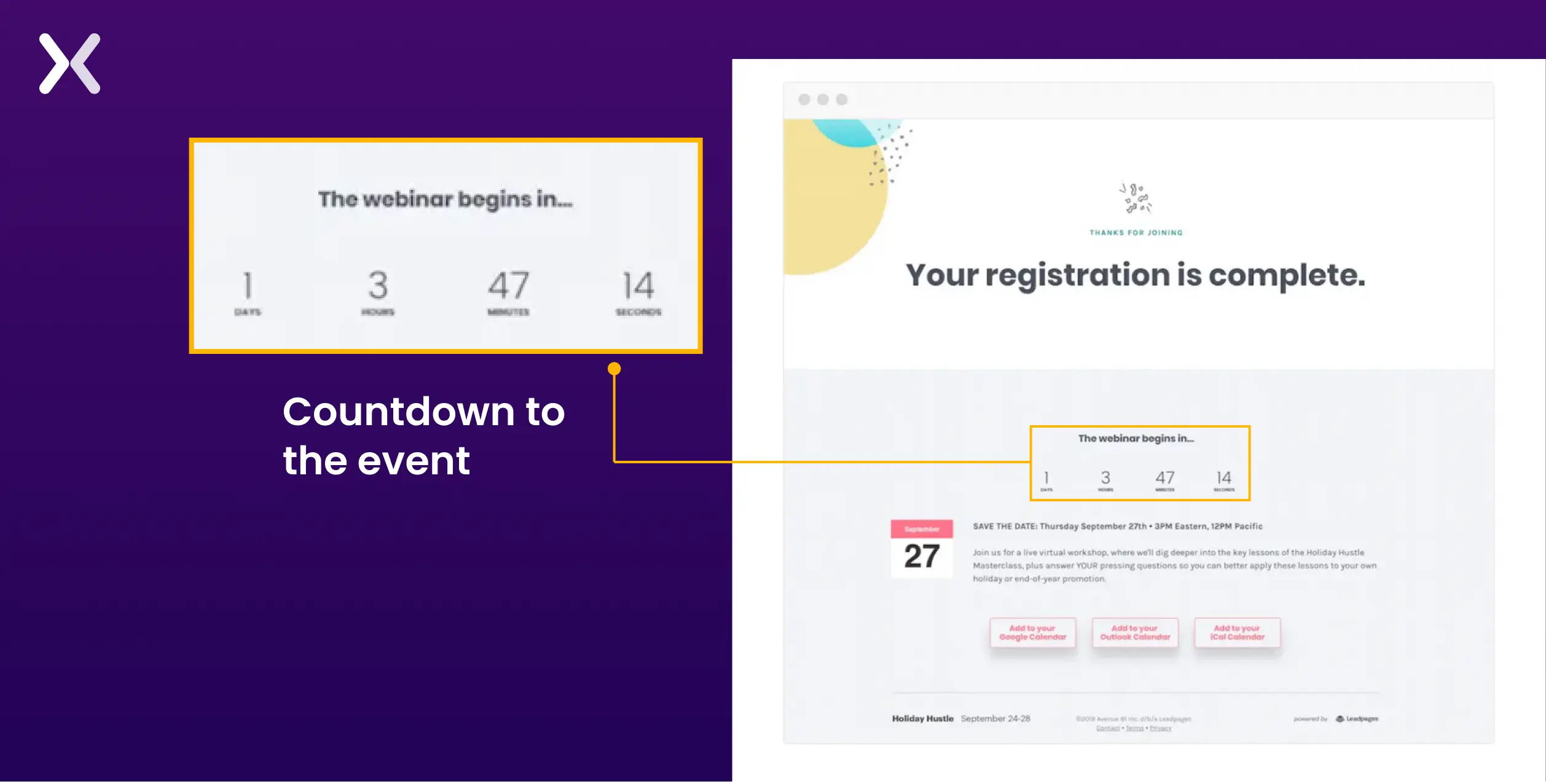
- Date, time, and time zone, spelled out, not abbreviated
- “Add to Calendar” button (Google Calendar, Outlook, iCal)
- Countdown timer to build anticipation
- Speaker bios or an agenda preview
- Social sharing buttons so they can invite colleagues One thing we have seen work well: pre-populate a LinkedIn share message, something like “I just registered for [Webinar Name], here’s the link if you want to join.” Costs nothing. We have seen it drive 8-12% additional registrations from organic sharing alone.
3. Appointment booking thank you page
When someone books a call or demo, they are signalling serious buying intent. Use the thank you page to prepare them for the conversation.
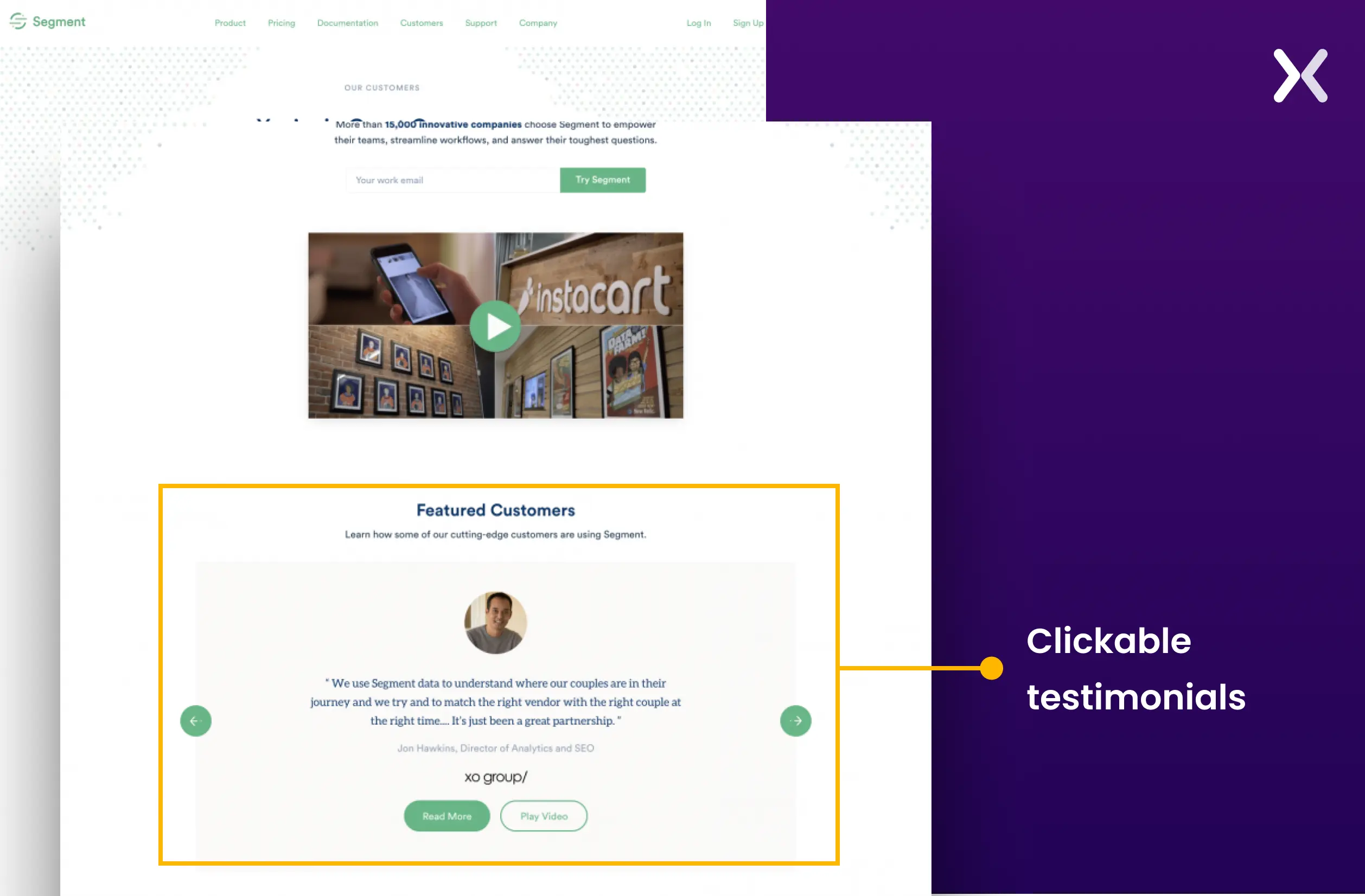
What to include:
- Booking confirmation with date, time, and meeting link
- A short agenda, “Here’s what we’ll cover on the call”
- Relevant testimonials from clients who booked similar calls
- A short FAQ addressing common pre-call questions
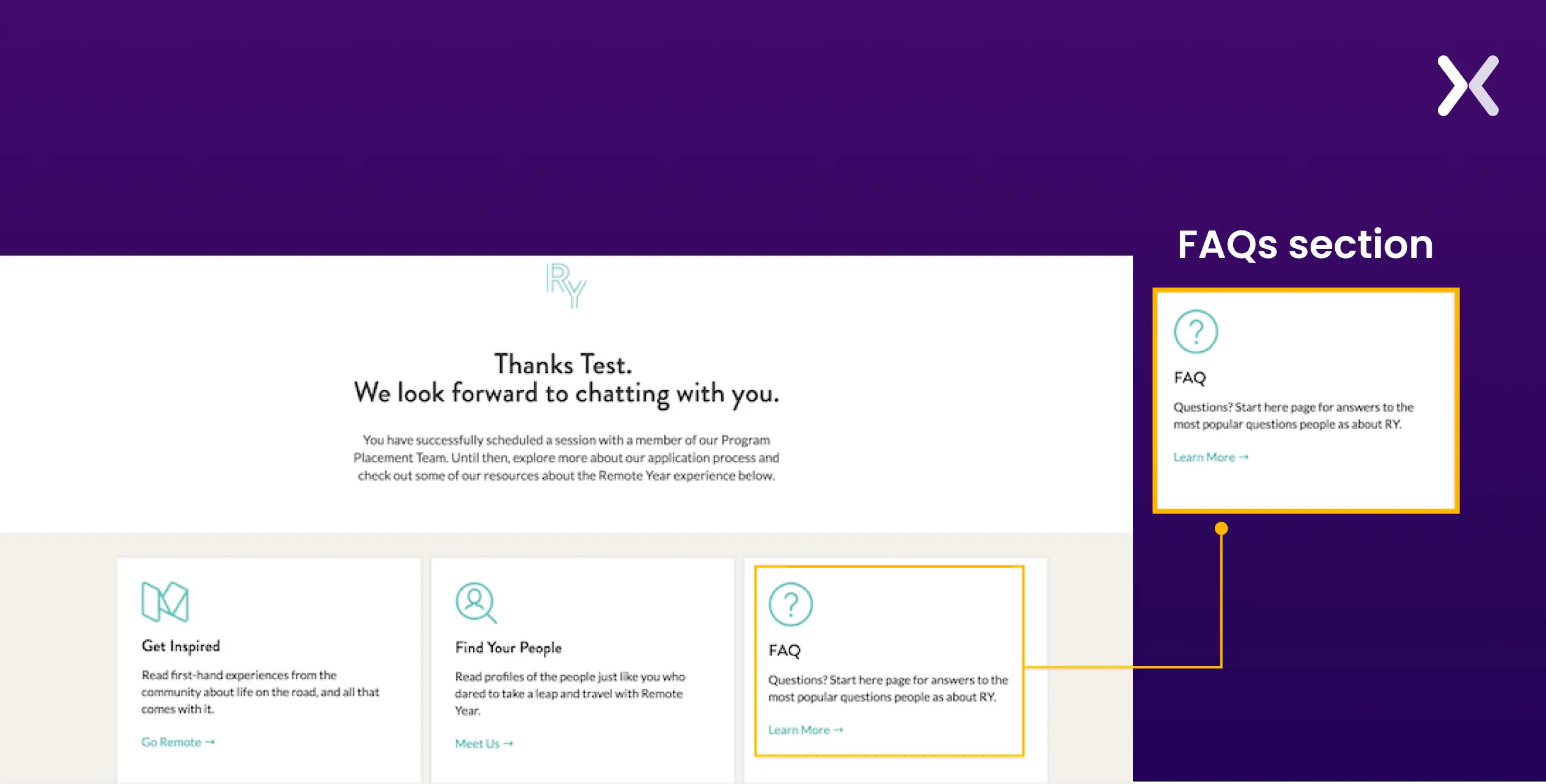
For Flare.io, a cybersecurity SaaS company, the original Book a Demo page had a bare-bones thank you screen. We added a 90-second product overview video and an industry-specific case study to the thank you page. The result: a 65% increase in demo conversions, within the first week.
4. Lead magnet download thank you page
Lead magnets are top-of-funnel. The thank you page is your chance to push the lead toward the middle of the funnel.
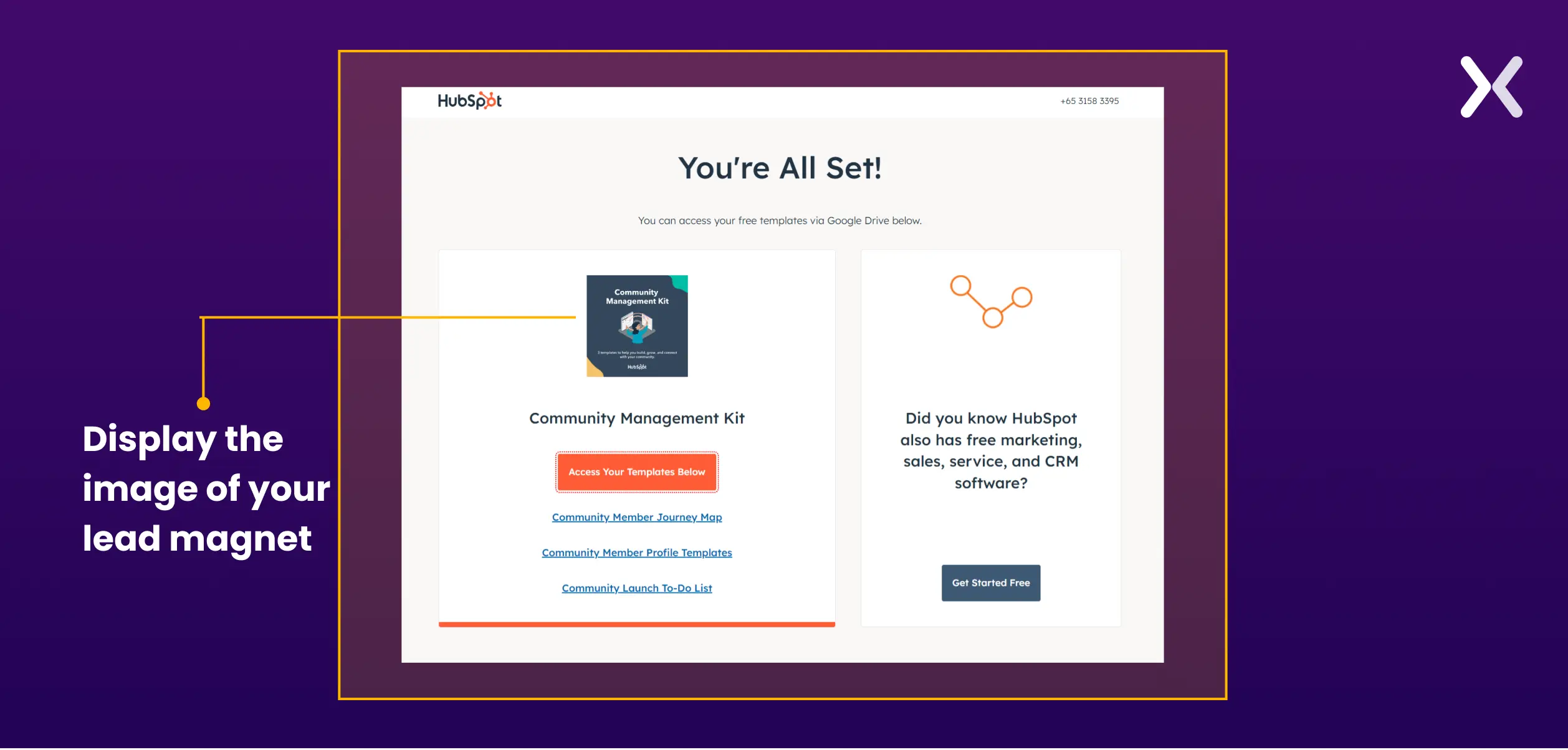
What to include:
- Download link or delivery confirmation, “Check your inbox”
- Preview image of the lead magnet (builds anticipation to actually read it)
- One middle-of-funnel offer: a webinar invite, case study, or free trial
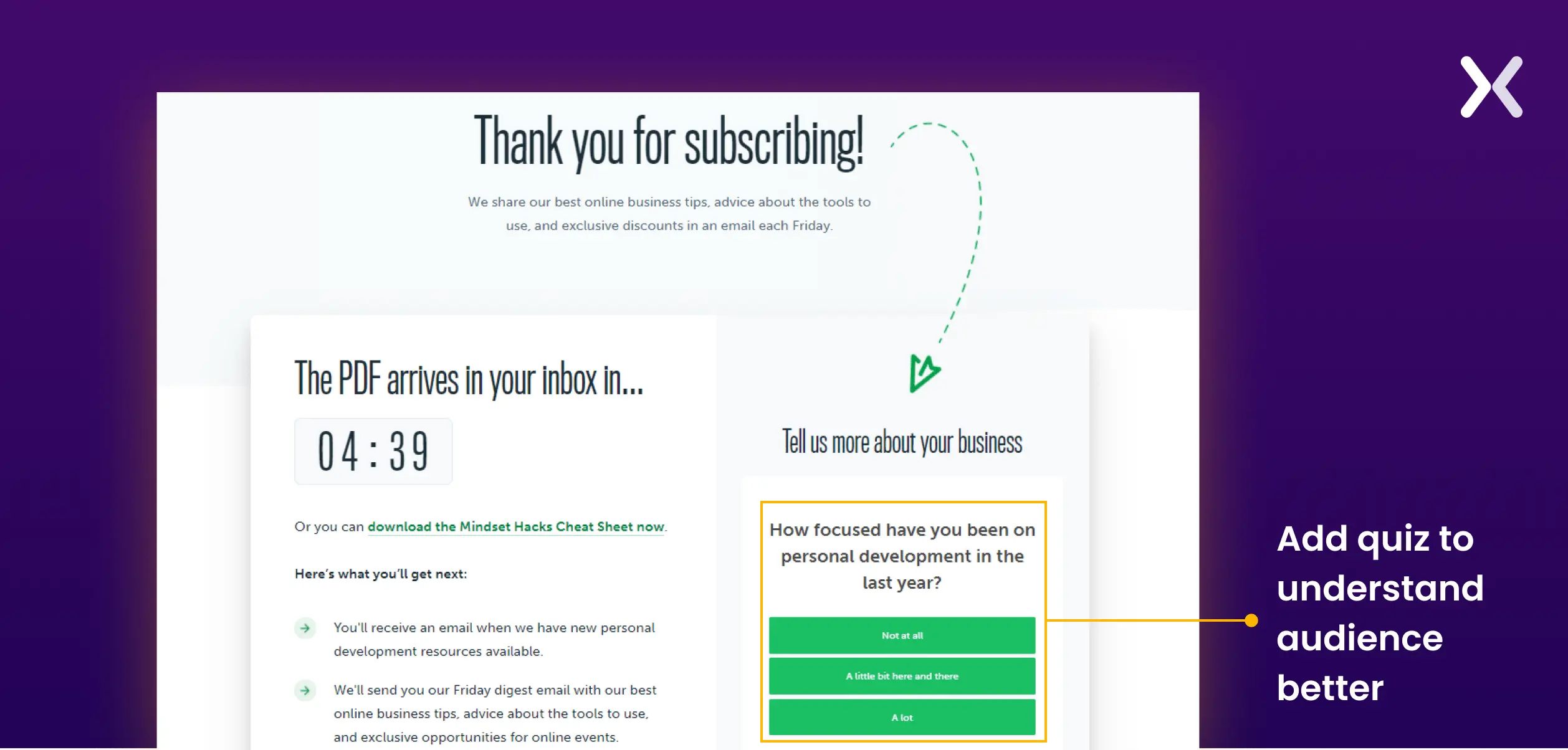
- Optional: a qualifying question or two to segment the lead for nurture sequences
Do not gate the download behind another form. If you promised immediate access, deliver it on the page. Sending it only by email risks the download never happening, email open rates are 20-30%, and spam filters catch more every year.
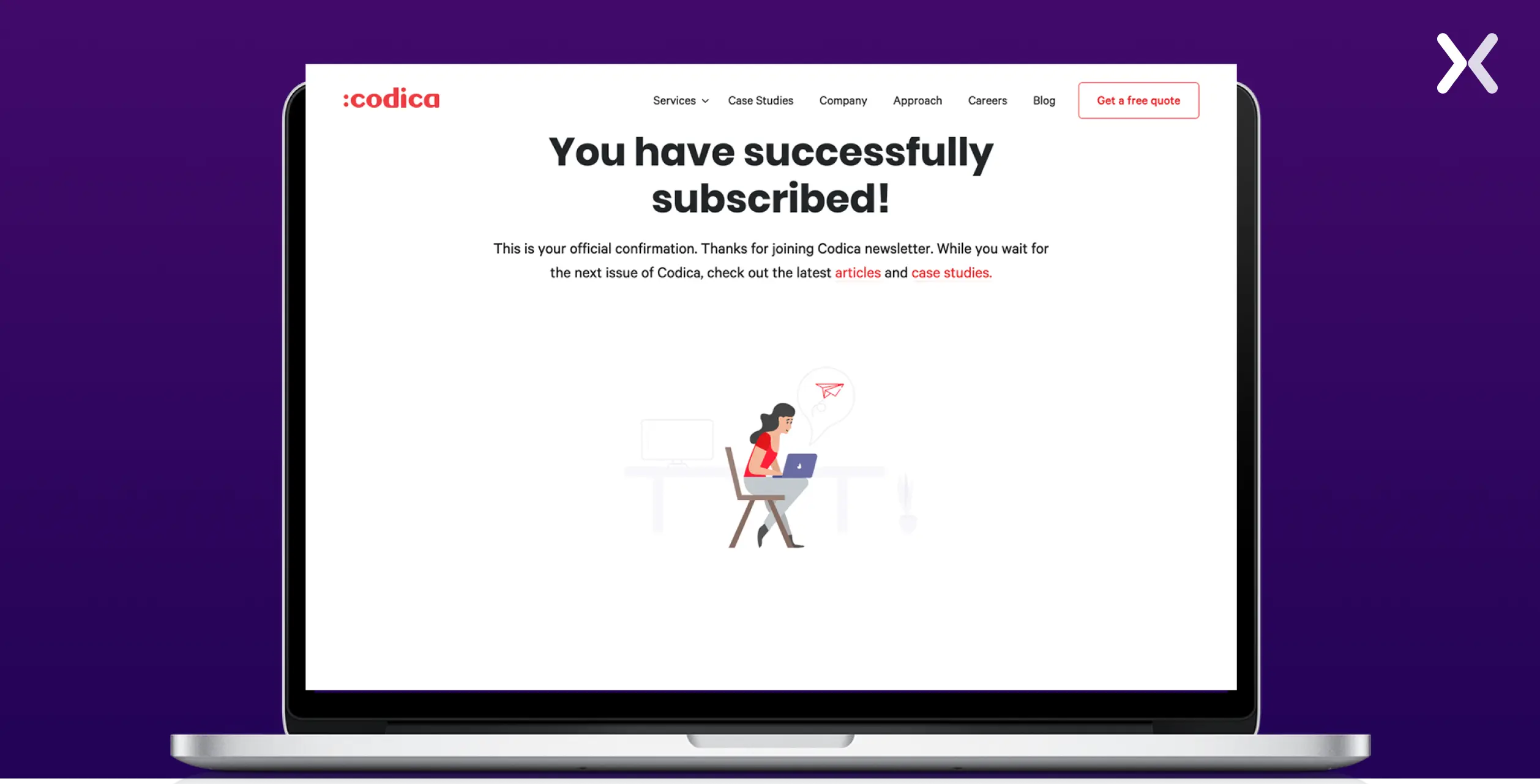
5. Newsletter sign-up thank you page
Newsletter subscribers have opted into a recurring relationship. Set content expectations early.
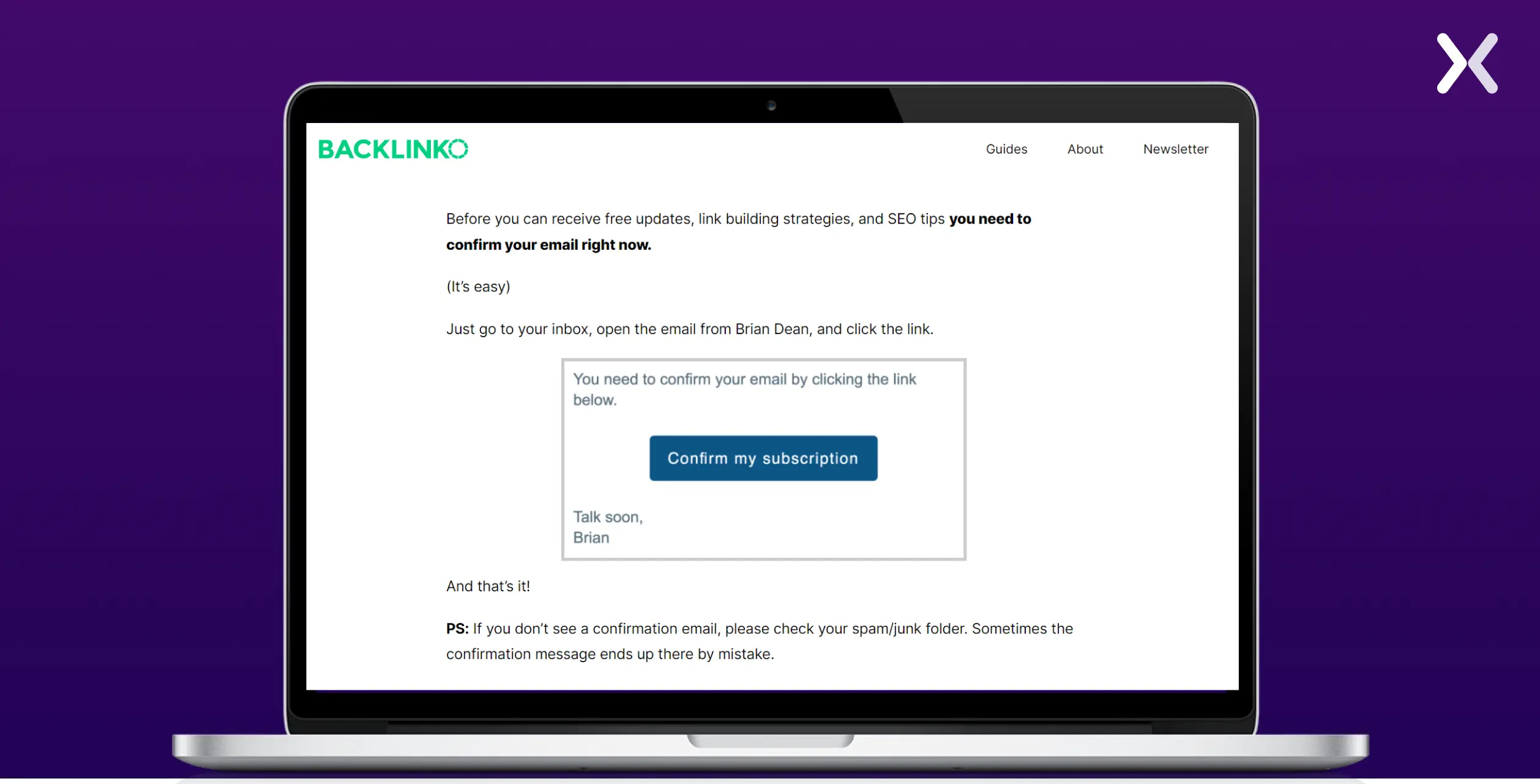
What to include:
- Subscription confirmation and frequency, “Every Tuesday morning”
- “Whitelist our email” instructions to avoid spam folders (provide the exact sender address)
- Link to your best-performing past newsletter issue or blog post
- Social follow buttons
Not confirming what the subscriber will actually receive is a common mistake. "Thanks for subscribing!" without context creates uncertainty. Tell them exactly what to expect, how often, and from which email address.
6. Purchase confirmation thank you page
The visitor just gave you their money. That is the strongest trust signal in the entire funnel. Do not waste it with a generic “order confirmed” screen.
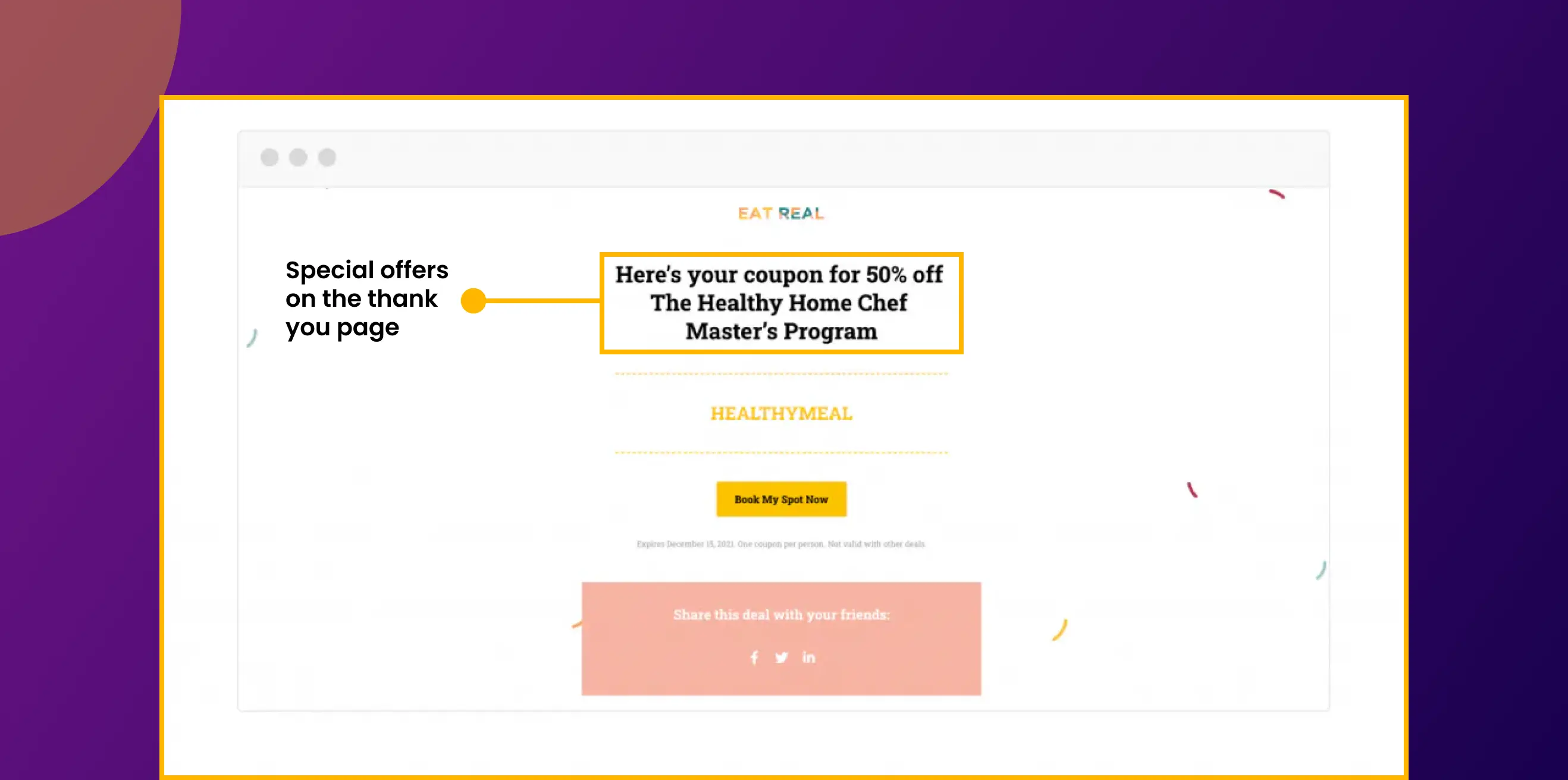
What to include:
- Order summary: order ID, items, total, estimated delivery or access timeframe
- Complementary product recommendations (not random, relevant to what they bought)
- A discount code for their next purchase
- Referral programme invitation, “Share with a friend, both get 15% off”
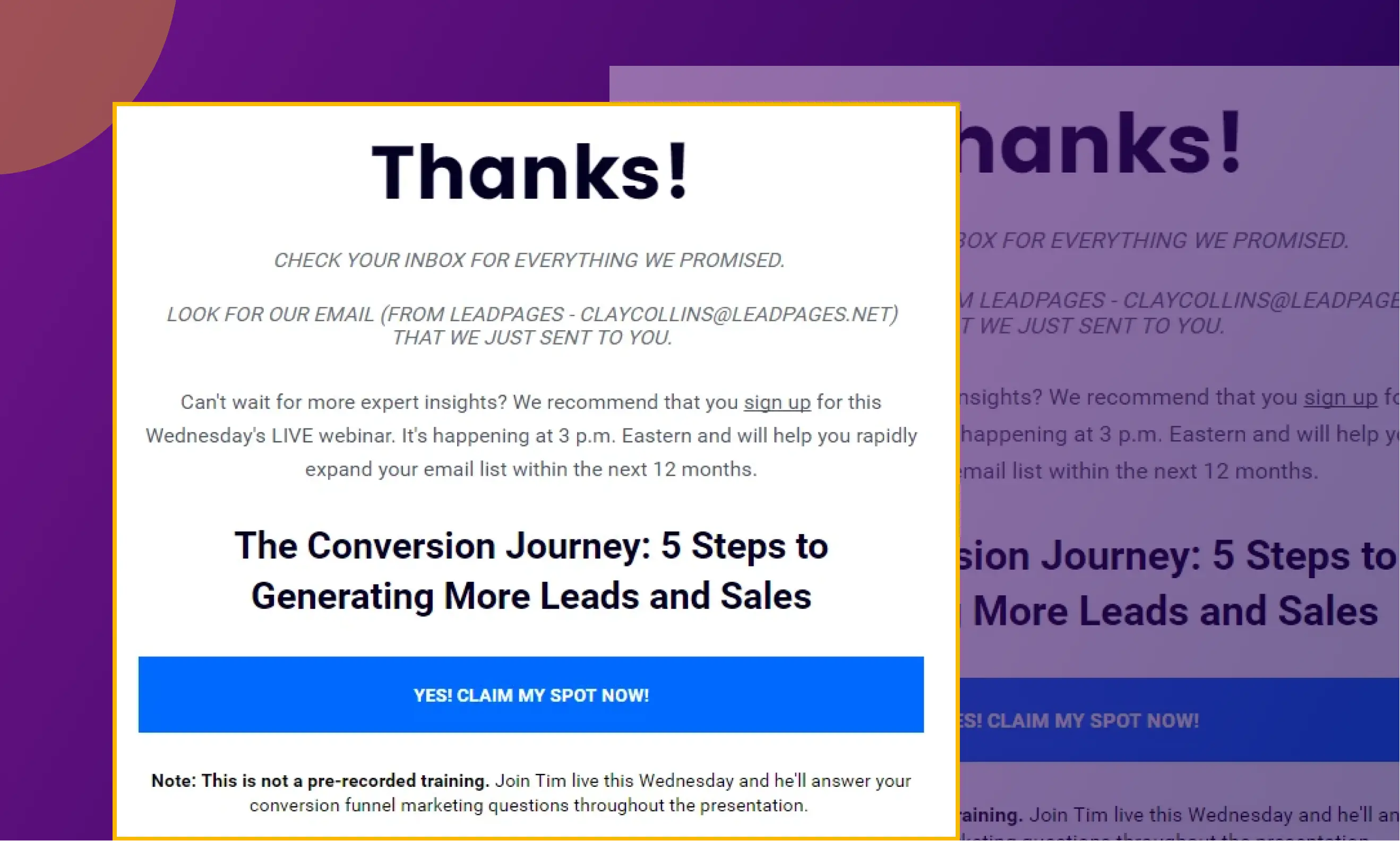
This principle extends beyond purchases. For a top-of-funnel lead magnet, share middle-of-funnel content on the thank you page, a webinar invite, a case study, or a demo booking link. Guide leads deeper into the funnel at every stage.
7. Account creation thank you page
After account creation, the thank you page is your onboarding trigger. The goal: get users to take the first meaningful action inside your product.
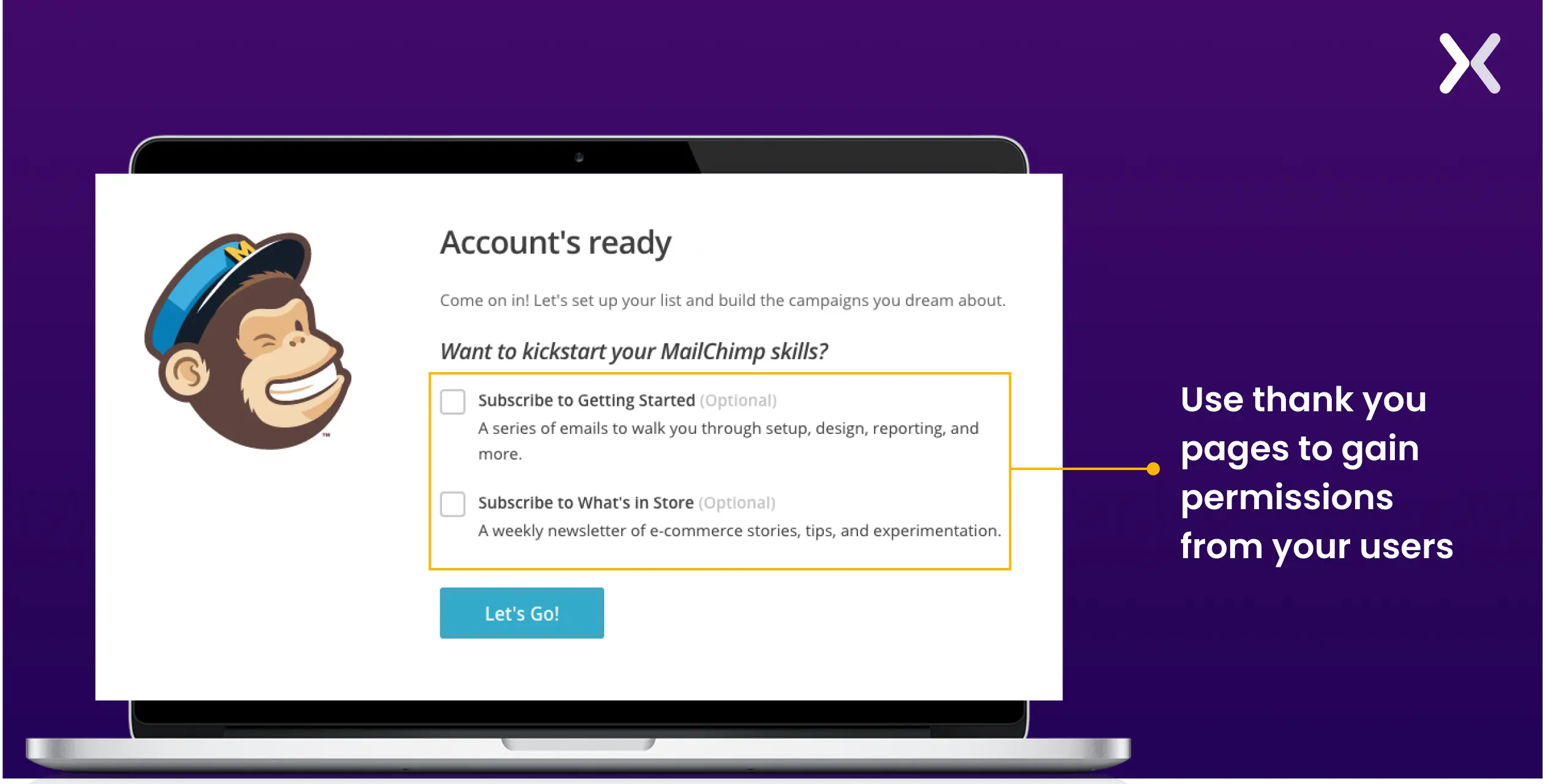
What to include:
- “Account created successfully” confirmation
- A quick-start guide or first-step tutorial (keep it under 60 seconds)
- Email subscription opt-in, account creation does not equal email marketing permission
- Link to help centre or knowledge base
What to track: Measure how many users who see the thank you page complete their first in-product action within 24 hours. This is your activation rate, and the thank you page directly influences it.
8. Course enrolment thank you page
Students have committed time and often money. Make the thank you page their launchpad, not a dead end.
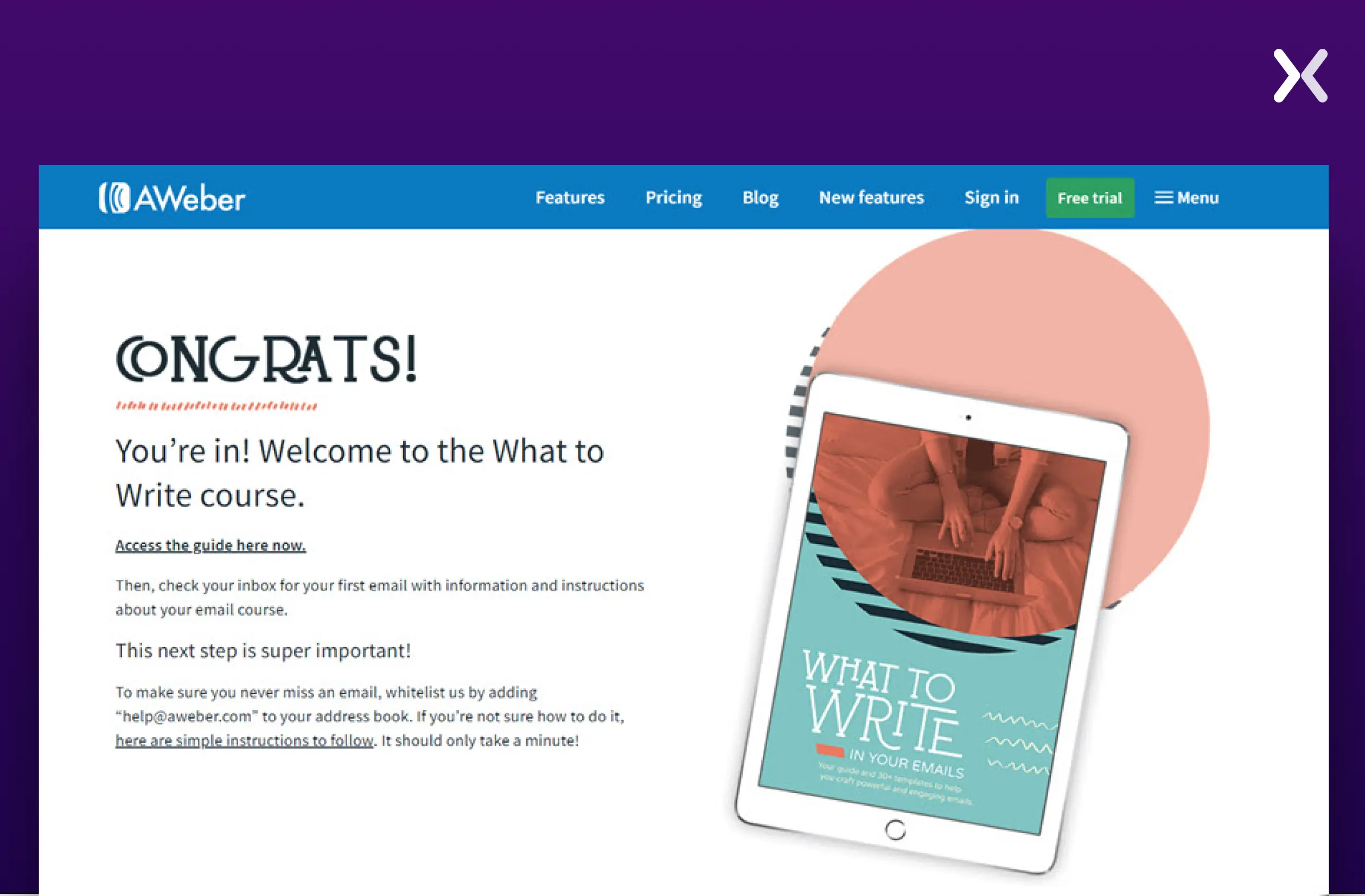
What to include:
- Access instructions, how to log in, where to start
- Course syllabus or module preview
- Community links: Slack group, forum, cohort channel
- Related courses or complementary resources The community link is the sleeper hit here. Students who join a peer group within the first hour are far more likely to finish the course. We learned this from building enrolment funnels for education clients, the thank you page is where that first connection happens.
9. Demo request thank you page
A SaaS demo request is one of the highest-value conversions in B2B. The visitor has self-identified as a potential buyer. Prepare them before the call.
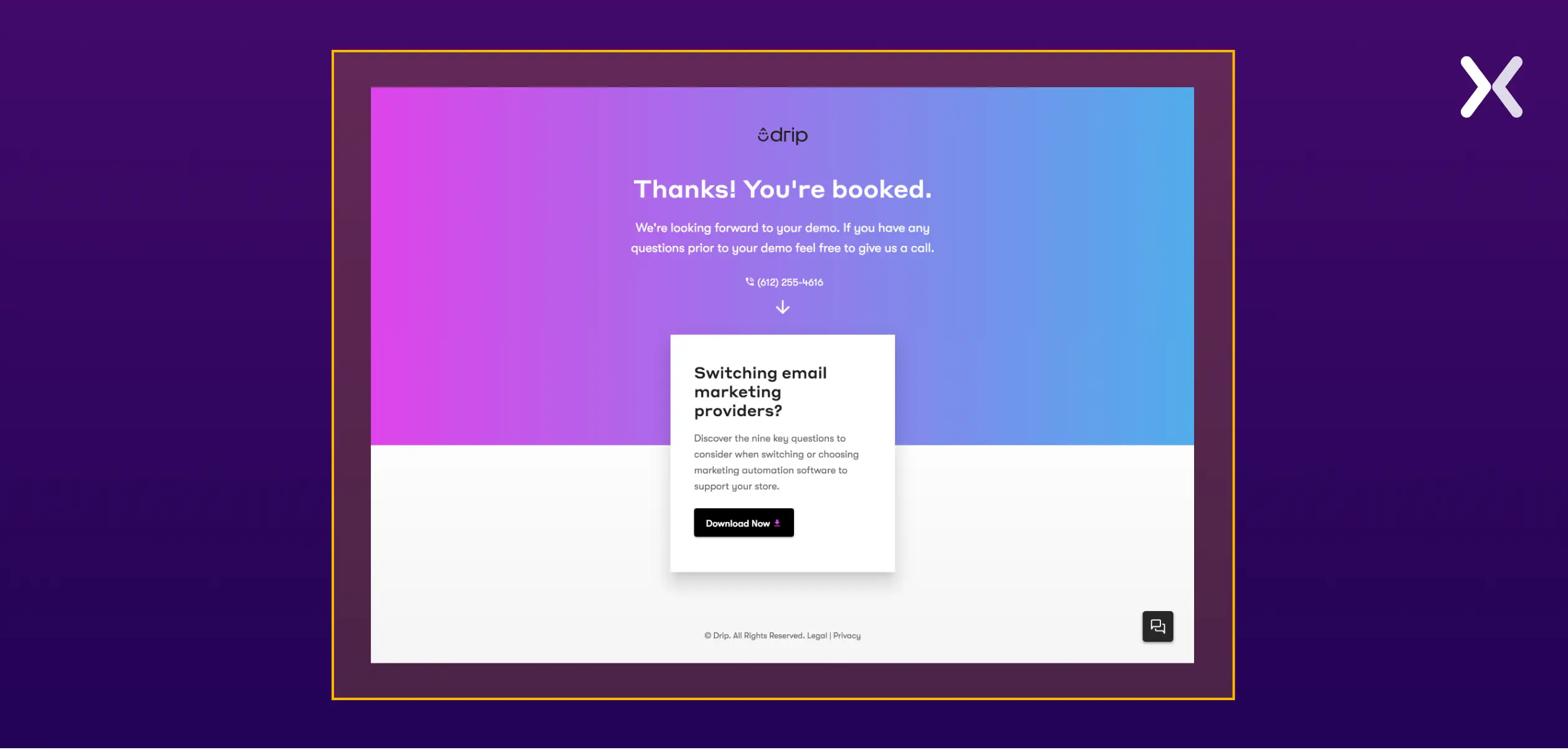
What to include:
- Demo booking confirmation with calendar details
- FAQ section answering common pre-demo questions
- A short product overview video (under 2 minutes)
- A lead magnet relevant to their use case, ROI calculator, comparison guide, implementation checklist
- A case study from their industry

"Essential elements for our thank you pages include a clear confirmation message, an additional call-to-action (CTA), and a sneak peek into our product offerings or content. We turn the page into a tool for engagement and lead nurturing."
10. Survey completion thank you page
Survey respondents gave you something valuable: their time and opinions. Reciprocate.
What to include:
- Gratitude message that explains how their feedback will be used, specifics, not platitudes
- Incentive delivery: discount code, prize draw confirmation, or early access
- Link to see aggregated survey results when published
- Social sharing button to invite others to participate One detail most teams miss: tell respondents when they will see the results. “We’ll publish findings in two weeks” gives them a reason to return.
See our workApexure Landing Page Portfolio, projects including post-conversion flows→
Best practices for thank you pages
These principles come from building and testing thank you pages across 3,000+ client projects over 10 years.
What you put on your thank you page depends on where the buyer is in the funnel. A lead magnet download page should educate. A book-a-call page should prepare. A purchase page should upsell. The content of thank you pages should vary based on the next steps in the user journey.
1. Confirm the action immediately
The first thing visitors must see is confirmation that their submission worked. Remove doubt before asking for anything else.
Good: “Thank you! We’ve received your enquiry and will respond within 24 hours.”
Bad: Jumping straight to upsells without confirming the form submitted. Sounds basic. And yet, when we audit client funnels, about one in five thank you pages skip this entirely.
2. Set clear expectations
Tell visitors exactly what happens next:
- When will they hear back? (Be specific, “within 24 hours” beats “soon”)
- How will the response arrive? (Email, phone, calendar invite?)
- What should they do in the meantime?
“Soon” means something different to everyone. “Within 24 hours by email” means exactly one thing. Specificity builds trust.
3. Include one clear secondary CTA
The thank you page can drive a secondary action, but keep it focused. Pick one:
- Read a case study
- Follow on social media
- Download a lead magnet
- Book a call
- Refer a colleague
Match the secondary CTA to the funnel stage. A contact form lead is ready for a demo or case study. A lead magnet download lead needs more education first. We have tested this across dozens of client projects, one CTA beats three, every time.
4. Add social proof
Testimonials, client logos, and trust badges reassure visitors they made the right choice. The visitor just handed over their information. They want validation. Place social proof prominently, not buried below the fold. A short testimonial with a real name and company carries more weight than a wall of anonymous five-star ratings.
"Their knowledge of landing page design and CRO is second to none."
5. Promote social sharing
If the visitor just signed up for something valuable (a webinar, a free tool, a course) make it easy to share with colleagues. Include pre-written share messages for LinkedIn, X (Twitter), and email. Reduce friction to a single click. In our post-conversion tests, a well-timed referral ask right after conversion outperforms email-based referral requests by a wide margin.
6. Personalise the experience
Use form submission data to personalise the thank you page. If you collected their name, use it. If you know their industry, show a relevant case study. If you know their company size, adjust the CTA.
Dynamic landing pages, where the content adapts based on form field values, are underused but effective. Most landing page platforms (Unbounce, HubSpot, Instapage) support this without custom code.
7. Maintain brand consistency
Your thank you page should look and feel like the rest of your site. Same logo, colours, typography, and tone. A jarring design break at this stage undermines the trust you just built. We see this most often with third-party form builders that redirect to a generic confirmation page. If your tool does not support branded thank you pages, build a custom one on your site and redirect to it after form submission.
8. Add a noindex tag
Always add <meta name="robots" content="noindex, nofollow"> to your thank you page. If search engines index it, people will land on it from organic search without submitting a form, breaking your conversion tracking and creating a confusing user experience. Check Google Search Console periodically to verify your thank you pages are not indexed.
Thank you page conversion tracking
Your thank you page is the foundation of conversion tracking for paid campaigns. Every major ad platform uses it.
| Platform | How It Tracks | What to Set Up |
|---|---|---|
| Google Ads | Fires conversion tag on thank you page load | Add Google Ads conversion snippet to thank you page only |
| GA4 | Records page_view event on thank you URL | Create a conversion event for /thank-you/ page views |
| Meta Pixel | Fires Lead or Purchase event on page load | Add fbq('track', 'Lead') to thank you page |
| LinkedIn Insight | Records conversion on specific URL match | Set conversion URL to your thank you page path |
| TikTok Pixel | Fires CompleteRegistration or PlaceAnOrder event | Add event code to thank you page via GTM |
Use a dedicated thank you page URL (e.g., /thank-you/ or /confirmation/) rather than an inline success message. Dedicated URLs are easier to track, easier to A/B test, and compatible with every ad platform. If you use Google Tag Manager, fire all conversion tags via a single GTM trigger that matches your thank you page URL pattern.
Not sure why your landing page isn't converting?
Send us the URL. We record a short video showing what is costing you conversions and email it back within three working days.
Need a new page built instead? Get a fixed quote.
A/B testing your thank you pages
Here is something that still surprises us: teams will run 10 A/B tests on their landing page and never once test the thank you page. Think about it. Every single visitor on your thank you page is a qualified conversion. You are not testing with random traffic. You are testing with your best audience. The signal-to-noise ratio is excellent.
What to test:
- Secondary CTA type, case study link vs social follow vs referral ask
- Social proof placement, testimonial above vs below the confirmation message
- Video vs text, product overview video vs written next steps
- Referral incentive, discount vs free resource vs no incentive
- CTA copy, “Book a Call” vs “Talk to an Expert” vs “See How It Works” Across the A/B tests we have run on client projects, the pattern is clear. The biggest wins on thank you pages come from matching the secondary action to what the visitor just did, not from changing button colours or tweaking font sizes. Relevance beats aesthetics.
Thank you page mobile optimisation
More than 60% of form submissions now come from phones. If your thank you page breaks on mobile, and many do. You are losing the attention of most of your new leads the moment they convert.
Mobile-specific rules:
- Stack vertically. No side-by-side columns. The confirmation message, next steps, and CTA should stack in a single column.
- Make CTAs thumb-friendly. Minimum 48px tap target. Place the primary CTA within easy thumb reach, not at the very top of the page.
- Reduce image sizes. A 2MB hero image that loads in 800ms on desktop takes 3+ seconds on a mobile connection. Compress everything.
- “Add to Calendar” must work on mobile. Test the calendar button on iOS and Android, broken calendar links are one of the most common mobile thank you page failures for webinar and appointment pages.
- Keep copy short. Mobile readers scan. Use 2-3 sentences for confirmation, 1 sentence for next steps, and a single CTA button.
What we have learned from 3,000+ post-conversion flows
Ten years. 3,000+ projects. Plenty of mistakes along the way. These are the patterns that keep showing up.
Referrals convert best on thank you pages
A referral ask right after conversion beats email-based referral requests every time we test it. The visitor just trusted you with their information. They feel good about their decision. That is when you ask, not two days later in a drip email they may never open. Give them a reason to share: a discount, an incentive, or a pre-written message they can forward to a colleague with one click. We have seen post-conversion referral modules drive 8-15% additional leads at zero acquisition cost.
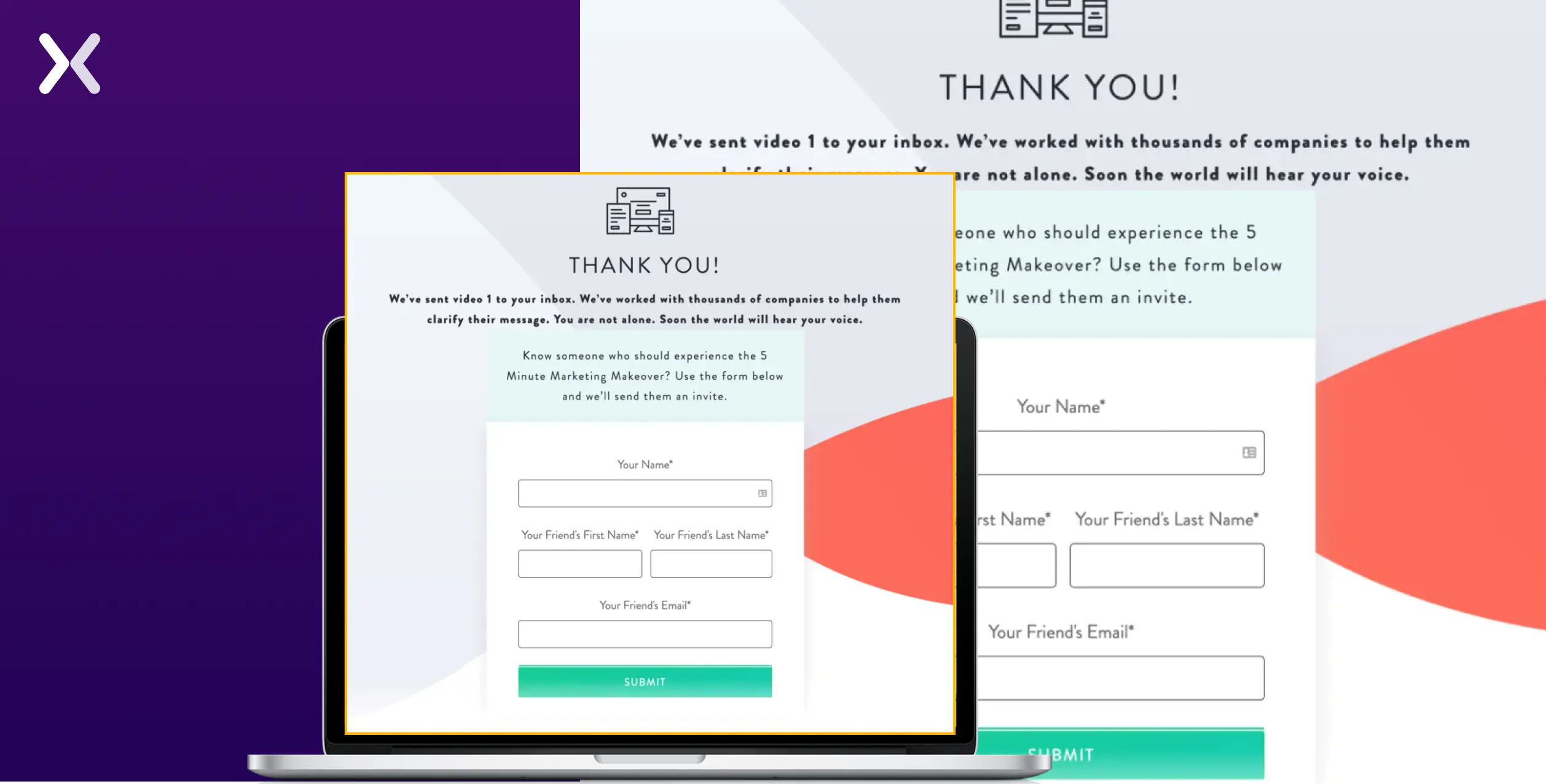
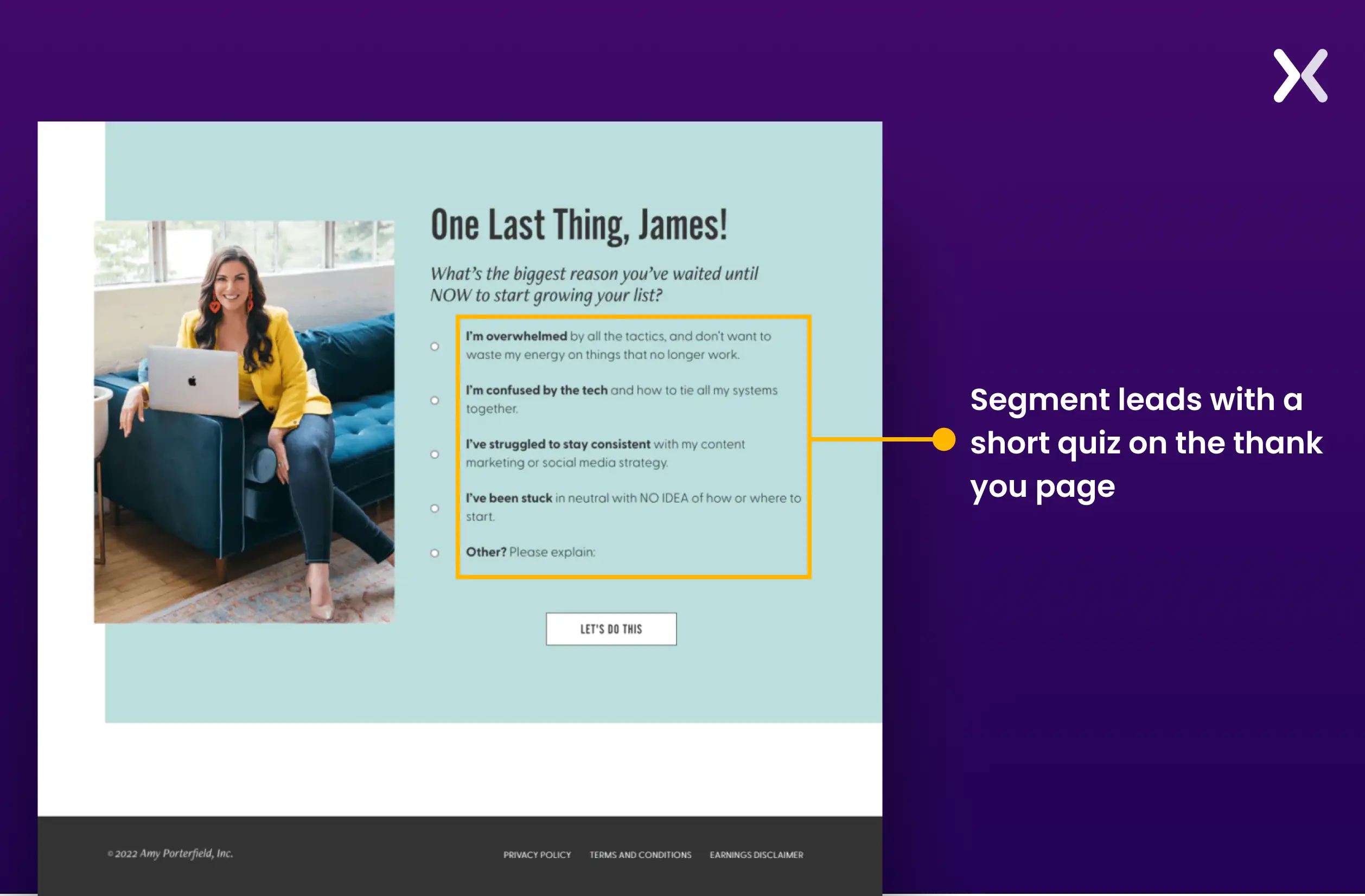
Use thank you pages to segment leads
Short forms convert better, but they capture less qualifying data. The thank you page is the right place to ask one or two additional questions that segment the lead for your email nurture sequences. Keep it optional. And frame it carefully. “Help us personalise your experience” gets answers. “Complete your profile” gets ignored. Small wording change, big difference in completion rates.
Start nurturing before the email
Do not wait for the drip campaign. Begin nurturing directly on the thank you page with relevant content, articles, case studies, webinar recordings, or product comparisons. Remember: the drip email might not get opened for hours or days. The thank you page is the one moment where you have guaranteed attention.
Build trust immediately
Buyer’s remorse sets in faster than most teams realise. The visitor just gave you their information, or their money. Within 30 seconds, they are already second-guessing. Trust badges, a client testimonial, and a clear “here’s what happens next” message all fight that doubt at the exact moment it appears.
For IMD's MBA programme, we built a complete funnel from landing page to thank you page. The original page converted at 3.91%. By redesigning the full post-conversion experience, including strategic placement of video testimonials and a clear next-step CTA on the thank you page, we lifted conversions to 6.38%.
The lesson we keep relearning: treat the landing page and thank you page as one funnel, not two separate pages. Optimise them together or you leave performance on the table.
Common thank you page mistakes
These errors silently waste your post-conversion opportunity:
-
No confirmation message. The visitor wonders if their form actually submitted. Always lead with “We’ve received your [request/registration/order].”
-
No next-step guidance. “Thanks!” with no further instruction. Tell them when to expect a response, what to do next, or where to go.
-
Too many CTAs. Offering five different actions dilutes focus. Pick one secondary CTA that matches the funnel stage. Pages with a single focused action outperform scattered ones.
-
Indexed by search engines. Organic visitors landing on your thank you page without submitting a form inflates your conversion data and creates a confusing user experience. Add a noindex tag.
-
Broken conversion tracking. If your thank you page URL uses inconsistent query strings or changes dynamically, your Google Ads and GA4 tracking misses events. Use a clean, stable URL.
-
Mismatched design. A thank you page that looks completely different from your landing page breaks trust at the worst possible moment. Same brand, same colours, same tone.
-
Generic messaging for all conversion types. A webinar registration thank you page needs different content than a purchase confirmation. Map your thank you page content to the specific action the visitor just completed.
-
No mobile testing. If the thank you page looks fine on desktop but the CTA is cut off or the calendar button does not work on mobile. You are failing 60%+ of your converters.
Ready to build thank you pages that convert?
The thank you page is not a footnote. It is the one moment in your funnel where you have 100% of your converted audience’s attention. Use it or waste it. At Apexure, we build the entire conversion journey, from landing page design to post-conversion flows. With 3,000+ pages for 300+ clients and 200+ five-star reviews, we know how to make every page in your funnel work harder.
Get a conversion-focused thank you page
Tell us about your funnel. We will design thank you pages that confirm, nurture, and convert, turning one-time form submissions into ongoing engagement.
Get Started →What you should do now
Found this blog post helpful? Here are more ways in which we can help your business grow:
- Build the full funnel
The thank you page is the final step in your conversion funnel. Make sure every step before it converts too. Explore our 160+ blog posts on landing pages, CRO, and conversion design.
- Get expert help
A thank you page is also where the conversion gets counted, and that count is often wrong. If GA4, your ad platform and your CRM report different numbers, see how we make them agree, or book a call with the team.
- See real examples
Check out our portfolio of landing page projects — including thank you pages, multi-step funnels, and post-conversion flows.
Frequently asked questions
A thank you page confirms the user’s action, sets expectations for next steps, and creates an opportunity for additional engagement. It has a 100% view rate — every person who converts sees it — compared to 20-30% email open rates. It is also the foundation of conversion tracking for Google Ads, GA4, Meta Pixel, and LinkedIn Insight Tag.
In Google Ads, the thank you page is where users land after completing a desired action — submitting a form, making a purchase, or signing up. Google Ads fires a conversion tag when the thank you page loads, recording the conversion in your campaign data. Without a dedicated thank you page URL, Google Ads cannot reliably track conversions.
Start with a clear confirmation message, then set expectations for what happens next. Include one focused secondary CTA matched to the funnel stage — not three or four competing actions. Add social proof (a short testimonial or client logos), maintain brand consistency in colours and tone, and add a noindex meta tag to prevent search engines from indexing it.
A “thank you for your submission” message acknowledges that the user’s form was received successfully and sets expectations for the next step. For example: “Thank you for your submission! We have received your request and will respond within 24 hours via email.” The best versions include both confirmation and a clear timeline.
A contact form thank you message should: confirm the submission was received, state the expected response time (e.g. Within 24 hours), explain how the response will arrive (email, phone call), include one secondary CTA such as a link to a relevant case study, and optionally include social proof like a client testimonial or trust badges.
A confirmation page is transactional, it confirms the specific action (order placed, registration complete, payment received). A thank you page goes further: it acknowledges the action and then encourages additional engagement — content recommendations, social sharing, referral invitations, or next-step CTAs. The best pages combine both functions: confirm first, then engage.
No. Add a noindex meta tag to your thank you page to prevent search engines from indexing it. If thank you pages receive organic traffic, it skews your conversion tracking data because those visitors did not actually submit a form — they arrived directly from search.
Yes, and you should. Thank you pages are ideal for A/B testing because every visitor is a qualified conversion — you are testing with your best audience. Test the secondary CTA type, social proof placement, video vs text content, and referral incentives. Tools like VWO, Unbounce, and Crazy Egg support thank you page testing without custom development.
Use a dedicated thank you page URL (e.g. /thank-you/) and place conversion tracking scripts on that page only. For Google Ads, add the conversion snippet. For GA4, create a conversion event for the thank you page URL. For Meta Pixel, add fbq(‘track’, ‘Lead’). For LinkedIn, set the conversion URL to your thank you page path. Use Google Tag Manager to manage all tags from one place.
View all sources
HubSpot, 9 Thank You Page Examples to Improve User Experience hubspot.com
Unbounce, 5 Thank You Pages Examples and Best Practices unbounce.com
VWO, 7 Best Thank You Page Examples to Boost Visitor Experience vwo.com
Referral Rock, 17 Thank You Page Examples referralrock.com
OptinMonster, Anatomy of the Perfect Thank You Page optinmonster.com
WebFX, Thank You Page Optimization Best Practices webfx.com
First Page Sage, Landing Page Conversion Rates by Industry (2026) firstpagesage.com

Waseem founded Apexure in 2015 and has led its work on 3,000+ pages for 300+ clients since. He writes about what the team sees after the click, which is pages, forms, tracking and the systems behind them.