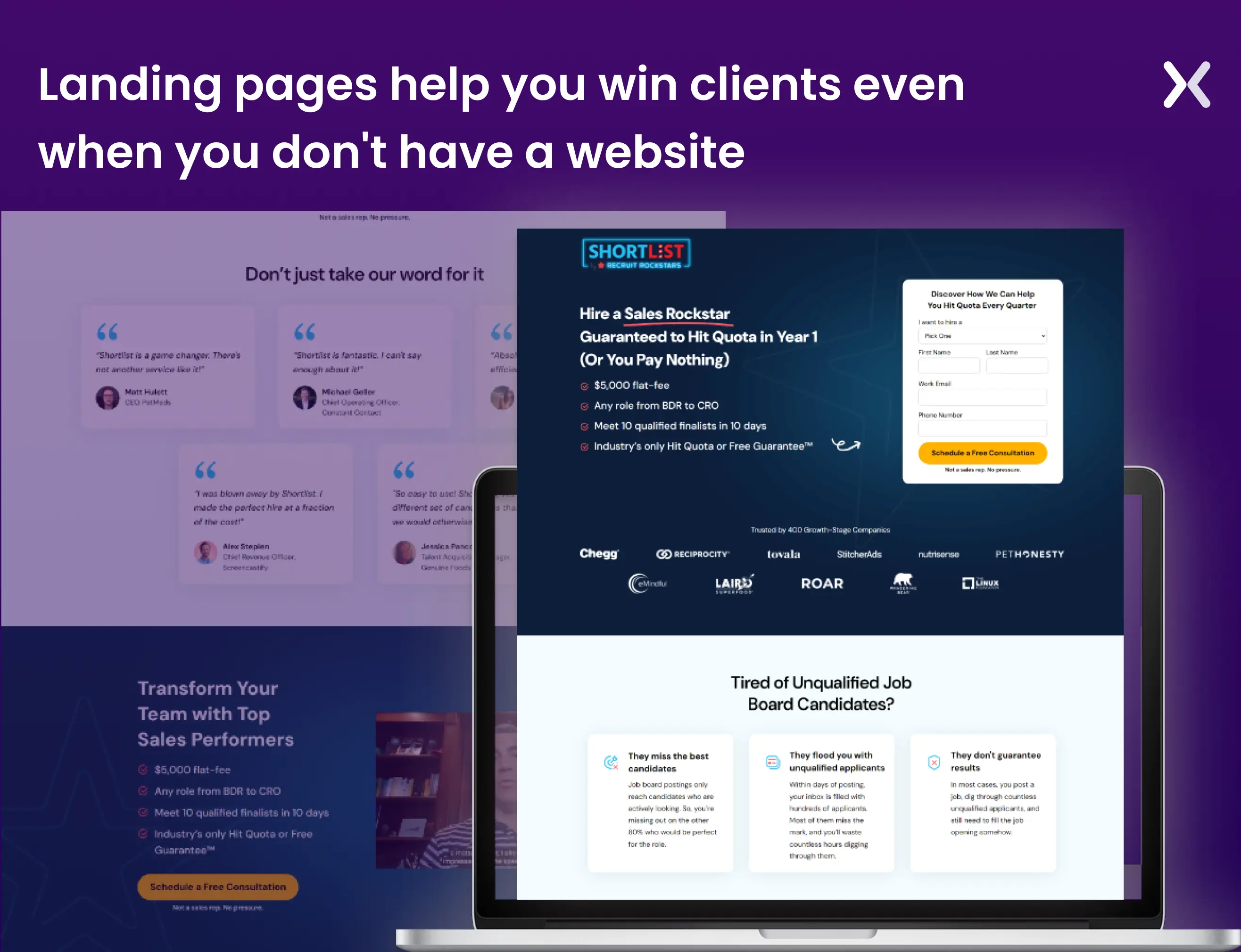
You can create landing pages without a website, it’s not a myth. Why bother? Because building a fully functional website can take over a month. Your potential customers might not wait that long to make the final decision. Landing pages function as a kind of Minimum Viable Website (MVW) for your business. They focus solely on your key services, minus the distractions. They’re ideal for promoting limited offers, pre-launch activities, newsletter sign-ups, lead generation, and more, acting like a temporary website. You get the gist. While websites are essential, what we really need are leads, and we need them fast. That’s where landing pages come in. They act as the perfect digital space to quickly introduce your brand, accent your strengths, and build your email list. So, how do you create a landing page without a website? We’ve got the answers.
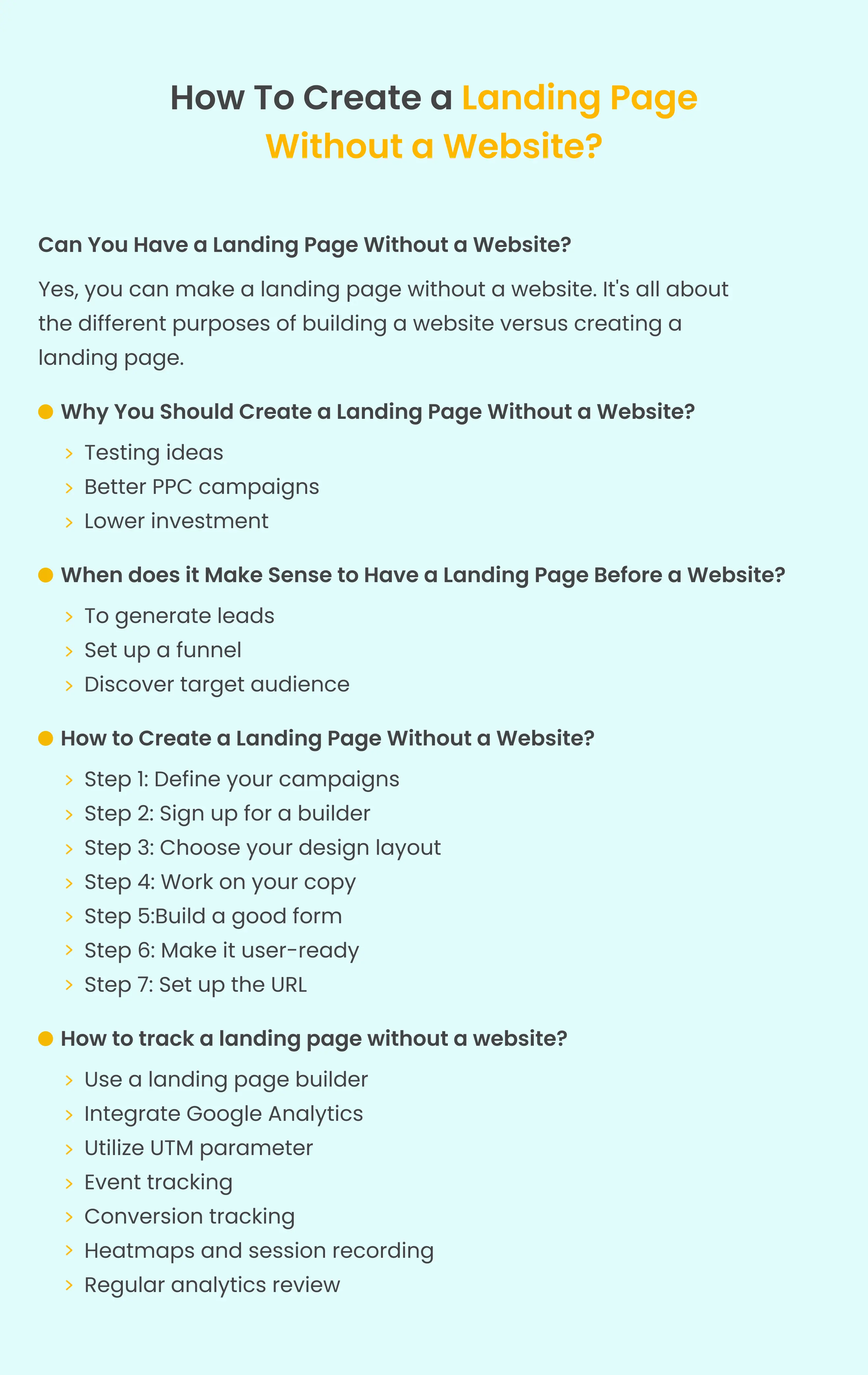
Can you have a landing page without a website?
Yes. You can make a landing page without a website. It’s all about the different purposes of building a website versus creating a landing page.
What is the purpose of a landing page?
A landing page is a stand-alone, single-page entity without internal, external, or affiliate links. Its purpose is to convert visitors into leads, making it ideal for focused marketing campaigns. Examples include prompting newsletter subscriptions or promoting short-term seasonal offers.
Landing pages are critical for targeted marketing, efficient lead generation, and effective PPC campaigns. They are goal-oriented and enable you to instruct visitors precisely, driving them toward sales, subscriptions, or other objectives. Notably, landing pages can function independently of a website.
What is the purpose of a website?
The purpose of a website varies, but common goals include sharing information, establishing an online presence, helping communication, providing entertainment or education, building communities, and serving as a platform for building brand awareness. Essentially, a website is a versatile tool that can fulfill various objectives based on the needs of a business. So, while the landing page is a single-goal-driven marketing tool, a website serves the bigger purpose of building and maintaining your brand presence.
Do you need a domain for a landing page without a website?
Hosting for landing pages without a website typically involves utilizing specialized landing page platforms or services that offer hosting as part of their package. These platforms allow you to create and publish individual landing pages without needing a full website. Let’s take two scenarios:
Businesses that don’t have a domain
If you haven’t acquired a domain yet but wish to create a landing page. You have options. Utilizing dedicated tools such as Unbounce, Leadpages, and even Canva enables you to construct a landing page without a website, offering hosting services as well. This approach allows you to employ the landing page either as your main homepage, a strategy we recently implemented for our client, CoolRun, or as a targeted component for a specific campaign.
Businesses that have a domain but no website
If you’ve already secured a domain but still need to develop your website, we suggest constructing your landing page on a subdomain. In this scenario, you can use various landing page tools as plugins to craft an effective subdomain landing page. For instance, if you intend to build your website on WordPress in the future. You can smoothly integrate the Unbounce plugin to fashion your landing page. Alternatively. You can create a subdomain directly hosted on the landing page tool itself.
Why you should create a landing page without a website?
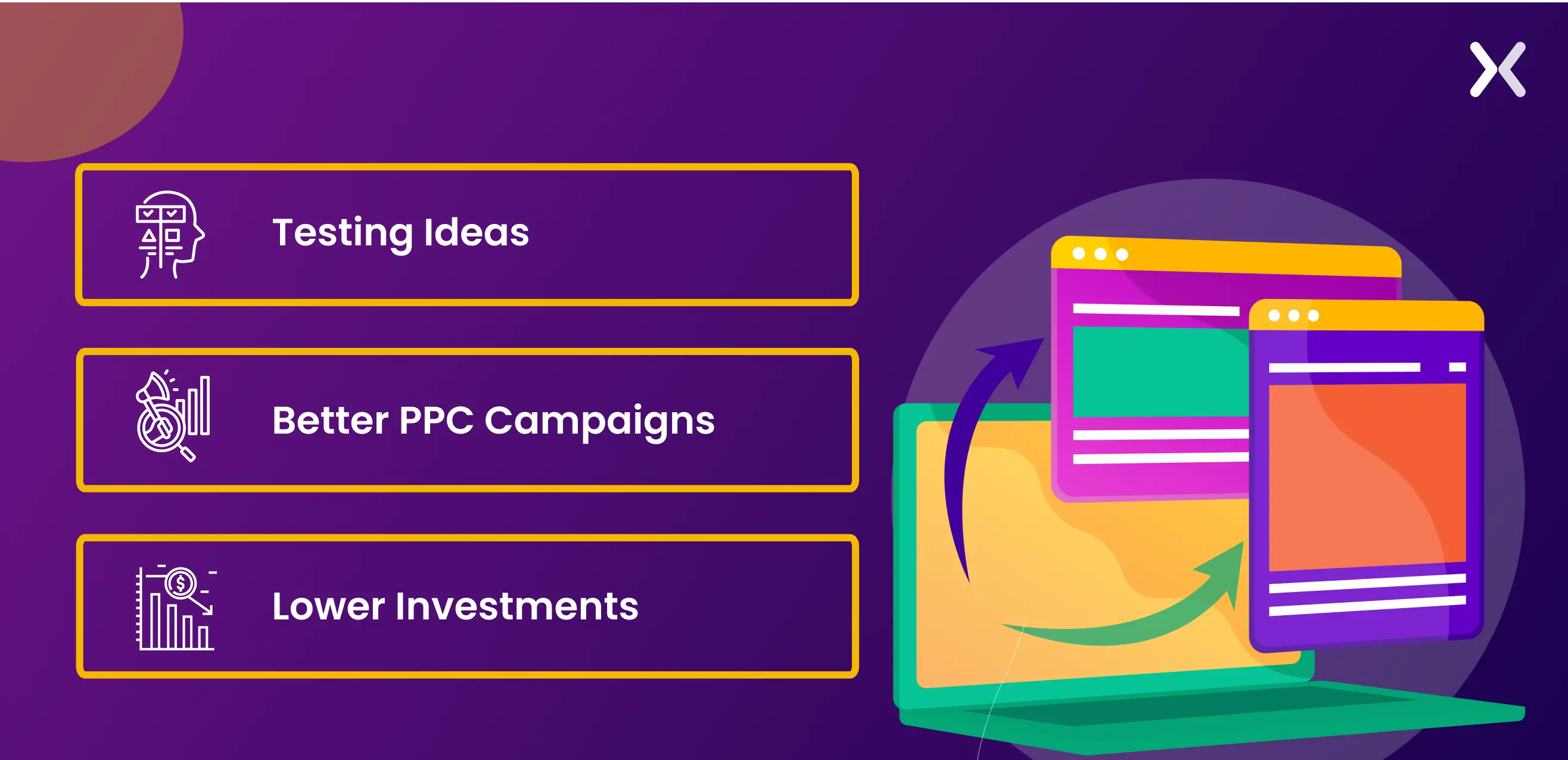
It is great if you have decided to invest in landing pages, be it for SaaS, finance, or any other industry. But before jumping in, you must have a clear vision of why you want to create landing pages in the first place. Some major situations in which landing pages save effort and time.
Testing Ideas
Brand and product evolution over time is essential. But changing the whole website just to launch a new product or service can take time and effort. Also, doubts about whether the new launch will work can create a lot of anxiety. Here, creating landing pages is an easy way to test your new idea in the market. A landing page dedicated to this new idea can help you generate early sign-ups, a database of interested users, and more.
better PPC campaigns
Investing in PPC campaigns is a great way to appear at the top of SERPs and attract consumer attention. However, suppose the paid campaigns redirect to your website. In that case, the chances of conversion can decrease as visitors get distracted by the numerous pages, offers, and services on the website. For a more targeted approach, PPC campaigns must be paired with landing pages. Your PPC campaigns can focus on specific services, and a landing page should be used to accent its benefits, features, and USPs to make sales.
Lower Investments
While a website requires significant effort and investment, a landing page is comparatively easier and more economical to build. Landing pages are more flexible than websites regarding quick customization or replication. All these benefits should make landing pages a must-have for all new and old brands.

Temporary Websites
If your product is ready but your website isn’t, a landing page can are a temporary solution. Since landing pages are quicker to build, you’ll have a functional online presence to share with customers on social media and other platforms.
Can a landing page be considered a website?
No. Your website is the central hub of your online presence, offering users a full exploration of your brand through multiple pages featuring various links. Social media links and company blog posts further enrich the user experience. In contrast, landing pages are focused on a singular goal, eliminating external links to concentrate solely on conversion. They can operate independently of a website, providing a quick setup option for short-term marketing strategies.
However, relying solely on landing pages poses a challenge in building lasting trust with your audience. Effective marketing strategies hinge on your clients’ communication goals, and understanding the balance between a full website and landing pages is critical to achieving both short-term objectives and long-term credibility.
When does it make sense to have a landing page before a website?
Having a landing page before a website is a great idea, especially if you’re utilizing it for any of the following:
To generate leads
Use a landing page to kickstart lead generation even as your full website is under construction. This approach allows you to engage potential customers, familiarize them with your products and services in advance, and gradually nurture their interest.
Set up a funnel
A landing page is a powerful tool to channel traffic through a well-organized funnel consisting of step-by-step pages. It not just guides visitors through a purposeful journey but also aids in building a valuable email list or client base.
Discover target audience
Landing pages offer a user-friendly means of monitoring visitors and assessing the performance of your Call-to-Action (CTA) elements. This data-driven approach enables you to make improvements based on what works best. By analyzing visitors’ preferences for these landing pages, you can replicate successful elements across other ventures.
How to create a landing page without a website?
Let’s go through a step-by-step process to create a landing page without a website. This is how you can make a basic landing page.
Step 1: define your campaign’s purpose
Defining the purpose of your landing page is a necessary step in simplifying further decision-making. It guides you in determining the information, design, and details to share with your target audience and aids in competitor research. It’s essential to maintain focus by assigning a single goal to your landing page. Common objectives include:
-
Newsletter sign up
-
Pre-launch campaign
-
Testing a new startup idea
-
Building an email list through a lead magnet
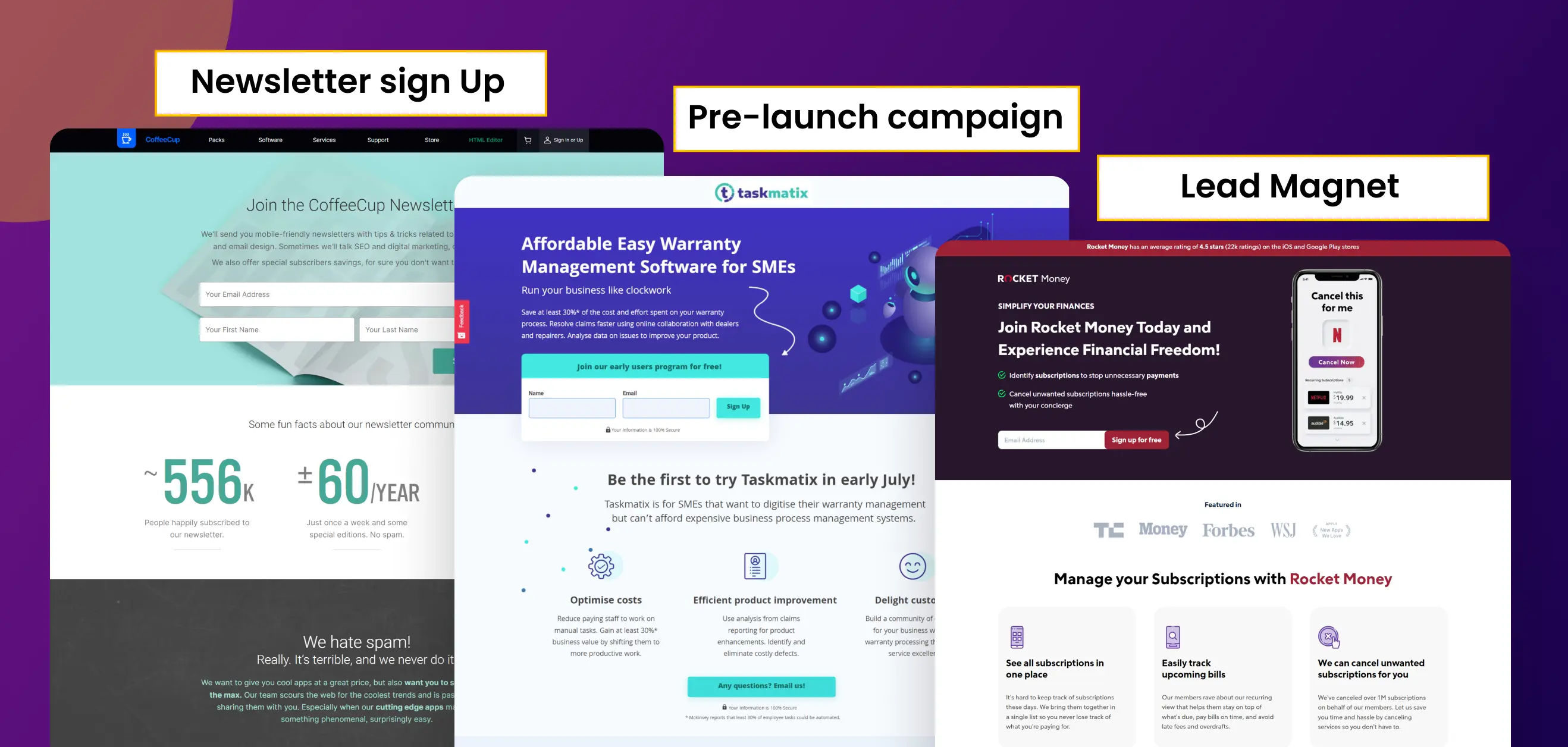 By clarifying your landing page’s purpose, you simplify your approach and improve its effectiveness.
Step 2: sign-up for a builder
Once you’ve defined your landing page goal. It’s time to select a platform on which you can effortlessly create and host your pages. You have two options for this:
Paid Options:
Consider premium landing page builders such as Unbounce, Landingi, Leadpages, and others. These tools help easy page creation and offer hosting services. The added advantage is the built-in landing page optimization support, including tracking and testing features.
Free Options:
For those seeking cost-effective solutions, there are free alternatives available. SaaS platforms like ConvertKit, Systeme.io, Groove Pages, and even the popular design tool Canva offer the capability to build landing pages for free, complete with hosting services. The availability of such options provides a remarkable opportunity to create effective landing pages without incurring additional costs.
Step 3: choose your design layout
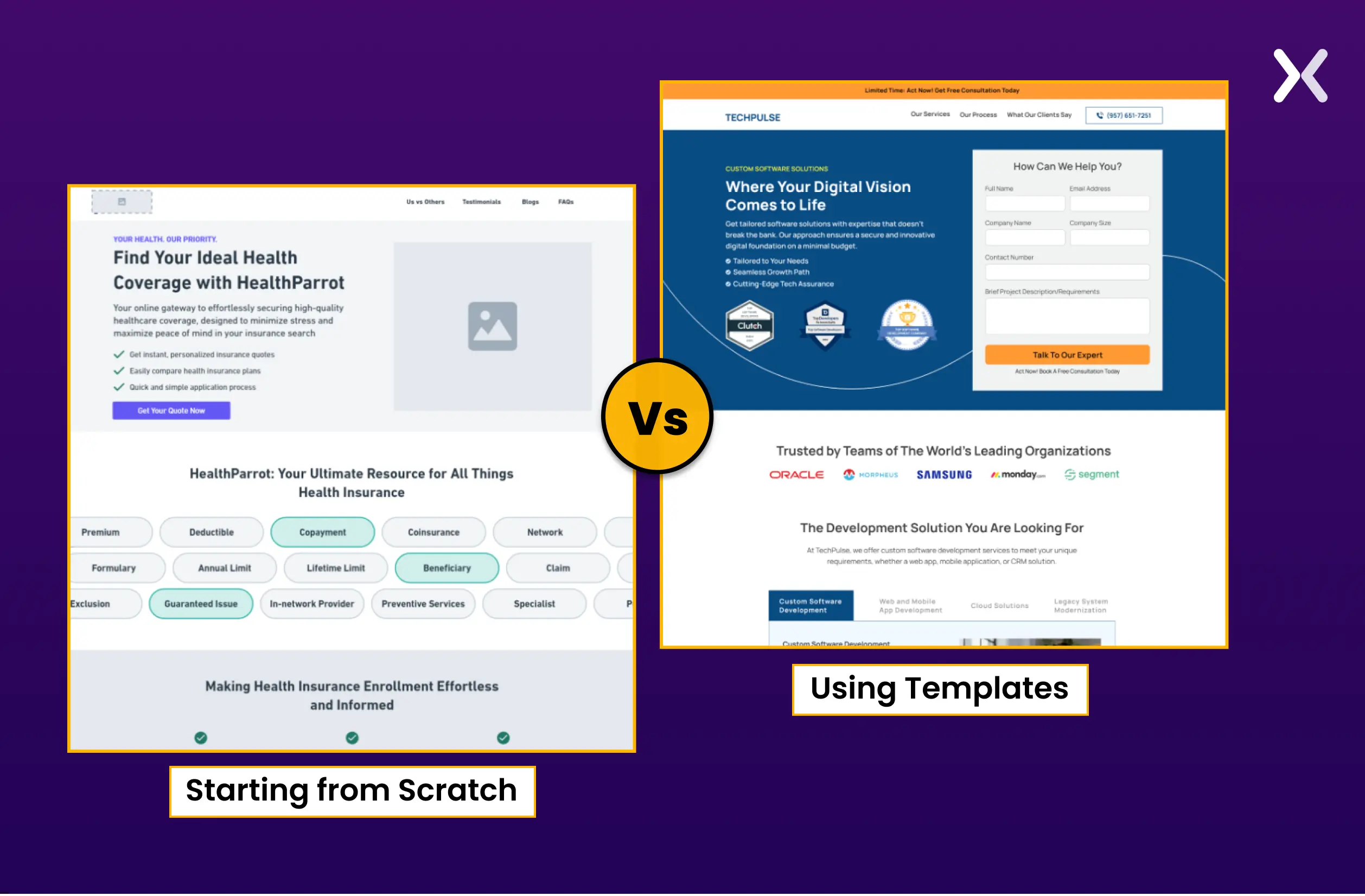
A well-defined landing page goal guides your design choices, whether for a newsletter or a lead magnet landing page. Numerous examples online can inspire you.
Starting from Scratch:
Commencing from scratch offers unparalleled flexibility in building your landing page. Incorporate your brand and ideas through wireframes, mockups, and, eventually, your unique design.
Using Templates:
If you prefer a quick start, landing page templates are ideal. They eliminate the initial hurdle and steer you in the right direction for building a goal-specific landing page. Many landing page builders offer templates tailored to specific goals, eliminating the need to purchase one separately.
Step 4: work on your copy
Three things that you need to focus on in your copy:
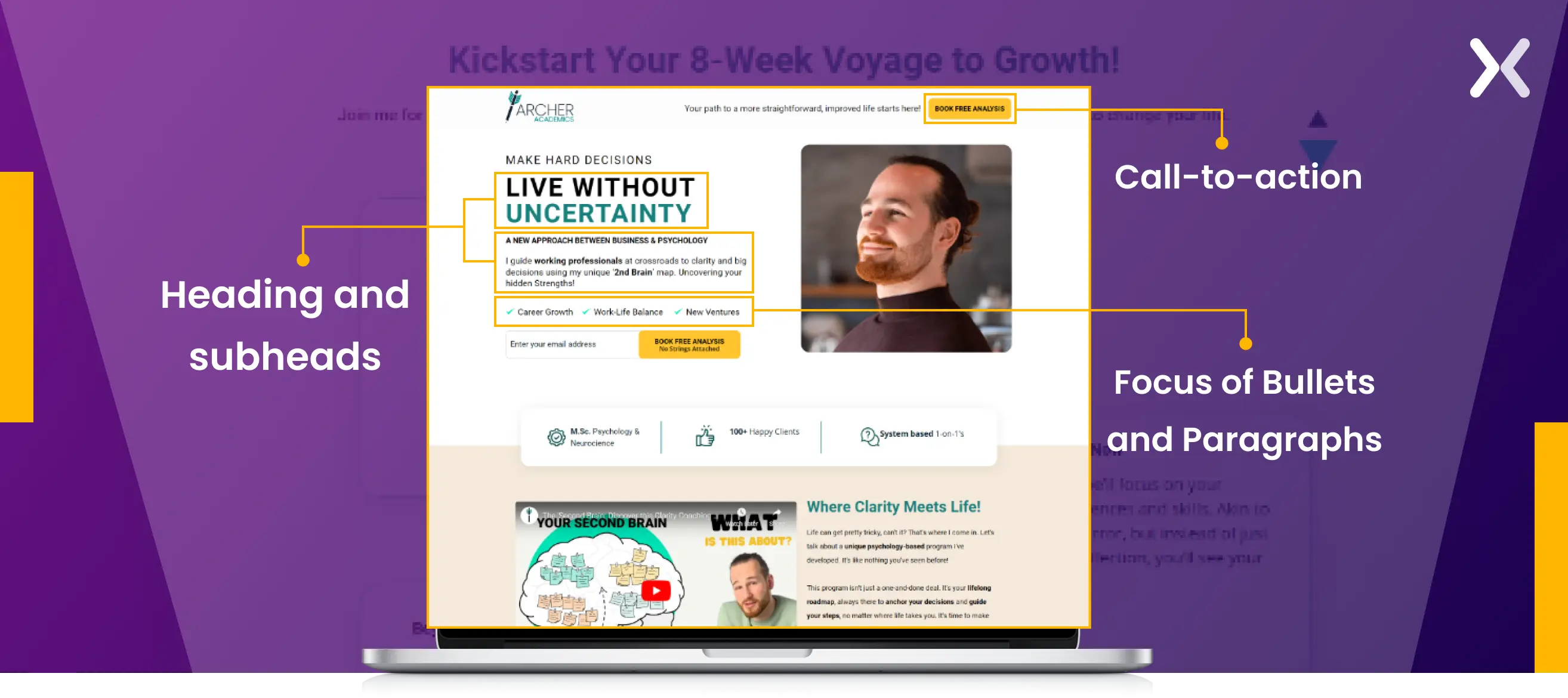
1. Heading and subheads
Craft engaging headings that grab attention and match your landing page goal. These headings should spark interest and encourage visitors to dig deeper. Use subheaders deliberately to break down information and guide readers through key points, maintaining engagement.
2. Focus of bullets and paragraphs
Your main body copy should be persuasive, focusing on the needs and desires of your target audience. Clearly communicate your Unique Selling Propositions (USPs) to accent what sets you apart. Stress the unique benefits and value you bring to customers.
3. Call-to-action
Design a strong Call-to-Action (CTA) using contrasting colors, clear placement, and persuasive language to prompt the desired action. Speak directly to your audience using user-focused language, addressing their pain points and aspirations.
Step 5: build a good form
Creating an effective form is key for user conversion. Keep it simple with minimal fields, making sure clarity and easy completion. If information gathering requires more than four fields, opt for a multistep format to prevent overwhelm and improve user experience.
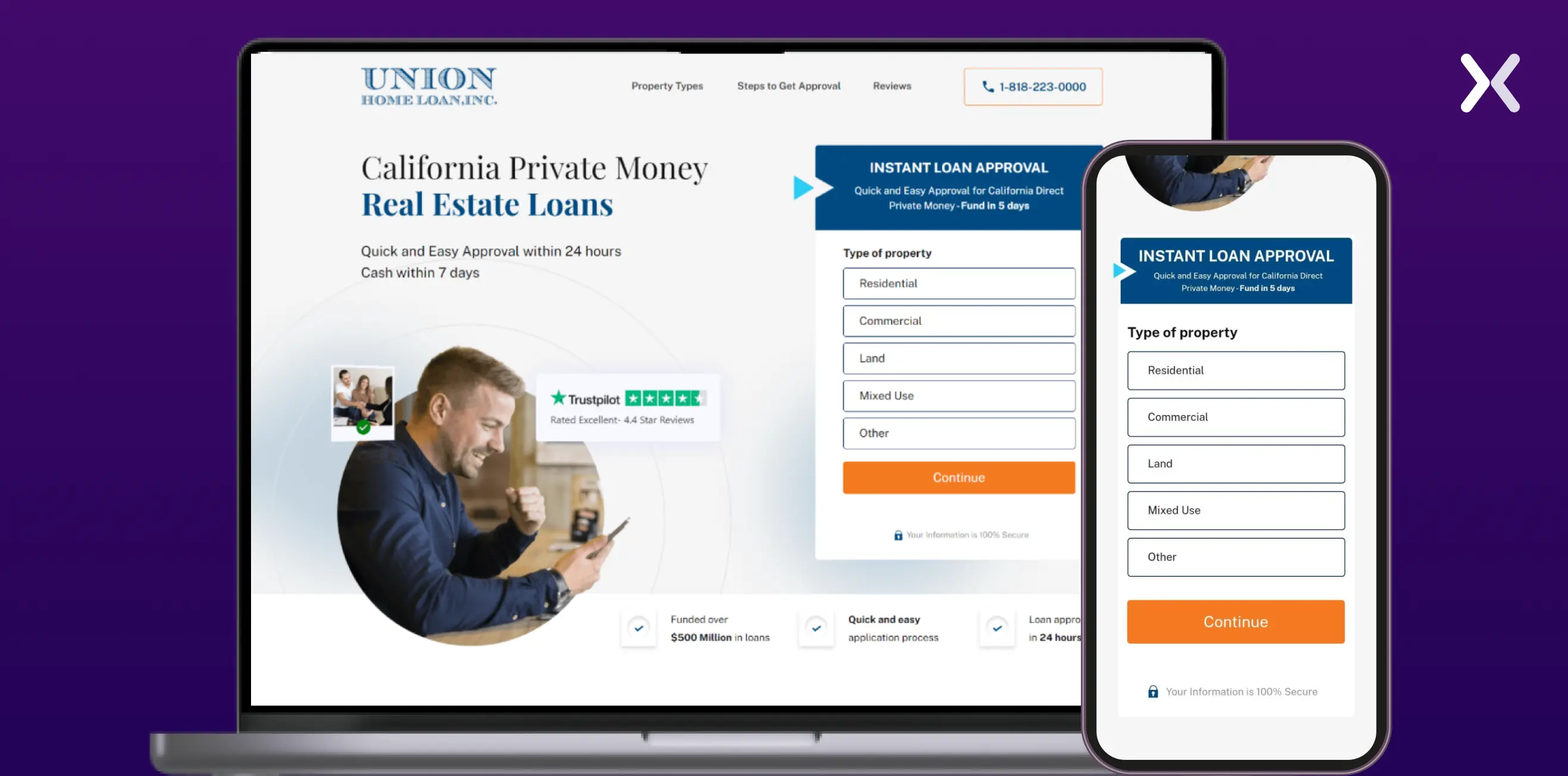 Mobile optimization and error handling are necessary, and testing the user experience helps identify and address potential friction points. A well-crafted form boosts completion rates and points toward a positive landing page impression.
Step 6: Make it User-Ready
Prepare your landing page for users by prioritizing a responsive design that serves screens of all sizes. The top-of-the-fold, or hero section, is essential, serving as the initial focal point. Craft strong headlines, visuals, and CTAs in this section to captivate visitors and encourage further exploration.
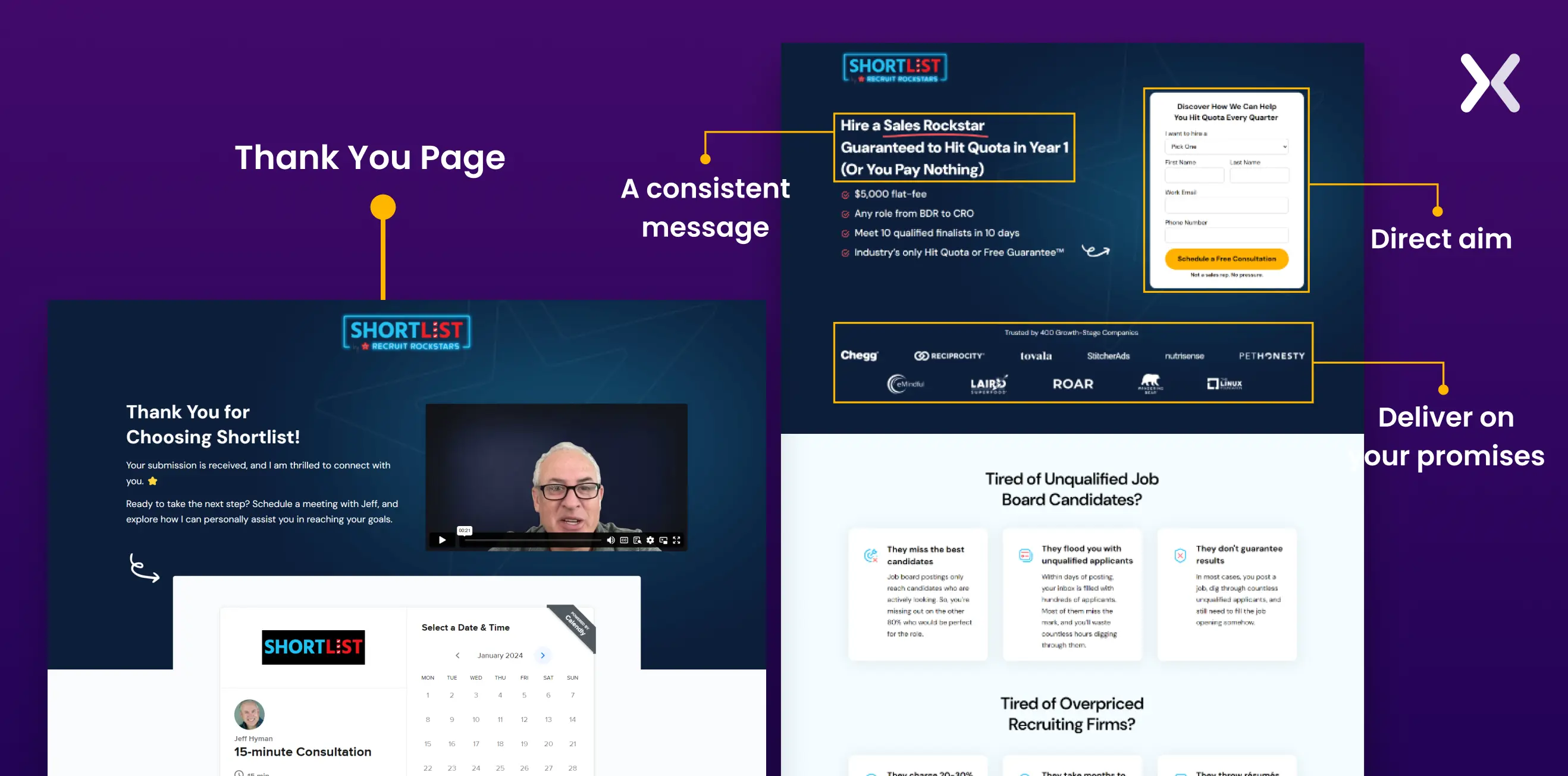 Make sure consistent branding, including social proof, optimize the page loading speed, and maintain clear navigation for a user-friendly journey. Implement mobile-friendly elements and test them across devices to guarantee smooth functionality.
Step 7: Set up the URL
Setting up the URL is a key step in creating your landing page, and it demands careful consideration, particularly when building a landing page independently, without a website. When crafting a URL for your landing page, aim for simplicity and relevance. Choose a URL that fits your brand, the purpose of the landing page, or the specific campaign it’s associated with.
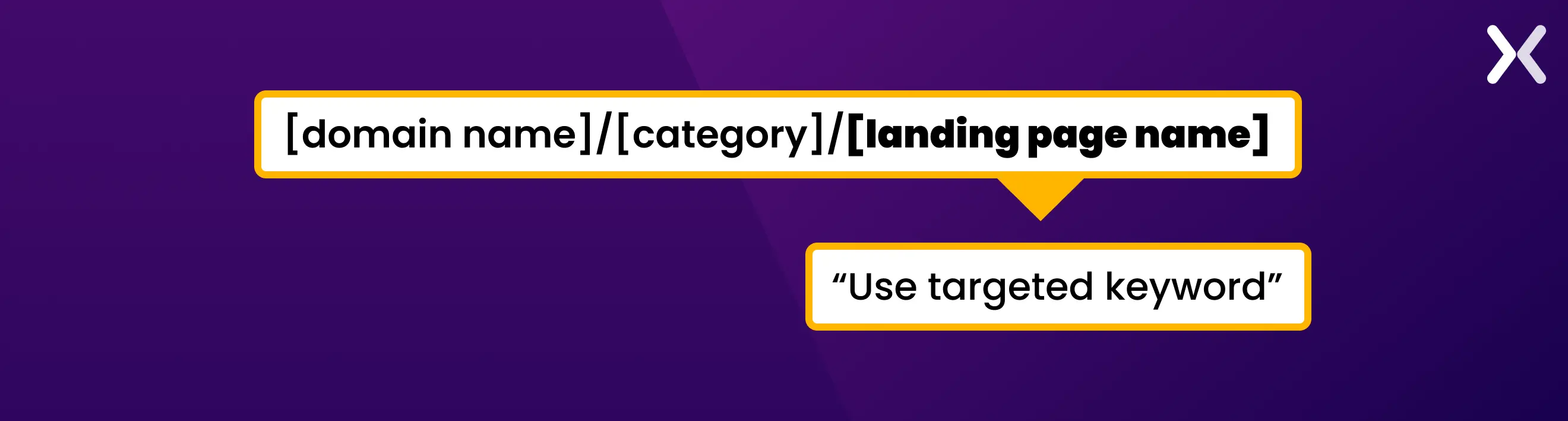 If you’re building a landing page without an existing website, platforms offering custom subdomains or specific landing page URLs become necessary. Make sure the selected URL shows the essence of your content and is easy to share, promoting a smooth user experience.
Consider the security aspect by opting for HTTPS to instill trust among your audience, especially if you collect sensitive information through forms. Thoughtfully setting up the URL establishes a strong foundation for your landing page’s online identity and functionality.
How to track a landing page without a website?
Tracking a landing page without a website involves using tools and strategies to gather valuable insights into visitor behavior, engagement, and overall performance. Here’s a step-by-step guide:
1. Use landing page builders:
Many landing page builders, such as Unbounce (Leadpages, and Instapage) offer built-in analytics and tracking features. These tools allow you to monitor key metrics like page views, conversion, and click-through rates without needing a separate website.
2. Integrate Google Analytics:
If your landing page builder allows it, integrate Google Analytics for more in-depth tracking. Google Analytics provides detailed data on user behavior, traffic sources, and other essential metrics. Follow the specific integration instructions provided by your landing page tool.
3. Use UTM parameters:
Implement UTM parameters in your campaign URLs to track the effectiveness of different marketing channels. This will enable you to identify your traffic sources and measure the success of your promotional efforts.
4. Event Tracking:
Incorporate event tracking within your landing page builder or analytics platform. It allows you to monitor specific user interactions, such as clicks on buttons, form submissions, or video views, providing insights into user engagement.
5. Conversion Tracking:
Set up conversion tracking within your landing page builder to measure the success of your primary goals, such as form submissions or sign-ups. It will help you understand which landing page elements contribute most to your overall objectives.
6. Heatmaps and session recording:
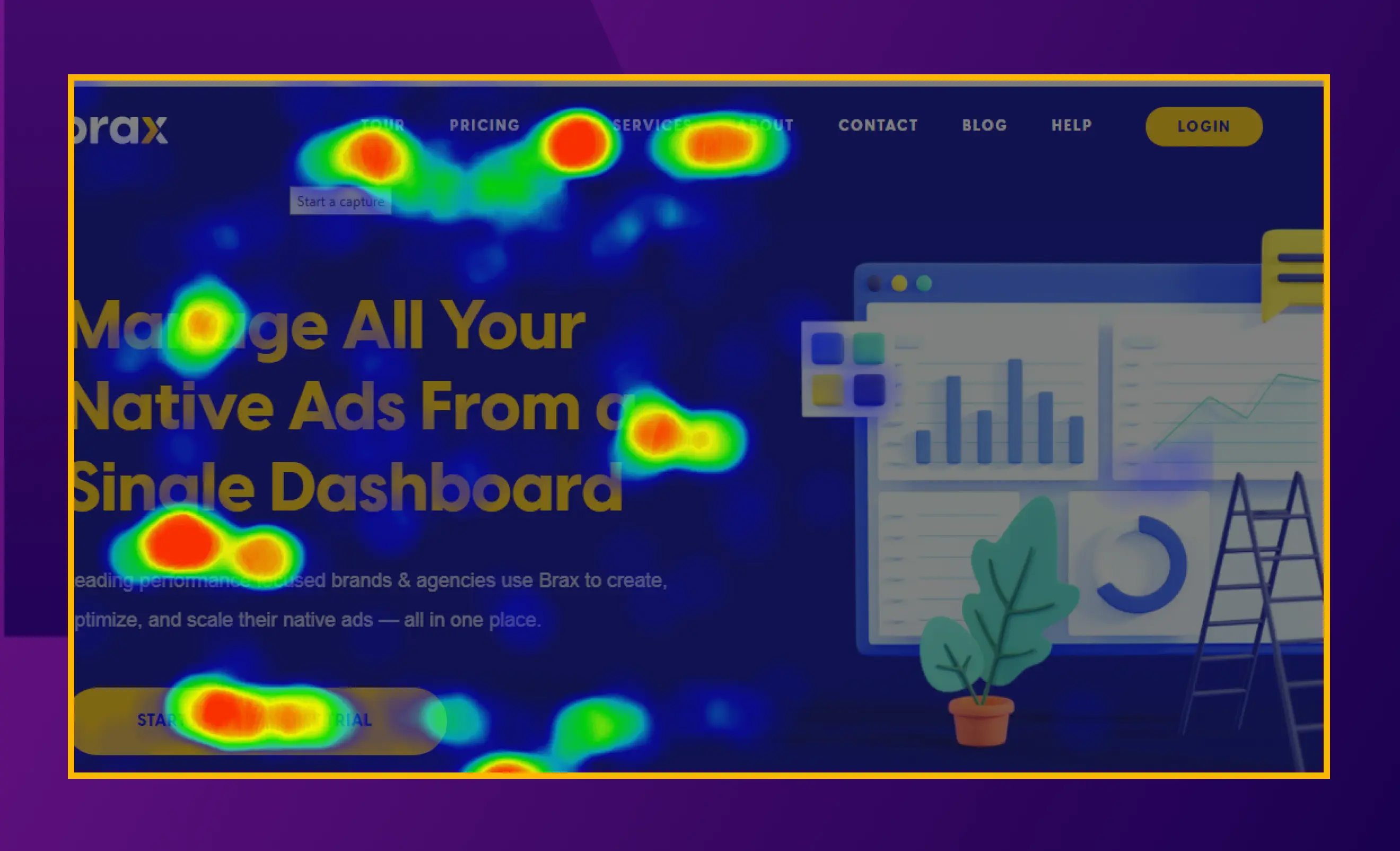
Some landing page tools offer features like heatmaps and session recording. These tools visually represent user interactions, helping you identify areas of high engagement and potential improvement points. You can also use independent tools like Crazy Egg and Hotjar to implement heatmaps onto your landing pages.
7. Regular Analytics review:
Periodically review your analytics data to assess the performance of your landing page. Look for patterns, trends, and areas where adjustments may be necessary to optimize the user experience and improve conversion rates. By implementing these strategies, you can effectively track the performance of your landing page, gather actionable insights, and make data-driven decisions to improve your campaign’s success.
How to create a free landing page without a website?
There are plenty of ways to create a free landing page without needing a full website. All you need is a reliable landing page builder, ideally one that also offers a free domain or URL to share. Canva, for example, is a great option. While some of these tools aren’t traditional landing page builders, with a bit of creativity and design sense. You can still craft a professional-looking page that effectively presents your product or service. Such tools are perfect for getting started quickly, testing an idea, or having something presentable to share with your audience while your main website is still in the works.
Should you Go for AI-Generated landing pages?
AI-generated landing pages can be surprisingly effective, if you’re using the right tools and giving clear, strategic prompts. While AI can help you build a landing page in minutes. It’s important to remember that speed doesn’t always mean success. Many AI-generated pages may lack strong conversion-focused design or strong copy, which can impact your leads and overall performance. Here are two tools that can help you:
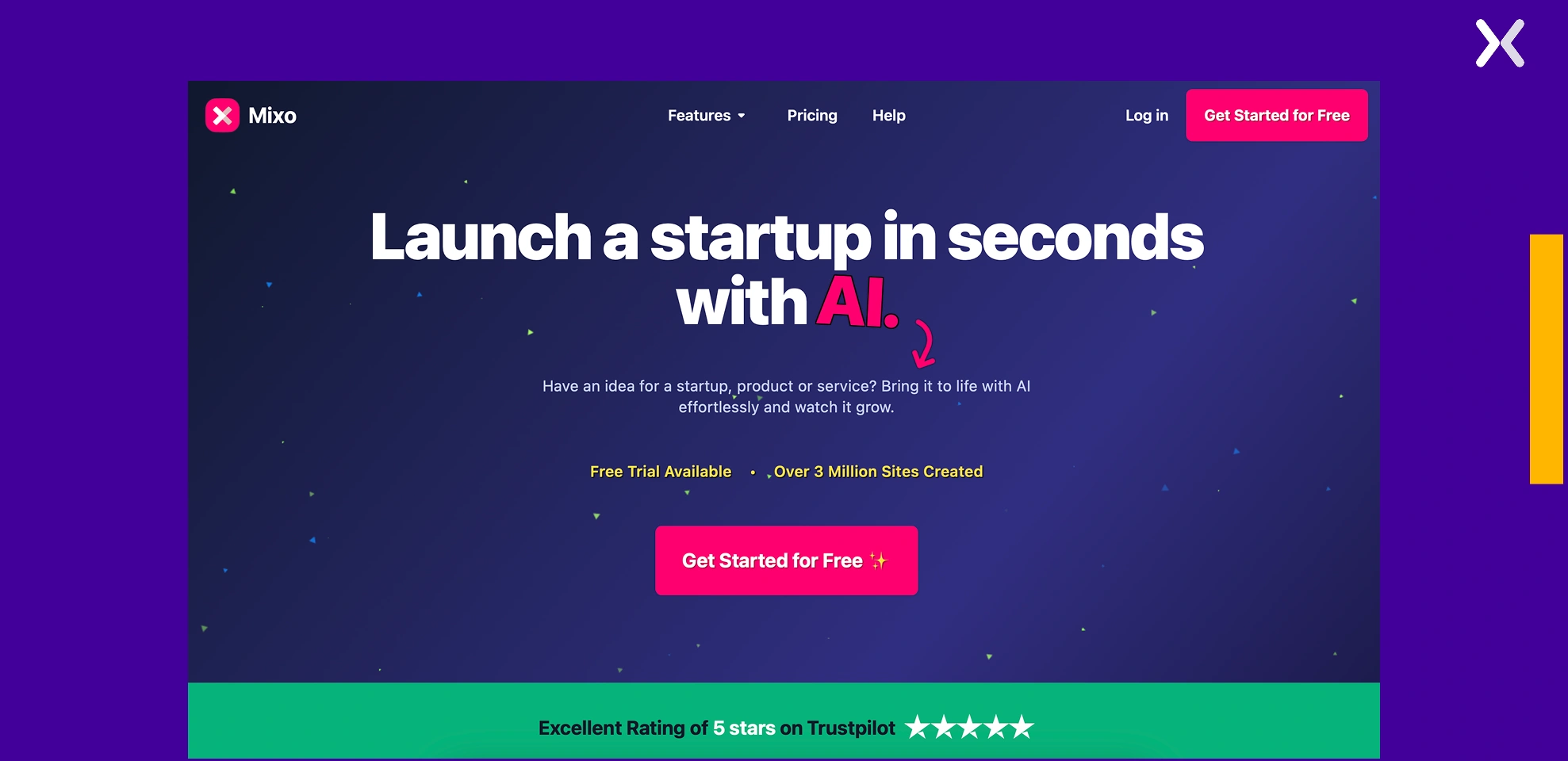
- Mixo.ai Mixo is perfect for strategists, founders, and marketers looking to create a quick and effective landing page without diving into design or code. Simply enter a short prompt describing your product or idea, and Mixo generates a complete wireframe ready for customization.
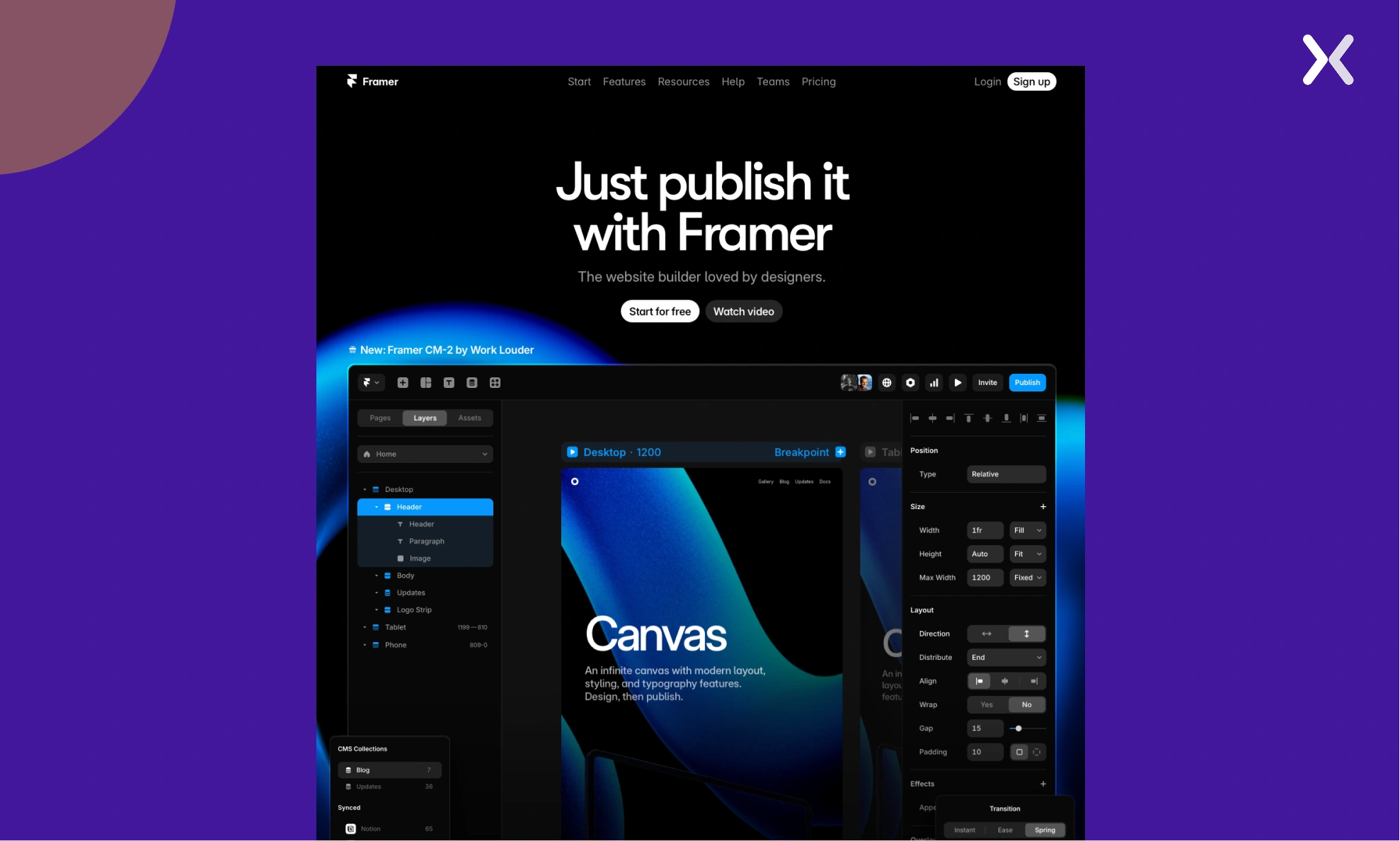
- Framer Framer takes landing page creation to the next level with a focus on striking visual experiences. It’s a favorite among SaaS brands and designers who want to add engaging animations, micro-interactions, and responsive visuals. Framer allows you to create engaging, high-converting landing pages with ease, no dev work needed.
 Our suggestion? Use AI to quickly generate a wireframe or initial draft. It’s a great way to save time and overcome creative blocks. But don’t stop there, add a human touch to refine the layout, polish the messaging, and align the content with your brand’s voice. This hybrid approach gives you the best of both worlds: efficiency from AI and the subtlety and strategy that only a human can bring.
Ready to build a landing page without a website?
Creating a landing page without a complete website is more straightforward than you might think. Rather than waiting for a complete website, you can quickly get started by building a dedicated landing page. All it takes is choosing a reliable partner tool, and you’re ready to go. The accessibility of user-friendly landing page builders simplifies the process, allowing individuals and businesses to establish a solid online presence without the complexity of an entire website. Whether you are launching a new product, testing a campaign, or simply need an online foothold, creating a landing page provides a practical and efficient way to kickstart your campaigns.
Related Articles: