Tools to create wireframes with AI make it easier for product managers to put ideas into action fast. You can spend an hour or so drawing boxes, arrows, and layouts on paper or on digital whiteboards before going to high-fidelity design. With AI wireframing tools, you no longer have to start from scratch. With a good prompt, you can generate different wireframes in minutes, exploring multiple design possibilities and saving you time. In this post, we will explore 6 tools to create wireframes with AI. We’ll also share how we tested them, what features stood out, and which ones are worth your time.
What are Wireframes?
Wireframes are the skeletal outlines of a product’s design. Think of them as foundational layouts for websites and apps. They focus on structure and functionality rather than colors, typography, or final visuals. A good wireframe helps teams:
-
Map out user flows and navigation.
-
Align on content placement (buttons, forms, menus, etc.).
-
Iterate quickly before investing in high-fidelity design.
-
Spot usability issues early in the process. Wireframes are usually drawn manually using tools like Whimsical, Balsamiq, or even pen and paper. With AI, however, designers and product teams can now build wireframes faster and focus more on the final design.
6 AI tools that create wireframes with AI
AI makes it easier to go from an idea to a tangible design. Some tools that generate wireframes from simple prompts. This section will mostly focus on their unique features and benefits.
1. UX Pilot
UX Pilot is an AI design tool that specializes in generating wireframes and high-fidelity mockups with text prompts. The focus of the tool is speed and variety, as it provides multiple design options instantly with a single prompt. With features like design generation for mobile and desktop screens, easy iterations through AI or manual, and creation of screen flows, it presents that the UX Pilot team understands the modern requirements of design and convenience.
 Another stand-out feature of this AI wireframing tool is that you can use it as a plugin with Figma. It makes editing your wireframes and mockups ten times better and feels like the perfect combination of two powerful tools.
2. MockFlow
Originally, Mockflow was a traditional wireframing tool. It has recently combined AI capabilities with its platform to make sure its users don’t miss out on the best of both worlds.
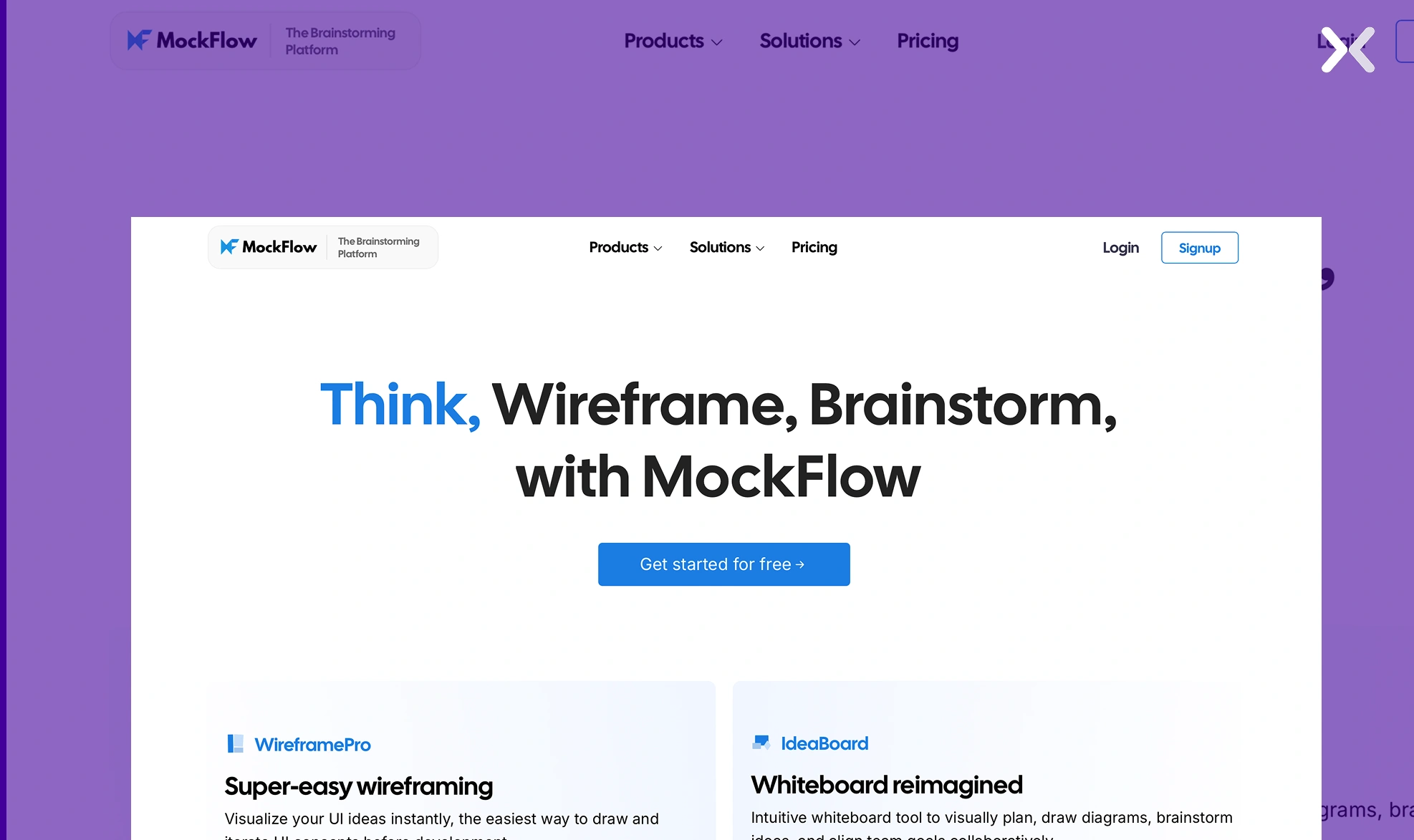 The tool’s strong manual wireframing capabilities, combined with AI assistance, make it a powerful contender for the best tools that create wireframes with AI. It is a good fit for teams that want the automated drafts, full creative control when tweaking and polishing designs, and an easy-to-use to use interface.
3. Banani
Banani is the simplest AI wireframing tool you will find on this list. Its AI quickly generates wireframes and low-fidelity prototypes, letting you experiment with multiple layouts in seconds. The tool is useful for startups and product managers who need to visualize ideas quickly before investing in high-fidelity design work.
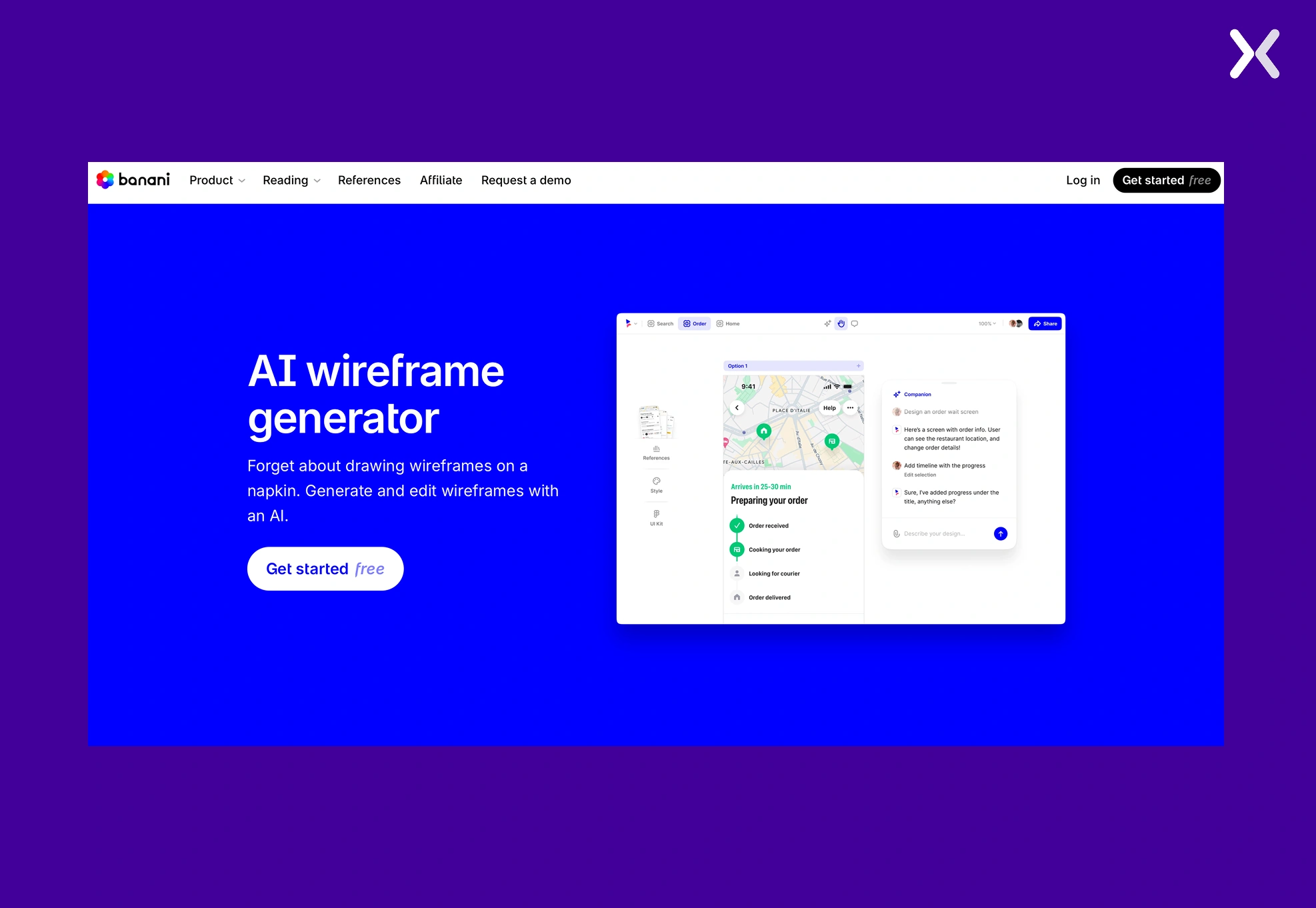 The tool has an easy-to-use interface which makes learning it easier, making sure even non-designer try their hands on wirefaming and prototyping.
4. Visily
Visily positions itself as an AI-first design tool, making it accessible to both designers and non-designers. You can generate wireframes, convert sketches or screenshots into editable layouts, and collaborate in real time. Its simplicity and flexibility make it a strong option for product teams that want an easy way to change ideas into shareable designs.
 Though this tool has no dedicated AI wireframing feature, it can easily be made with simple prompts and directly converted into valuable mockups with iterations.
5. Uizard
Uizard’s AI wireframing feature changes hand-drawn sketches into editable digital wireframes. The tool enables teams to quickly turn rough concepts into structured designs without requiring advanced design expertise.
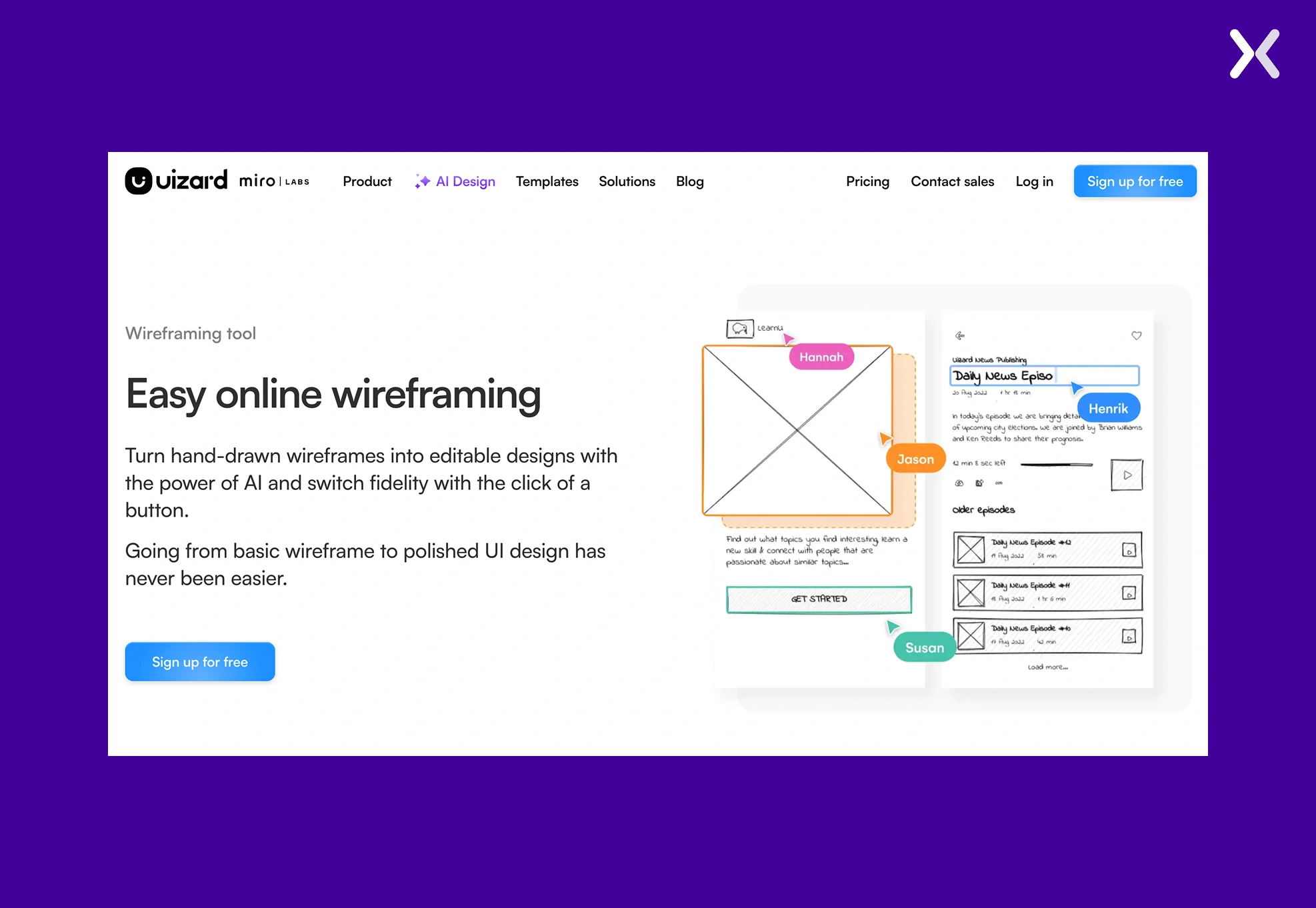 The platform allows smooth switching between low-fidelity wireframes and polished high-fidelity mockups, making sure flexibility for both brainstorming sessions and professional presentations across different stages of product development.
Its AI assistance feature speeds up iteration by auto-generating layouts, themes, and components, while real-time collaboration tools help teams to ideate, refine, and share prototypes directly within the browser environment.
The platform allows smooth switching between low-fidelity wireframes and polished high-fidelity mockups, making sure flexibility for both brainstorming sessions and professional presentations across different stages of product development.
Its AI assistance feature speeds up iteration by auto-generating layouts, themes, and components, while real-time collaboration tools help teams to ideate, refine, and share prototypes directly within the browser environment.
6. Relume
Relume’s AI wireframing feature generates structured sitemaps and wireframes from simple text prompts, helping teams quickly move from raw ideas to clear website layouts. The platform combines automation with a vast component library, making sure that generated wireframes remain customizable while staying consistent with modern design systems and responsive web standards.
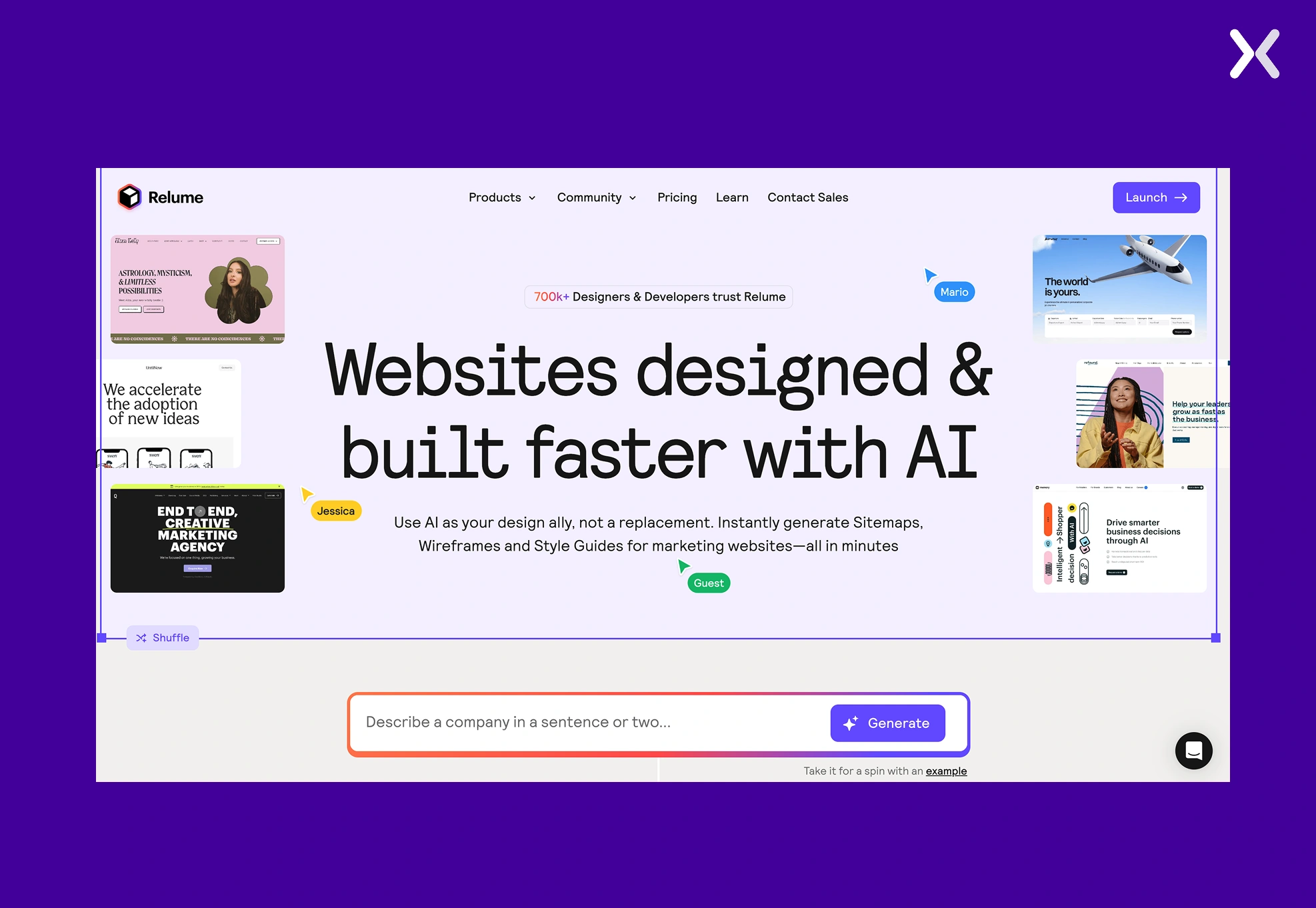 By integrating smoothly with Figma and Webflow, Relume accelerates collaboration between designers and developers, reducing repetitive tasks and enabling faster iteration from planning to polished, production-ready websites.
Honourable mention: wireframe pilot
Wireframe Pilot is an AI-powered Figma plugin that generates editable wireframes from text prompts, giving designers a fast starting point for layouts, flows, and page structures.
 The tool comes with prebuilt industry templates and a modular section library, making sure that wireframes remain both customizable and consistent with common design patterns and UI standards. Because all outputs are native Figma components, teams can easily refine, restyle, and adapt wireframes within their existing workflow, accelerating early design stages without sacrificing control or flexibility.
Testing the 6 tools that create wireframes with AI
Six tools to create wireframes with AI make us ask the big question: which one is actually good? To answer this, we put all six tools to the test. The goal was to see which AI wireframing tool generated wireframes that were functional and easy to iterate on.
How we tested the 6 AI wireframing tools?
We gave the same prompt to each tool describing a simple website idea, then evaluated the generated wireframes.
1. UX Pilot
UX Pilot’s generated wireframe demonstrates several strong qualities, particularly in its clarity and structure. The homepage wireframe is short and simple, with all the necessary sections present.
 We see the page is divided into three segments, with the first being the hero section, followed by a trust badge banner. The second section has space to present the USPs that the brand offers, which are then complemented by testimonials, a great way to win visitor trust. The page closes with a final CTA banner and neatly packed footer.
Final Verdict: UX Pilot’s AI wireframe creates a focused homepage layout where every section serves a clear purpose, making sure nothing feels wasted and giving designers a strong blueprint to build on.
2. MockFlow
MockFlow introduces color into its wireframes, which makes them look appealing. When it comes to the layout, the tool has two dedicated sections that give you plenty of space to talk about your USPs, benefits, and other features of your product.
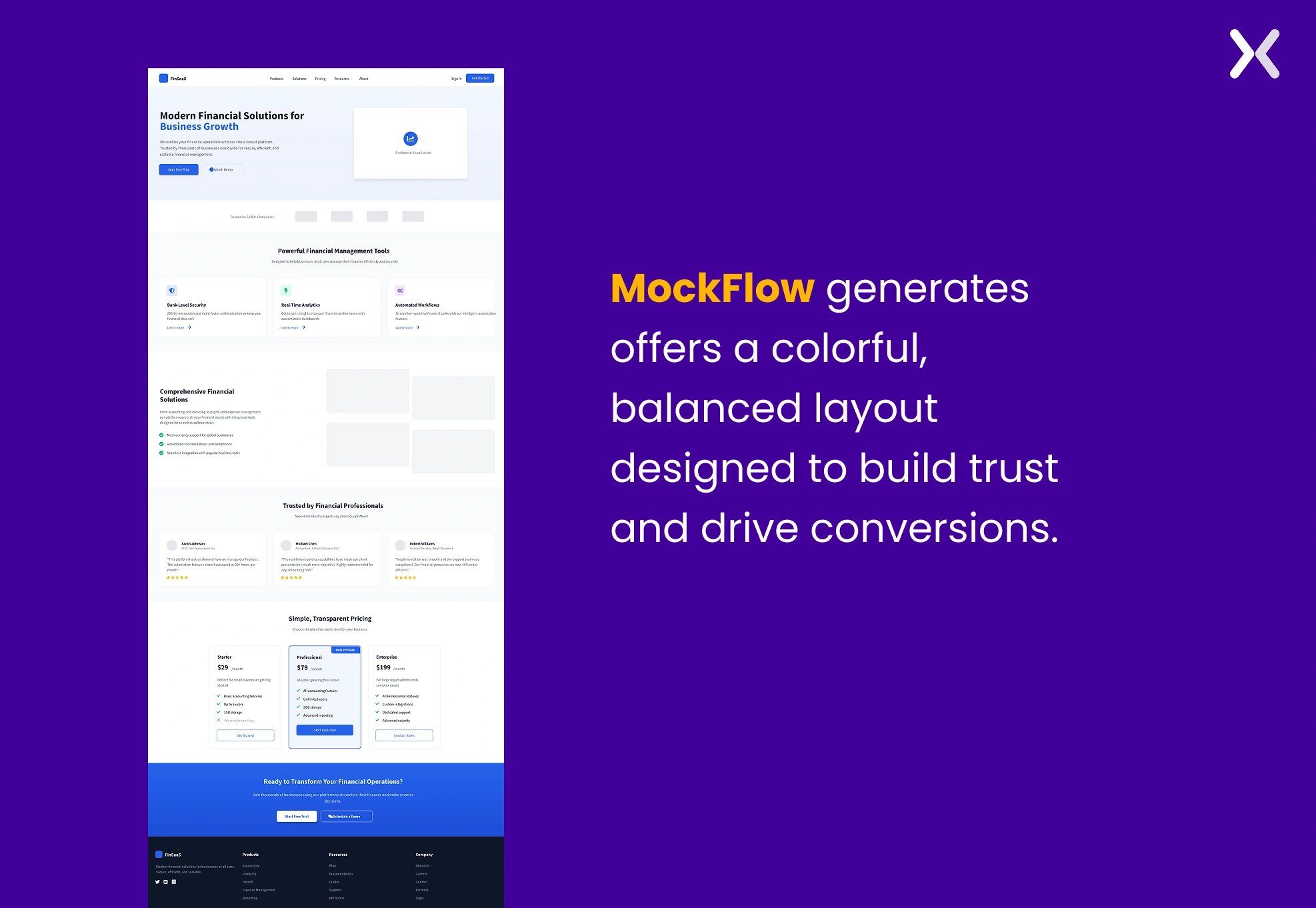 Along with the testimonial section, you also get a pricing section. Having both testimonials and a pricing section on the homepage is a good idea. Testimonials build trust and credibility, while pricing gives users quick clarity on your plans. Together, they reassure visitors and help guide them toward conversion.
Final Verdict: MockFlow’s AI wireframe delivers a well-balanced layout with all the essentials, providing a strong starting point that only improves as you refine and build upon it.
3. Banani
Banani generated an AI wireframe quite similar to MockFlow, no denying. But there are some styling differences. The layout is neat and structured, with clear sections for the hero, features, outcomes, and pricing. The flow feels logical, giving enough room for USPs and benefits without clutter. Testimonials are represented through logos, and the inclusion of a pricing section makes sure transparency upfront.
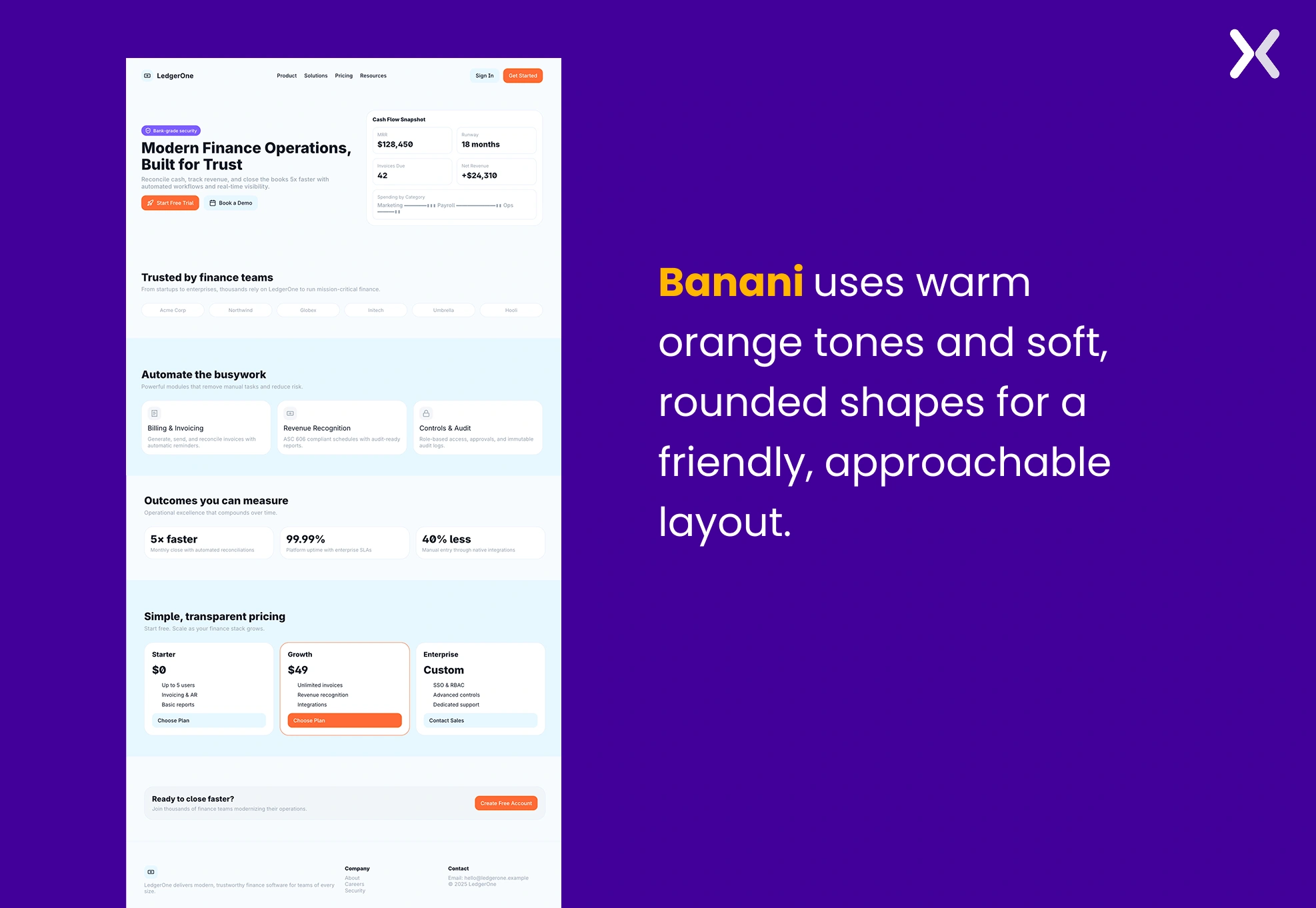 Where Banani stands apart is in styling: while MockFlow opts for a blue-dominant palette with sharp corners, Banani leans on warmer orange tones and softer, rounded shapes, giving the design a friendlier and more approachable look.
Final Verdict: Banani’s AI wireframe lays down a strong homepage structure with all the key blocks in place, making it easy to refine into a polished high-fidelity design.
4. Visily
Visily’s AI wireframe leans into a highly structured, professional look that feels more corporate compared to Banani’s warm tones and rounded styling. Like MockFlow and Banani, the layout follows the classic SaaS homepage flow: hero, features, testimonials, pricing, and footer.
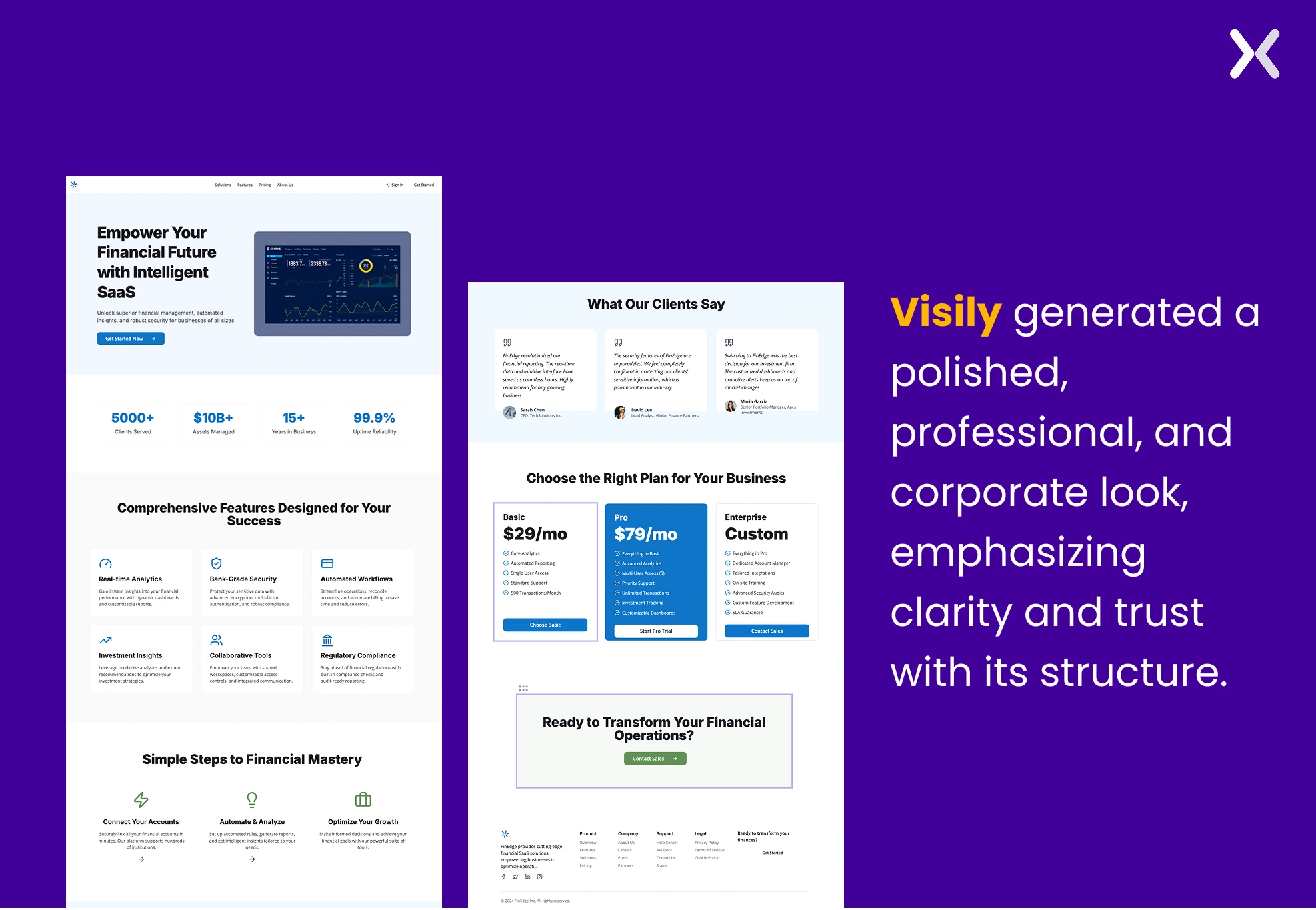 Where Visily differs stylistically is its reliance on a strict blue-and-white palette and sharper card corners, closer to MockFlow’s visual approach, while Banani softened its look with orange tones and rounded edges. This gives Visily’s wireframe a more serious and corporate vibe, whereas Banani feels approachable, and MockFlow is balanced somewhere in between.
Final Verdict: Visily’s AI wireframe delivers a polished, professional structure that stresses trust and clarity, standing out with its stat-heavy hero, guided steps section, and stronger testimonial design. It feels more corporate and makes for a balanced foundation.
5. Uizard
Uizard’s AI wireframe leans into a modern, corporate look with a dark theme, even though the tool wasn’t asked to generate one. The homepage follows a clear flow, beginning with a hero section and partner logo banner that build trust and credibility. Services are shown in a numbered list, but the labels feel a bit too broad.
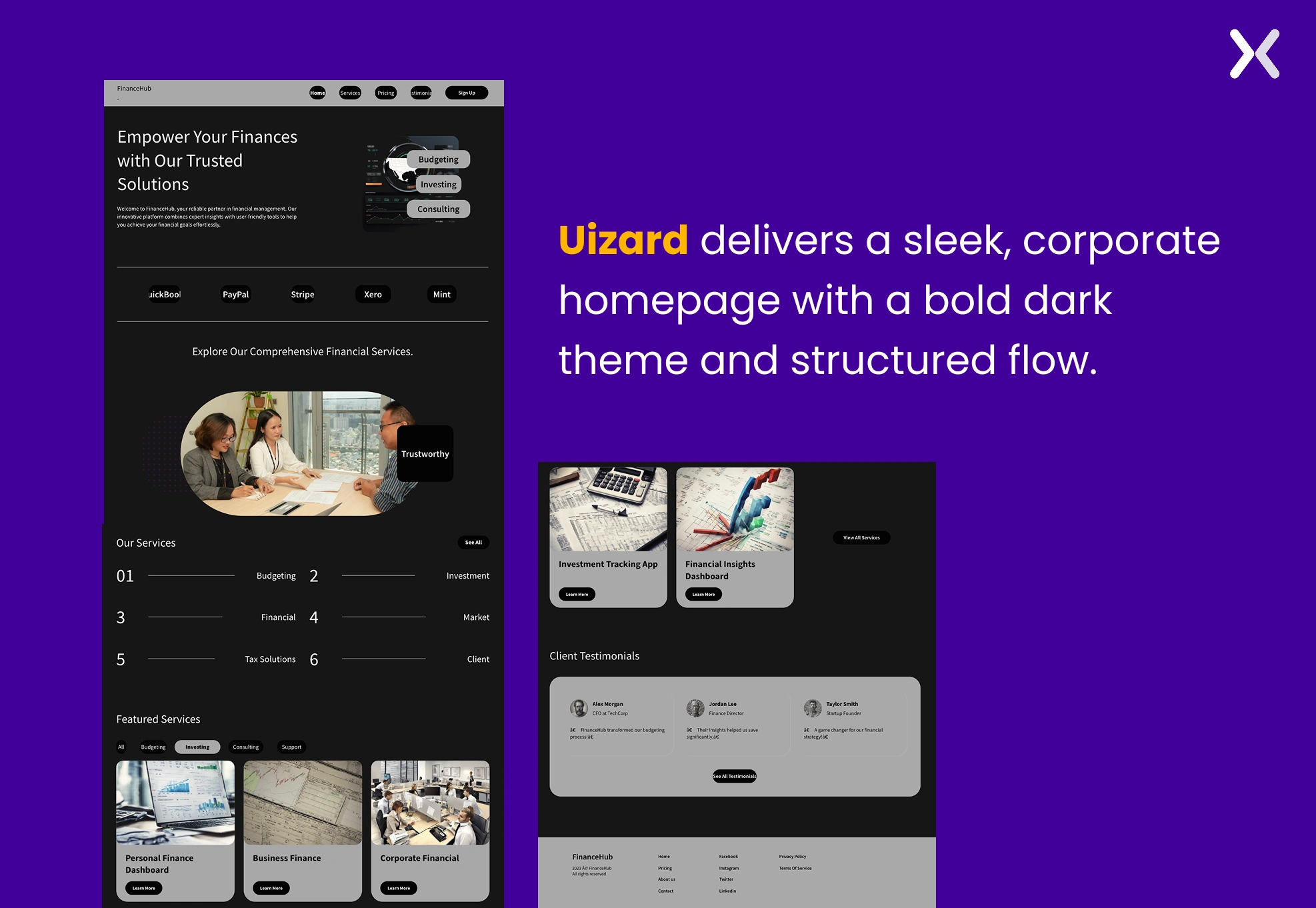 The featured service cards work better, offering more context and clear “Learn More” CTAs. Testimonials add credibility, though they could use visuals for stronger impact. The footer is neatly organized but underutilized, missing a final CTA or engagement element.
Final Verdict: Uizard’s wireframe provides a structured, professional layout with room for refinement in key sections.
6. Relume
Relume’s AI wireframe follows a very clear and linear homepage structure. The layout begins with a hero section supported by a primary CTA, setting the tone right away. It is followed by a three-column features block and a second card-based section, giving plenty of space to explain services or benefits.
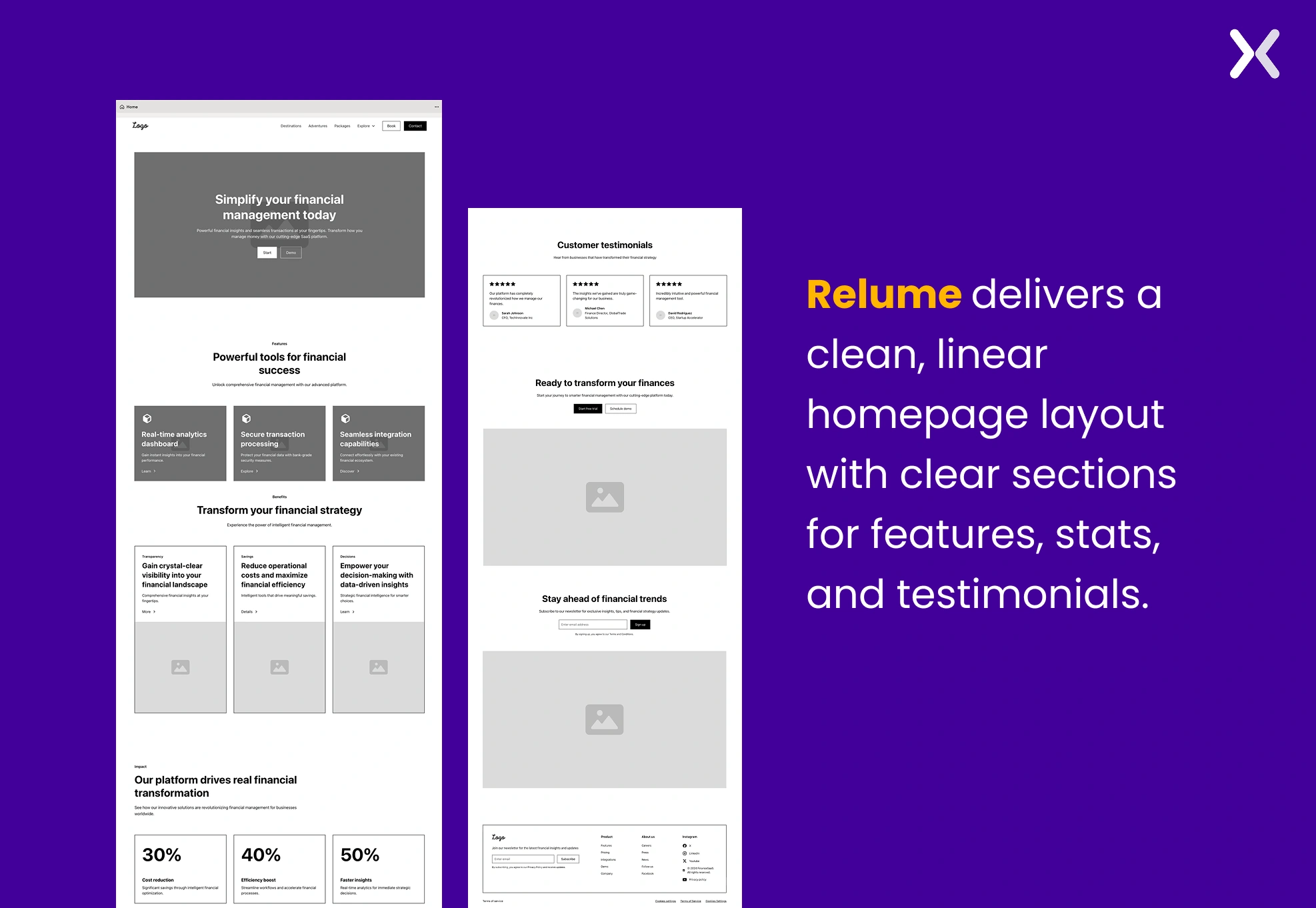 The middle of the page shifts to a stat-driven layout, ideal for presenting results, and then transitions smoothly into a testimonial strip for social proof. The closing sections include another CTA block, a newsletter signup, and a neatly packed footer, making sure the page ends with strong conversion points.
Final Verdict: Relume’s wireframe creates a logical, conversion-oriented flow with each block serving a clear role in the homepage journey.
Which AI framing tool did you like?
After testing these six tools. It’s clear that AI has made wireframing faster and more accessible than ever. Each platform has its own strengths: some focus on quick ideation, others on professional-grade editing, and a few strike a balance between both. The real takeaway is that AI can remove the “blank canvas” problem, giving you a starting point that saves time and sparks ideas. We noticed that every tool works best in slightly different contexts, some are ideal for teams with little design experience, while others fit neatly into established design workflows. Instead of searching for the single “best” tool, the smarter approach is to pick one that matches how your team works. Whether you’re a designer, product manager, or founder, experimenting with these AI wireframing tools is worth it. You may be surprised at how much faster your ideas turn into something tangible.
Related Articles: