Key Takeaways
- Competitor landing page analysis reveals what messaging, layout, and offers are working in your market — so you can build pages that outperform them.
- Free tools include Google Ads Auction Insights, Facebook Ad Library, and Google search. Paid tools like Ahrefs, SEMrush, and SpyFu give deeper intelligence on keywords, ad copy, and landing page variations.
- Focus on analysing five elements: headline and value proposition, CTA placement and design, social proof strategy, form design, and page speed.
- The goal is not to copy competitors but to understand what they stress and find gaps you can exploit.
Discovering competitors’ landing pages can open a gold mine of possibilities for your business. Beyond examining their ads and copy, analyzing competitor landing pages offers deeper insights into their strategies for converting paid traffic. A high-converting landing page comprises the best elements and copy to present what sets you apart from your competitors prominently. To achieve this, it’s necessary to understand the strengths your competition stresses with the help of PPC competitive intelligence tools, allowing you to create landing pages that offer superior value. Here’s a blog post to help you understand how to spy on competitor landing pages and analyze them to boost your growth.
How to find competitor’s landing pages?
When it comes to social media, the ad library makes it easy to find competitor landing pages. However, the task becomes tricky for Google Ad campaigns. Here. You should invest in good PPC competitive intelligence tools that can give valuable and relevant insights into your competitor’s campaign strategy, as there are no specific landing page spy tools. If you are unaware of your competitors’ domains, you can figure those domains out in many ways.
Google Ads auction report
On Google Ads, your competitors are pretty easily visible for ad campaigns you’re running and for the keywords you’re bidding on. The Auction Insights Report in Google Ads provides valuable information about your competitors’ campaigns and compares your performance with other advertisers. Let’s dig deep into how you can use Auction Report to understand how to stack up against your competition
Here’s how to access the auction report in Google Ads:
Step 1: Sign in To Your Google Ads Account
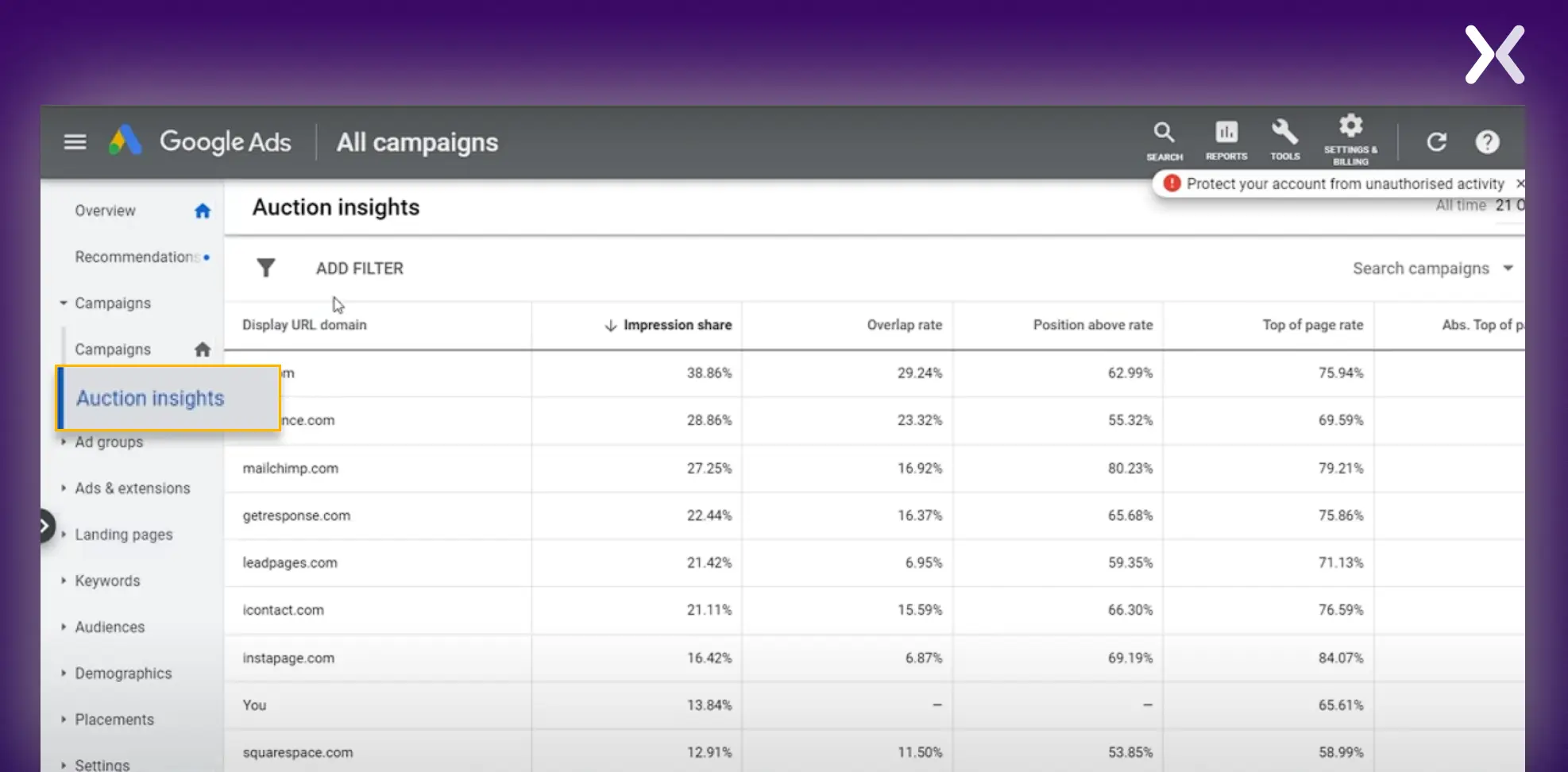
Step 2: Click on any active Ad campaign and go to the ‘Auction Insight’ tab. You can also choose to see the reports at the ad group, campaign, or even the individual keyword level.
Step 3: Auction Report Analysis The Auction Report will provide important data points about your competitors and check the following in-depth insights:
-
Check competitor domains spending their ad budget on the same keywords as you.
-
Check out the average position in which your ad is shown.
-
Check how frequently your ads are being shown compared to your competitors.
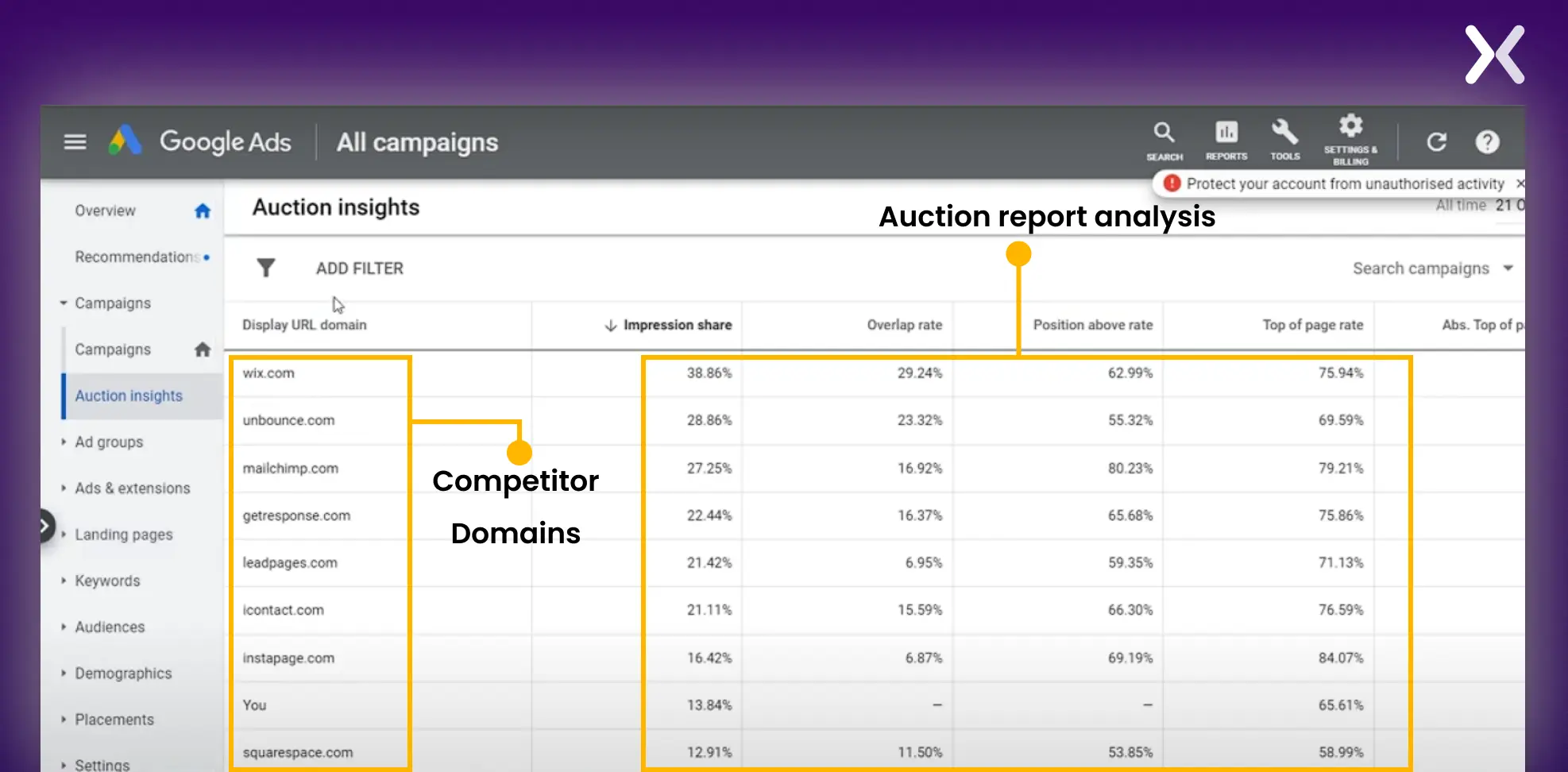 With this data, you can help accent new and untapped opportunities to benchmark your performance.
ahrefs report (paid)
Ahrefs is the best competitor analysis tool. It can easily provide you with your competitors’ PPC landing pages and all the critical information in one view. Let’s get started on how to see competitor landing pages using Ahrefs.
Step 1: Log in to your Ahrefs Account
Step 2: Check Ahrefs Keywords Explorer Under Keywords Explorer, you can search your PPC keywords, uncover what your competitors are doing for that particular keyword, and determine the most effective landing pages that work in your niche. Keywords Explorer > Enter Your PPC keyword > Choose Country > Enter Search
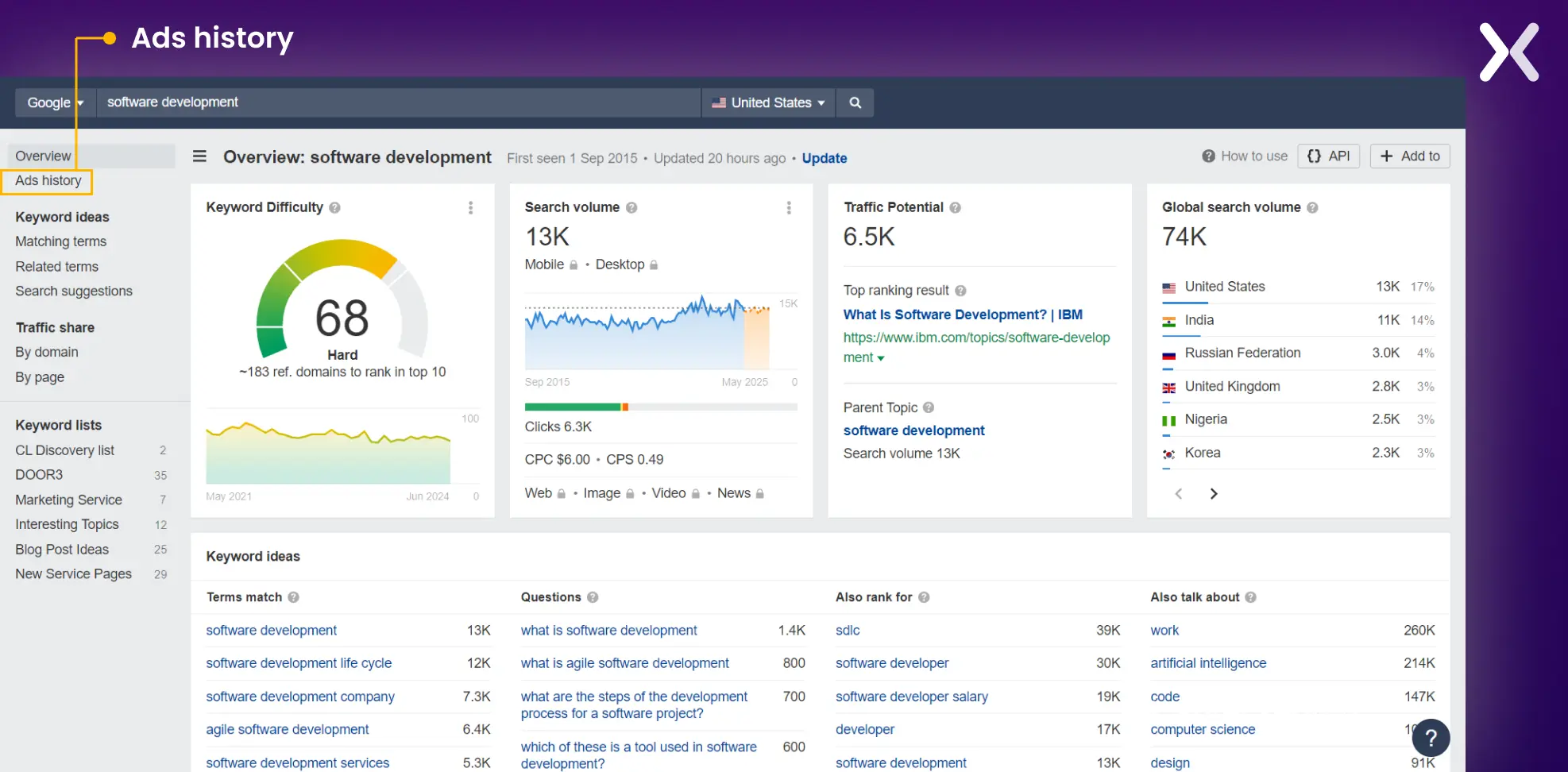
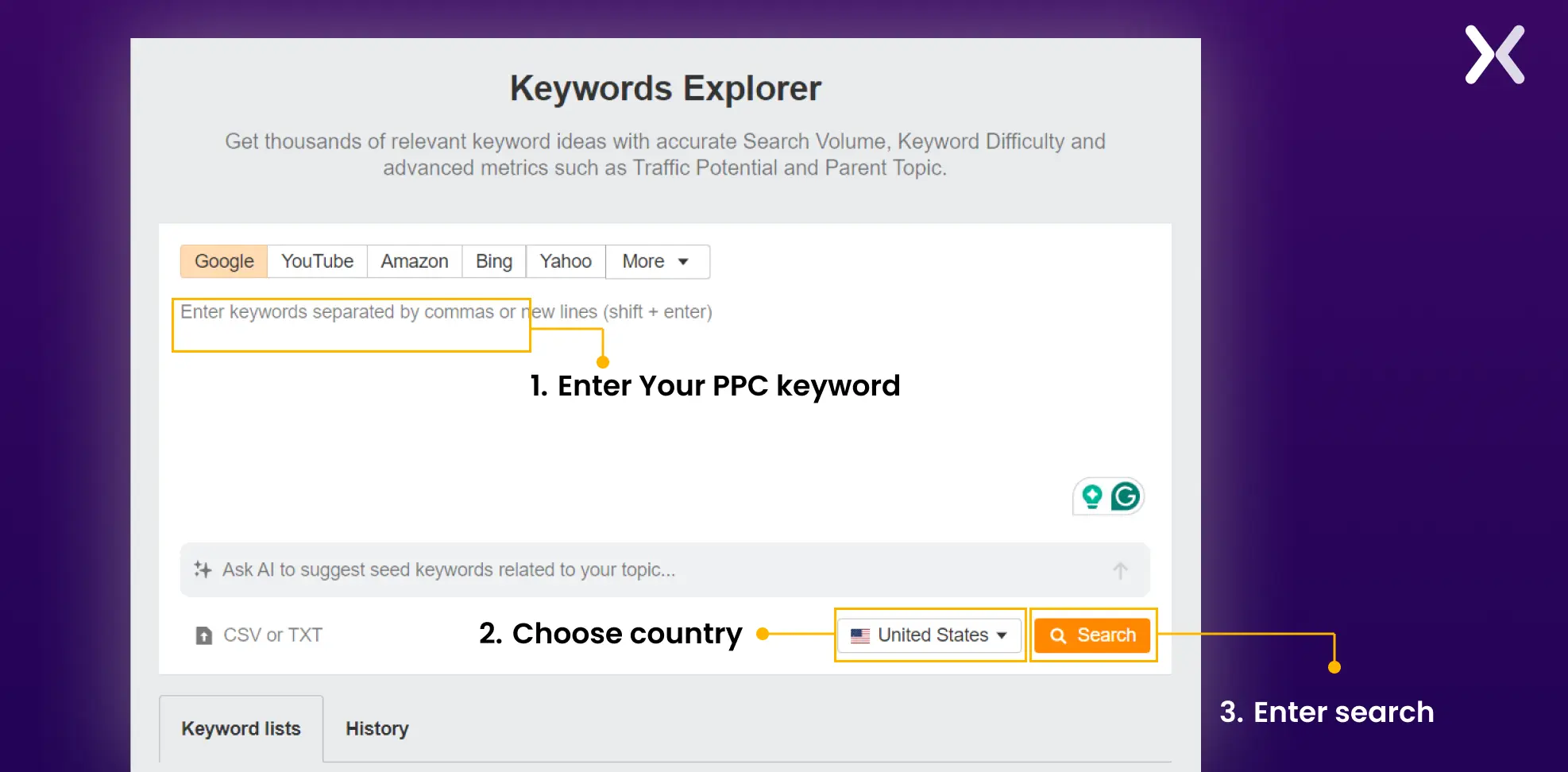 Suppose you want to find competitive landing pages for a target keyword software development in the US.
Here. You can find extensive information about the keyword, such as search volume, CPC, keyword suggestions, and other metrics.
Suppose you want to find competitive landing pages for a target keyword software development in the US.
Here. You can find extensive information about the keyword, such as search volume, CPC, keyword suggestions, and other metrics.
Step 3: Analyze The Competitive Environment To uncover information about specific advertisers and their landing page strategies for your targeted PPC keyword, go to ads history in the left-hand navigation.
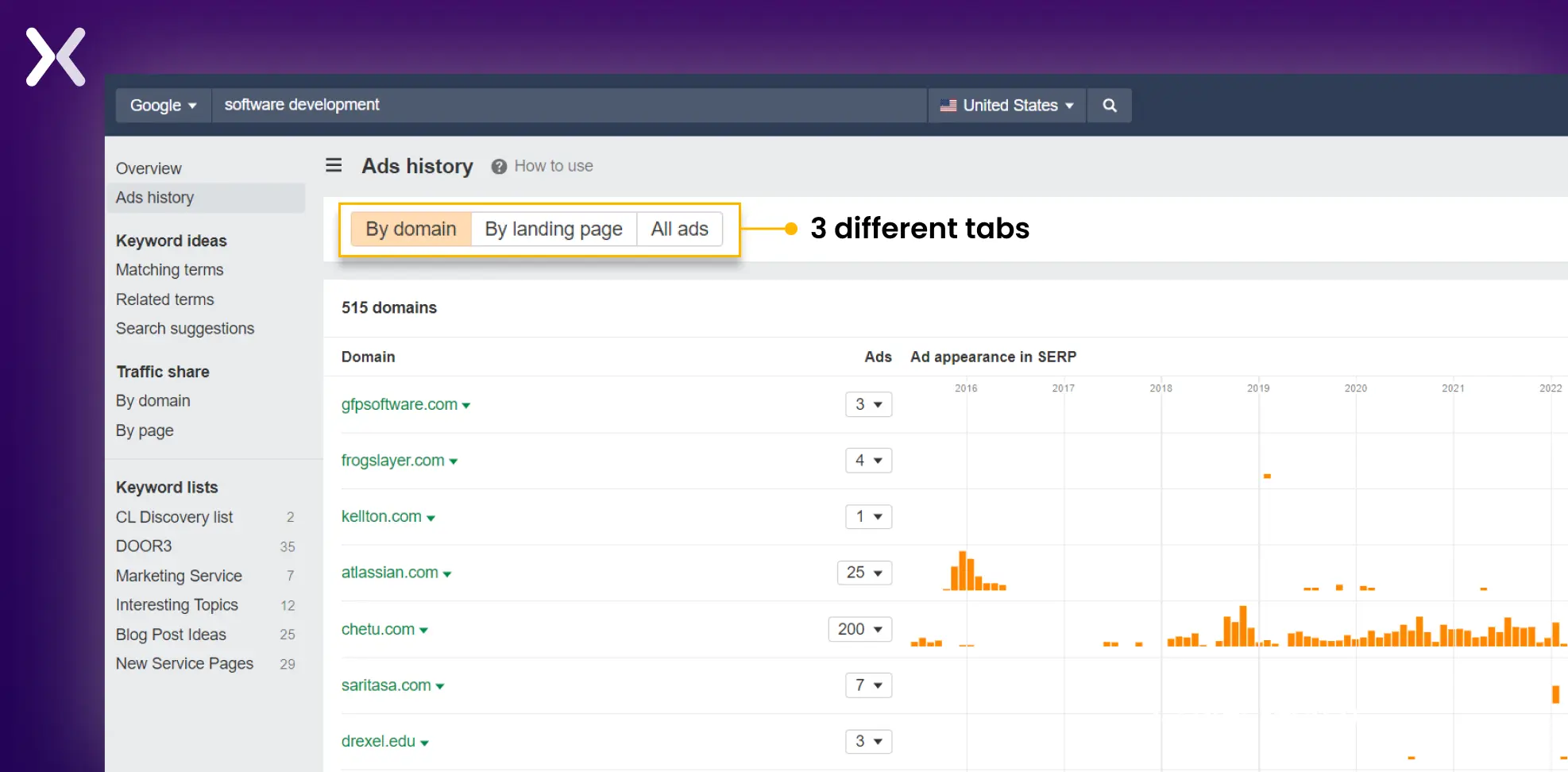
 Under Ads History, you can find three different tabs:
-
It shows you the traffic or the number of ads for a particular domain.
-
It shows you all the different landing pages run across different URLs for your target keyword.
-
This tab shows you the actual text and the copy of the ad your competitors use for that keyword. Let’s go through the domain tab to get a valuable snapshot of competitor PPC activity and the alignment of their ads and landing pages. Here. You can find different domains, what ads they’re running, and what landing pages they’re using. In our example, we found the highest-performing advertiser, Chetu. This company has been running ads since 2015 and currently has 200 different types of ads running. This indicates that their ads work. Otherwise, they wouldn’t be spending that much money on Google ads.
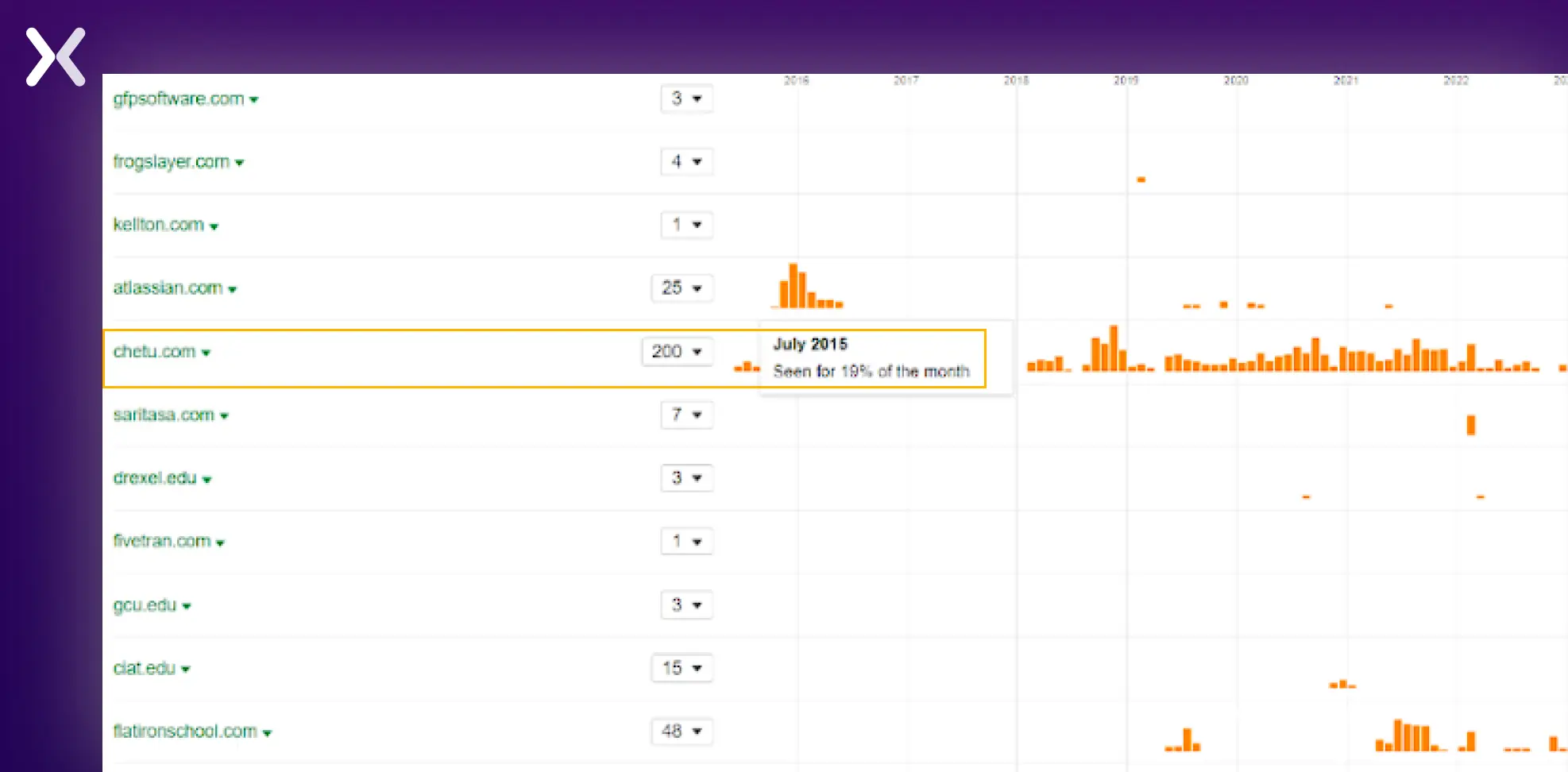 If you click on each of these ads, they will open up on their landing pages. You can dig deep and track competitor landing pages from here over time.
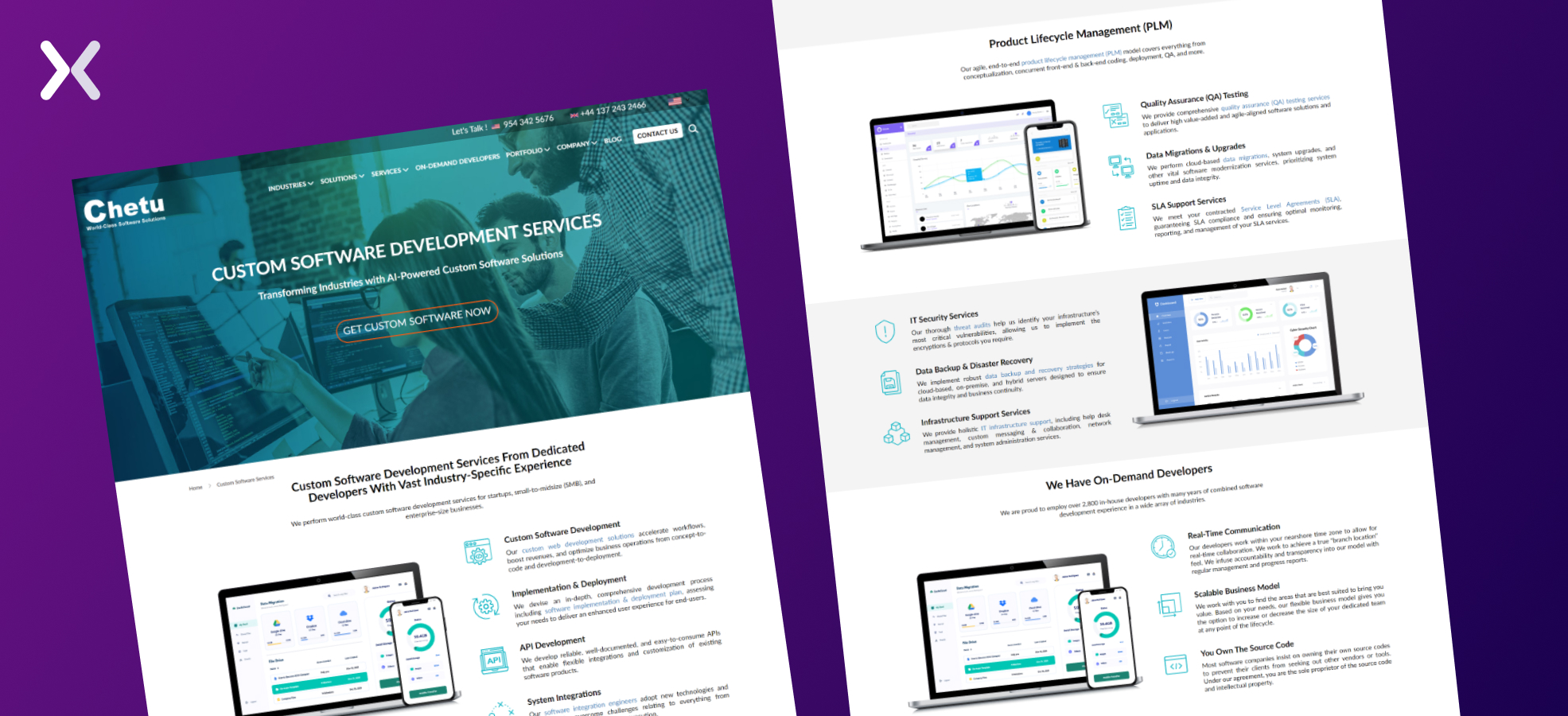 To make the best use of your competitor’s data, i would recommend doing the following :
-
Find different domains that bid on your “target keyword” and have been running successfully for quite a while.
-
Click through to each competitor to see their ads and landing pages.
-
Bookmark landing pages under Chrome for research purposes.
-
Go through competitor landing pages individually and see what bits they’re doing.
-
Research sending traffic to a dedicated landing page versus a dedicated microsite or a homepage. These are the key steps for using Ahrefs to see competitor landing pages that provide meaningful insights. You can track and compare your competitors’ landing pages and finally create different offers and landing page designs to improve your conversions.
Google search results
Go to the search bar and enter your targeted keyword. If a sponsored post other than yours appears there. You’re competing.
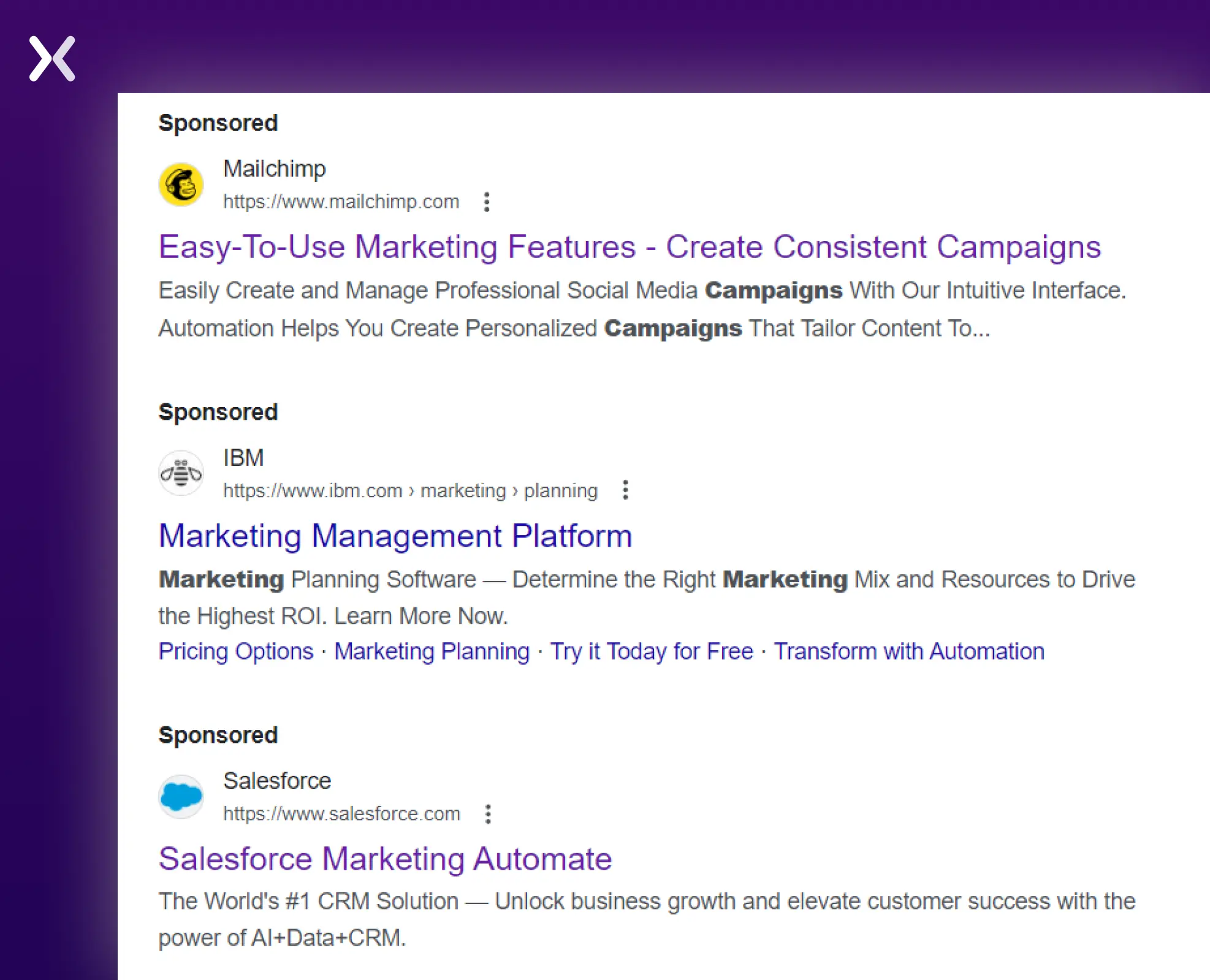 You need to thoroughly analyze the domains sponsoring these search ads, which we will discuss further in this blog post. Also, if you’re advertising in a different country, we suggest you use a VPN to access the SERPs of your target country.
Once you have acquired competitor domains and landing pages. It is time to track and analyze them.
What to do after you find your paid search competitors?
Research. In-depth research. The first step in your research is to understand whether your competitors use actual landing pages, homepages, or other website pages with their ads.
Landing pages usually don’t have any external links and are focused on promoting just one service with a linear user journey. The homepages are not the same; they are filled with external links that promote multiple user journeys. We also do not index PPC landing pages as they are targeted toward specific audiences and used for securing user data.
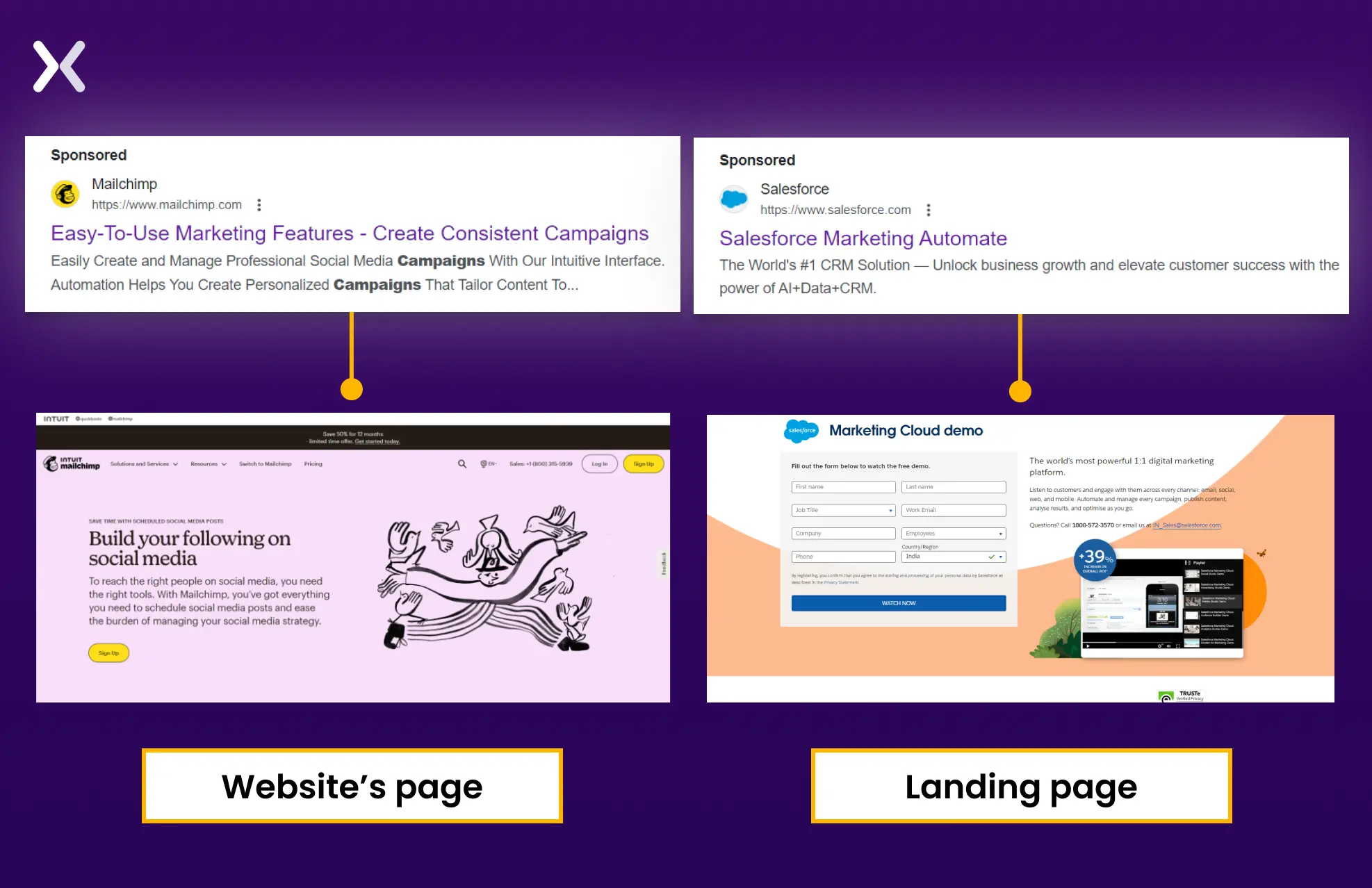 For PPC campaigns, if you want to optimize your investments, it is better to have an actual landing page that directs visitors to conversions.
That said, it doesn’t mean you can ignore competitors using website pages with ads, as they might be getting more traffic because such pages are indexed and appear on SERPs. Here, following the keywords they organically rank for and the paid keywords becomes necessary.
Tools to track competitor keywords:
-
SE Ranking (Paid Tool With Free Trial)
SE Ranking is a competitive intelligence tool that aids in monitoring PPC and SEO keywords and a whole host of other information. It’s an amazing first step to determining how you perform in comparison to competitors.
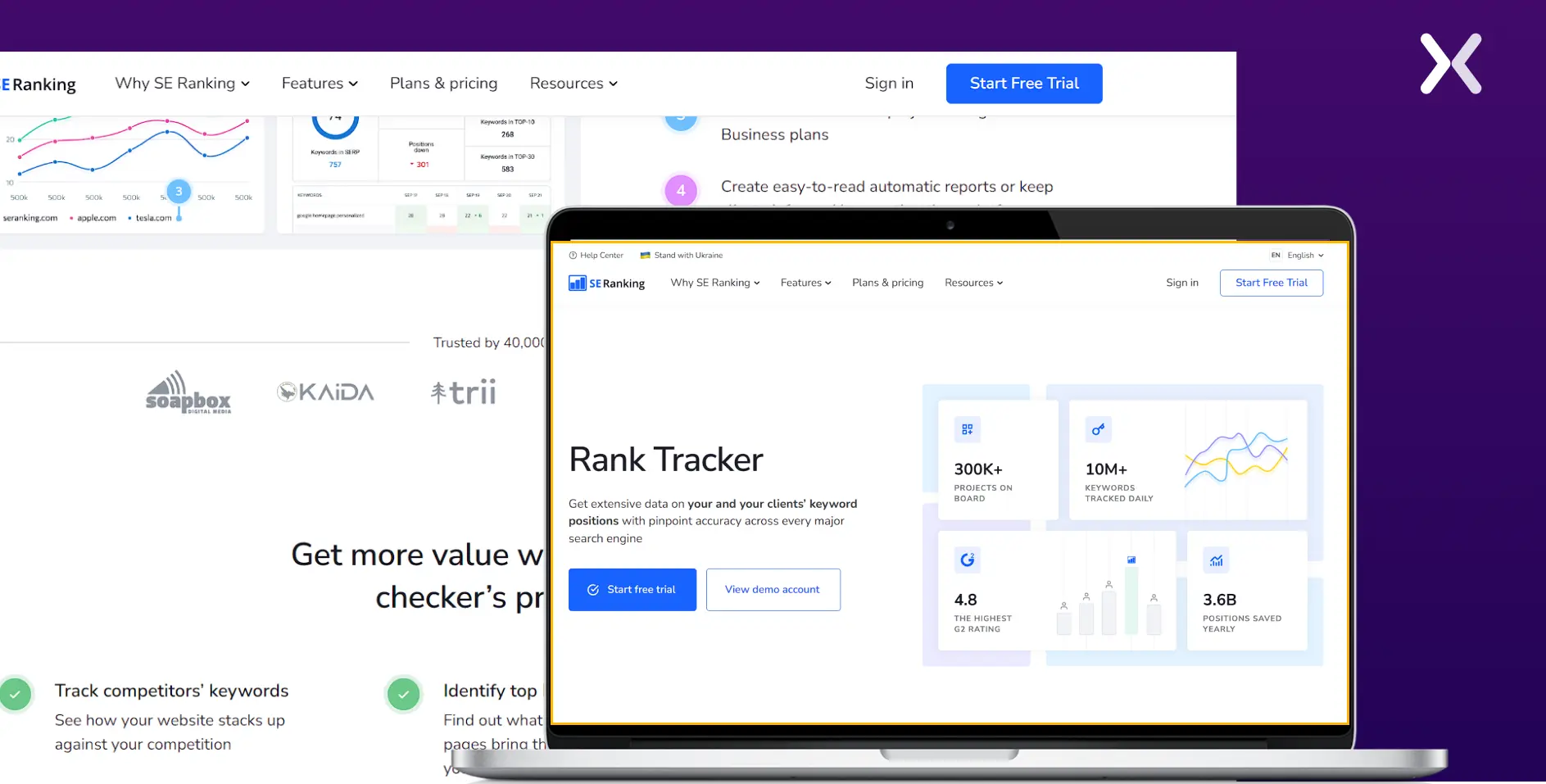 Firstly, SE Ranking helps you identify your organic and PPC competitors by generating a full competitor list for each search query, a list of historical advertisers, top-performing keywords, and ads. It helps you discover which keywords your competitor’s ads and landing pages are ranked for and provides ranking data.
SE Ranking offers a two-week free trial period, with their cheapest complete package starting at $52/month and the most expensive at $207/month.
Firstly, SE Ranking helps you identify your organic and PPC competitors by generating a full competitor list for each search query, a list of historical advertisers, top-performing keywords, and ads. It helps you discover which keywords your competitor’s ads and landing pages are ranked for and provides ranking data.
SE Ranking offers a two-week free trial period, with their cheapest complete package starting at $52/month and the most expensive at $207/month.
-
SpyFu (Free Version Available)
SpyFu is a multifunctional web tool that helps you monitor your competition’s SEO strategy, high-ranking keywords, and ads.
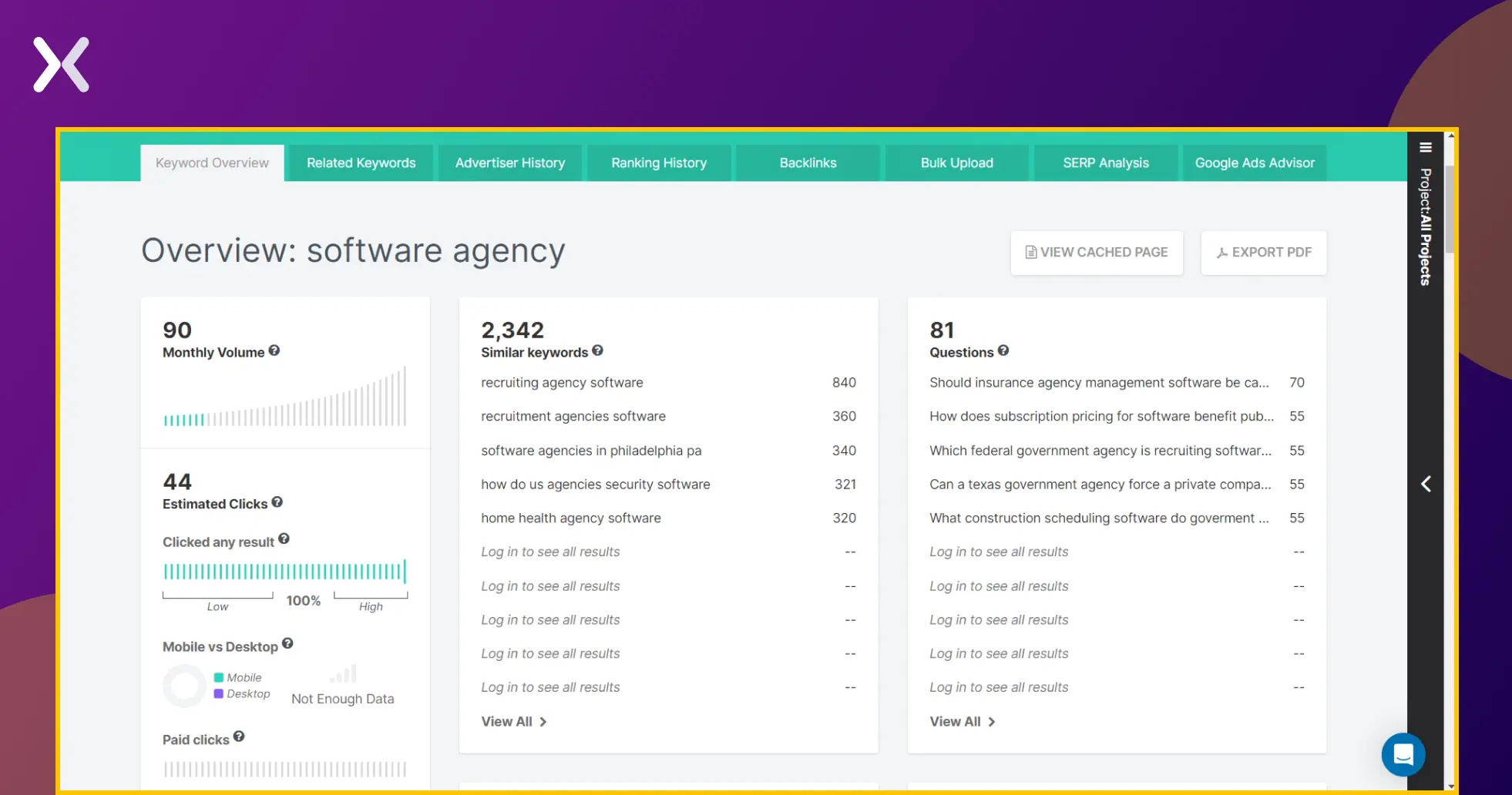 A handy feature is Kombat, which runs a domain comparison of shared organic keywords. It helps you compare keywords that you and your competitor use and how you rank comparatively.
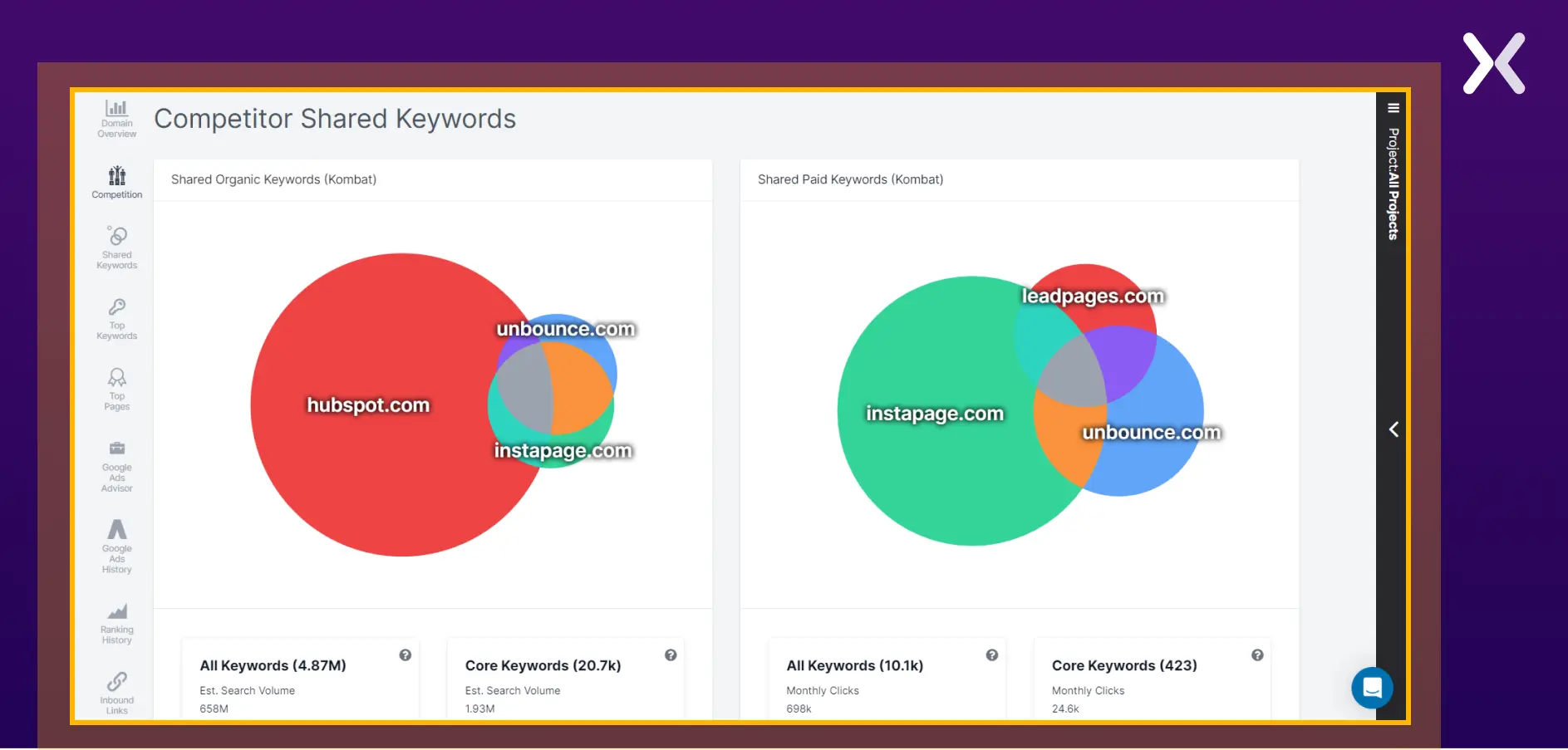 By providing a visual aid in the form of a Venn Diagram, SpyFu produces user-friendly, quality data. All relevant keywords are characterized as ‘the keyword universe’ in which your core niche is defined. Your weaknesses are also identified - the keywords your competitors rank for and you do not.
Exclusive wins are keywords that you rank for and your competitors do not. Exclusive wins may be a positive sign - for example. It may show that you have tapped into a market your competitor has yet to identify. Or, it could be a negative sign - showing that you are wasting time with keywords that have little or no audience.
Spyfu is a paid tool with membership prices ranging from $39-79/month.
By providing a visual aid in the form of a Venn Diagram, SpyFu produces user-friendly, quality data. All relevant keywords are characterized as ‘the keyword universe’ in which your core niche is defined. Your weaknesses are also identified - the keywords your competitors rank for and you do not.
Exclusive wins are keywords that you rank for and your competitors do not. Exclusive wins may be a positive sign - for example. It may show that you have tapped into a market your competitor has yet to identify. Or, it could be a negative sign - showing that you are wasting time with keywords that have little or no audience.
Spyfu is a paid tool with membership prices ranging from $39-79/month.
Monitoring competitor landing pages with PPC competitive intelligence tools
-
AdPlexity Desktop
AdPlexity markets itself as ‘the world’s best competitive intelligence service.’ While we cannot support or deny this claim, they are a market leader in the spy tools industry. Several different AdPlexity tools are available. Today, we’ll focus on AdPlexity Desktop, which monitors competitor landing pages.
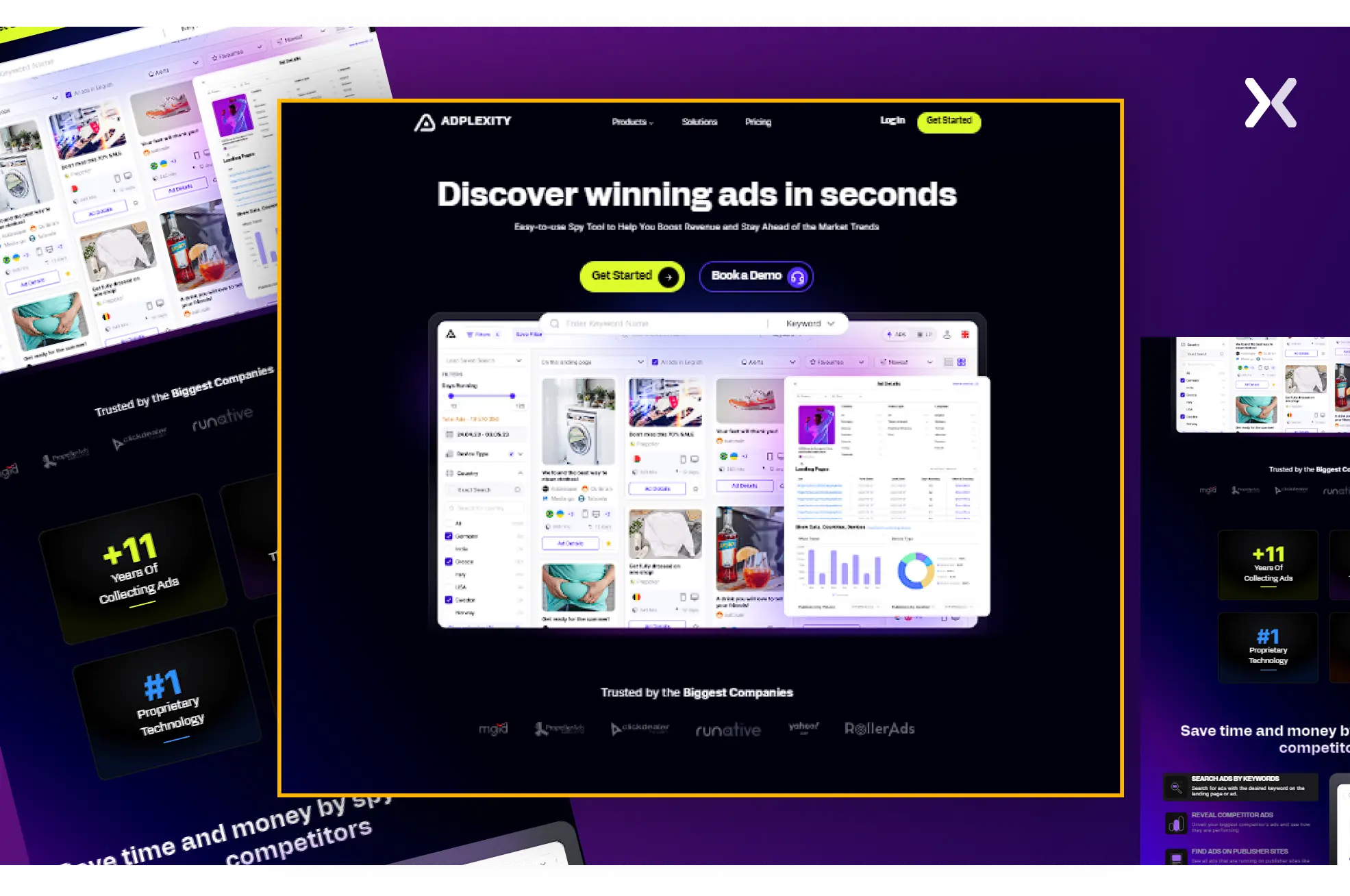 They monitor traffic sources such as ads, social media, and emails and map the chain of URLs that users follow to arrive at a particular landing page. They monitor outgoing URLs that the customer is redirected to after visiting the landing page and conversion rates.
Currently, AdPlexity Desktop costs $199 per month. Other tools offered by AdPlexity include AdPlexity Mobile, AdPlexity Push, and AdPlexity eCommerce.
They monitor traffic sources such as ads, social media, and emails and map the chain of URLs that users follow to arrive at a particular landing page. They monitor outgoing URLs that the customer is redirected to after visiting the landing page and conversion rates.
Currently, AdPlexity Desktop costs $199 per month. Other tools offered by AdPlexity include AdPlexity Mobile, AdPlexity Push, and AdPlexity eCommerce.
-
iSpionage
ISpionage is a multi-faceted competitive intelligence company with tools allowing you to monitor competitor landing pages, PPC keywords, organic keywords, competitors’ SEO strategies, and conversion rates.
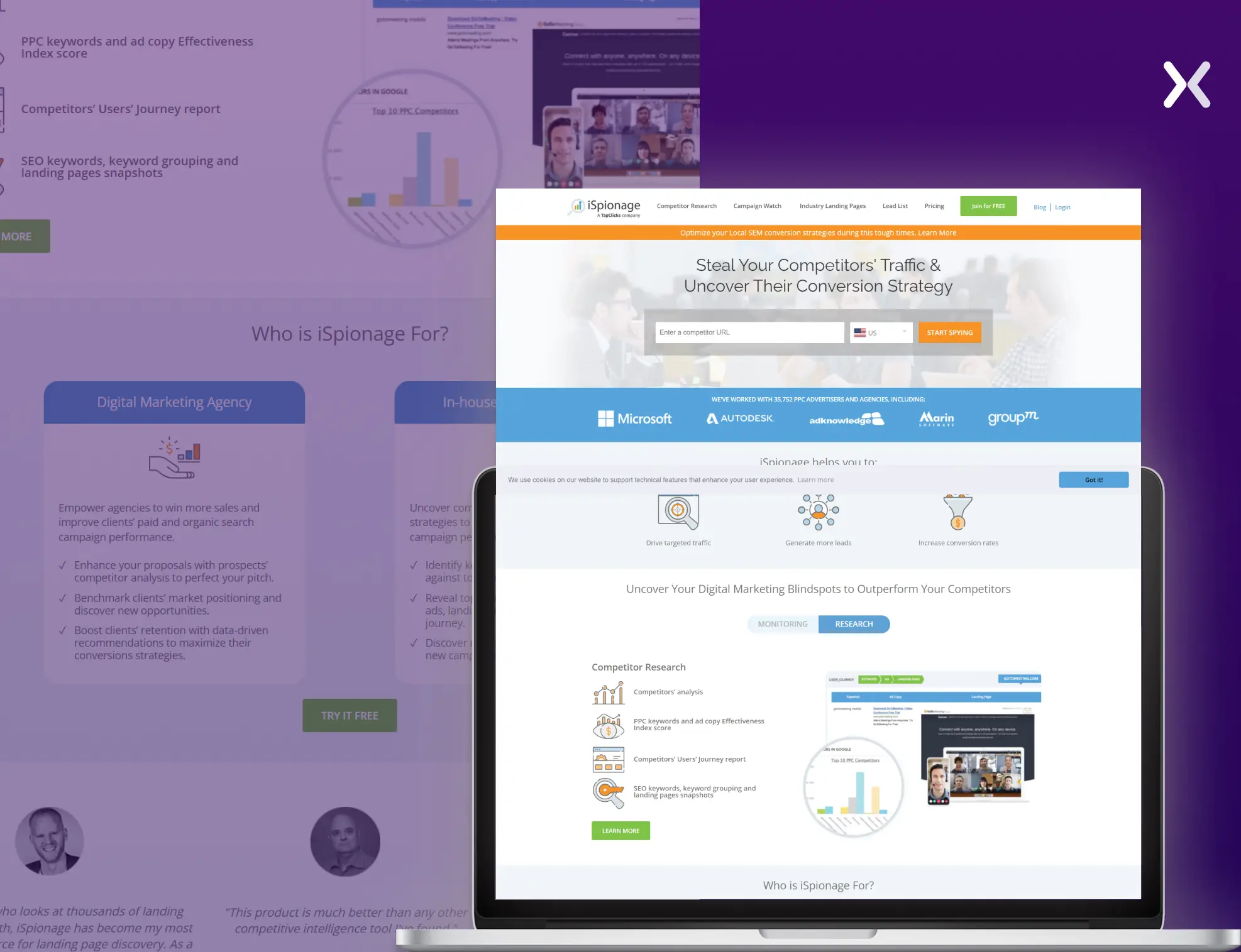 It monitors the keyword ranking of different competitors’ landing pages, showing images and descriptions of the landing pages in question. A benefit of iSpionage is that it generates a weekly report that details your competitor’s SEM (search engine marketing) performance, campaign funnel, A/B test results, SERP Snapshots, and landing pages.
Their pricing begins at $59/month for the starter package and increases to a top-tier custom package, priced on a per-case basis.
It monitors the keyword ranking of different competitors’ landing pages, showing images and descriptions of the landing pages in question. A benefit of iSpionage is that it generates a weekly report that details your competitor’s SEM (search engine marketing) performance, campaign funnel, A/B test results, SERP Snapshots, and landing pages.
Their pricing begins at $59/month for the starter package and increases to a top-tier custom package, priced on a per-case basis.
Monitor Competitor Landing Pages Using iSpionage In iSpionage, find Competitor Research > and type in your competitor’s URL. Once the report loads, you’ll see a complete competitive overview that includes the entire Adword strategy, monthly advertising budget, top PPC keyword data, competitor landing pages, and much more.
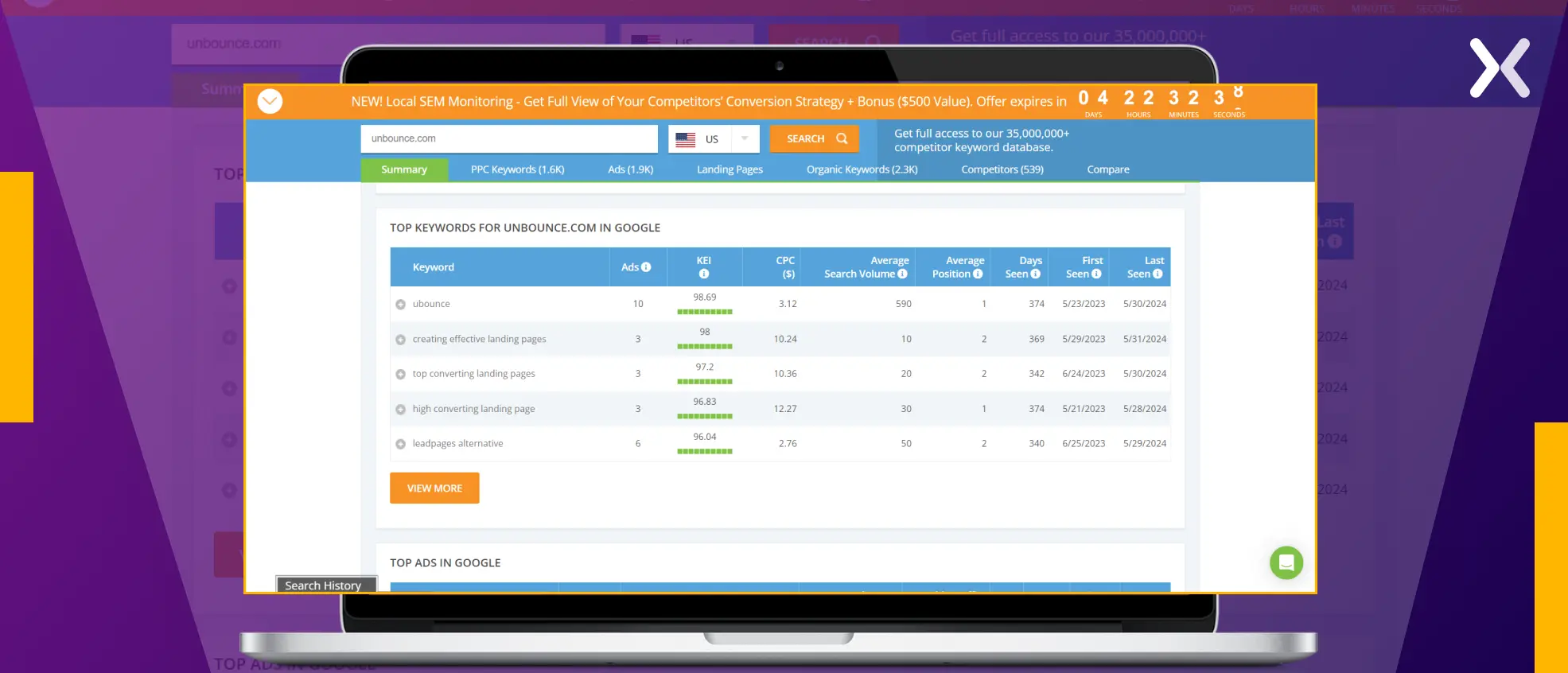 This is a goldmine of information: you can see where your competitors are advertising and what their ads look like to improve your marketing campaigns.
-
Hexowatch
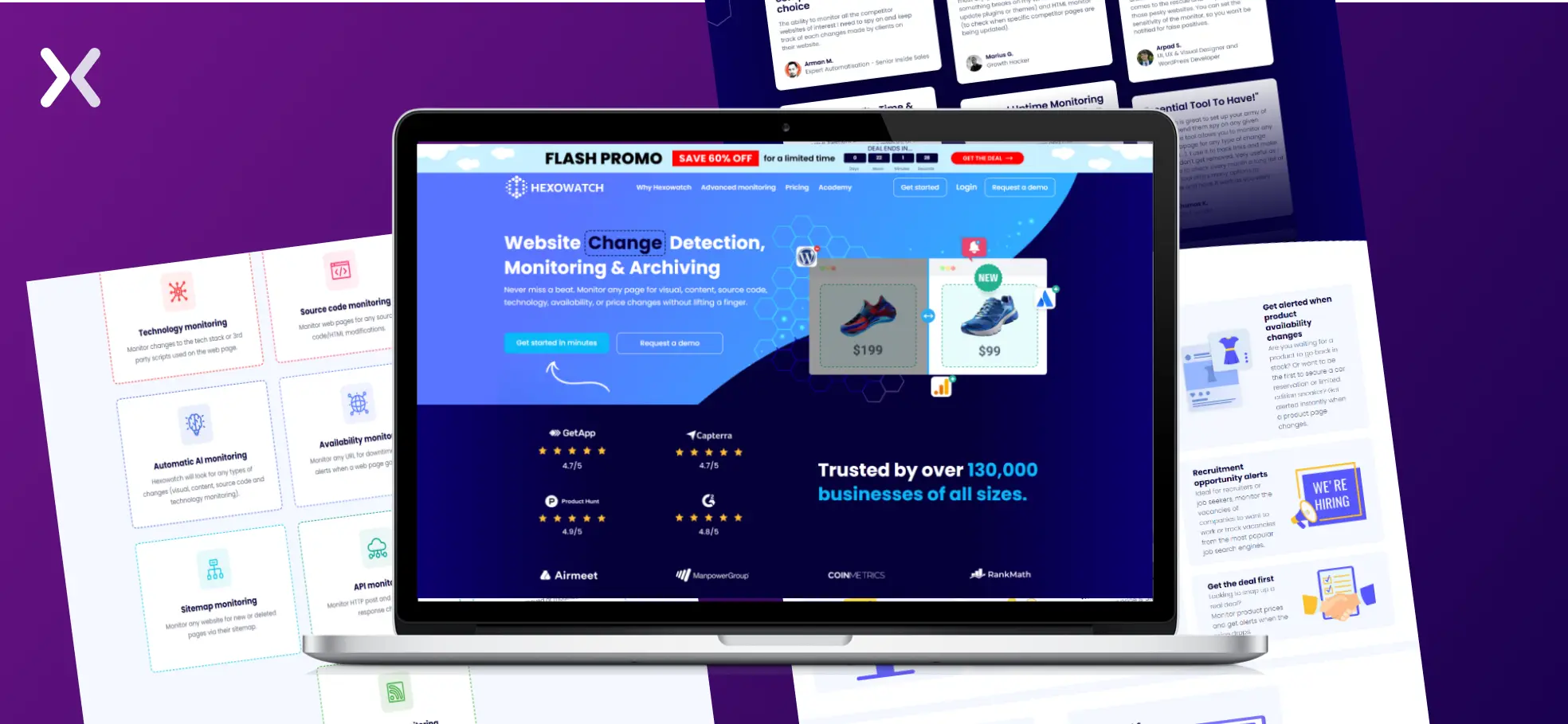
Hexowatch is a sophisticated tool that continuously monitors your competitor’s landing pages for changes in content, target keyword, visual, price change, or availability of a service or product, as well as any relevant news.
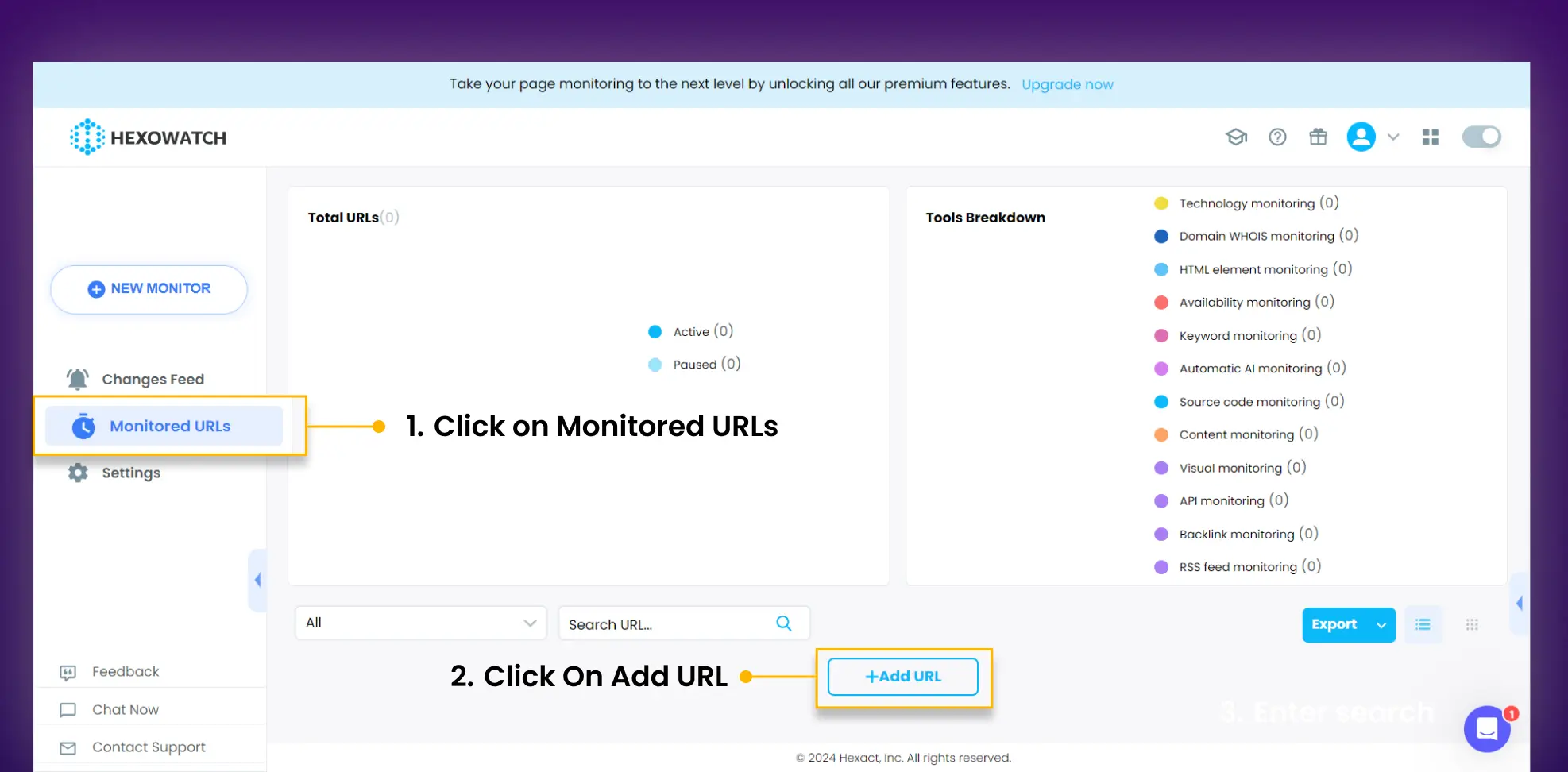
Here’s How To Use Hexowatch Step 1: Login To Your HexoWatch Account Step 2: Click on Monitored URLs on the left-hand navigation. Click On Add URL
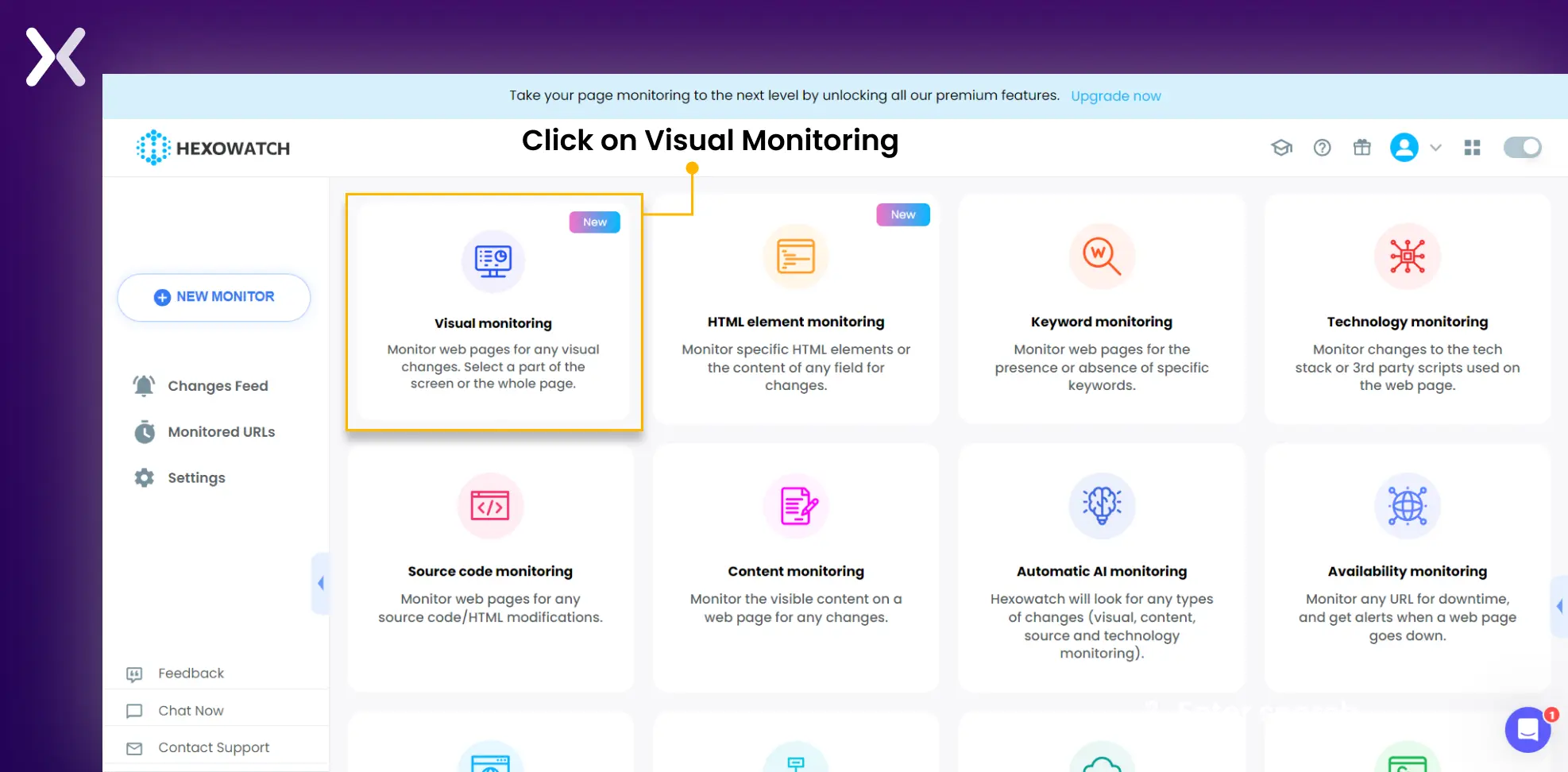
 Step 3: Click on Visual Monitoring
 Step 4: Add Competitor URL
-
Set up a notification channel
-
Set up monitoring frequency
-
Click on the preview
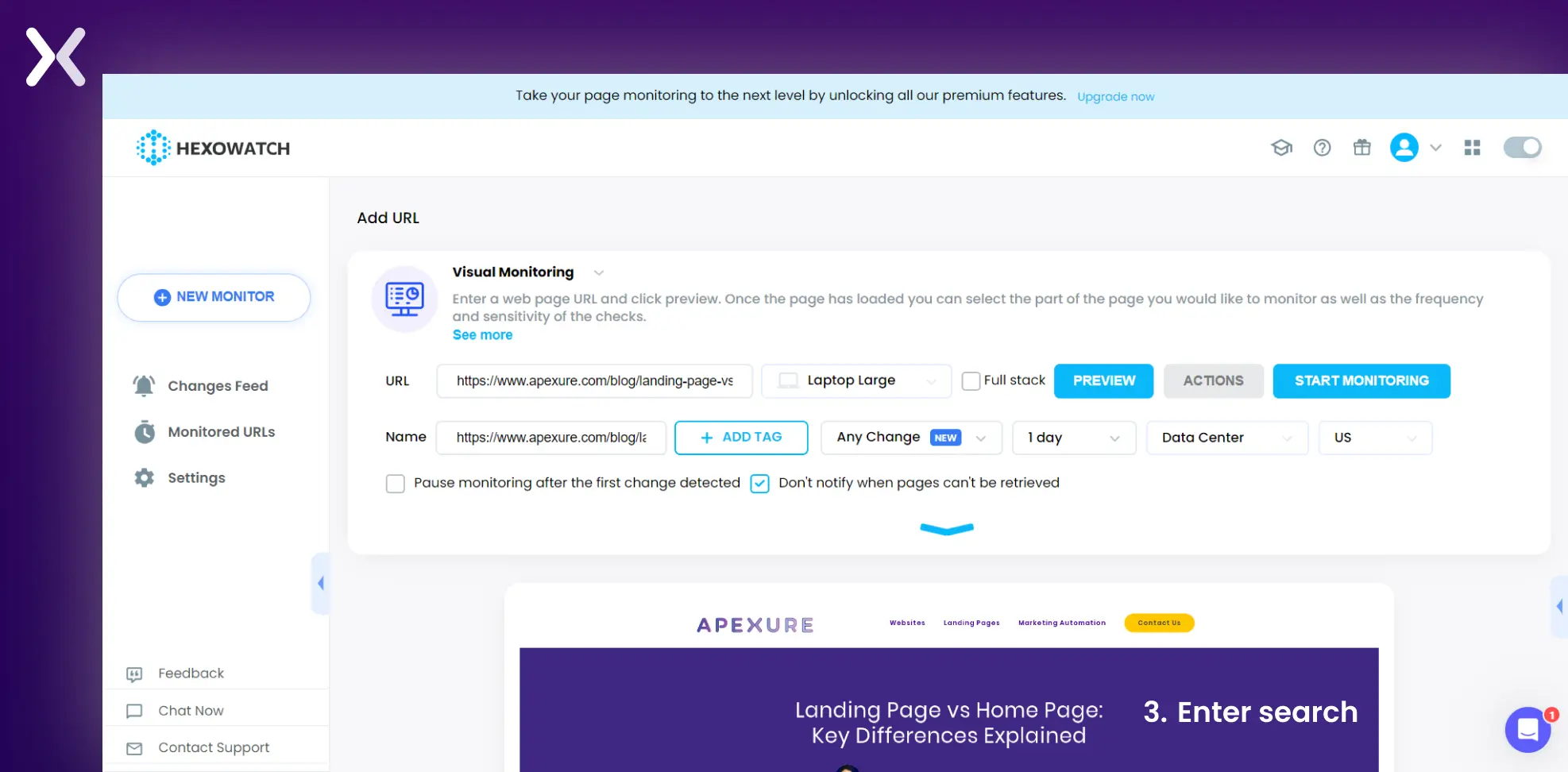 Click on preview and let it upload. Click on the start monitoring button. Once the monitor has been set up, you’ll receive an email or a Slack notification whenever your competitor makes a change on a website or a landing page.
-
Visualping
If you are looking for a tool like Hexawatch but with a free plan, Visualping might be the right pick for you. Say you want to track all the changes your competitors are making on their PPC landing pages. You can easily do so by adding the landing page’s URL on Visualping.
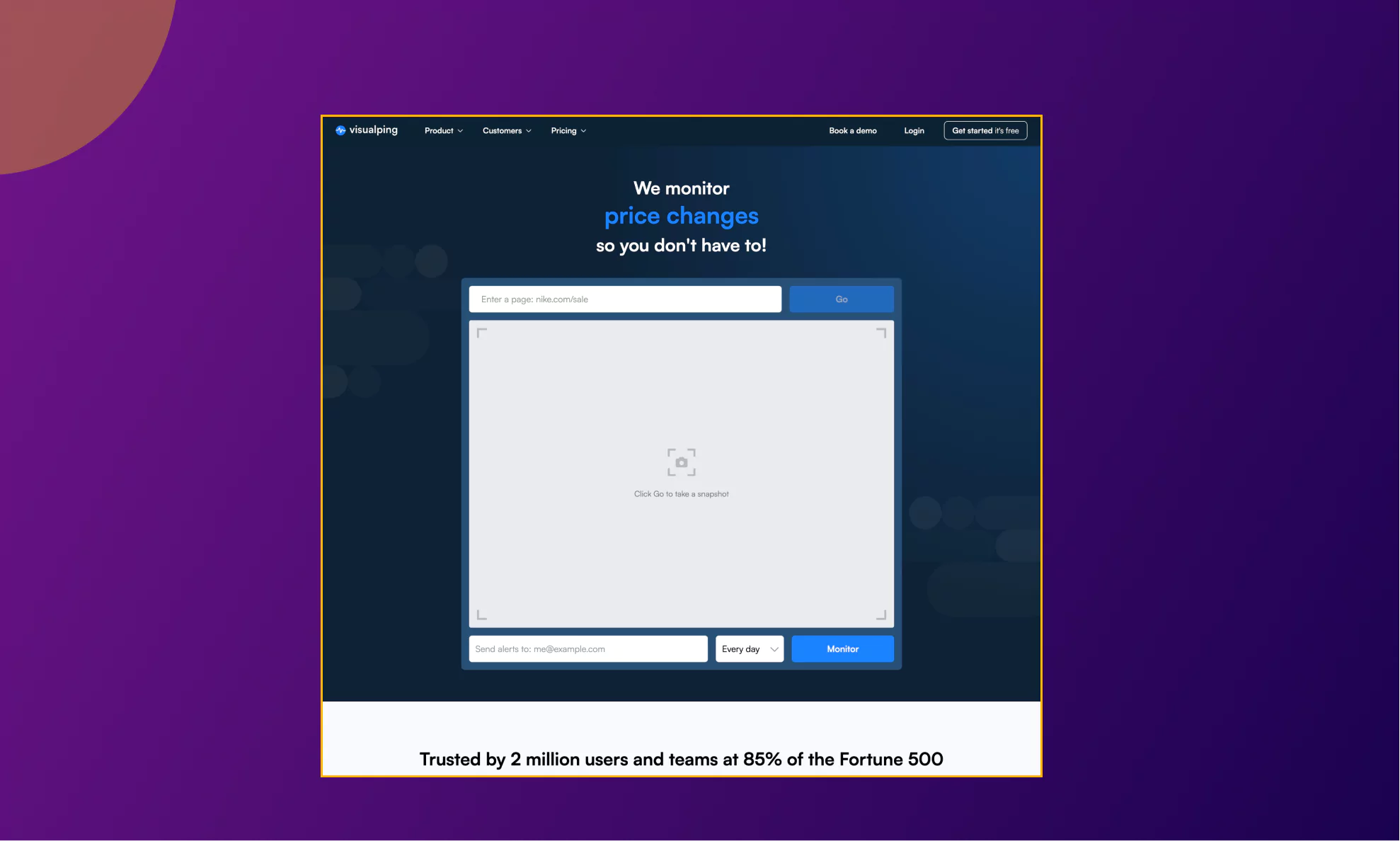 You can also choose any specific section of the page you would like to monitor or select the whole page. Then all you have to do is share the email you would like to receive the alerts on, and the time intervals for them, ranging from hourly to months and days.
-
BuiltWith
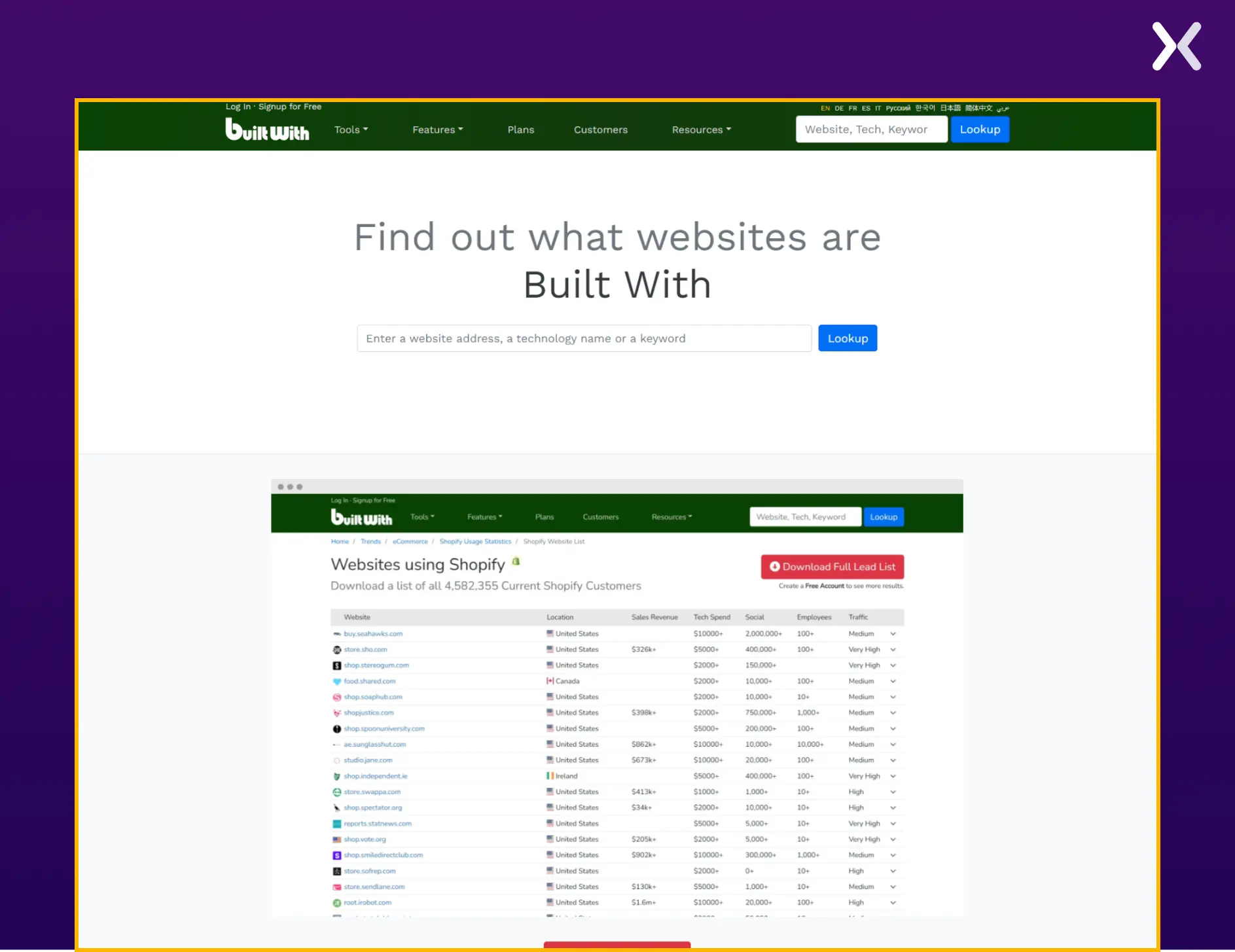
With BuiltWith, you can understand what technology is used on your competitor’s landing page. To illustrate what BuiltWith offers, let’s examine our agency’s landing page hosted on Unbounce.
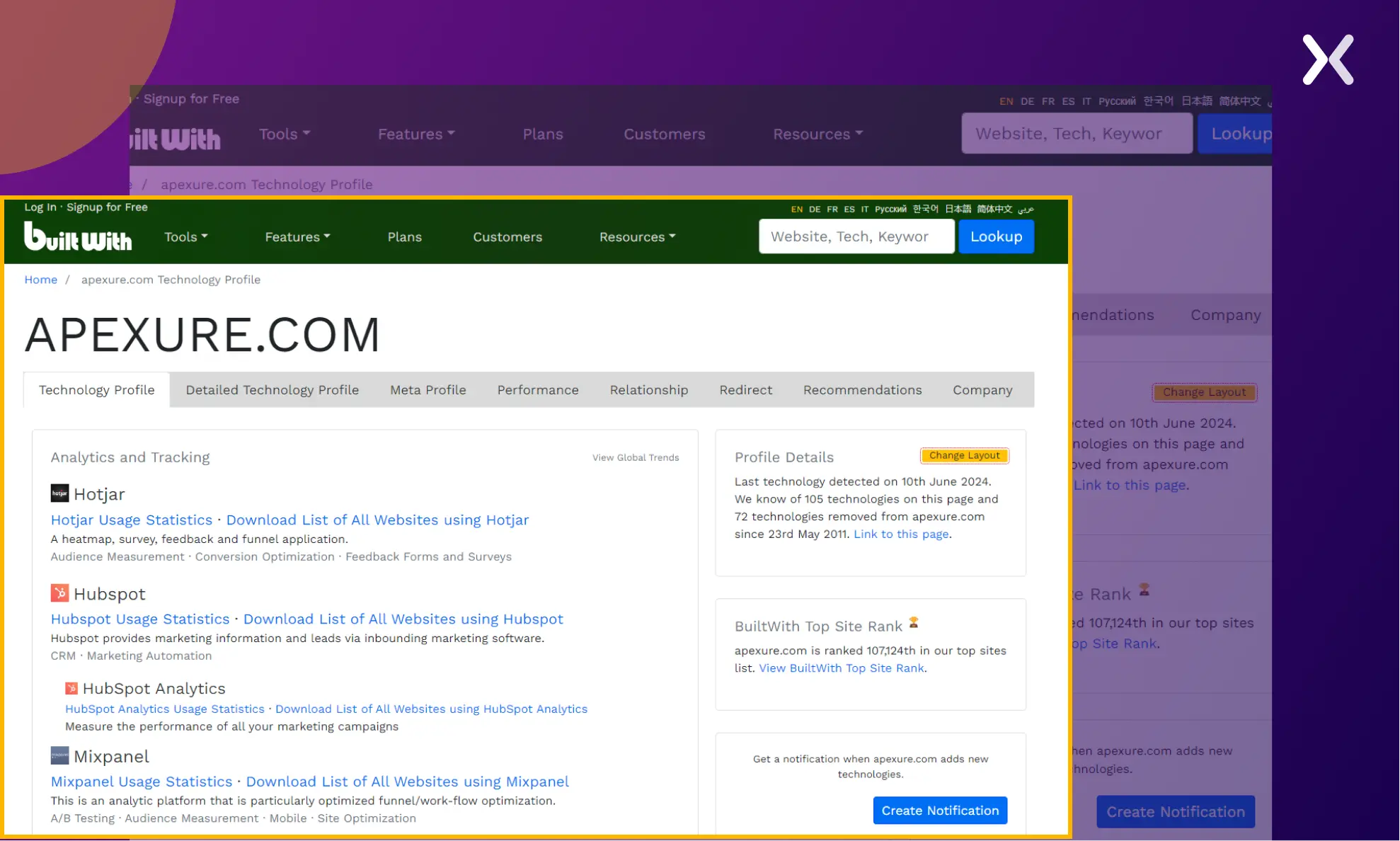 This tool specializes in peeking through technologies such as advertising networks, ActiveCampaign, Hotjar, eCommerce platforms, CMS, analytics, the JavaScript resource library, and others.
-
PPC Reveal
The PPC Reveal tool is designed to help advertisers and marketers gain insights into their competitors’ PPC campaigns.
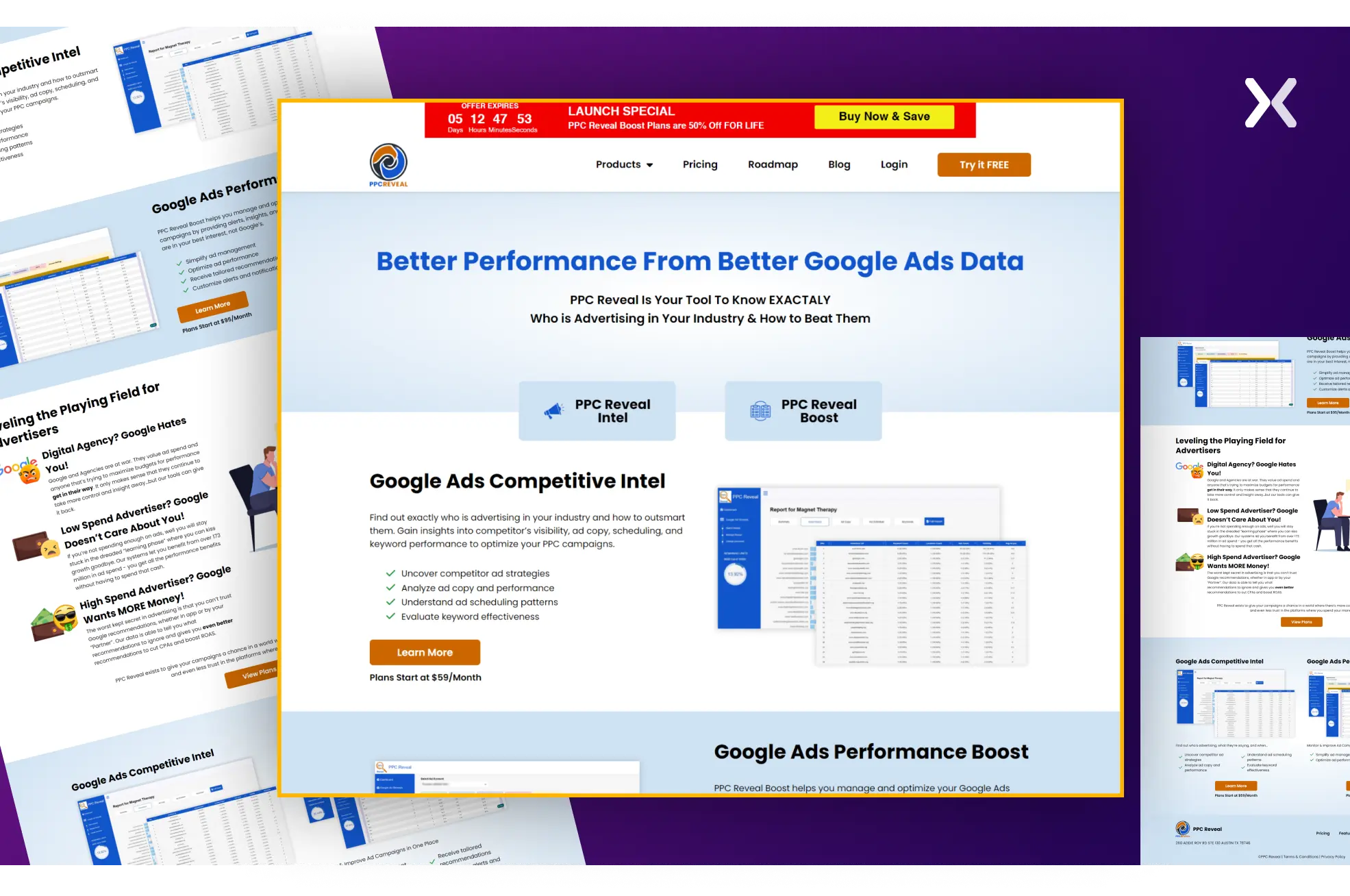 It allows users to see the keywords their competitors are bidding on, competitor ad schedules, ad copies, and other necessary details about their PPC strategies. This information can be invaluable for optimizing your own PPC campaigns, identifying new opportunities, and staying ahead in competitive markets.
How to find out where your competitors are advertising?
Most of the above discussion focuses on search ad landing pages, but your competitors might also be utilizing social media ads. Below, we have discussed how to confirm whether your competitors use Facebook and LinkedIn ads.
1. Facebook Ads
Facebook is not going anywhere, and neither are its ads. Many brands still actively use Facebook ads to reach the masses, making it a platform to check for competitor campaigns. Below is how to do so.
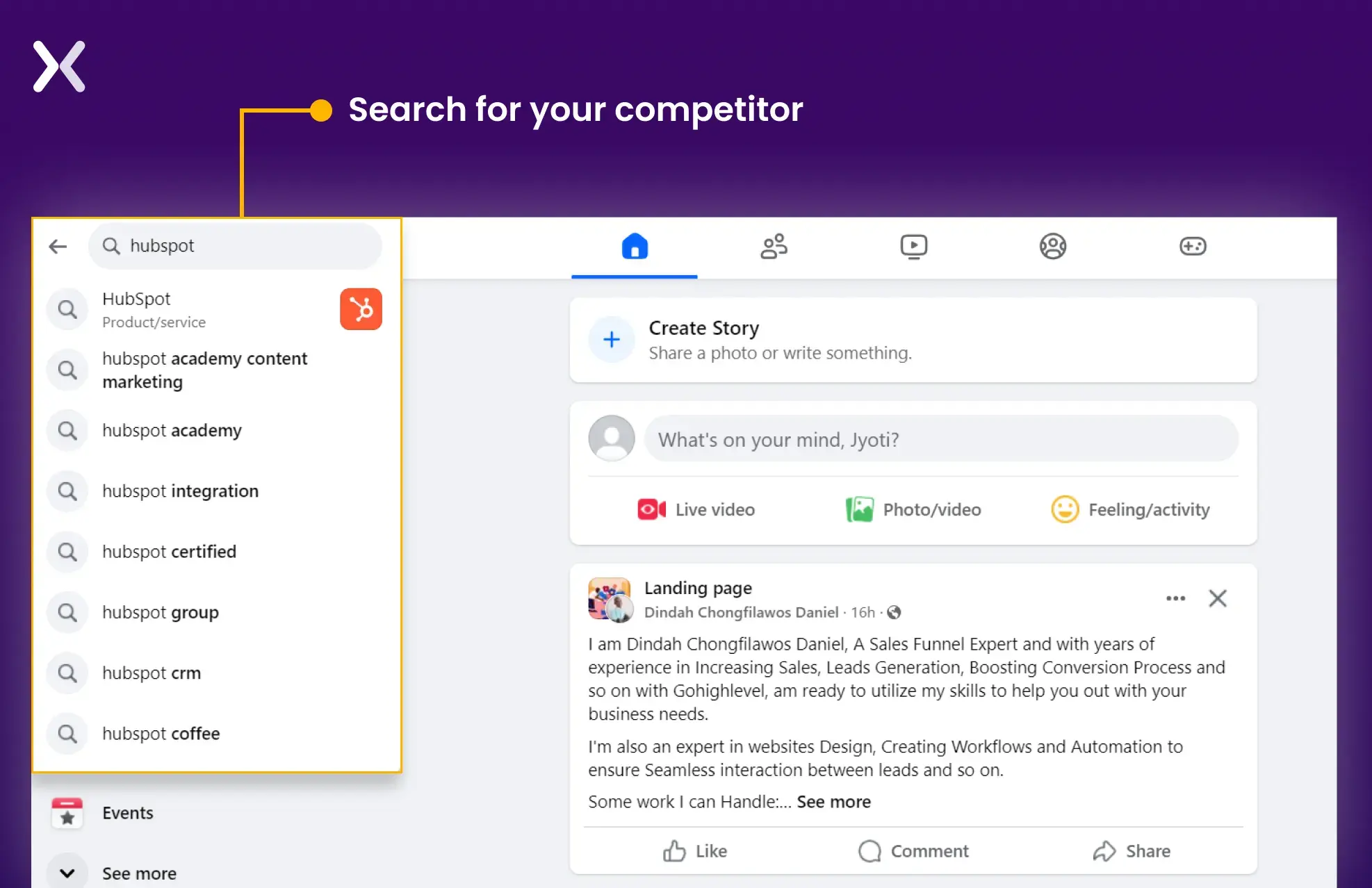
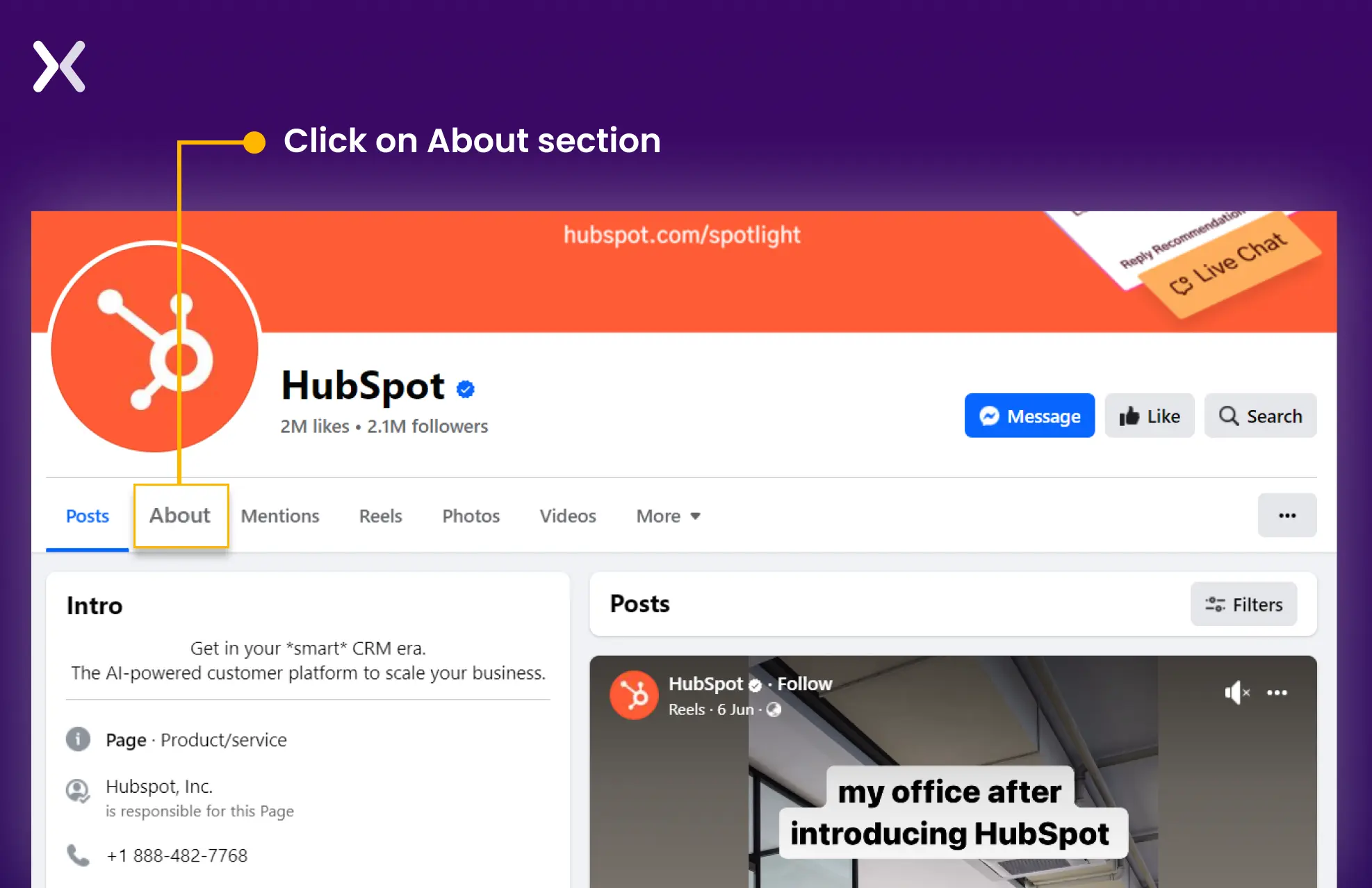
Step 1: Search for your competitor. Go to their official page and click on the ‘About’ section.
Step 2: Go to the ‘Page Transparency’ section and click See All
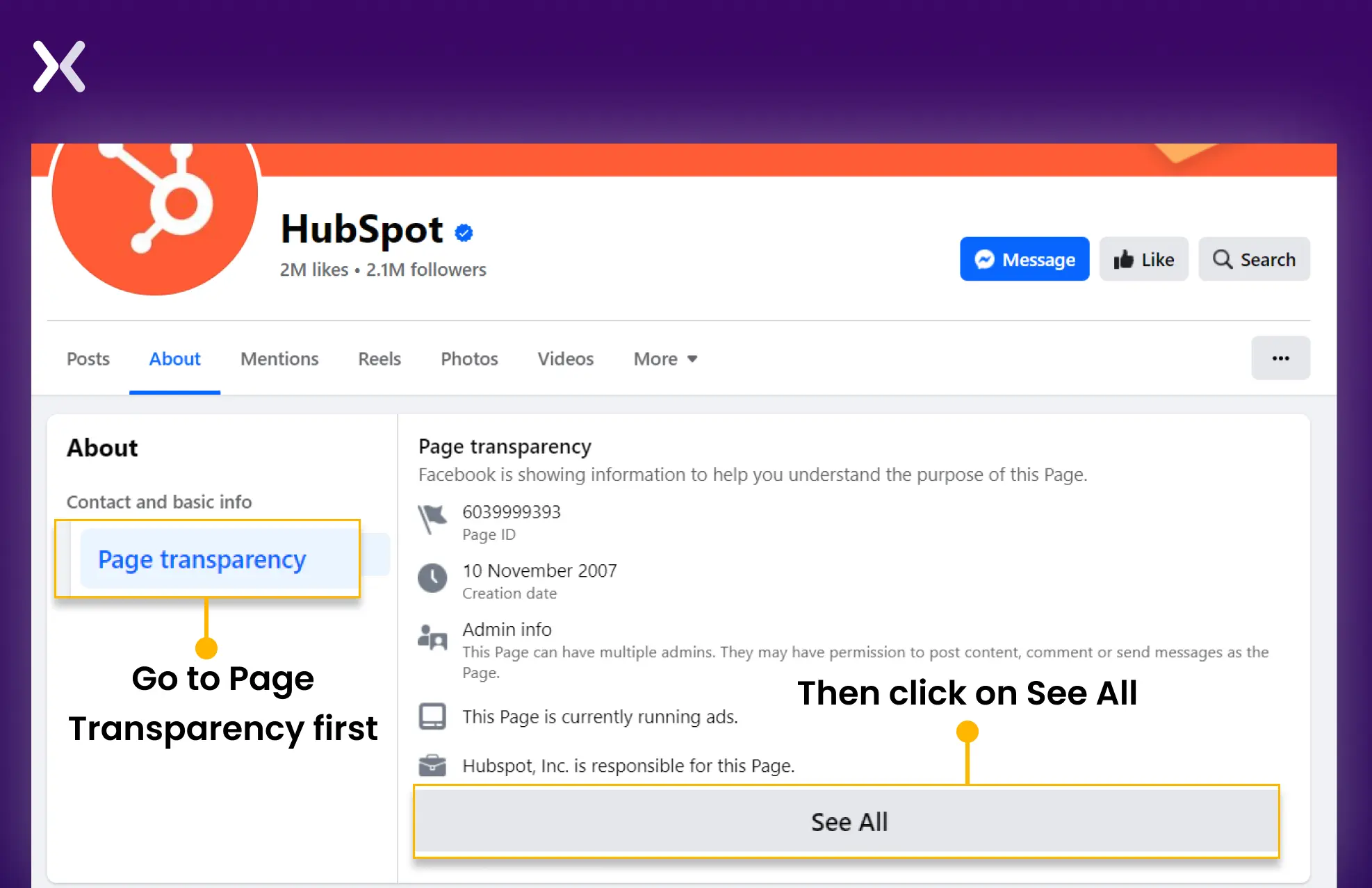
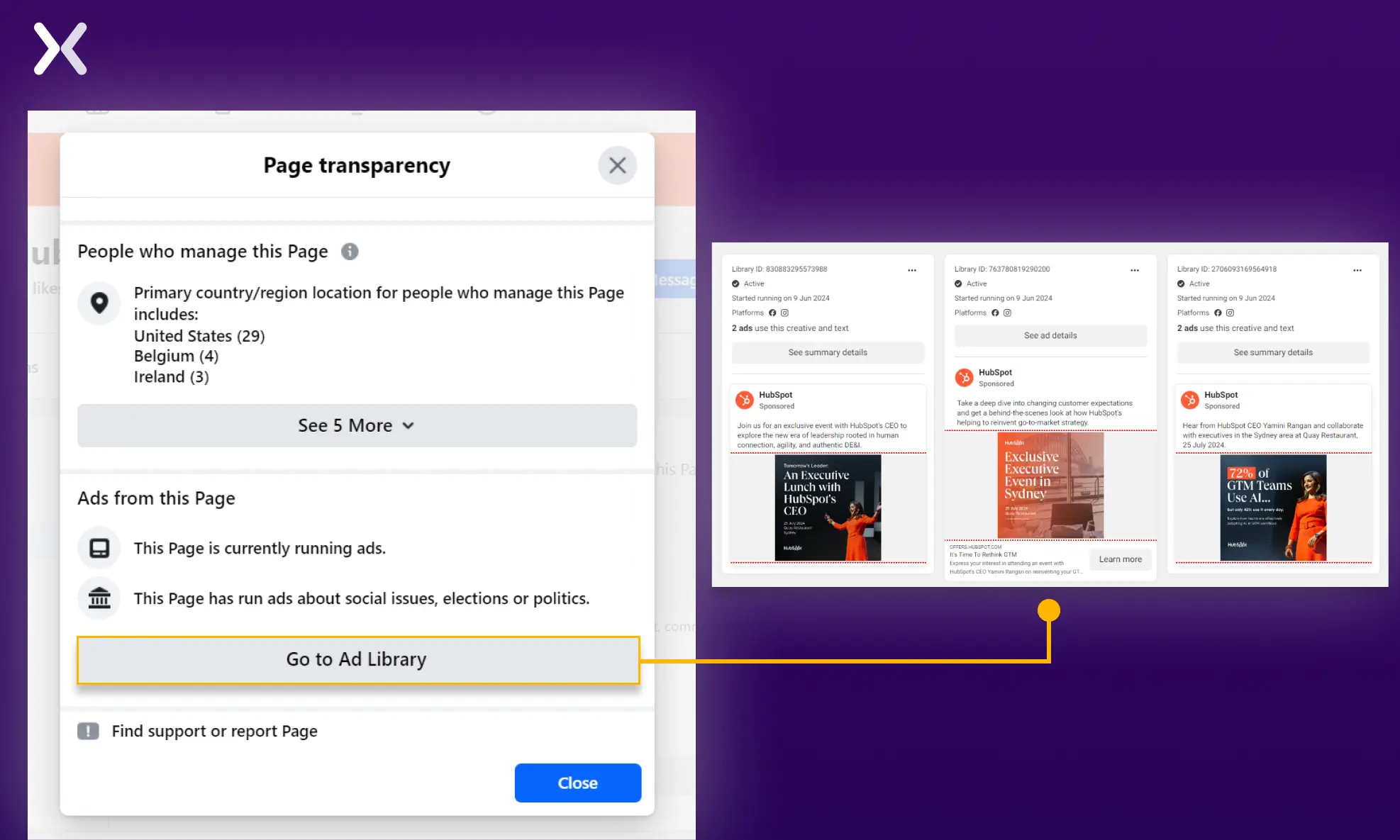
Step 3: Scroll down to the section ‘Ads from this Page’. If the page has ads, you will see a ‘go-to ad library’ button. From here, you can go to the main page, where you can look into all the ads published by the particular page.
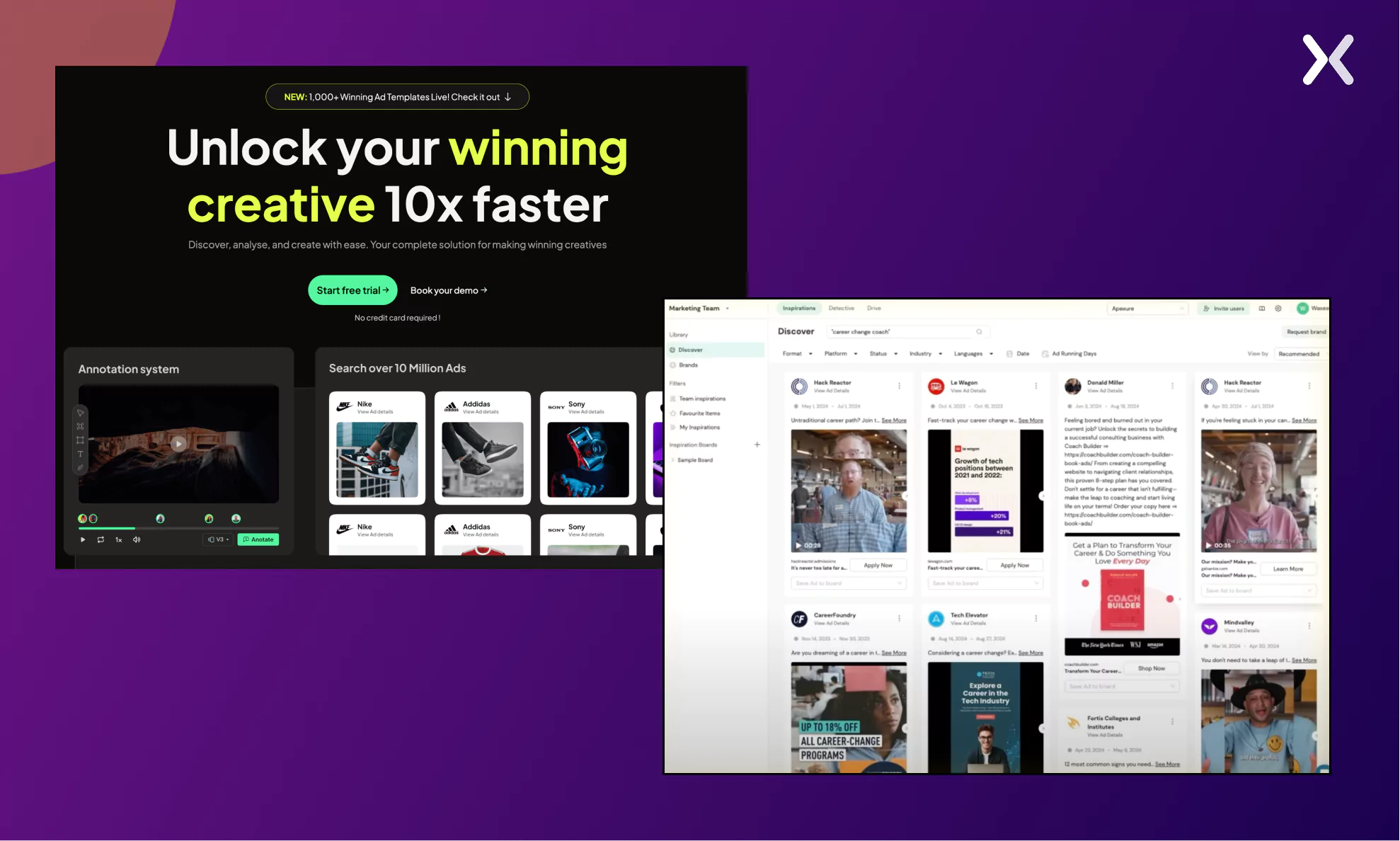
 You can also use the tool adnova.ai to analyze your Facebook ad competitors and their landing pages. All you need to do is put your keyword in their “Discover” tab to explore all different Facebook ads targeting the same keyword. You can take inspiration for ad copy, landing page designs, and more. The tool offers so much and is a game changer if you focus on Facebook ads.
2. LinkedIn Ads
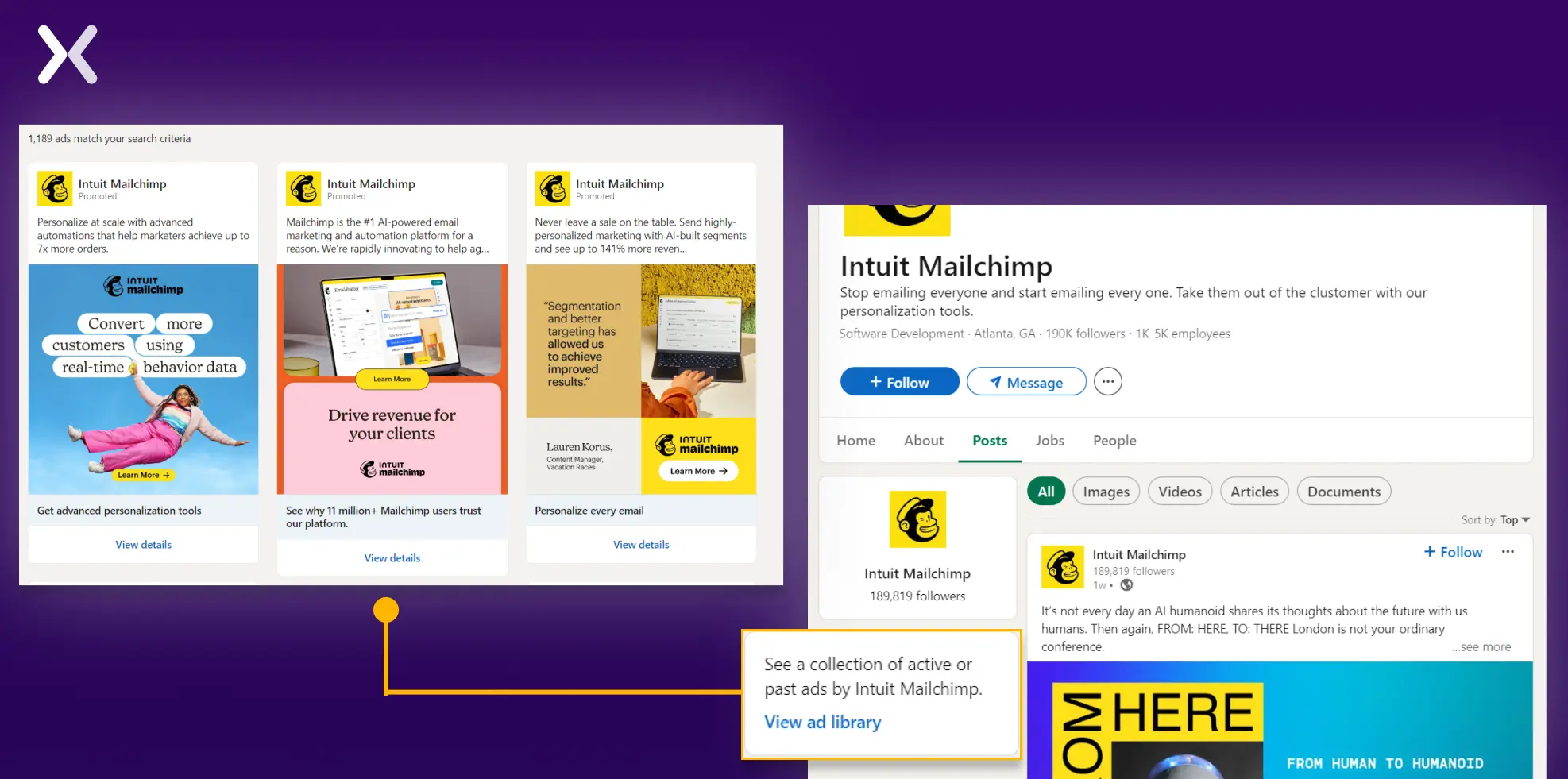
To spy on LinkedIn ads, you first have to go to the official page of your competitor and then go to the ‘Posts’ section. On the left of the screen, you will find a small column with a CTA ‘View ad library.’ From here, you can access all the LinkedIn ads your competitors use. Also, if this column doesn’t appear. They are not using LinkedIn ads.
Spying on competitor Ads with Facebook
The best thing about Facebook is that you can quickly examine your competitors’ strategies and understand how they engage their audience. Here’s how you can spy on your competitors using Facebook:
-
Different ads run by your competitors
-
How long your competitors have been running ads
-
Check all ad details, including description and copy of the ad, technology assets used for the ad, etc.
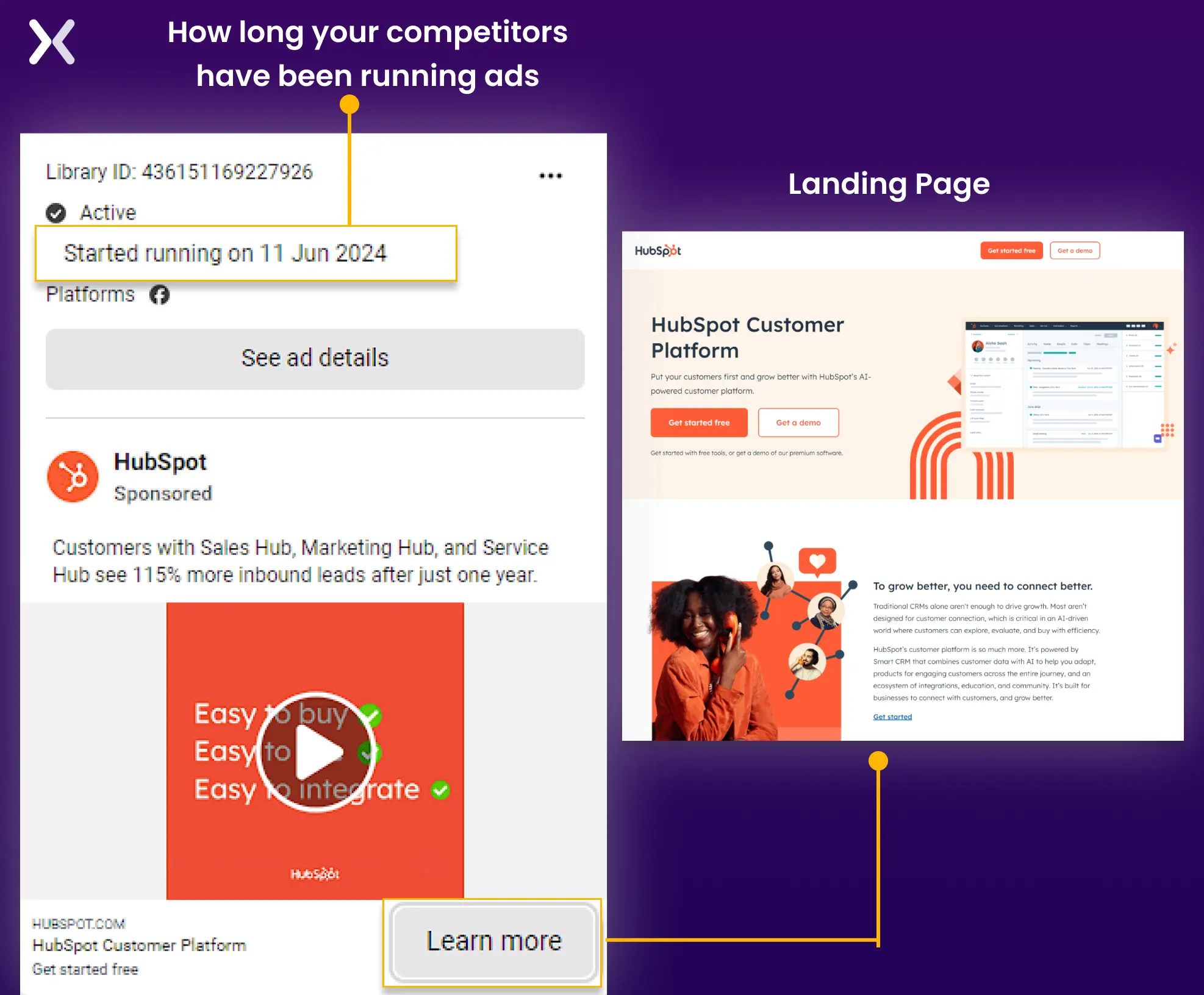 Within the ad library, click on the CTA button, “Learn More” to understand where the traffic is going down.
It could be either the destination URL of the main website or a landing page. This information helps you identify the different actions you want your audience to take depending on your marketing campaign.
The possibilities for getting information from Facebook are endless, and all the core features are free to use. The same method can be followed to analyze LinkedIn ads.
Within the ad library, click on the CTA button, “Learn More” to understand where the traffic is going down.
It could be either the destination URL of the main website or a landing page. This information helps you identify the different actions you want your audience to take depending on your marketing campaign.
The possibilities for getting information from Facebook are endless, and all the core features are free to use. The same method can be followed to analyze LinkedIn ads.
11 landing page spy tools to find competitors’ landing pages
Ideally, a landing page spy tool should help you monitor your competitor’s ads, traffic sources, traffic volume, keywords, and campaign lifespan. It is not enough to merely monitor your competitor’s landing pages - you also need to monitor how they acquire traffic and how successful their landing pages are. To conduct an accurate competitor comparison and make things easier for you, below is the list of all the tools we have discussed, plus some bonus ones.
Advert monitoring
1. Native ad buzz
A native advert is an ad format that does not stand out as an advert - instead, it matches the look, feel, and tone of the page on which it appears. An example of this would be an ad on Facebook that promotes a company’s post rather than a banner advert at the bottom of the screen.
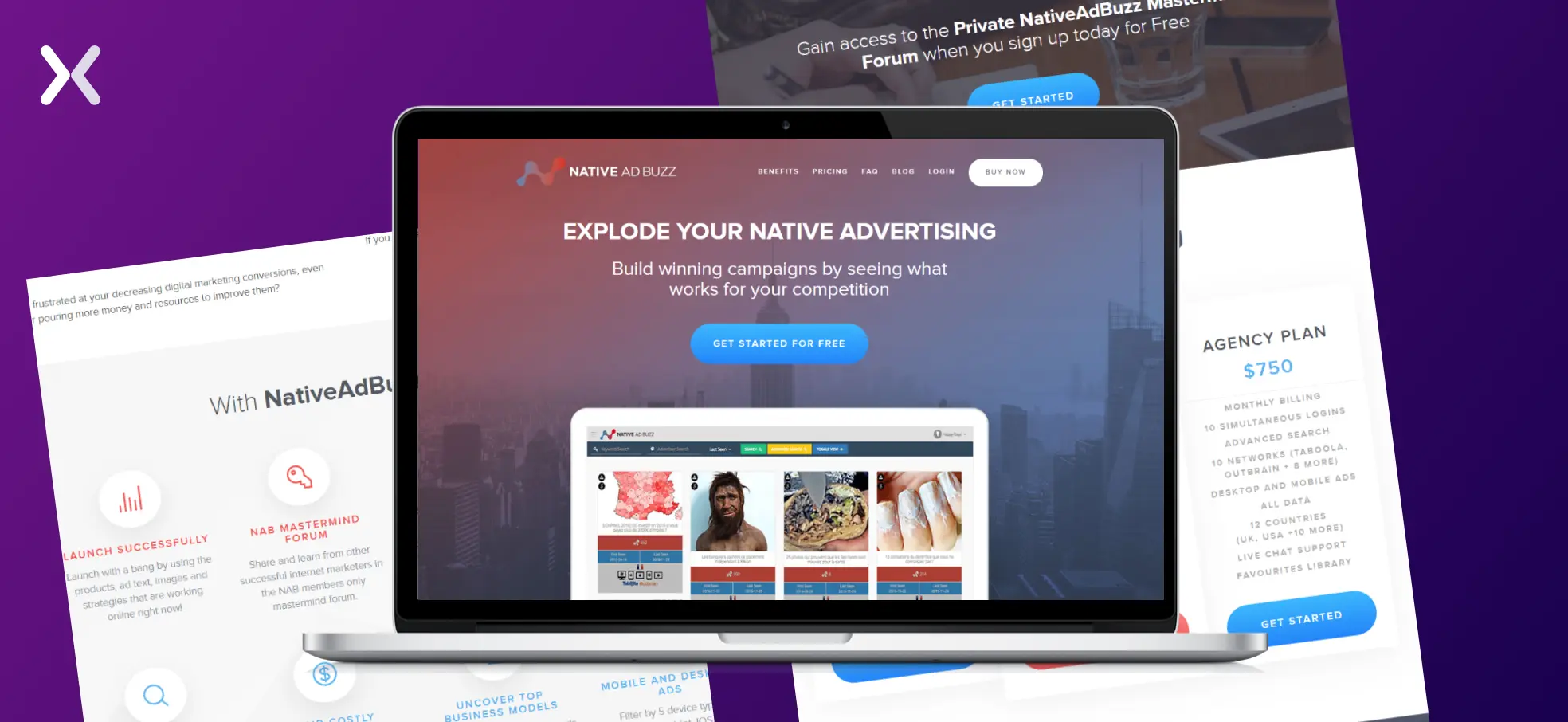 A service that monitors these native ads is Native Ad Buzz. Their services are two-tiered. The first tier is the Advertiser Page, which shows all the adverts from a competitor. The second tier is the more advanced Advertiser Search Tool, which generates an analysis of their internet traffic, shows the landing pages linked to each advert, and ranks the relative performance of each landing page.
Native Ad Buzz can help you reverse-engineer your competitor’s ads, giving you confidence that your ads will perform as well as possible.
Their pricing starts at $47.
A service that monitors these native ads is Native Ad Buzz. Their services are two-tiered. The first tier is the Advertiser Page, which shows all the adverts from a competitor. The second tier is the more advanced Advertiser Search Tool, which generates an analysis of their internet traffic, shows the landing pages linked to each advert, and ranks the relative performance of each landing page.
Native Ad Buzz can help you reverse-engineer your competitor’s ads, giving you confidence that your ads will perform as well as possible.
Their pricing starts at $47.
2. Unmetric
Unmetric is an advert monitoring tool that explicitly monitors social media campaigns.
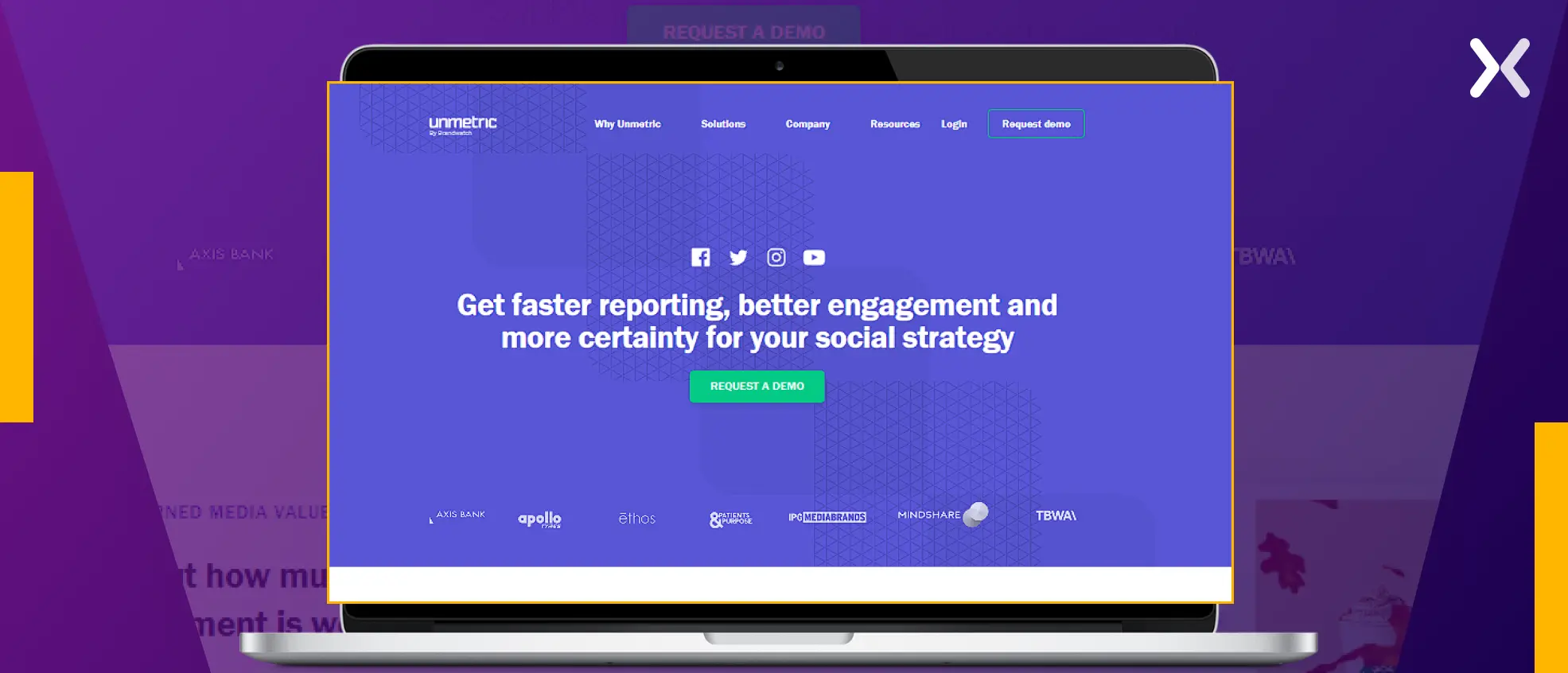 They monitor not just banner ads and pop-ups but also hashtags, likes, comments, and tweets related to your competitors. As social media grows, monitoring how much traffic is directed to your competitor’s landing pages is essential.
Unmetric constantly monitors your competition and alerts you to new campaigns and changes in social media behavior.
Their pricing ranges from a free package to an in-depth analysis package at $1000/month.
They monitor not just banner ads and pop-ups but also hashtags, likes, comments, and tweets related to your competitors. As social media grows, monitoring how much traffic is directed to your competitor’s landing pages is essential.
Unmetric constantly monitors your competition and alerts you to new campaigns and changes in social media behavior.
Their pricing ranges from a free package to an in-depth analysis package at $1000/month.
Competitor keyword tracking
3. SE Ranking
Knowing the organic and paid keywords used by your competitors becomes necessary when their ads lead to their website pages, which are indexed and appear in organic and paid SERPs.
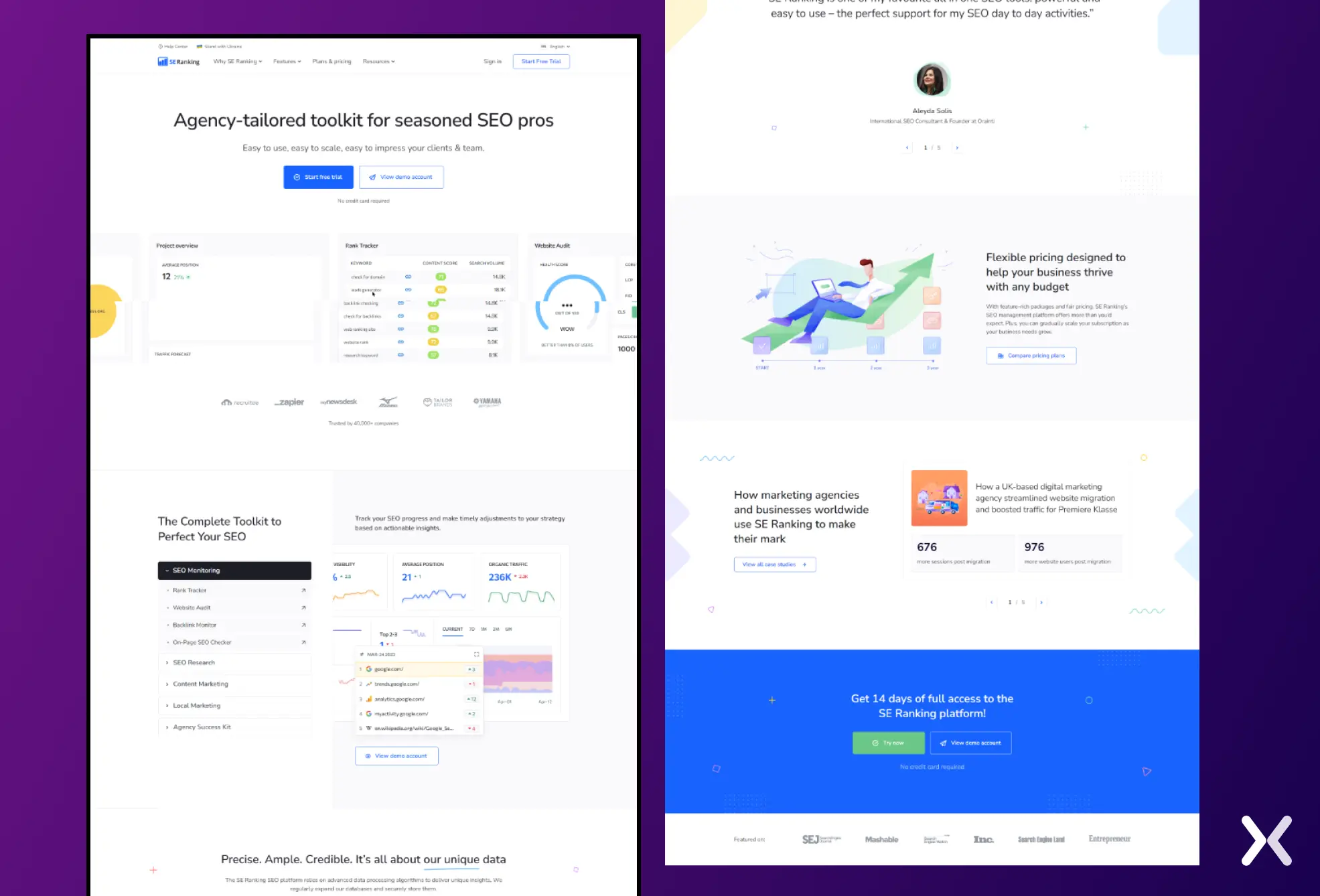 SE Ranking is a tool that can help you dominate both types of keywords and understand whether your competitors are targeting transaction or commercial keywords.
Overall competitor landing page insights
4. Semrush
Semrush’s free version offers just the correct data you need to get started with your competitor research. You can search for the competitor domain and get information about how many search ads they use, their copies, landing pages, etc.
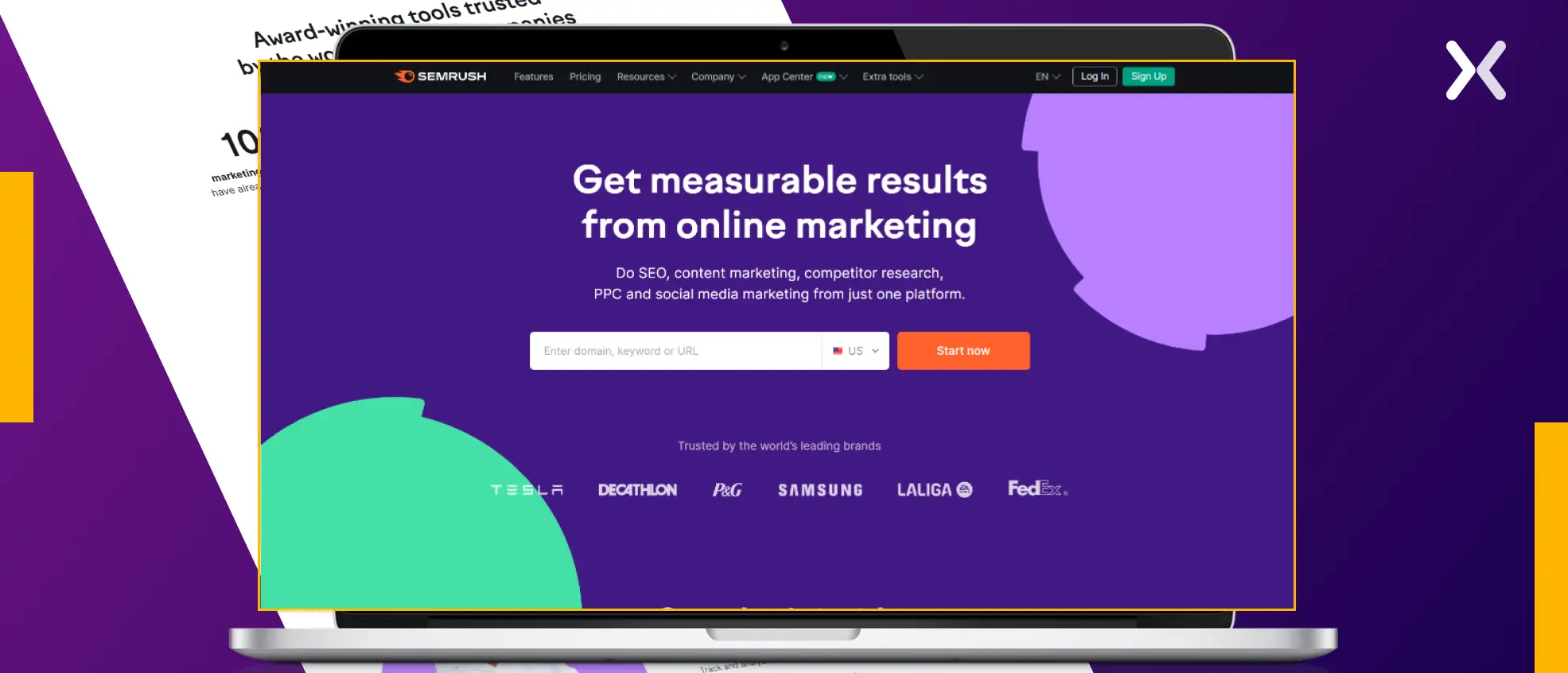 Everything becomes even better with their paid version.
5. Similar Web
SimilarWeb is a service set apart by its focus on the customer journey. They accent the following key stages:
-
The customer becomes aware of a particular service, product, or offer.
-
The customer considers potential providers from which to purchase.
-
The customer evaluates different potential providers.
-
The customer purchases from their provider of choice.
-
The customer experiences the product and influences future buyers. They offer services including market mapping and benchmarking, customer behavior analytics, channel acquisition, and funnel optimization, all about your competition.
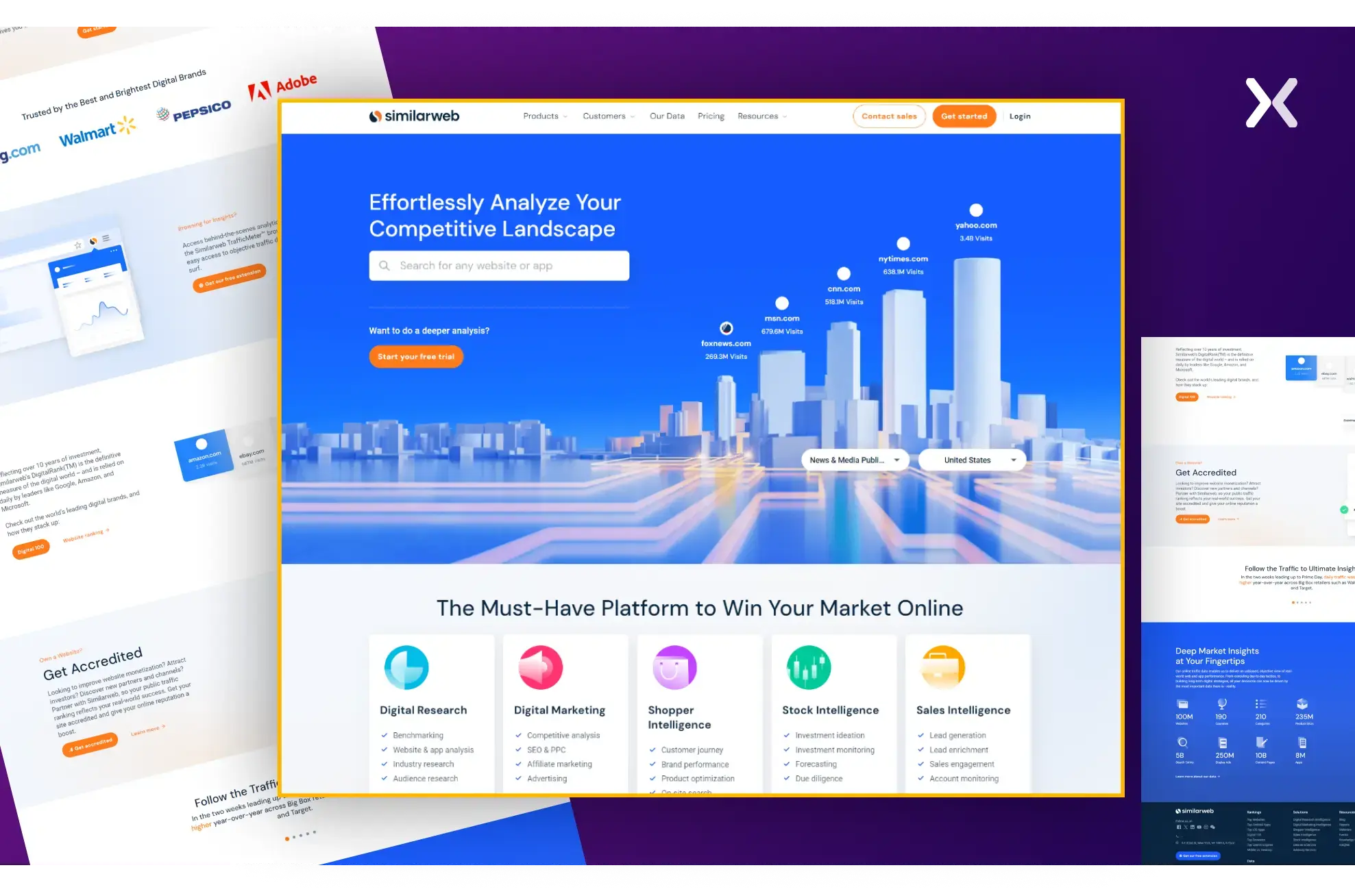 This tool provides a multi-step analysis, analyzing the market by identifying critical competitive players. It allows you to compare your customer demographics, channel acquisition, and conversion rates to those of the competition.
Their pricing ranges from the free option to an enterprise subscription.
This tool provides a multi-step analysis, analyzing the market by identifying critical competitive players. It allows you to compare your customer demographics, channel acquisition, and conversion rates to those of the competition.
Their pricing ranges from the free option to an enterprise subscription.
6. SpyFu
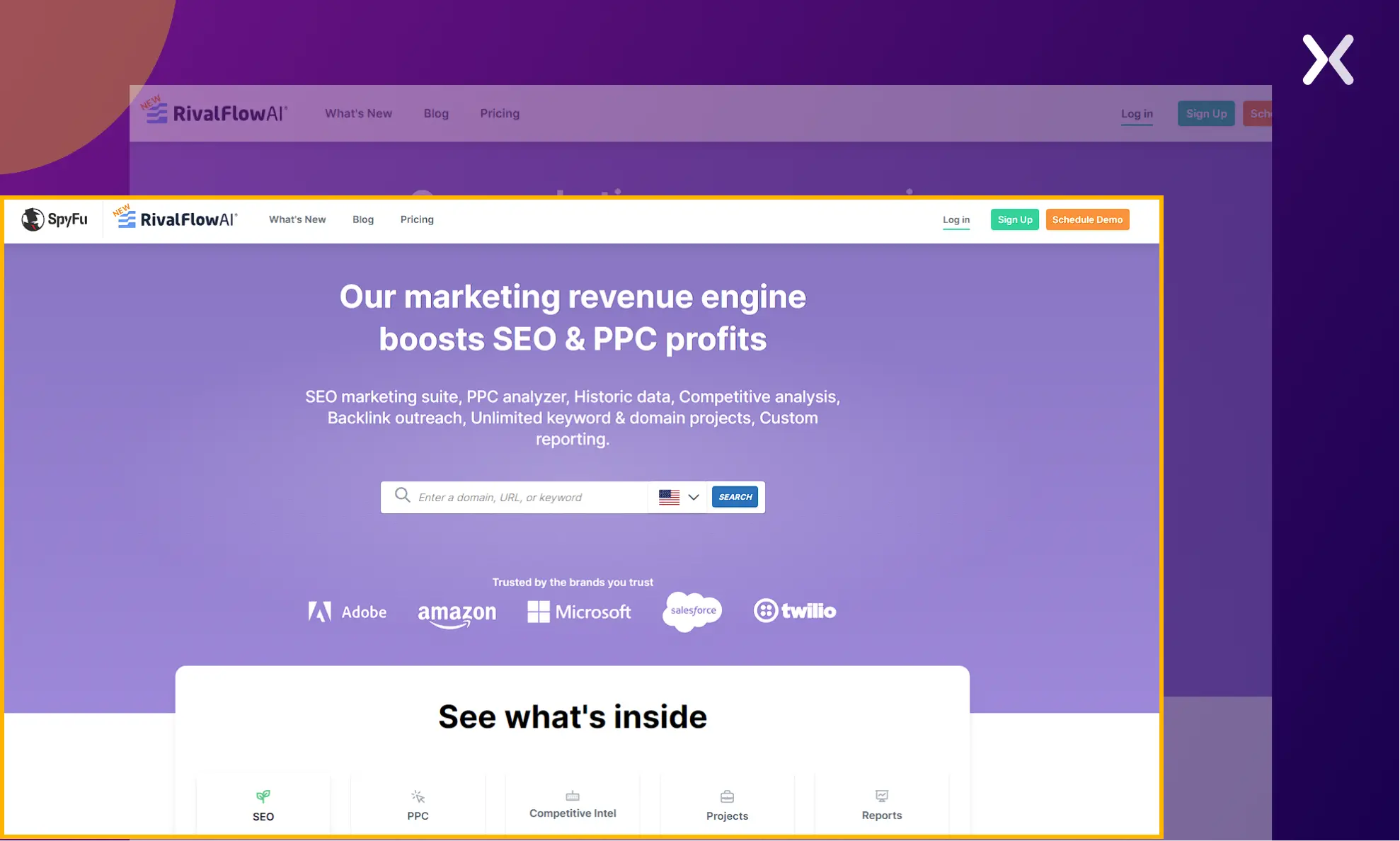
Though we mentioned SpyFu, especially for its keyword research finesse, it offers more. This tool is as capable as Semrush, and it is also within budget. So, if you are not doing competitor research just because you think it won’t be economical, this tool is a definite check-out.
7. Ahrefs
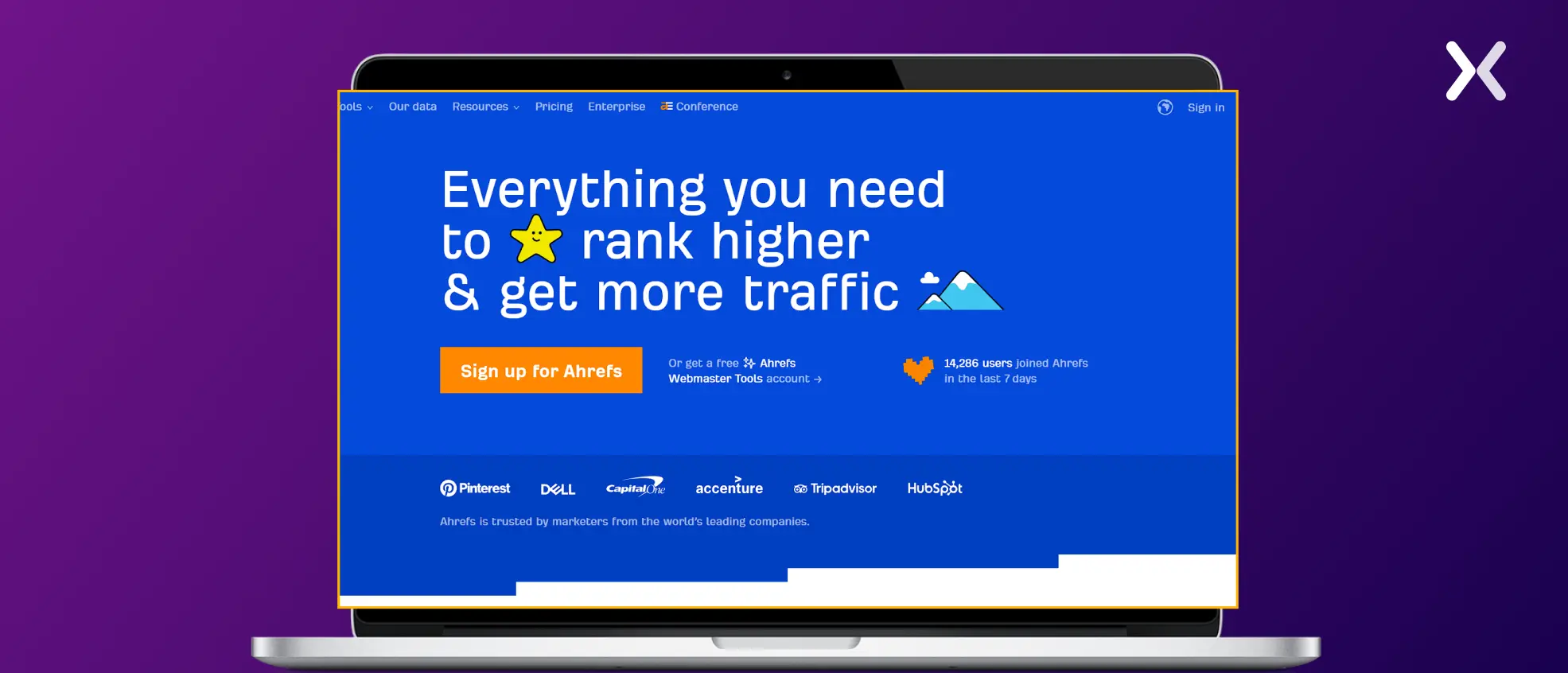
If you have Ahrefs, you will have a field day with your PPC competitor domains, as it gives you so much insight into their strategy. It covers keyword research, PPC ads, landing pages, and everything else, so you might not need any other SEO tool.
For PPC competitive intelligence
8. AdPlexity
AdPlexity simplifies researching and analyzing ad campaigns, making it an essential tool for marketers looking to maximize their advertising ROI.
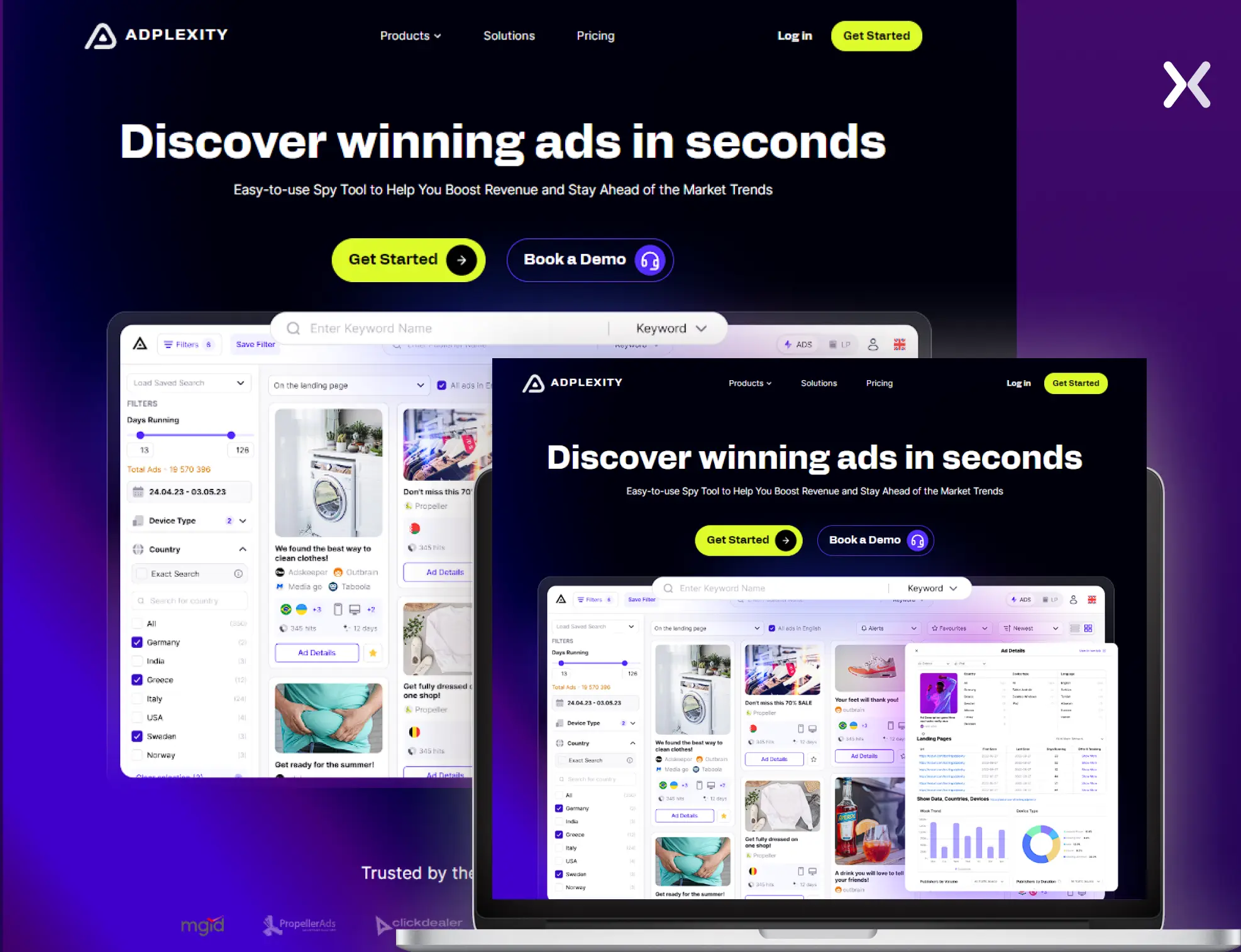 With AdPlexity, you can uncover profitable ad campaigns across various platforms, including display, native, and mobile ads. The tool’s advanced features allow users to monitor competitors’ ads, uncover new trends, and access valuable insights to optimize their ad strategies.
9. ISpionage
ISpionage offers features such as keyword monitoring, ad copy tracking, and landing page analysis, all aimed at helping brands from various industries be it SaaS, Insurance, etc., identify opportunities and optimize their PPC efforts effectively.
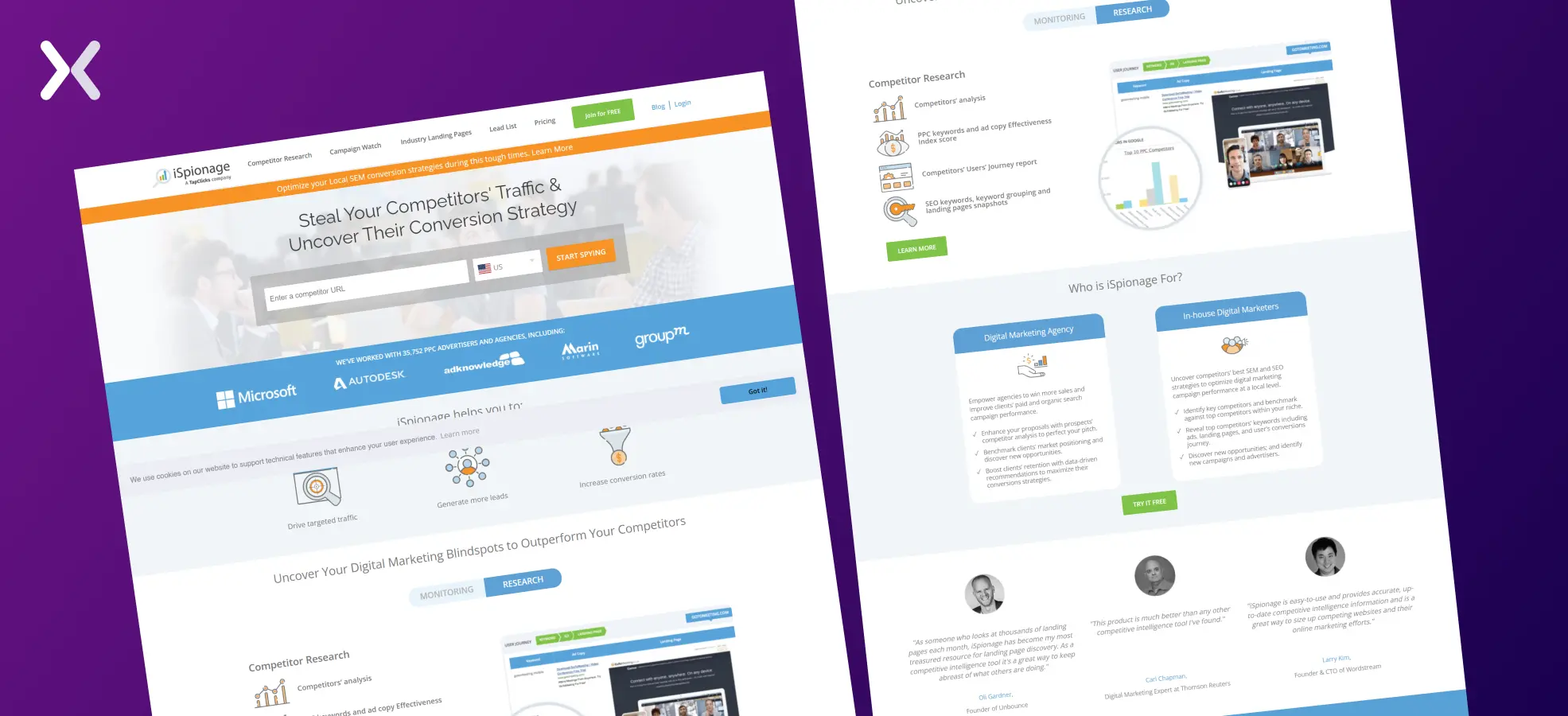 There is so much you can discover with this tool.
To track competitor landing pages
10. Hexowatch
Your competitors might change one element of their landing page, and their conversion rate might skyrocket. You should be aware of those changes, and that’s why you should use Hexowatch to keep a close eye on your competitors’ landing pages and follow their every move.
11. BuiltWith
Sometimes, good tech makes all the difference. BuiltWith can help you decide which tech your competitors use to make their landing pages successful.
Find all ad landing pages of your competitors
Here are ten simple ways to outsmart your landing page competition:
-
Make your PPC ads relevant to your landing pages, and stop sending traffic to your website’s homepage.
-
Do not put hyperlinks on your landing page, which could distract your prospect.
-
Use less jargon on your page and keep it simple to understand.
-
Make the buttons on the page stand out from the rest of the page.
-
Use a strong offer to entice your prospect to fill out the form.
-
Use real and natural testimonials on your landing page.
-
Do not use any distracting elements like carousels, sliders, etc.
-
Make sure your page loads in less than 3 seconds.
-
Increase trust on your page by displaying your location and phone number.
-
Do not use cheesy stock photos. With the above discussion and tools, you are ready to research your way through to build high-converting PPC landing pages.
Need Help With Your Landing Pages?
We build and optimise landing pages that outperform your competitors. 3,000+ projects, 200+ five-star reviews, data-driven approach.
Book a Free Landing Page Audit →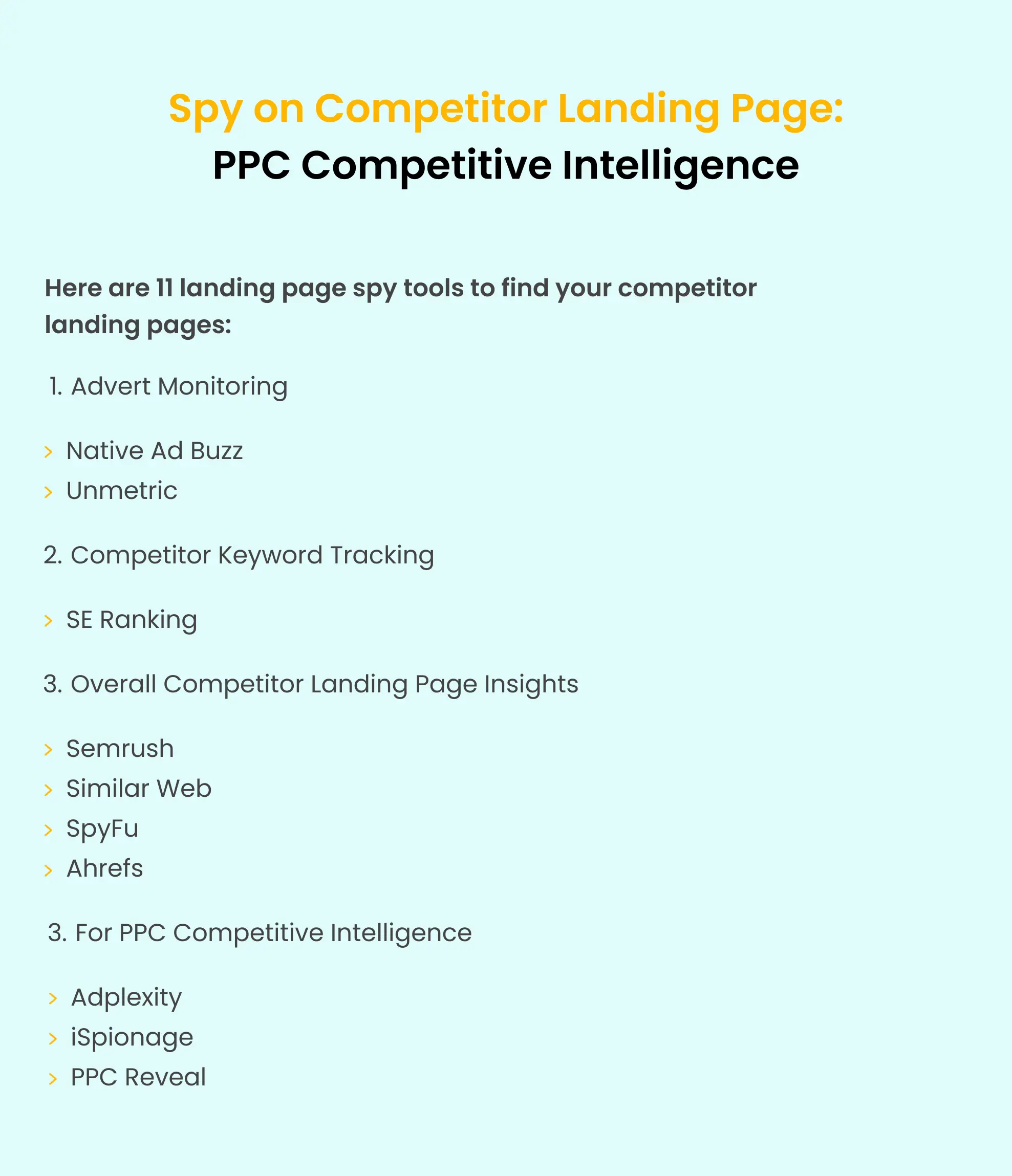
Related reading:
View all sources
Ahrefs Site Explorer, Competitive Analysis Toolahrefs.com
Semrush Advertising Researchsemrush.com
Meta Ad Library, Find Competitor Adsfacebook.com