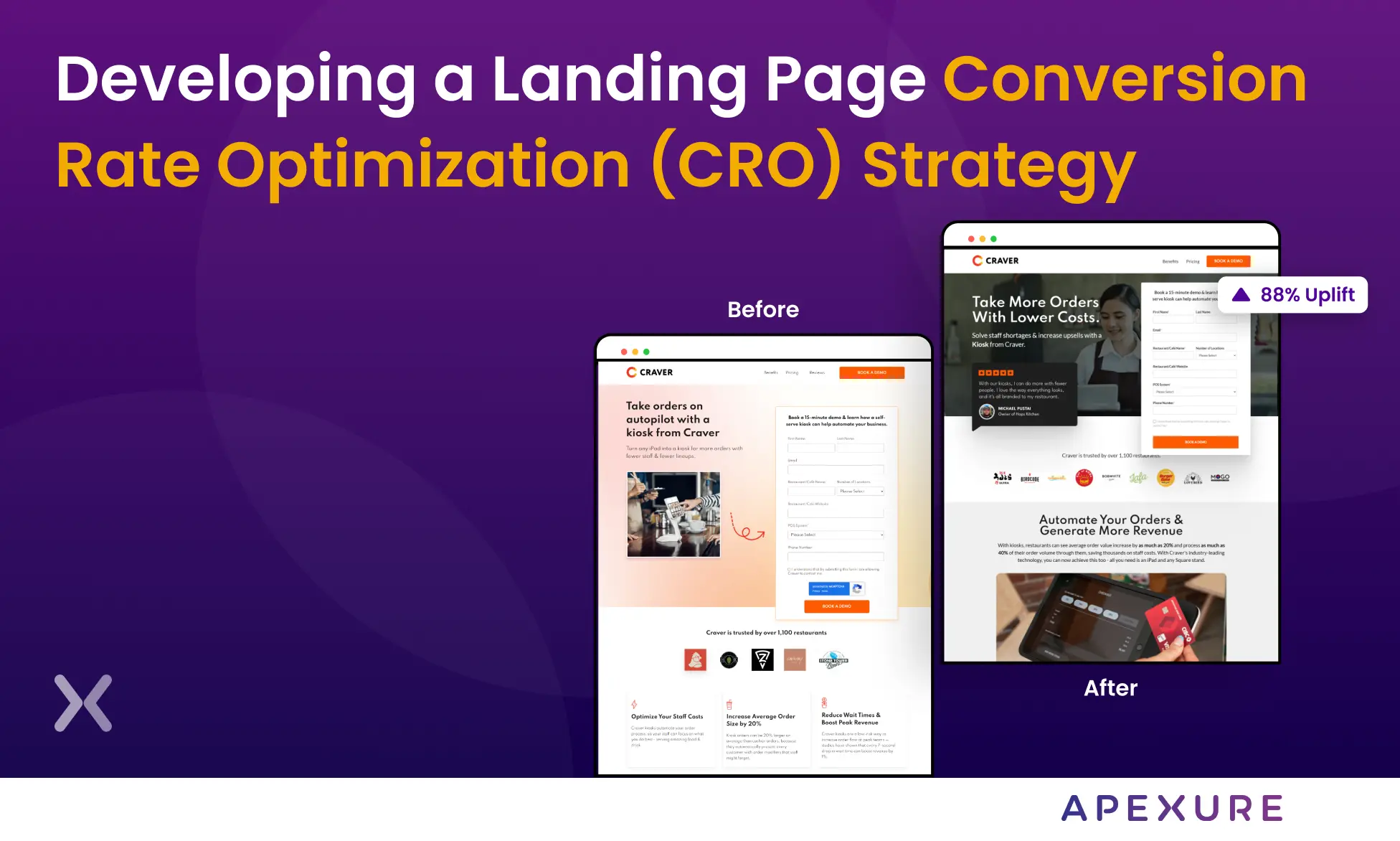
Most businesses treat conversion rate optimisation as something they do once, redesign the page, change the button colour, move on. That approach might produce a one-time lift. It does not produce compound growth. A CRO process is different. It is a structured cycle that runs continuously: research what is happening, hypothesise why, test the hypothesis, learn from the result, and feed that learning into the next cycle. Each loop builds on the one before it. After 10-20 cycles, the cumulative effect is substantial, and it compounds in a way that one-off redesigns never do. At Apexure, we have run this process across 300+ clients over the past decade. The eight steps below are the same ones we follow on every engagement, whether the client is a SaaS startup or a financial services enterprise. The steps are consistent. The specifics change based on the data.
What is the CRO process?
The CRO process is a systematic approach to improving your website or landing page conversion rate through data collection, hypothesis building, controlled experimentation, and iterative learning. It is not “changing things and hoping”. It is the scientific method applied to marketing. Two things make the CRO process different from a typical redesign or optimisation project:
- It is cyclical. Every completed test generates new data, which feeds new hypotheses, which feeds new tests. The learning compounds.
- It is data-driven. Changes are based on quantitative metrics (analytics, funnel data) and qualitative evidence (heatmaps, user feedback), not design opinion or competitor imitation.
The 8-Step CRO Process
Step 1: define conversion goals and KPIs
Before you audit anything, define what “conversion” means for this specific page or funnel. A demo booking is not the same as a newsletter signup. An add-to-cart is not the same as a completed purchase. Each conversion type has different benchmarks, different traffic requirements for testing, and different upstream factors. Set primary KPIs (conversion rate, cost per conversion, revenue per visitor) and secondary KPIs (form start rate, scroll depth, engagement rate). Without clear KPIs, you will not know whether a test won or lost, and your CRO process becomes guesswork dressed up as science.

The first step is always understanding your audience. Before any tweaks or changes, we dive into data to understand who is visiting our page and what they are looking for. This involves looking at analytics, customer feedback, and sometimes even running surveys to gather insights.
Step 2: conduct a quantitative CRO audit
The quantitative audit tells you what is happening. Pull at least 30 days of data from GA4 to establish a reliable baseline. Focus on:
Quantitative Audit Checklist
- Conversion rate by traffic source: Aggregate rates hide the real story. PPC traffic at 3% and organic at 8% are two different problems.
- Funnel drop-off points: Where do visitors leave? Between the landing page and the form? Between form start and submission? Between cart and checkout?
- Page speed and Core Web Vitals: LCP, INP, CLS. Every second of load time costs roughly 7% in conversions. Fix speed issues before testing anything else.
- Device and browser breakdown: Mobile converts at roughly half the desktop rate. If 80% of your traffic is mobile and you have not optimised for mobile, that is your biggest lever.
- Engagement rate (GA4): Replaced bounce rate. An engaged session lasted 10+ seconds, had a conversion event, or had 2+ page views.
- Top entry and exit pages: Which pages attract the most traffic? Which ones leak the most visitors?
This audit does not tell you why visitors leave. That comes in Step 3.
Step 3: gather qualitative insights
Numbers tell you where the problem is. Qualitative research tells you why. Without this step, your hypotheses will be blind guesses, and your tests will produce inconclusive results.
Heatmaps and scroll maps (Hotjar, Microsoft Clarity) show you where visitors click, how far they scroll, and which elements they engage with. If visitors are clicking something that is not clickable, your visual hierarchy is misleading. If 70% of visitors never scroll past the hero section, your below-the-fold content might as well not exist.
Session recordings let you watch real visitors move through your site. Look for rage-clicking, u-turns (scrolling back up after reaching a section), and form hesitation. We have found more conversion killers in 20 session recordings than in 20 reports.
Surveys and feedback give you the visitor’s own words. A single on-page poll, “What stopped you from completing this form?”, can surface objections that no amount of analytics will ever reveal.
Step 4: map the user journey and identify friction
Combine the quantitative and qualitative data into a picture of the visitor’s actual journey, not the journey you designed, but the one they experience. Where do they hesitate? Where do they get confused? Where do they abandon? Build a simple journey map: Entry point → Key pages → Conversion point → Post-conversion. Annotate each stage with the data from Steps 2 and 3, drop-off rates, friction points, user feedback. The friction points you identify become the raw material for hypotheses in Step 5. Common ones we find in audits: message mismatch between ad and landing page, forms asking for too much too soon, trust signals buried below the fold, CTAs that blend into the page, and mobile experiences that were clearly an afterthought.
Step 5: build Data-Backed hypotheses
A hypothesis is not “let’s try a different headline.” It is a structured statement linking a specific problem to a proposed change and a measurable expected outcome.
Format: “Based on [data/observation], we believe that [change] will [outcome], which we will measure by [metric].”
Example: “Based on heatmap data showing 65% of visitors clicking the hero CTA but only 12% completing the form, we believe that reducing the form from 7 fields to 3 will increase form completion rate by 20-30%, measured by form submission events in GA4.” This format forces precision. It prevents the team from testing changes based on gut feeling, design preference, or what a competitor is doing. Every test should trace back to a specific data point from Steps 2-4.
Step 6: prioritise with a framework
With a list of 10-15 hypotheses, you need to decide what to test first. Without a framework, the loudest voice in the room wins, which is how teams spend months testing hero images when the real conversion killer is the form. At Apexure, we use the EPIC framework: each hypothesis is scored 1-5 on Experimentation, Priority, Impact, and Cost. The highest combined score runs first.
EPIC Framework (Apexure)
- Experimentation, how bold is the test?
- Priority, how urgent for the business?
- Impact, expected conversion uplift
- Cost, time and resources needed
Other Common Frameworks
- ICE: Impact, Confidence, Ease
- PIE: Potential, Importance, Ease
- TIR: Time, Impact, Resources
- The framework matters less than having one at all
Step 7: design and run controlled tests
Choose your testing method based on traffic volume and the scope of the change:
| Method | Best for | Traffic needed |
|---|---|---|
| A/B testing | Single-element changes (headline, CTA, form) | ~1,000+ conversions/month |
| Multivariate | Multiple element combinations | ~10,000+ visits/month |
| Split URL | Completely different page designs | ~1,000+ conversions/month |
Testing discipline matters as much as test design:
- Run to 95% statistical significance. Stop early and your result is noise.
- Change one variable per A/B test. Otherwise you cannot attribute the result.
- Calculate sample size upfront. Know how long the test needs to run before you start.
- Account for external factors. Seasonality, promotions, and budget changes all affect results. Run tests for at least 2-4 weeks.

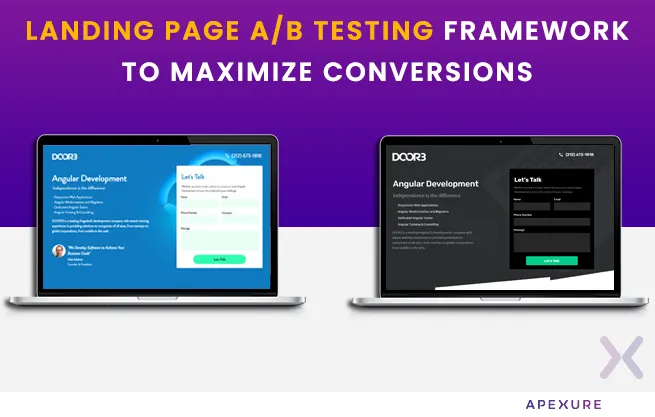
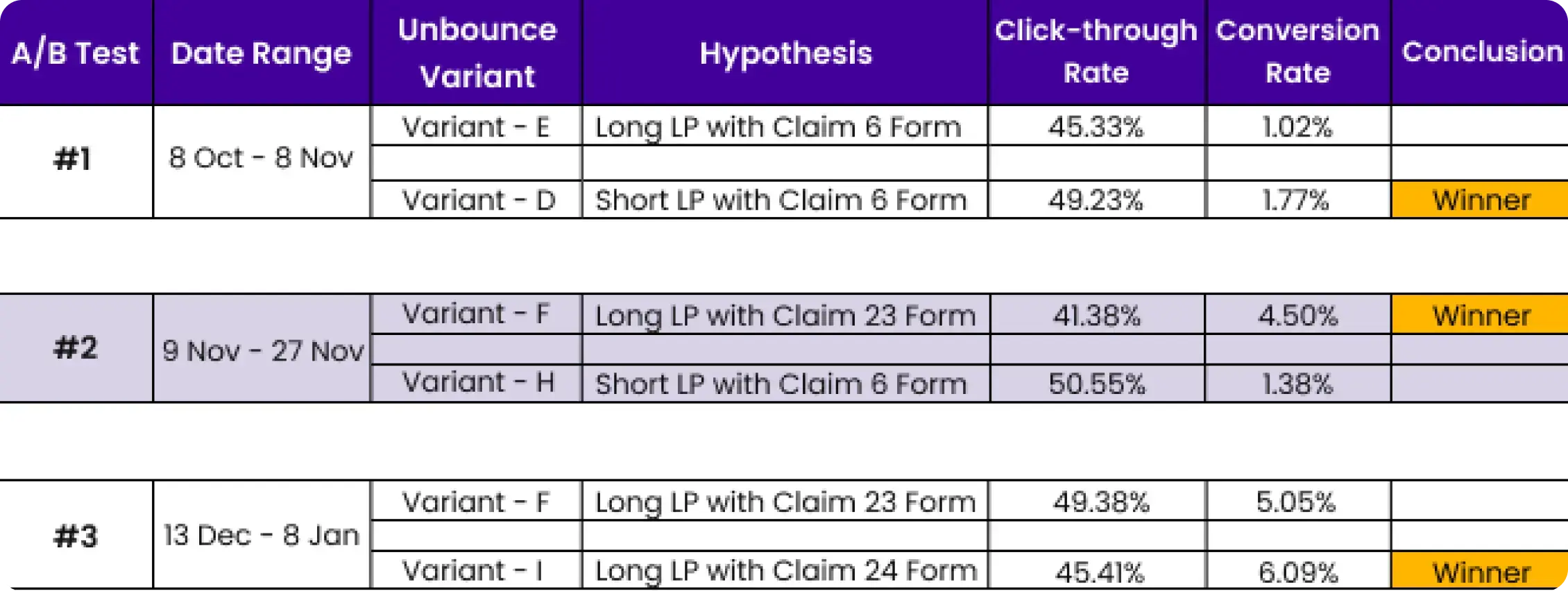
To make landing page testing more reliable, we consider both traffic and time, changing only one variable at a time. For small traffic volumes, we conduct split tests with completely different page versions. We also use confidence indicators that employ a Chi-Square test to measure the likelihood that the winning variation's higher conversions are not due to chance.
Low-traffic CRO: If you have fewer than 1,000 monthly conversions, do not force A/B testing. You will never reach significance in a reasonable timeframe. Instead, implement proven best practices based on qualitative research, then test once traffic supports it.
Step 8: analyse, document, and iterate
Analysis is not “which version won.” It is understanding why it won, what that tells you about your audience, and how it shapes the next cycle. After every test, answer four questions:
- Was the result statistically significant? If not, the test is inconclusive, not a failure.
- What segments responded differently? Break results by device, traffic source, and geography.
- What does this tell us about the audience? A benefit-focused headline beating a feature-focused one tells you something about your visitors’ priorities.
- What should we test next? Every completed test should generate at least one new hypothesis.
Document everything. Maintain a test log with the hypothesis, variant details, duration, sample size, result, confidence level, and the learning. After 20-30 tests, the patterns in that log become your most valuable CRO asset. This step feeds directly back into Step 1. The cycle continues. Each loop is faster and more informed than the last because you are building on accumulated knowledge, not starting from scratch.
The CRO process tool stack (2026)
| Phase | Tool | What it covers | Cost |
|---|---|---|---|
| Steps 1-2: Analytics | GA4 | Traffic, conversions, funnel analysis, audience data | Free |
| Step 3: Behaviour | Microsoft Clarity | Heatmaps, session recordings, rage-click detection | Free |
| Step 3: Behaviour | Hotjar | Heatmaps, recordings, on-page surveys, feedback polls | From $32/mo |
| Steps 6-7: Testing | VWO | A/B tests, multivariate, AI-powered predictive segmentation | From $99/mo |
| Steps 6-7: Testing | Optimizely | Feature experimentation, AI variation agents | Custom |
| Steps 6-7: Testing | Convert | Privacy-first testing, flicker-free loading | From $99/mo |
| Step 8: Reporting | Looker Studio | Custom dashboards, GA4 + ads + CRM integration | Free |
Common CRO process mistakes
Mistakes That Kill CRO Programmes
- Skipping the research phase. Jumping straight to testing is the most common mistake. Without data, you are testing random changes. With data, you are testing informed hypotheses, the difference in hit rate is enormous.
- Stopping tests early. A variant that is "winning" after 3 days might lose after 3 weeks. Run to statistical significance, 95% minimum, or do not run the test.
- No prioritisation framework. Without EPIC, ICE, or PIE, teams test whatever the most senior person suggested. That is how you spend months on low-impact changes.
- Testing too many variables at once. If you change the headline, image, form, and CTA simultaneously, you cannot attribute the result to any single change. Isolate variables.
- Not documenting learnings. A test log with 30 entries and their learnings is worth more than any tool subscription. Without documentation, you repeat mistakes and lose institutional knowledge.
- Treating CRO as a one-off. A single test cycle is useful. A continuous CRO programme, where each cycle builds on the last, is major. The compound effect is where real ROI lives.
How Apexure runs the CRO process
We follow this exact 8-step process on every engagement. The specifics vary by client, a SaaS startup with 5,000 monthly visitors gets a different treatment than an enterprise with 500,000, but the structure is always the same.
"Apexure has strong expertise in their space and their professional approach in executing the project and stakeholders management has been impressive. We have seen growth in our lead gen volume and also better quality leads."
Results from our CRO process
CRO Process in Action — 63% Conversion Increase
IMD, a globally ranked business school, needed more MBA programme leads. We followed this exact 8-step CRO process: audited the page, identified that trust signals were buried below the fold via heatmap data, built hypotheses, prioritised with EPIC, and ran A/B tests.
- The quantitative audit (Step 2) showed a 3.91% conversion rate. Heatmap analysis (Step 3) revealed visitors dropping off before reaching the alumni testimonials.
- After prioritising changes with EPIC (Step 6) and running A/B tests (Step 7), conversion improved to 6.38% — a 63% increase in qualified leads.
Ready to Start a CRO Programme?
We will audit your website and landing pages, identify the biggest conversion opportunities, and give you a prioritised testing roadmap, free of charge.
Book a Free CRO Audit →What you should do now
Found this blog post helpful? Here are more ways in which we can help your business grow:
- Get a free CRO audit
We will audit your website and landing pages, identify the biggest conversion leaks, and give you a prioritised action plan. Book a call to get started.
- Learn more about CRO
Read our Landing Page CRO Strategy Guide or explore 100+ articles on landing pages and conversion optimisation.
- See our results
Our case studies show how we have helped clients lift conversion rates by 40-150%.
Frequently asked questions
A CRO process is a structured, repeating cycle for improving your website’s conversion rate. It typically includes research (quantitative and qualitative data collection), hypothesis generation, test prioritisation, controlled experiments (A/B or multivariate tests), analysis, and iteration. The key word is ‘process’ — CRO is not a one-off project but an ongoing programme of compound gains.
A practical CRO process has eight steps: (1) Define conversion goals and KPIs, (2) Conduct a quantitative CRO audit, (3) Gather qualitative insights via heatmaps and surveys, (4) Map the user journey and identify friction, (5) Build data-backed hypotheses, (6) Prioritise using a framework like EPIC or ICE, (7) Design and run controlled tests, (8) Analyse results, document learnings, and iterate.
A single test cycle, from hypothesis through test to analysis — typically takes 4-6 weeks, assuming enough traffic for statistical significance. A meaningful CRO programme shows measurable results within 2-3 months. Real ROI compounds by month 3-4. The audit and research phase usually takes the first 2-4 weeks.
A/B testing is one step in the CRO process, the experimentation phase. CRO is the full system: research, hypothesis, prioritisation, testing, analysis, and iteration. Running A/B tests without the research and hypothesis steps is just changing things randomly. The process gives the tests meaning.
Freelance CRO consultants charge $75-$250/hour or $5K-$10K/month. CRO agencies range from $5K-$35K/month depending on scope and testing velocity. Project-based audits cost $6K-$12K. The ROI typically justifies the investment quickly — well-run CRO programmes improve conversions by 40% on average while cutting wasted ad spend by up to 50%.
The standard 2026 stack covers four phases: analytics (GA4), behaviour tracking (Hotjar or Microsoft Clarity), A/B testing (VWO, Optimizely, or Convert), and reporting (Looker Studio). If budget is tight, GA4 + Microsoft Clarity + a spreadsheet test log covers the essentials for free.
The median across all industries is 2-3% for websites and 6.6% for dedicated landing pages. Top performers reach 10-11%+. B2B averages 13.3% on landing pages. But ‘good’ depends on your traffic source, offer type, and industry — a $50K enterprise demo request will always convert lower than a free ebook download.
Yes. If your traffic is too low for statistically significant A/B tests (below ~1,000 monthly conversions), rely on qualitative research — session recordings, user interviews, heuristic audits — and implement proven best practices. Fix the obvious friction points first, then test once traffic supports it.
View all sources
How to Create a CRO Processcxl.com
CRO Steps and Tips for 2026contentsquare.com
CRO Strategy for 2026hubspot.com
CRO Process in 5 Easy Stepsvwo.com
CRO Strategy Developmentinvespcro.com
111 Key CRO Statistics for 2026loopexdigital.com
The CRO Process Blueprintspeero.com
How to Implement a CRO Processunbounce.com
The 50-point landing page checklist
Everything we check before a page goes live: copy, layout, forms, trust, speed and tracking. One PDF, sent by email.
Need a page built instead? Get a fixed quote.

Waseem founded Apexure in 2015 and has led its work on 3,000+ pages for 300+ clients since. He writes about what the team sees after the click, which is pages, forms, tracking and the systems behind them.